

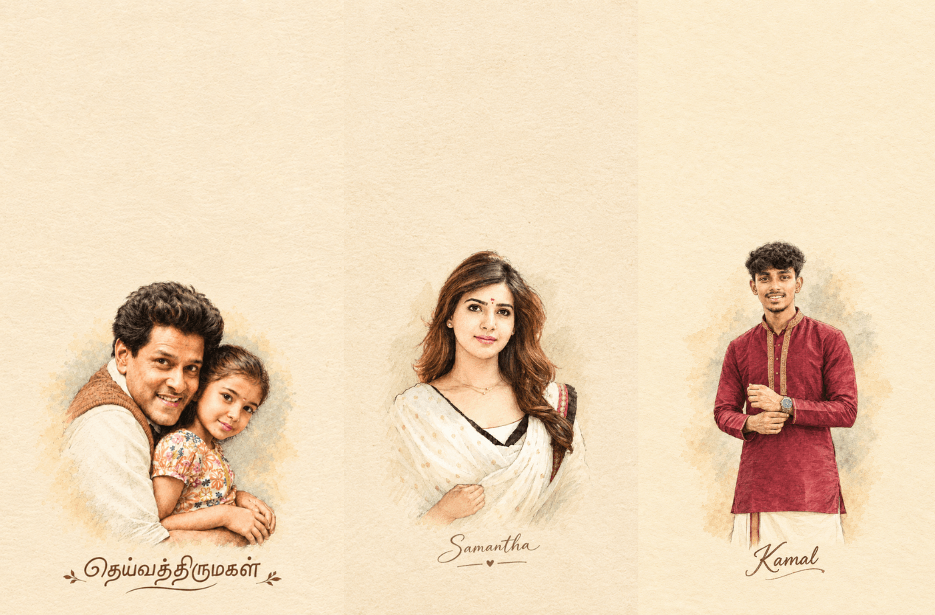
Turn your photo into a beautiful vintage watercolor portrait with this AI prompt. It preserves your identity, facial features, hairstyle, outfit, and pose while adding delicate pencil outlines, ink details, soft watercolor washes, and a warm cream-paper texture. The final result has a nostalgic handmade scrapbook feel, with your name elegantly placed below the portrait.
Prompt
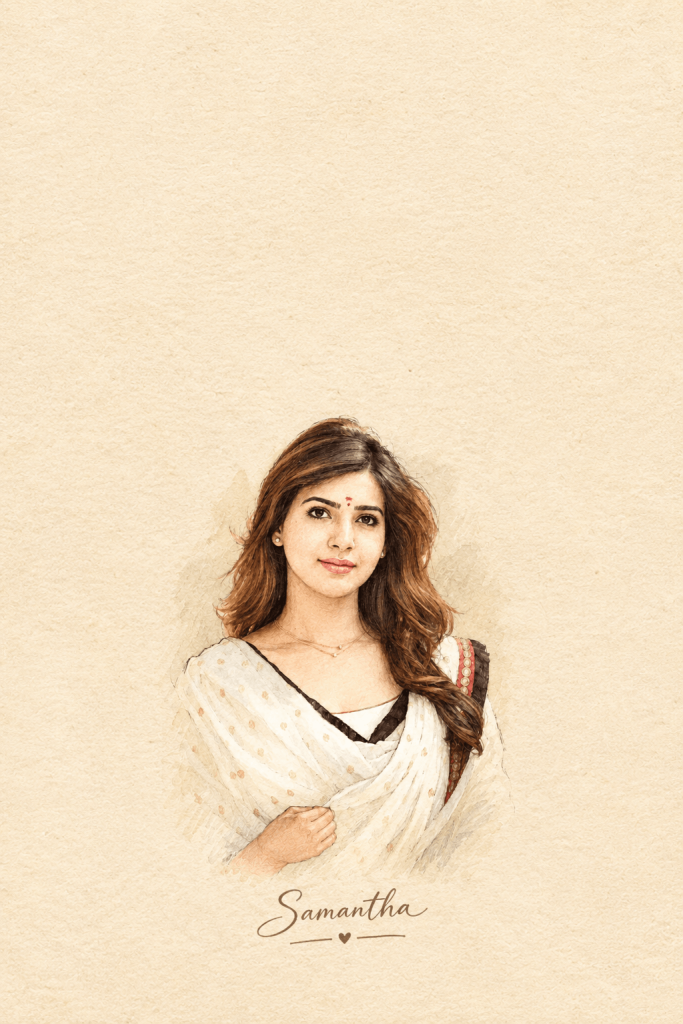
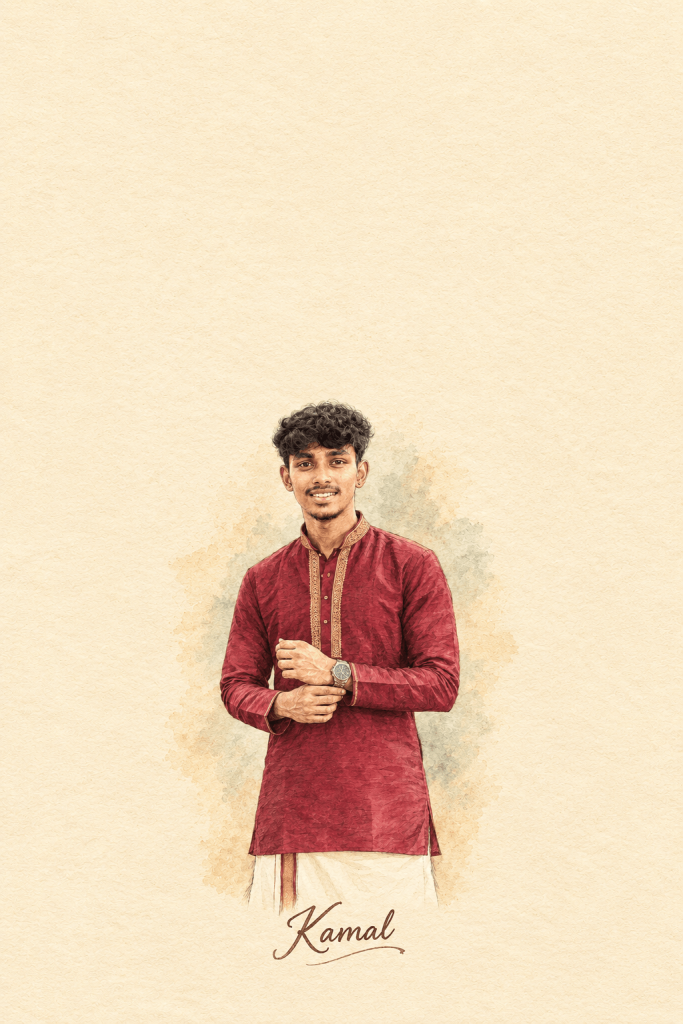
Preserve my exact facial features, face shape, skin tone, hairstyle, outfit, pose, proportions, and recognizable appearance. Do not beautify, reshape, replace, or alter my identity. Make the artwork look like a beautifully handmade watercolor-and-ink journal sketch with a soft, nostalgic scrapbook aesthetic.
Art Placement: Position the illustrated portrait in the lower-center portion of the paper, occupying approximately the lower 40–45% of the canvas. Keep the portrait moderately sized — clearly visible and detailed, but not oversized. Leave generous clean cream-paper space above the artwork for a balanced, minimalist journal-card composition.
Place the name “[YOUR NAME]” directly below the portrait, centered horizontally, with elegant handwritten lettering in the same vintage artistic style. Keep the name close enough to visually connect with the portrait while maintaining comfortable spacing.
Maintain a minimal, airy composition with plenty of blank cream paper space, especially above the portrait. No reference-photo thumbnail, UI elements, borders, frames, extra objects, or watermark.
Picture 1: Watercolor Girl Portrait
Picture 2: Watercolor Painting AI Photo Editing
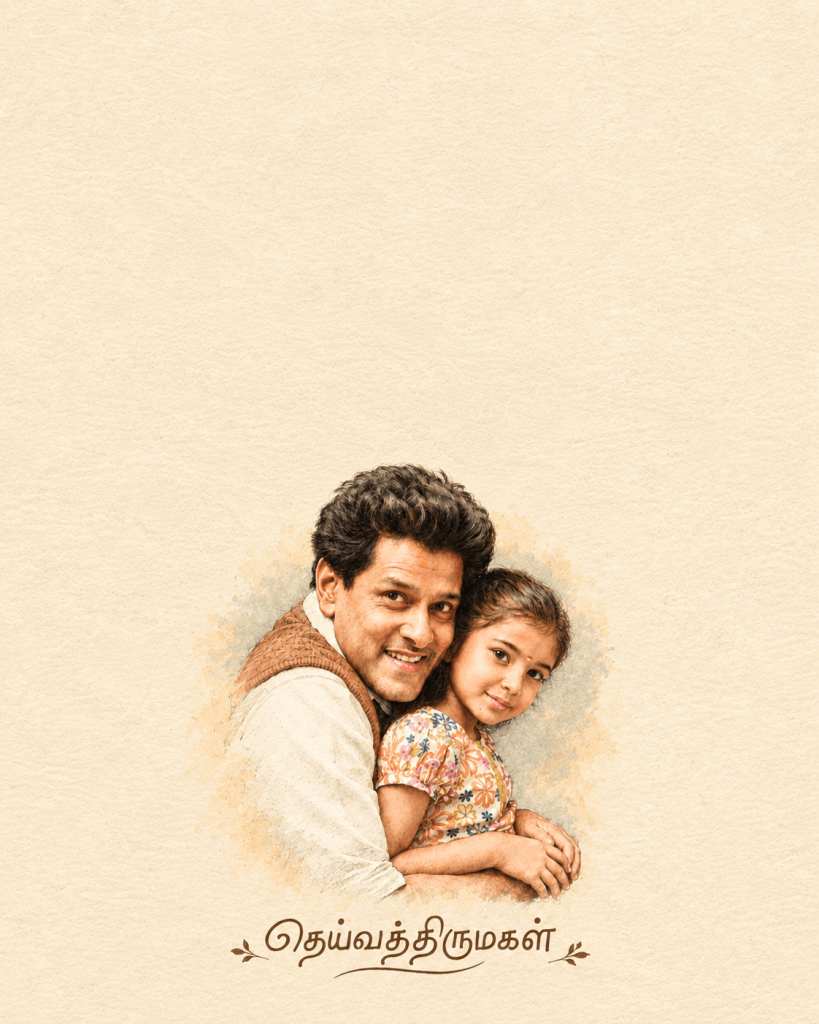
Picture 3: Trending Photo to Watercolor Painting
How to Use These Prompts
1. Below each image, you will see a prompt box with two buttons: Copy and Share to AI.
2. You can tap Copy to copy the full prompt manually. Or simply tap Share to AI; this will automatically copy the prompt for you.
3. After tapping Share to AI, a list of popular AI tools like ChatGPT, Gemini, Copilot, and others will appear on your screen.
4. Click on any AI tool you prefer. It will directly open the selected AI platform.
5. Once the AI page opens, paste the prompt into the prompt box (it is already copied if you used Share to AI).
6. Upload your reference image if required.
7. Click generate, and your image will be created.
8. If needed, you can slightly adjust the prompt for lighting, angle, or mood and generate again.
9. Once you are satisfied with the result, download the image and save it for your use.