

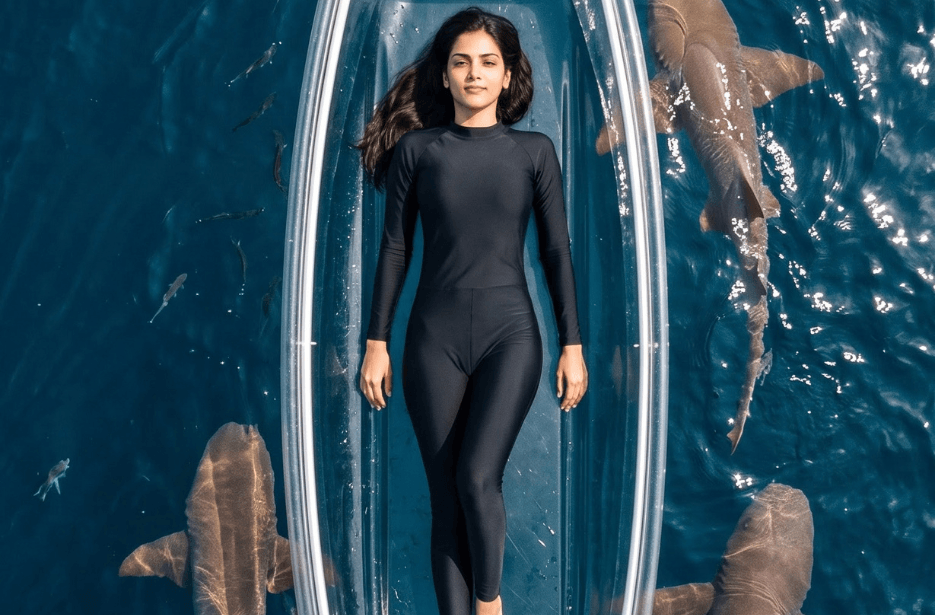
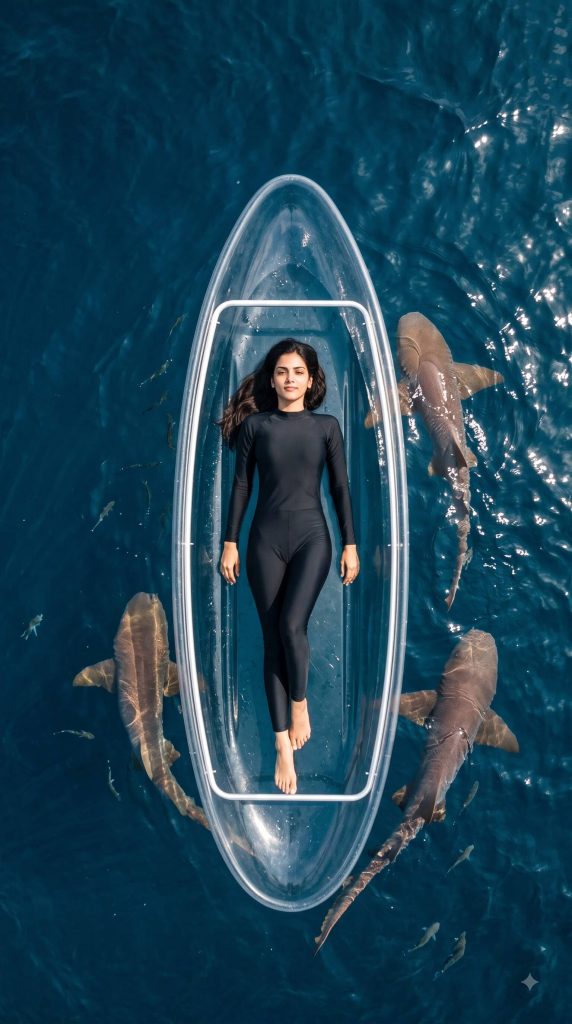
Create a stunning ocean adventure using the Transparent Kayak AI Prompt. Turn your photo into a photorealistic aerial scene where you relax on a crystal-clear kayak surrounded by sharks, then transform it into a cinematic drone video with Google Flow.
Photo Prompt
Click COPY or Share to AI
Use my uploaded photo as the exact face and identity reference ABSOLUTE IDENTITY LOCK. Preserve my facial features, face shape, eyes, nose, lips, skin tone, hairstyle, and recognizable appearance. Create a photorealistic cinematic drone photograph from directly above. I am wearing a modest, full-coverage black swim bodysuit that completely covers my body from neck to ankles, with long sleeves and full-length legs, and I am lying comfortably on my back on a transparent crystal-clear inflatable lifeboat/raft floating on the deep-blue ocean.
Several large realistic sharks are swimming naturally around and beneath the transparent raft, clearly visible from the drone, with smaller fish scattered throughout the surrounding water.
I am looking directly upward toward the drone camera, with my face clearly visible, sharp, recognizable, and unobstructed despite the high-angle aerial perspective. Keep my face realistic and properly proportioned. Crystal-clear deep-blue ocean, realistic sunlight reflections, gentle waves, transparent raft with natural reflections, detailed sharks, cinematic travel photography, realistic aerial perspective, ultra-photorealistic, high detail, 9:16 vertical, no text, no watermark.
Several large realistic sharks are swimming naturally around and beneath the transparent raft, clearly visible from the drone, with smaller fish scattered throughout the surrounding water.
I am looking directly upward toward the drone camera, with my face clearly visible, sharp, recognizable, and unobstructed despite the high-angle aerial perspective. Keep my face realistic and properly proportioned. Crystal-clear deep-blue ocean, realistic sunlight reflections, gentle waves, transparent raft with natural reflections, detailed sharks, cinematic travel photography, realistic aerial perspective, ultra-photorealistic, high detail, 9:16 vertical, no text, no watermark.
Video Prompt
Click COPY or Share to AI
Use the uploaded image as the exact starting frame and visual reference. Preserve the woman’s face, identity, hairstyle, full-coverage black swimsuit, transparent raft, pose, ocean, lighting, and overall composition exactly. Create a photorealistic cinematic drone-shot video. The camera begins very close above her face, looking straight down as she calmly looks directly toward the drone. The camera then slowly and smoothly pulls straight upward, continuously ascending and widening the field of view. As the drone rises, gradually reveal her entire body on the transparent raft, then the surrounding deep-blue ocean, followed by many large realistic sharks swimming naturally around her at different distances and directions, with smaller fish scattered throughout the water. Keep the sharks clearly visible but naturally scaled and positioned. The camera continues pulling higher until she becomes a smaller central subject surrounded by a dramatic large-scale ocean scene filled with sharks and schools of fish. Maintain realistic water movement, sunlight reflections, underwater visibility, natural shark motion, and cinematic depth. Smooth continuous drone pull-back, no sudden camera movements, no cuts, no rotation, no change in subject or outfit, realistic scale and perspective, high-end cinematic aerial photography, photorealistic, 9:16 vertical, 8–10 seconds, no text, no watermark.
How to Create Your Shark AI Video
- Copy the image prompt from our website.
- Go to any AI image-generating tool, such as ChatGPT.
- Paste the prompt and upload your photo.
- Your image will be generated, showing you on a transparent boat surrounded by sharks.
- Download the generated image.
- Copy the video prompt from our website.
- Now, open the Google Flow app.
- Upload the generated image and paste the video prompt.
- Set the image resolution to 720p or higher.
- Set the video duration to 4, 6, 8, or 10 seconds.
- Generate your video.
- Have fun customizing the prompt – for example, replace the sharks with huge whales, customize your outfit, and make other creative changes!