

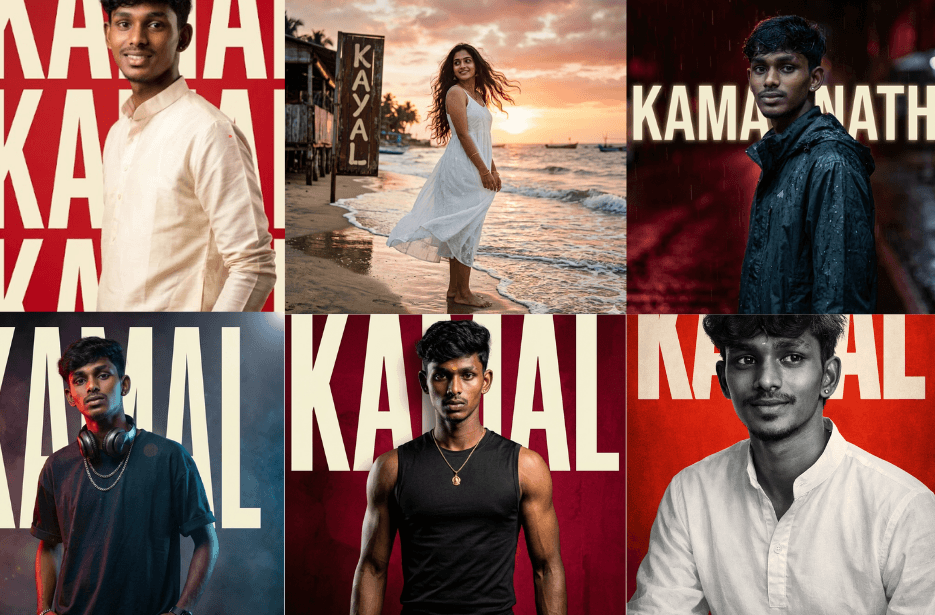
In a world where everyone loves personalised content, creating photos with your own name beautifully styled in the background has become a fun and creative trend. Thanks to AI, you no longer need advanced design skills or expensive software to make this happen. With just a simple prompt, you can generate stunning, customised images that feel unique and meaningful. You can use these photos as your WhatsApp DP, Instagram profile picture, and more to stand out and show your personal style.
Version 1: Groom
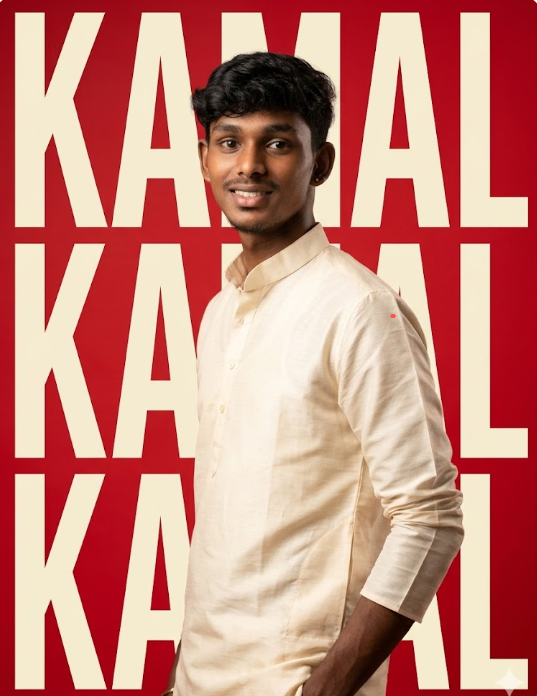
He is wearing a light beige/cream kurta with a clean, modern fit. The pose is relaxed in a side profile stance, with his body slightly turned and one hand casually placed in his pocket, while he looks confidently toward the camera.
The background should be a bold, vibrant red with large cream-colored typography spelling “KAMAL” arranged vertically (top to bottom: K A M A L). The text must appear only once, clearly readable, not mirrored, not reversed, not duplicated, and not distorted. The typography should be clean, modern, bold, and centered in the composition, integrated seamlessly into a minimal graphic poster-style background.
Use soft, directional studio lighting to highlight the subject’s facial features and the texture of the kurta, creating subtle shadows for depth and dimension. Ensure a high-end editorial fashion photography aesthetic.
Style & Quality:
Photorealistic, ultra-detailed
Sharp focus, 4K resolution
Shallow depth of field (85mm portrait lens look)
Clean composition with minimal distractions
Strong contrast between red background and cream typography
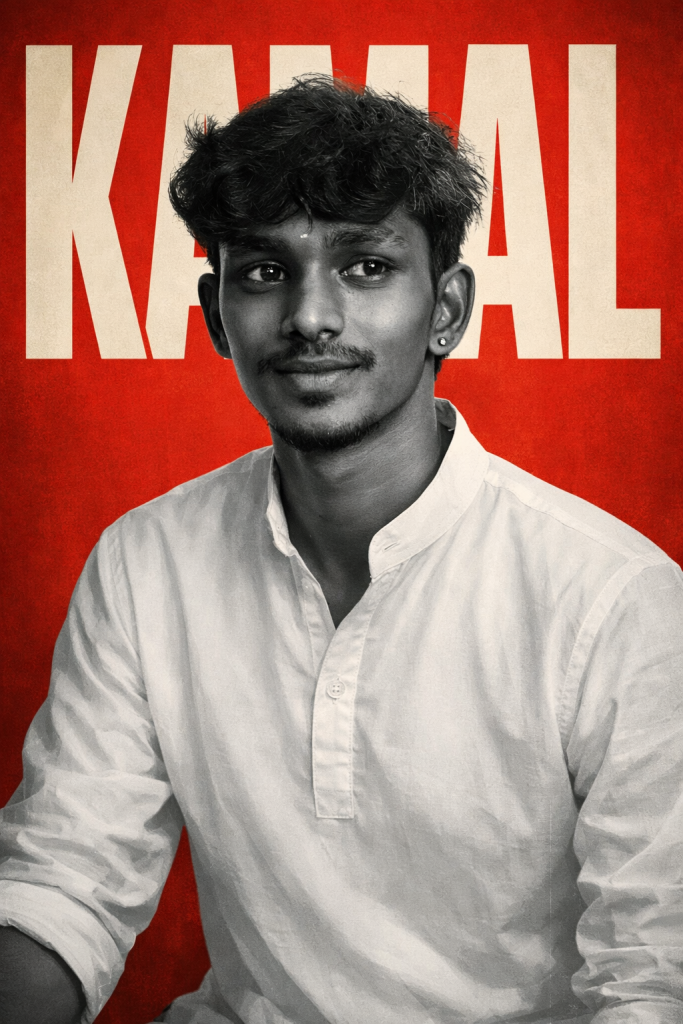
Version 2: The Poem’s Son
Version 3: The Fighting Rooster
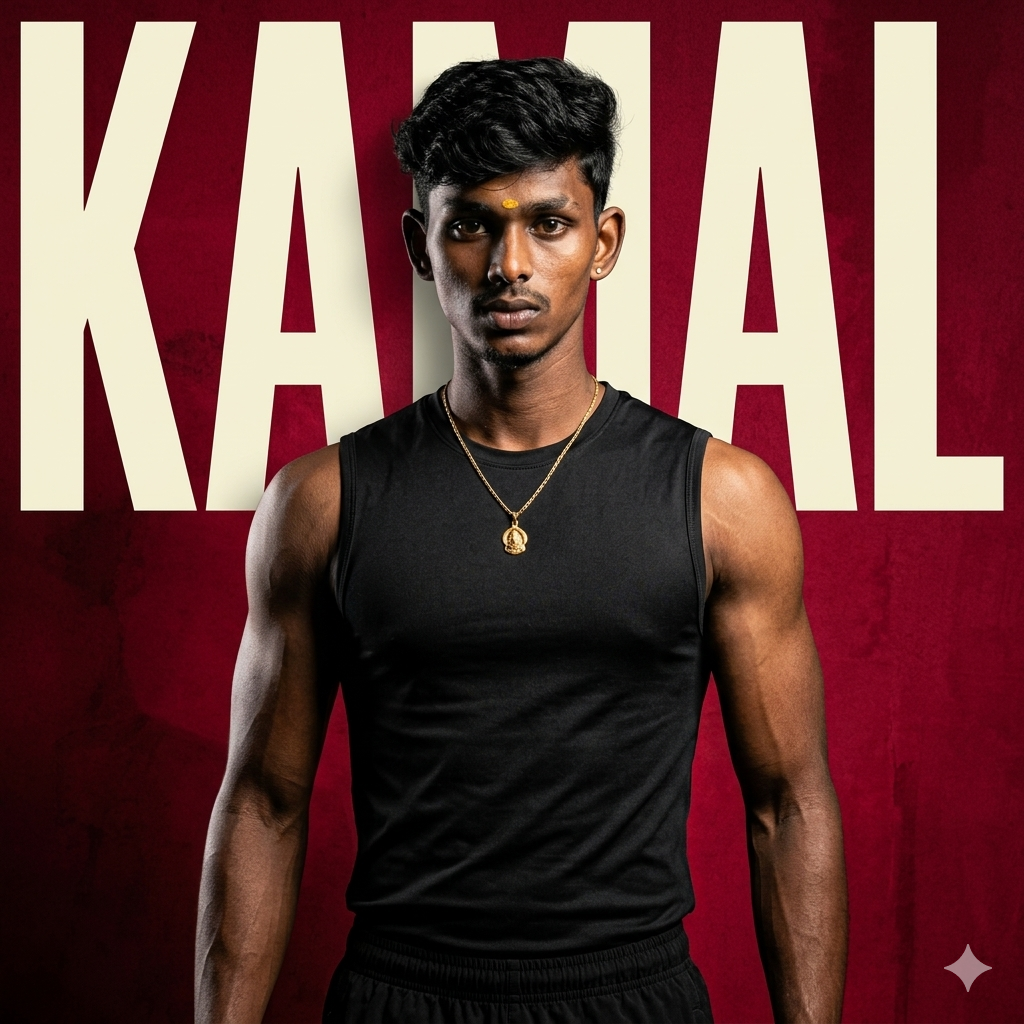
The background is a deep textured crimson-red wall with subtle grunge details and dramatic shadows. At the center behind him, the name “KAMAL” appears vertically in huge bold cream-colored typography, stretched tall and sharp, creating a striking poster-like composition.
High-contrast studio lighting from one side highlights the contours of his arms, shoulders, jawline, and chest, emphasizing muscle definition with deep shadows and crisp detail. Subtle rim lighting separates him from the background. The overall look is intense, masculine, and ultra-stylized.
Style: premium fitness editorial, modern movie-poster aesthetic, ultra realistic, sharp focus, shallow depth of field, highly detailed skin texture, dramatic cinematic grading, 4K, centered framing, minimalistic composition, powerful and commanding mood –ar 1:1 –stylize 200
Version 4: The Rain Cries
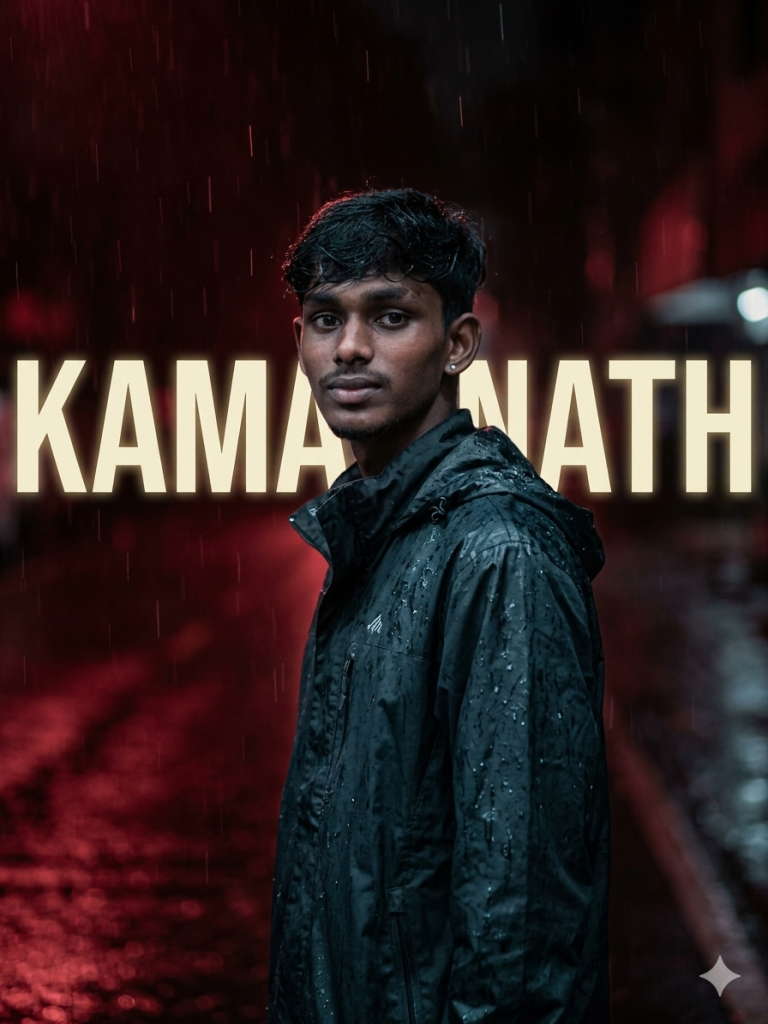
He looks calmly toward the camera in a relaxed side pose.
Background: dark red-toned rainy scene with reflections.
The name “KAMAL NATH” appears horizontally in bold cream typography, slightly glowing and clearly readable in the center. The text appears at the back of the person, stretchable from one end to another.
Lighting: moody, soft, slightly cool tones with highlights on raindrops.
Style: Emotional, cinematic, ultra-realistic.
Version 5: Tamil Rapper
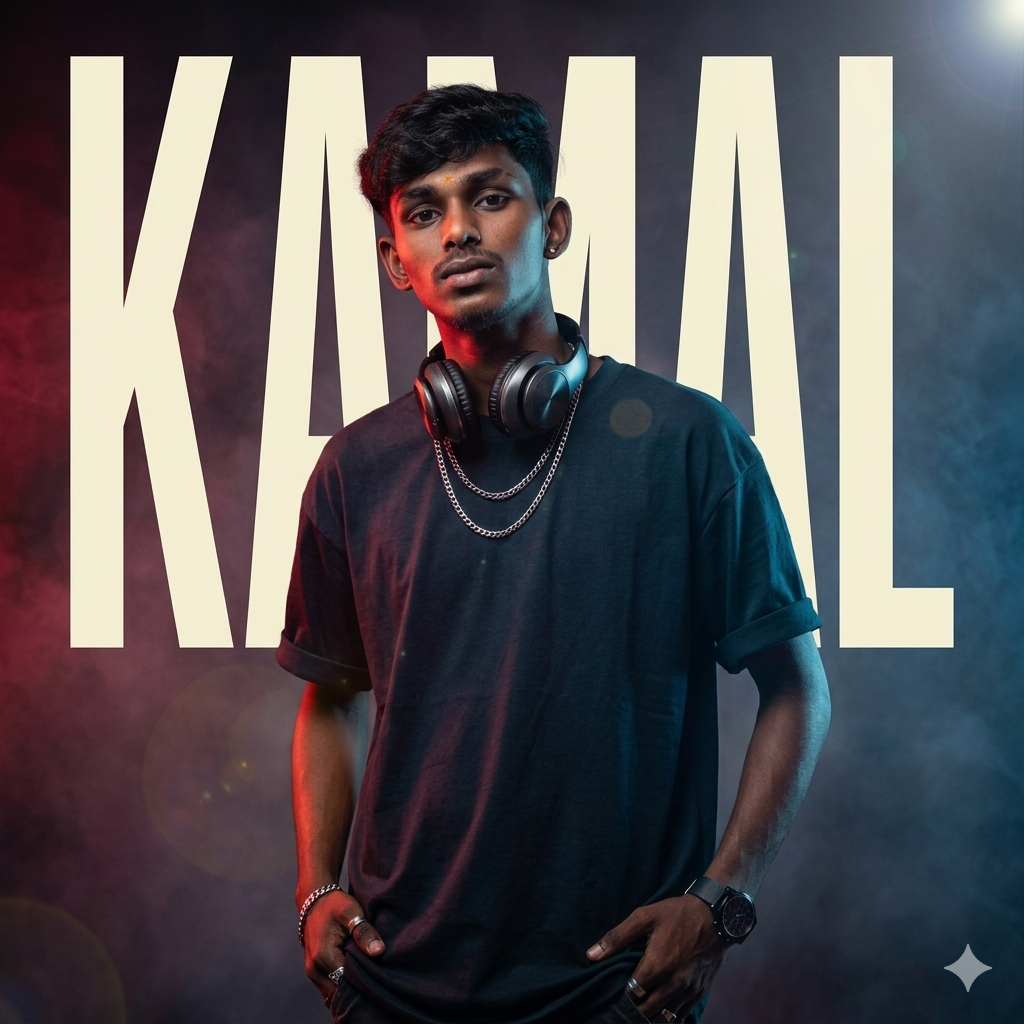
The background is a rich blue-toned studio setting with soft atmospheric haze, subtle lens flares, and faint grain for a cinematic feel. Behind him, the name “KAMAL” appears vertically in huge cream-colored typography at the center, stretched tall like a bold album-cover title, partially hidden behind his silhouette for added depth.
Lighting is moody and dramatic, blending deep red and cool blue highlights across his face, jawline, hair, and clothing. A soft blue rim light outlines one side of his body while warm red light washes the opposite side, creating a stylish dual-tone effect. Sharp shadows and glowing highlights add depth and intensity.
Style: contemporary music album cover, edgy street-fashion editorial, ultra realistic, high contrast, highly detailed skin and fabric textures, shallow depth of field, centered framing, premium poster design, subtle film grain, crisp focus, 4K, modern Gen-Z aesthetic, luxury urban vibe –ar 1:1 –stylize 250
Version 6: My Sunshine
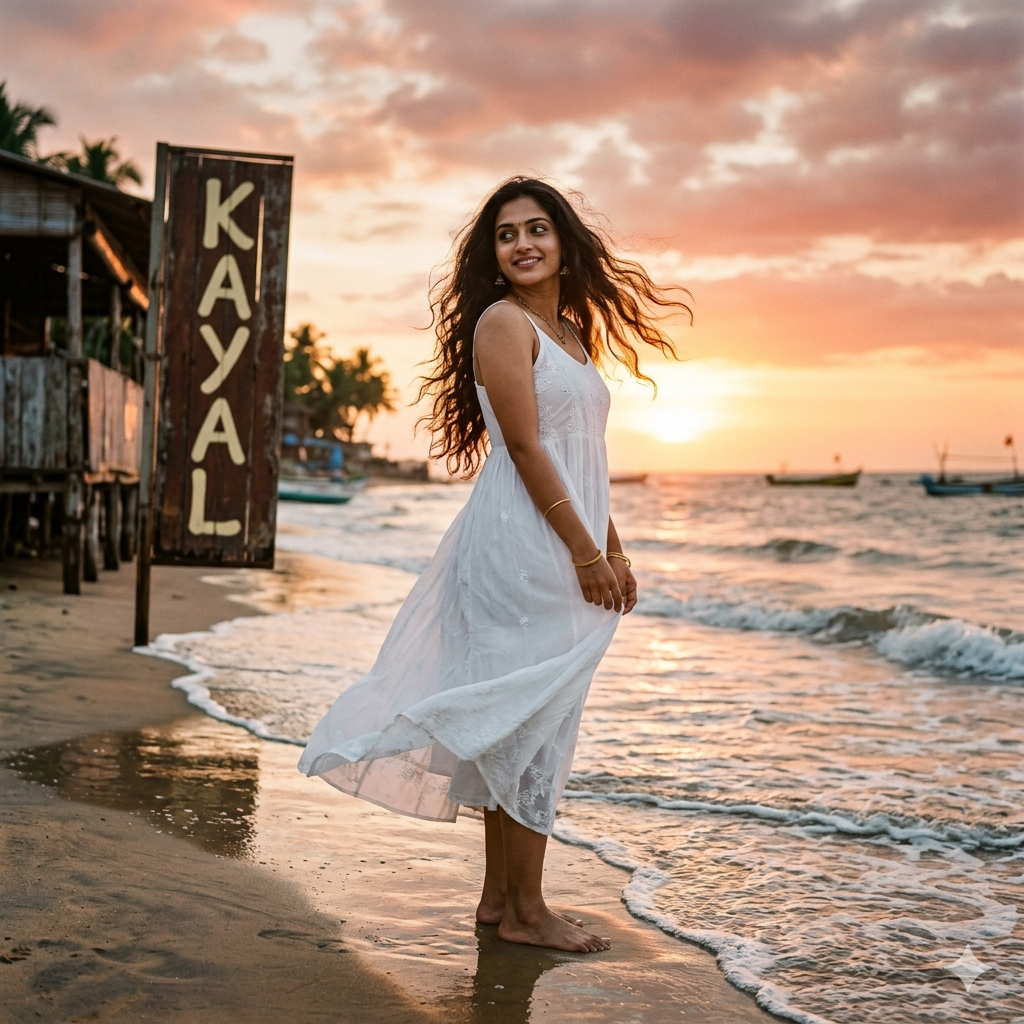
The setting is a peaceful beach during golden hour, with gentle waves touching the shore and reflections glowing on the sand. The sky is richly layered with sunset colors: warm coral, soft peach, rose gold, muted crimson, and fading amber blending into each other. Subtle red tones remain in the sky, but they feel elegant and atmospheric rather than overpowering.
In the background, a rustic beach shack or weathered wooden signboard near the shoreline displays the name “KAYAL” vertically in large cream-colored typography. The letters are bold, clean, and softly illuminated by the sunset light, blending naturally into the scene like the title of a cinematic poster.
Warm golden-hour sunlight falls across her face and hair, creating a soft glow and delicate highlights along the edges of her dress. Gentle backlighting from the setting sun adds a dreamy halo effect, while soft shadows keep the portrait natural and realistic. The overall lighting is airy, warm, and romantic.
Style: premium lifestyle editorial, dreamy beach portrait, cinematic and soft, ultra realistic, shallow depth of field, fine skin detail, soft film grain, elegant composition, highly detailed fabric and hair movement, modern poster aesthetic, 4K, serene and emotionally rich atmosphere –ar 1:1 –stylize 220
Version 7: The Bossy Boss
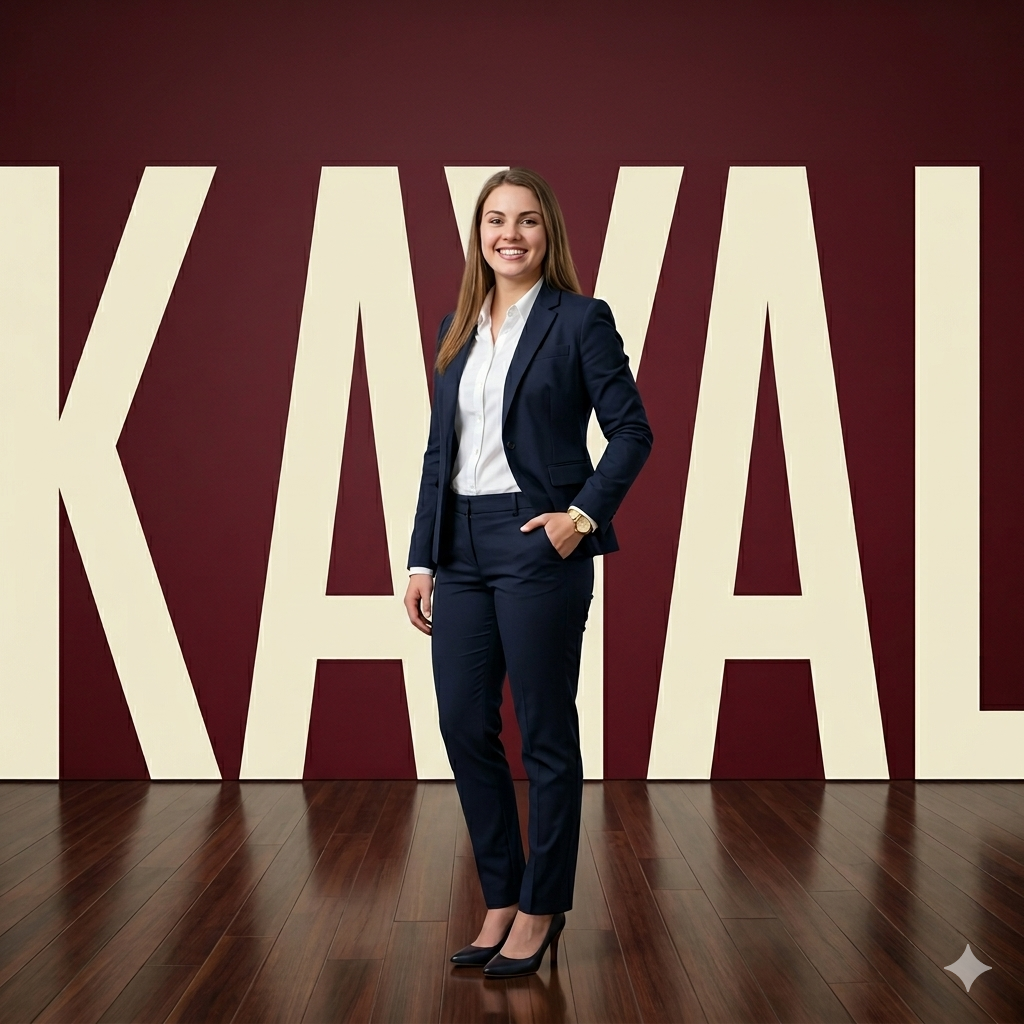
Background: solid red studio backdrop featuring oversized “KAYAL” text in cream, bold and attractive, stretched horizontally across the entire frame from left edge to right edge, large-scale typography occupying most of the background, modern branding style.
Lighting: studio softbox lighting, even tones, subtle highlights.
Style: minimal, sharp, corporate editorial.
Output: ultra-realistic, 4K, professional magazine cover look.
How to Use These Prompts
1. Below each image, you will see a prompt box with two buttons: Copy and Share to AI.
2. You can tap Copy to copy the full prompt manually. Or simply tap Share to AI; this will automatically copy the prompt for you.
3. After tapping Share to AI, a list of popular AI tools like ChatGPT, Gemini, Copilot, and others will appear on your screen.
4. Click on any AI tool you prefer. It will directly open the selected AI platform.
5. Once the AI page opens, paste the prompt into the prompt box (it is already copied if you used Share to AI).
6. Upload your reference image if required.
7. Click generate, and your image will be created.
8. If needed, you can slightly adjust the prompt for lighting, angle, or mood and generate again.
9. Once you are satisfied with the result, download the image and save it for your use.
Tips to Make The Prompts Better!
You can easily personalise these prompts to match your style, mood, and platform. Use the tips listed below to get better and more unique results.
1. Face Identity & Accuracy
- Always mention “use the provided image for exact face identity (100% preserved)”
- Add: sharp eyes, natural skin texture, no distortion
- If needed, include: same hairstyle, same expression
2. Outfit & Styling
- Change outfits based on your vibe:
- Casual: hoodie, t-shirt, streetwear
- Formal: blazer, suit, satin shirt
- Traditional: saree, kurta, ethnic wear
- Add accessories like watch, chain, sunglasses, rings for a premium look
3. Lighting Control
Lighting plays a huge role in realism:
- Golden hour → warm, soft, aesthetic
- LED/cool light → moody, cinematic
- Flash lighting → bold, high contrast
- Soft indoor light → clean and natural
4. Camera Angle & Composition
- Try different angles for better results:
- Eye level → natural look
- Low angle → powerful vibe
- Side profile → aesthetic feel
- Mirror reflection focus → cinematic style
- Add: shallow depth of field for background blur
5. Background & Environment
- Keep it minimal and clean for a professional look
- Or customise based on theme:
- Hotel room → luxury feel
- Car mirror → lifestyle aesthetic
- Black background → dramatic portrait
- Home setup → cosy vibe
6. Mood & Expression
You can control the emotion of the image:
- Confident & bold
- Calm & introspective
- Soft & smiling
- Serious & moody
7. Colour Grading & Style
- Add finishing styles like:
- Cinematic tone
- Warm vintage look
- Black & white editorial
- High contrast luxury style
- Use: subtle film grain for realism
8. Quality & Output Settings
- Always include:
- 4K or 8K resolution
- Aspect ratio: 4:5 or 3:4 (best for social media)
- Add: ultra-realistic, sharp focus, great detail.
Start with any prompt from this list, then tweak outfit + lighting + mood + background to create endless variations. Small changes can give completely new results.