
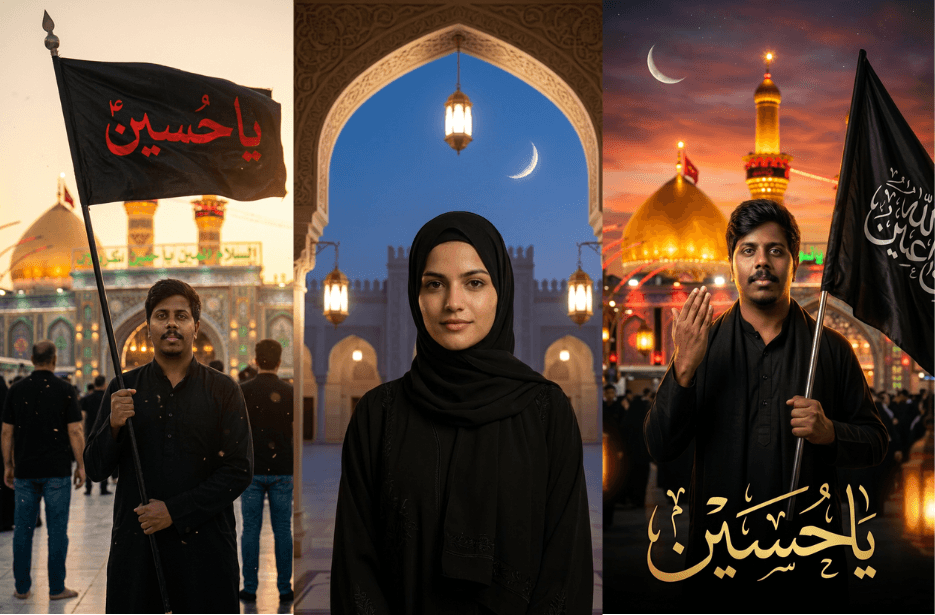
Muharram Photo Prompts for Spiritual Masterpiece

Muharram Prompt (9)

Create stunning Islamic devotional and Muharram-themed portraits using AI by transforming your photos into cinematic scenes set in Karbala, the Holy Kaaba, and beautiful mosque environments. These prompts are designed to preserve your facial identity while adding rich spiritual atmosphere, realistic lighting, and detailed Islamic architecture for powerful and meaningful visual results.

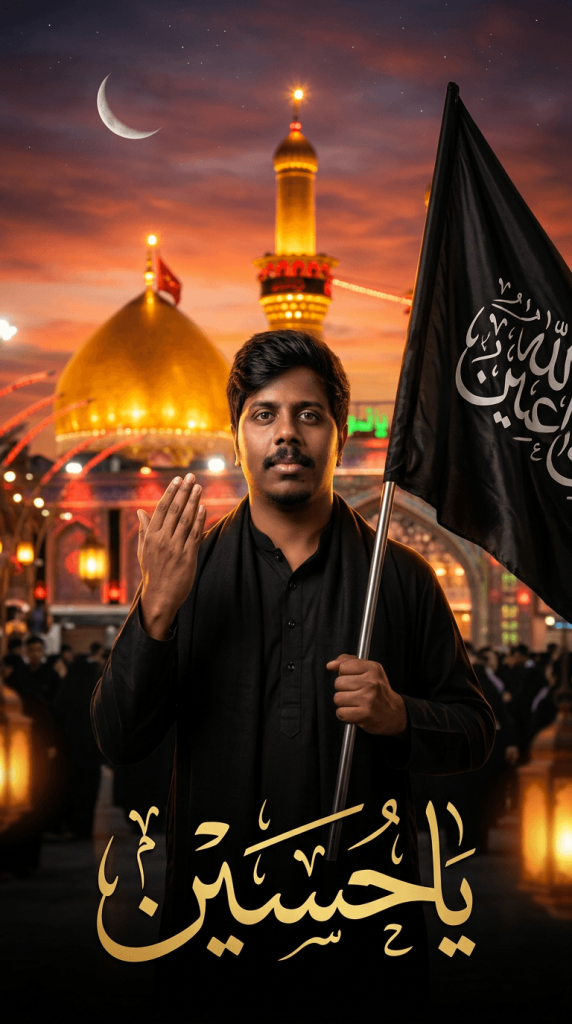
Version 1: Muharram Devotional Poster with Karbala Shrine and Black Flag
Muharram Prompt (2)
Click COPY or Share to AI
Use my uploaded photo as the exact face reference, preserving facial features, skin tone, hairstyle, and identity. Create an ultra-realistic Islamic devotional portrait of me standing in front of the illuminated Karbala shrine at sunset. I am wearing a plain black kurta with a black shawl, holding a large black flag with elegant Arabic calligraphy in one hand while raising my other hand in a respectful gesture. The background features the golden dome and minaret of the shrine glowing under a dramatic orange sky, a crescent moon, warm lantern lights, and a spiritual atmosphere. Add large golden Arabic calligraphy at the bottom, cinematic lighting, rich gold and black tones, shallow depth of field, highly detailed, photorealistic, premium poster design, 9:16 vertical composition.

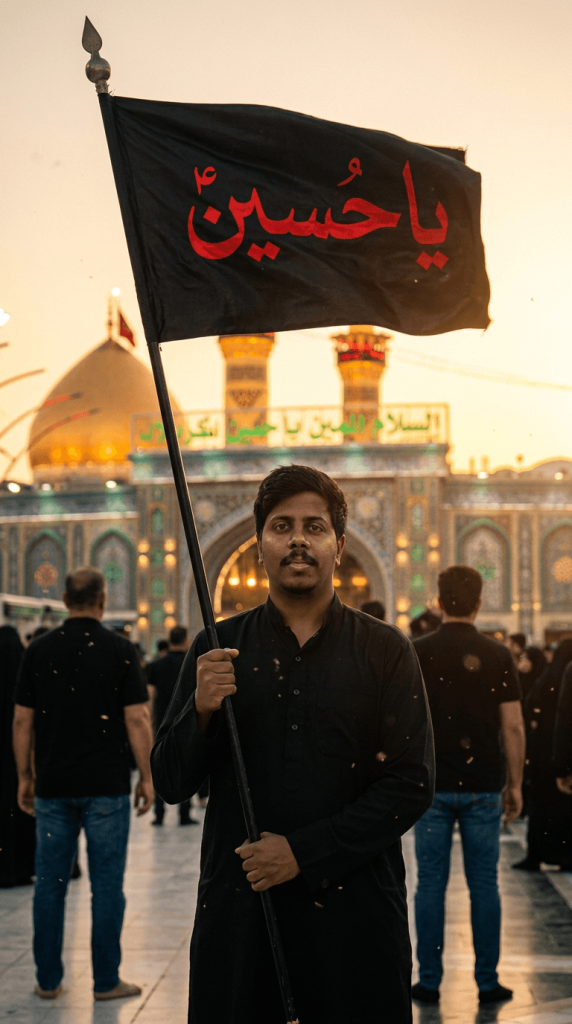
Version 2: Cinematic Karbala Muharram Poster with Ya Hussain Alam
Muharram Prompt (8)
Click COPY or Share to AI
Use the reference photo to create a cinematic Muharram poster set in Karbala at sunset, in a 9:16 vertical aspect ratio. The scene features a young man standing in front of the shrine of Imam Husayn ibn Ali, holding a large black Alam in one hand with the inscription “یا حسین” on the flag. His face must be fully visible, ultra-sharp, and highly detailed, with realistic skin texture, clear eyes, and natural facial features—no blur or shadows covering the face. He is dressed in elegant black Muharram attire, presenting a powerful and respectful presence.

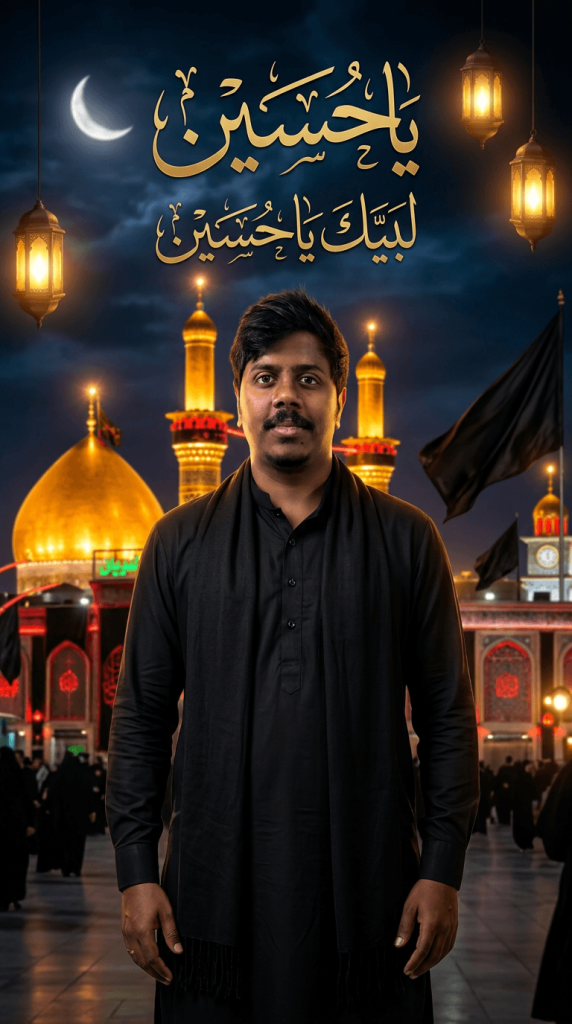
Version 3: Nighttime Karbala Shrine Portrait with Golden Islamic Architecture
Muharram Prompt (6)
Click COPY or Share to AI
Use my uploaded photo as the exact face reference, preserving facial features, skin tone, hairstyle, and identity. Create an ultra-realistic cinematic Muharram portrait with me standing confidently in front of the illuminated Karbala shrine at night. I am wearing a plain black kurta with a black shawl draped over my shoulders, hands relaxed, looking directly at the camera with a calm and respectful expression. The background features golden mosque domes and minarets glowing under warm lights, black mourning flags, traditional Islamic architecture, lanterns, a crescent moon, and a dramatic night sky. Add elegant Arabic calligraphy glowing in gold above, creating a spiritual and majestic atmosphere. Rich golden lighting, high contrast, shallow depth of field, premium poster design, photorealistic, ultra-detailed, 9:16 vertical composition.

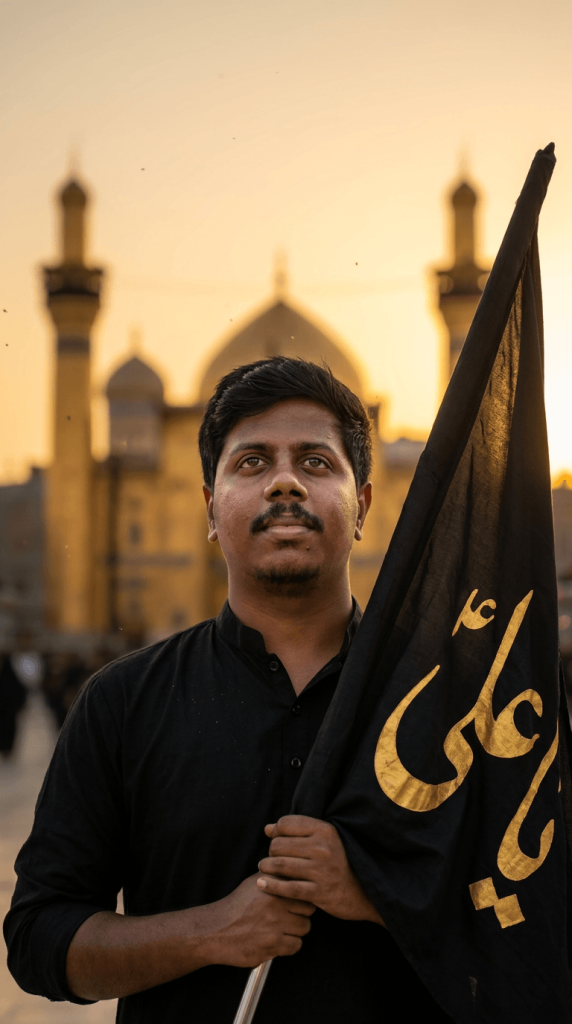
Version 4: Ya Ali Flag Portrait with Spiritual Karbala Sunset Background
Muharram Prompt
Click COPY or Share to AI
Use my reference photo to create a cinematic Muharram scene in a 9:16 vertical ratio. A young man stands holding a large black flag (Alam) close to the camera, with the Arabic text “يا علي” in bold gold lettering clearly visible on the fabric. His face is fully visible, ultra-sharp, and highly detailed with natural skin texture, clear eyes, and no shadows or blur. He wears a simple black kurta, expressing a calm and respectful look while gazing slightly upward. The background shows a softly blurred shrine with domes and minarets at sunset, warm golden light, shallow depth of field, and subtle dust particles in the air, creating a dramatic and spiritual cinematic atmosphere.

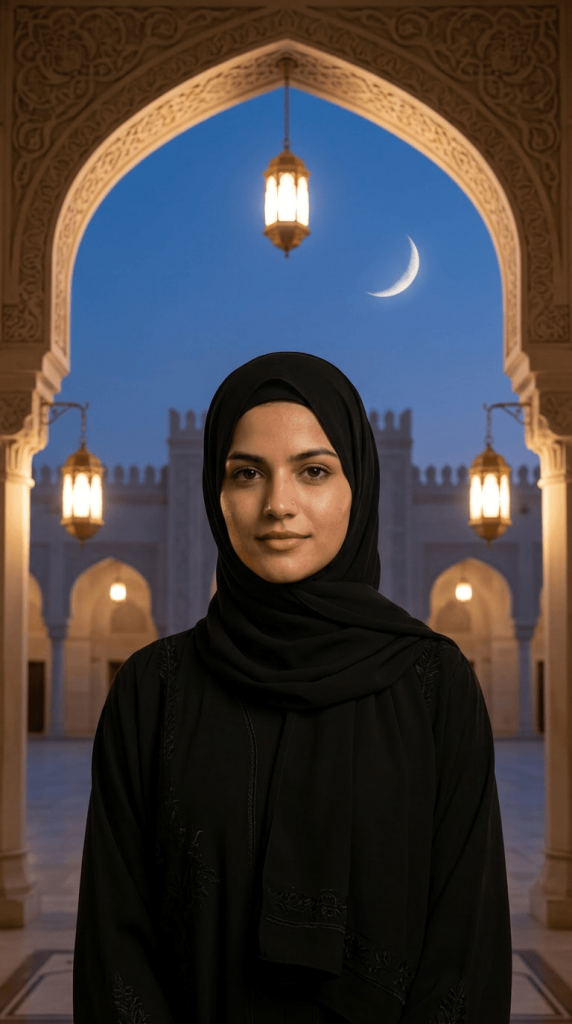
Version 5: Elegant Hijab Portrait in a Mosque Courtyard at Dusk
Muharram Prompt (7)
Click COPY or Share to AI
Use my uploaded photo as the exact face reference, preserving facial features, skin tone, hairstyle, and identity. Create an ultra-realistic 9:16 portrait of me wearing an elegant black hijab and modest black abaya with subtle embroidered borders. I am standing beneath a beautifully carved Islamic archway in a peaceful mosque courtyard at dusk. Warm hanging lanterns softly illuminate the scene, while a delicate crescent moon glows in the deep blue evening sky directly above. Centered composition, calm and confident expression, looking straight at the camera. Soft cinematic lighting, shallow depth of field, intricate architectural details, natural skin texture, premium portrait photography, highly detailed, serene spiritual atmosphere, realistic shadows, professional DSLR quality, ultra-sharp focus, photorealistic. Aspect ratio 9:16.

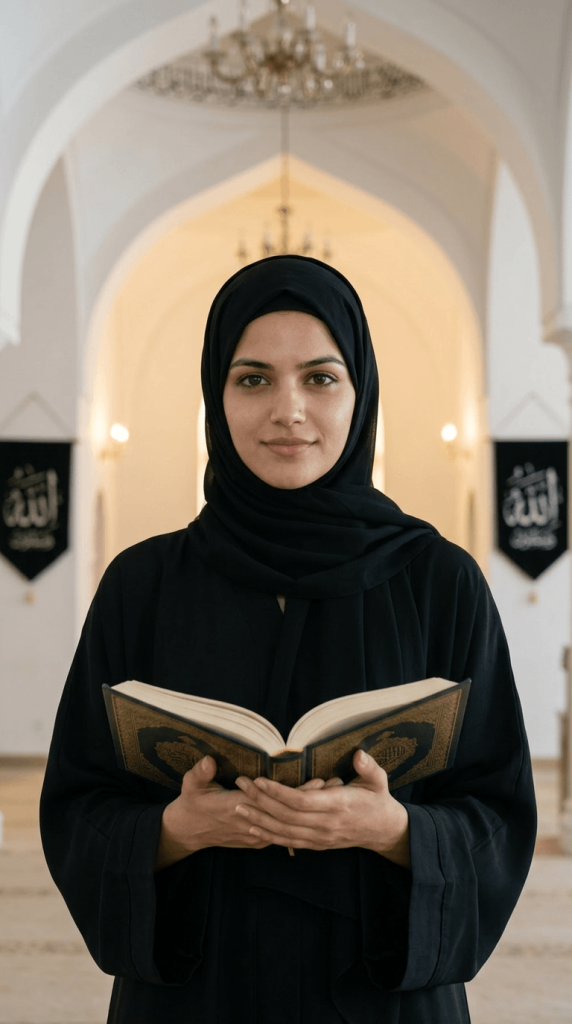
Version 6: Mosque Interior Portrait Holding the Holy Quran
Muharram Prompt (4)
Click COPY or Share to AI
Use my uploaded photo as the exact face reference, preserving facial features, skin tone, hairstyle, and identity. Create an ultra-realistic 9:16 portrait of me inside a beautiful mosque, wearing a modest black hijab and elegant black abaya. I am standing in the center aisle, holding an open Quran with both hands at chest level while looking directly at the camera with a calm, thoughtful expression. The mosque features graceful white arches, soft warm lighting, hanging chandeliers, and black Islamic banners with Arabic calligraphy in the background. Cinematic lighting, shallow depth of field, detailed fabric textures, realistic skin tones, peaceful spiritual atmosphere, professional DSLR photography, ultra-sharp focus, symmetrical composition, photorealistic quality, and highly detailed Islamic architecture. Aspect ratio 9:16.

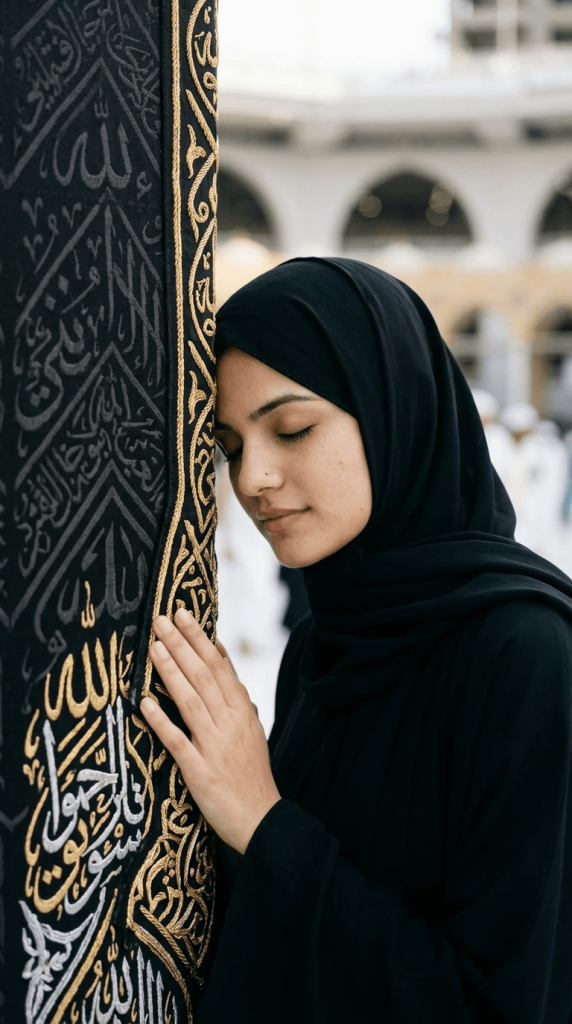
Version 7: Emotional Kaaba Prayer Portrait in Mecca
Muharram Prompt (3)
Click COPY or Share to AI
Use my uploaded photo as the exact face reference, preserving facial features, skin tone, hairstyle, and identity. Create an ultra-realistic 9:16 portrait of me wearing a modest black hijab and black abaya beside the Holy Kaaba. I am gently resting my forehead against the Kaaba’s black Kiswah cloth adorned with intricate gold Arabic calligraphy, with my eyes peacefully closed in prayer and reflection. One hand is placed softly against the sacred wall. The background shows a softly blurred mosque courtyard with worshippers, creating depth and realism. Natural daylight, serene spiritual atmosphere, authentic Islamic architecture, soft cinematic lighting, shallow depth of field, detailed fabric textures, realistic skin tones, professional DSLR photography, ultra-sharp focus, photorealistic quality, centered composition, emotional and respectful mood. Aspect ratio 9:16.

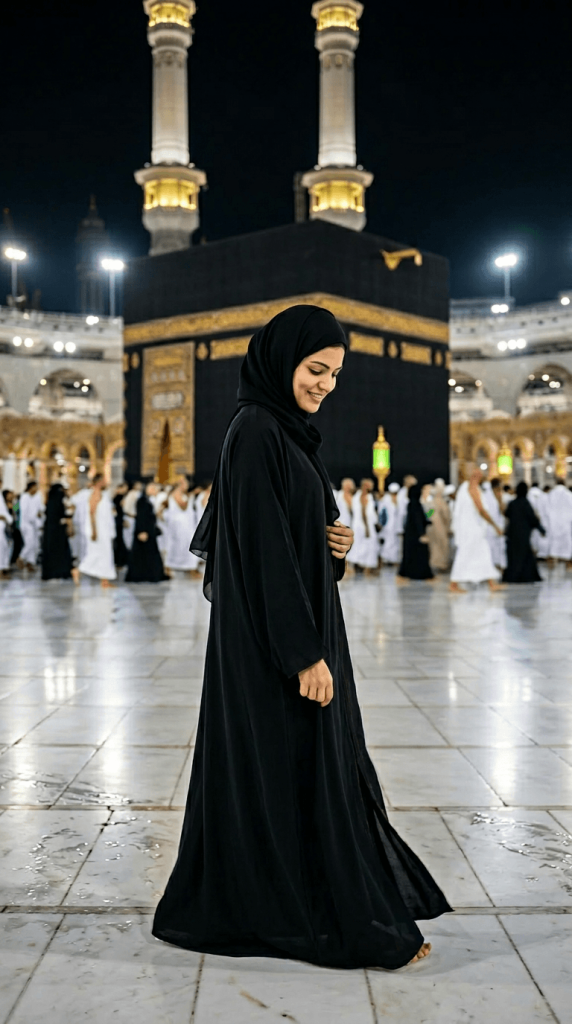
Version 8: Night Walk Beside the Kaaba in Masjid al-Haram
Muharram Prompt (5)
Click COPY or Share to AI
Use my uploaded photo as the exact face reference, preserving facial features, skin tone, hairstyle, and identity. Create an ultra-realistic 9:16 portrait of me wearing a flowing black abaya and black hijab, walking gracefully through the courtyard of Masjid al-Haram at night. The Holy Kaaba stands prominently in the background, illuminated by soft golden lights. Capture me in a natural side-profile pose with a calm, reflective expression, gently holding the abaya. The marble floor reflects the surrounding lights, while worshippers appear softly blurred in the background. Cinematic night lighting, shallow depth of field, realistic fabric movement, authentic Islamic atmosphere, detailed architecture, natural skin texture, professional DSLR photography, ultra-sharp focus, photorealistic quality, elegant and peaceful mood. Aspect ratio 9:16.

How to Use These Prompts

1. Below each image, you will see a prompt box with two buttons: Copy and Share to AI.

2. You can tap Copy to copy the full prompt manually. Or simply tap Share to AI; this will automatically copy the prompt for you.

3. After tapping Share to AI, a list of popular AI tools like ChatGPT, Gemini, Copilot, and others will appear on your screen.

4. Click on any AI tool you prefer. It will directly open the selected AI platform.

5. Once the AI page opens, paste the prompt into the prompt box (it is already copied if you used Share to AI).

6. Upload your reference image if required.

7. Click generate, and your image will be created.

8. If needed, you can slightly adjust the prompt for lighting, angle, or mood and generate again.

9. Once you are satisfied with the result, download the image and save it for your use.

Customization Tips

Face & Identity

  • Use phrases like “exact face reference”, “preserve facial features”, and “maintain natural skin texture” for better likeness.
  • Request ultra-sharp eyes and realistic skin details for professional-quality portraits.

Clothing Customization

  • Change black attire to:
    • White abaya
    • Emerald green abaya
    • Navy blue hijab
    • Traditional Islamic dress
    • Luxury embroidered Muharram outfit

Background Variations

  • Karbala Shrine at Sunset
  • Karbala Shrine at Night
  • Holy Kaaba Close-Up
  • Masjid al-Haram Courtyard
  • Grand Mosque Interior
  • Islamic Archway Garden
  • Lantern-Lit Courtyard
  • Crescent Moon Night Scene

Lighting Styles

  • Golden Hour Lighting
  • Sunset Glow
  • Dramatic Cinematic Lighting
  • Soft Mosque Illumination
  • Moonlit Atmosphere
  • Premium DSLR Portrait Lighting

Poster Enhancements

  • Add Arabic Calligraphy
  • Include Islamic Geometric Patterns
  • Add Golden Borders
  • Incorporate Muharram Banners
  • Use Black and Gold Colour Themes
  • Add Soft Floating Lantern Effects