

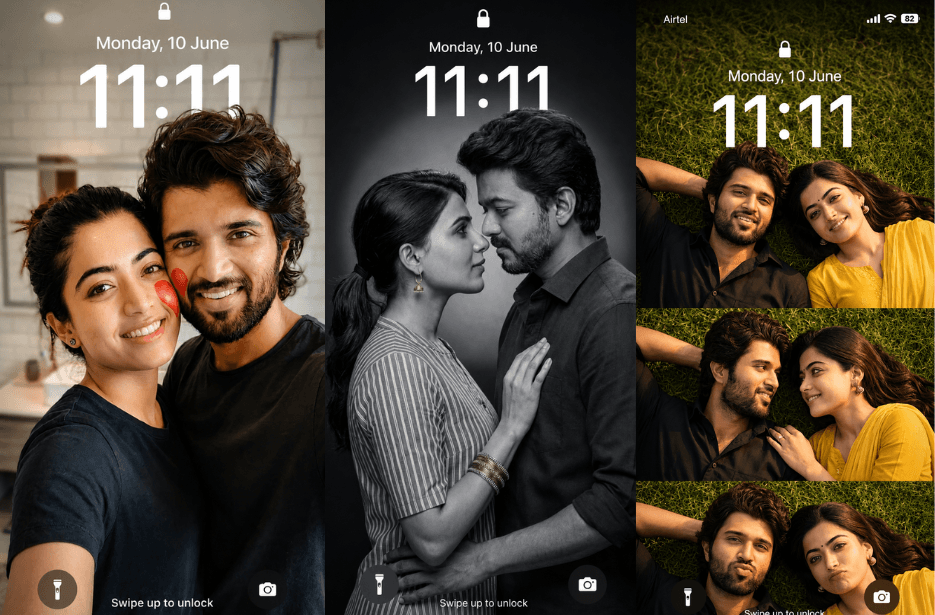
AI can turn simple text into beautiful couple wallpapers in seconds. All you need is the right prompt to create romantic, aesthetic, or cinematic scenes that match your style. In this article, you will find easy and creative AI prompts to help you design stunning couple wallpapers. Whether you want something cute, dreamy, or artistic, these prompts will help you create eye-catching visuals without any design skills.
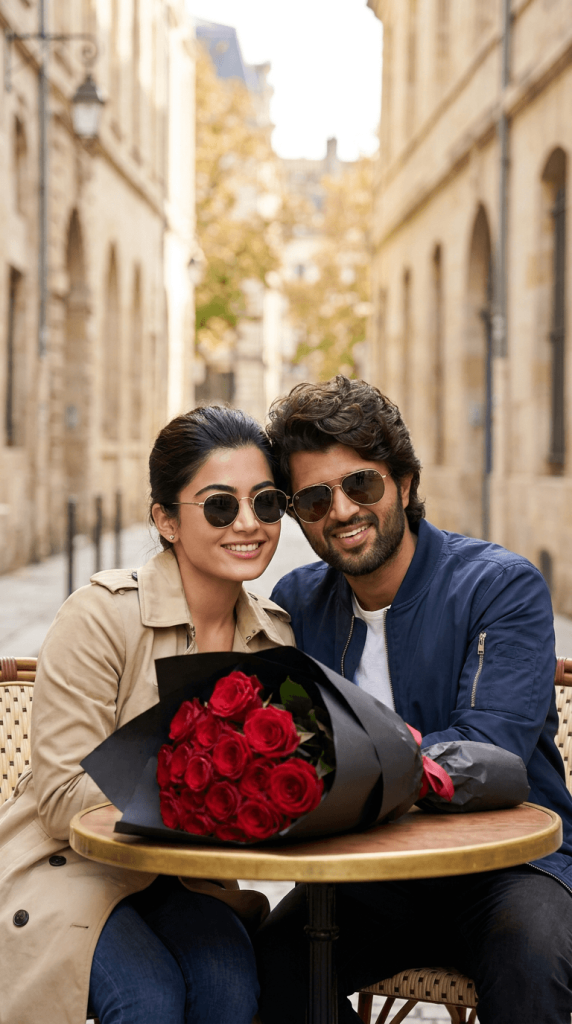
Version 1: Romantic Cafe Date Lock Screen
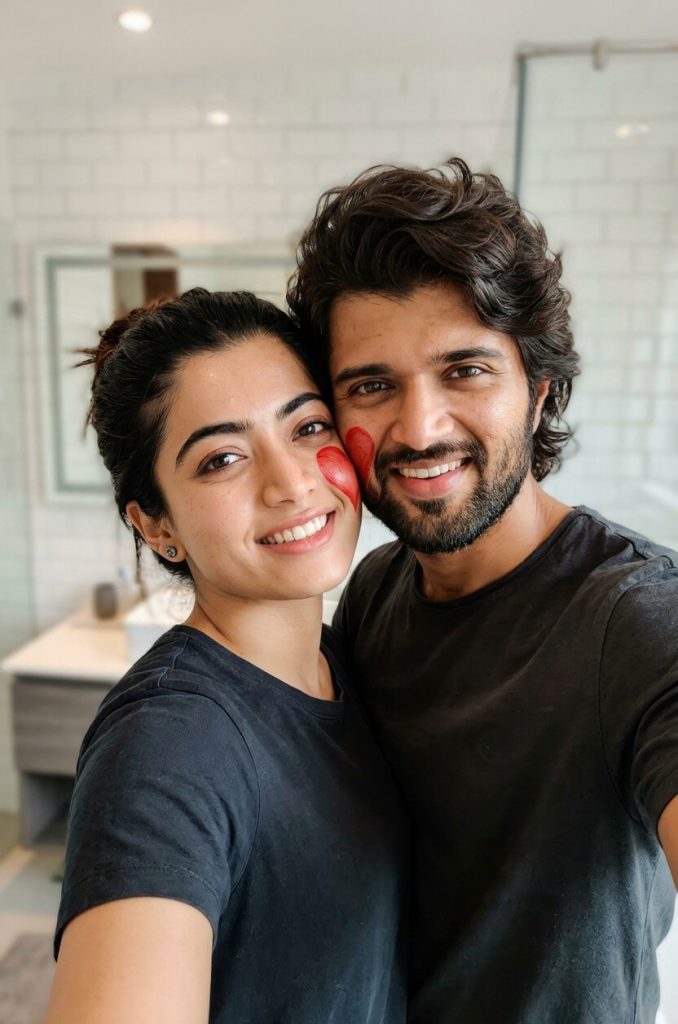
Version 2: Heart on Our Cheeks Selfie
Version 3: Forever in Monochrome Wallpaper
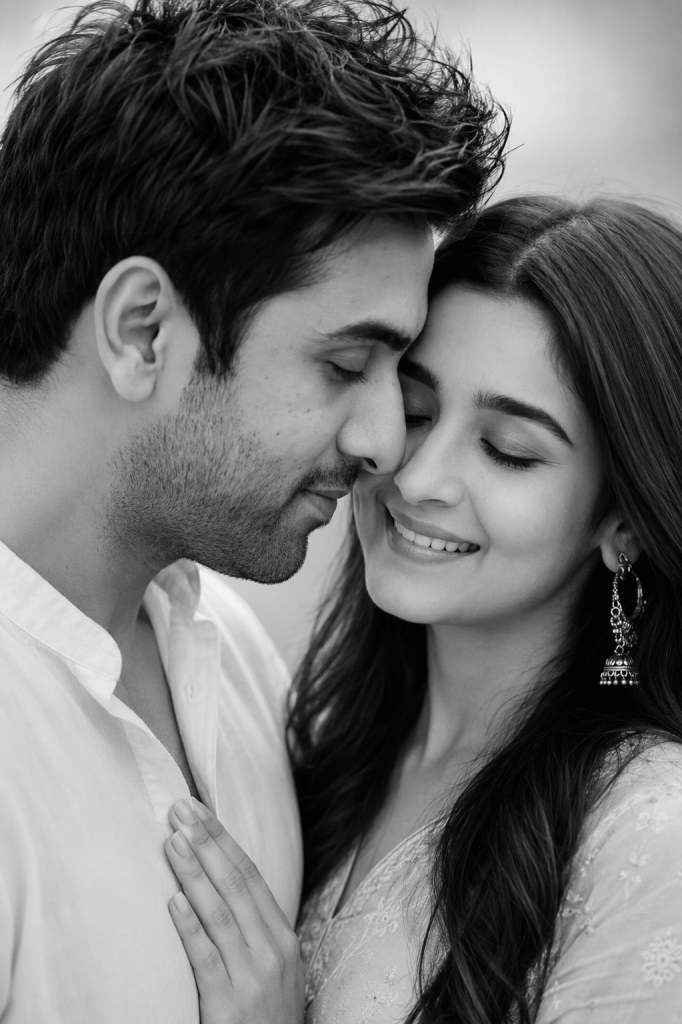
The man has short textured hair and a well-groomed beard, wearing a slightly open white shirt. The woman has soft, natural makeup, neatly shaped eyebrows, long hair, and is wearing elegant dangling earrings and a light-colored outfit. Her hand is placed gently on the man’s chest.
Lighting is soft and diffused, coming from the side, creating smooth shadows and enhancing facial features. Background is clean, minimal, and blurred. Skin tones should appear smooth and natural with high contrast typical of classic monochrome photography.
Mood: romantic, serene, intimate.
Style: cinematic, ultra-realistic, professional photoshoot, 4K quality.
Version 4: Sky Full of Love
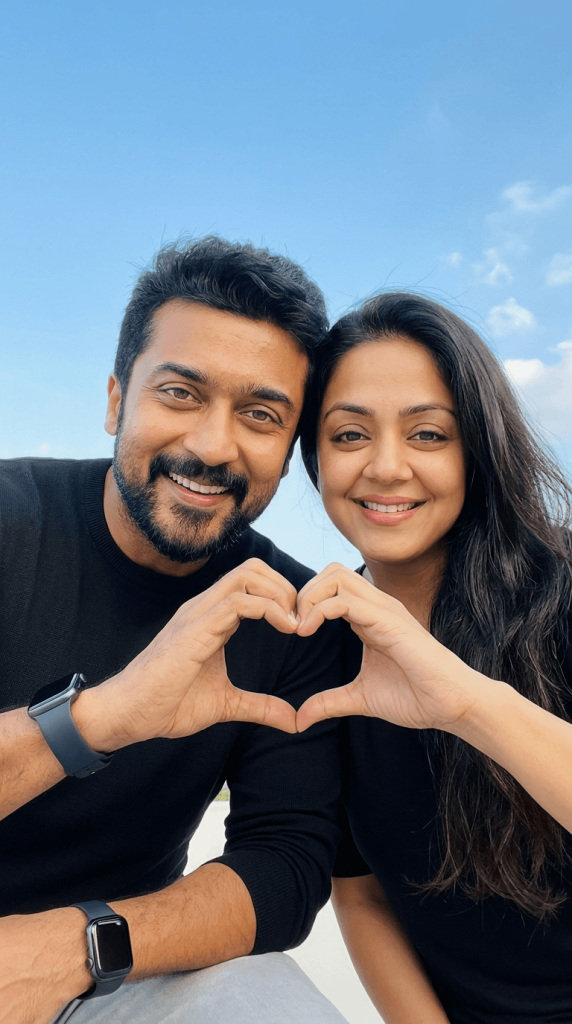
They are forming a heart shape together with their hands in the center of the frame. The man is wearing a black shirt with a smartwatch on his wrist, and the woman is wearing a simple black top with natural makeup and long smooth hair.
Lighting is bright, soft daylight with even skin tones and a fresh outdoor feel. Composition should be clean and minimal, with a modern smartphone wallpaper aesthetic.
Mood: happy, romantic, candid
Style: realistic, soft, social media aesthetic, 4K quality
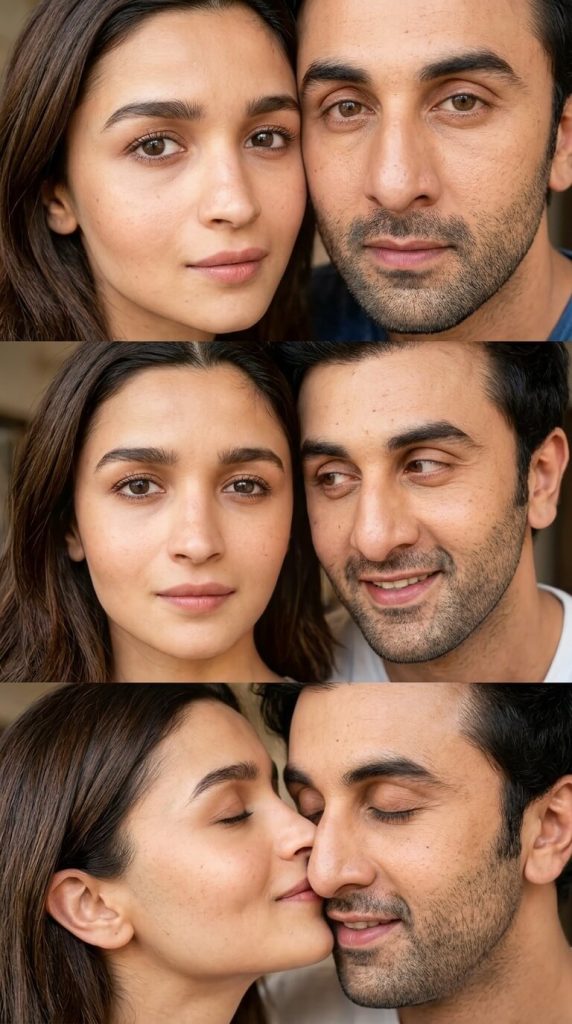
Version 5: Three Moments, One Love
Version 6: Mirror Ride Under the Stars
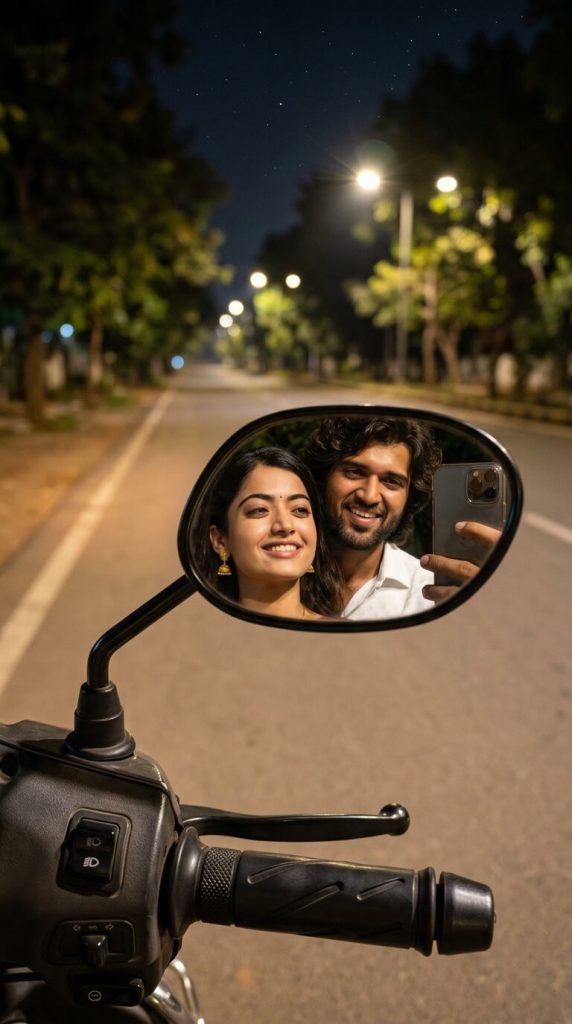
Create a realistic nighttime scooter ride on a quiet tree-lined road with warm streetlights and a starry sky. The woman is riding, the man is seated behind her. Camera perspective is from the scooter, with handlebar and rearview mirror in foreground.
The rearview mirror is the main focus, clearly reflecting both of our faces smiling naturally. The man is holding a smartphone near the mirror while taking a mirror selfie while riding; a small part of the phone is visible in the mirror reflection, making it clear the selfie is being taken using the scooter mirror. The phone is not visible outside the mirror.
Ultra-photorealistic, cinematic lighting, shallow depth of field, natural skin texture, DSLR quality, romantic atmosphere, 9:16 aspect ratio, no cartoon or illustration.
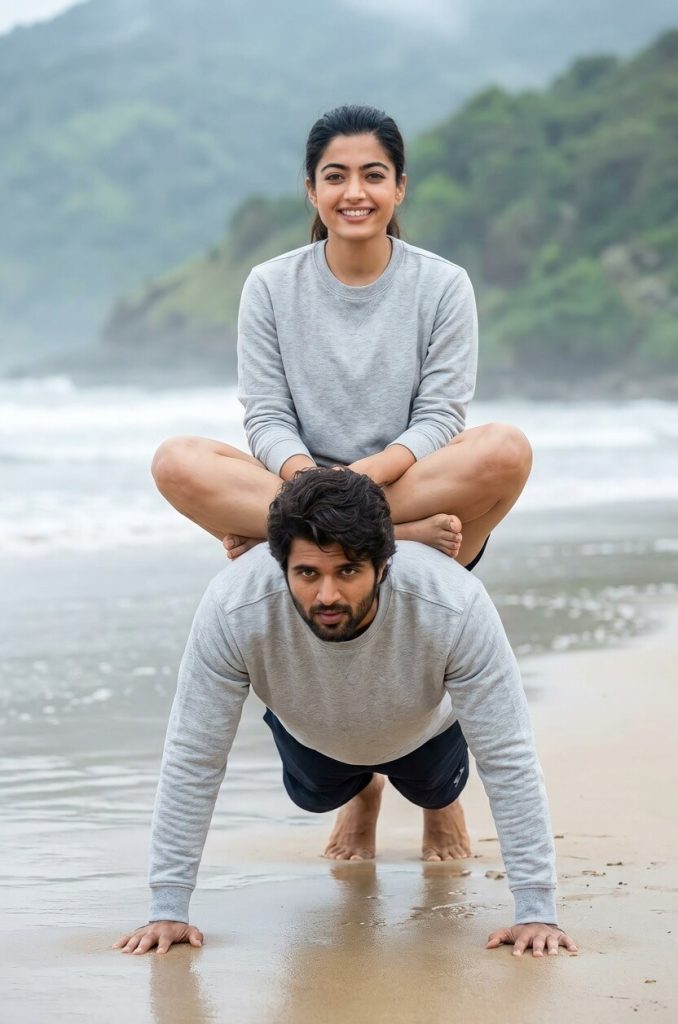
Version 7: Beach Fitness Love Story
Version 8: Golden Hour Grass Collage
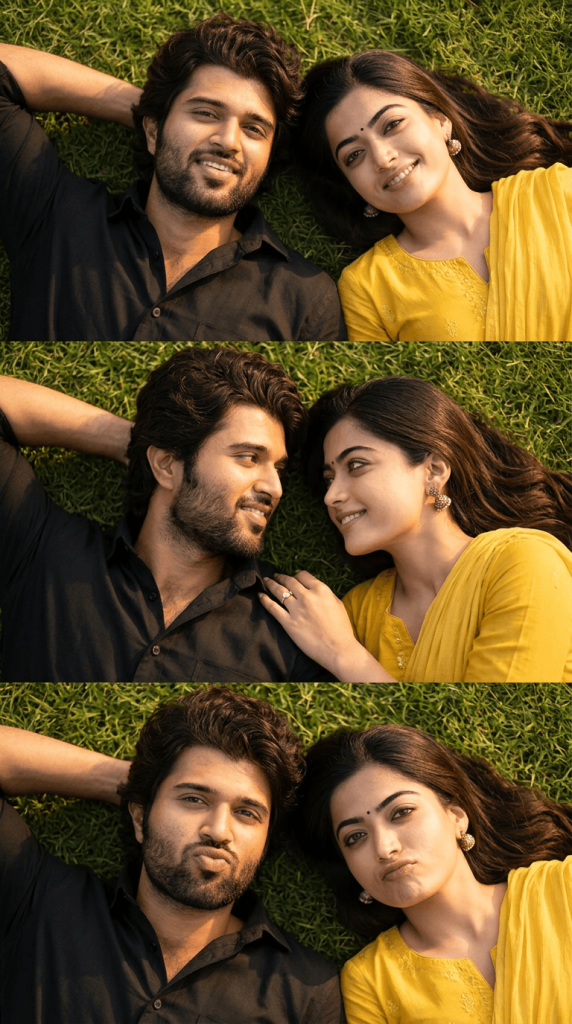
Scene: couple lying side-by-side on natural green grass during golden hour with warm sunlight and soft shadows.
Frames:
Top: relaxed smile, slightly playful expression
Middle: looking into each other’s eyes, soft romantic smile
Bottom: both making cute pout expressions
Details: man with short hair, light beard, black shirt; woman with long natural hair, soft makeup, yellow chudidhar, ring visible on hand near his shoulder.
Style: ultra-realistic, candid, DSLR quality, sharp focus, warm tones, 4K.
Version 9: Star Gazing Wallpaper
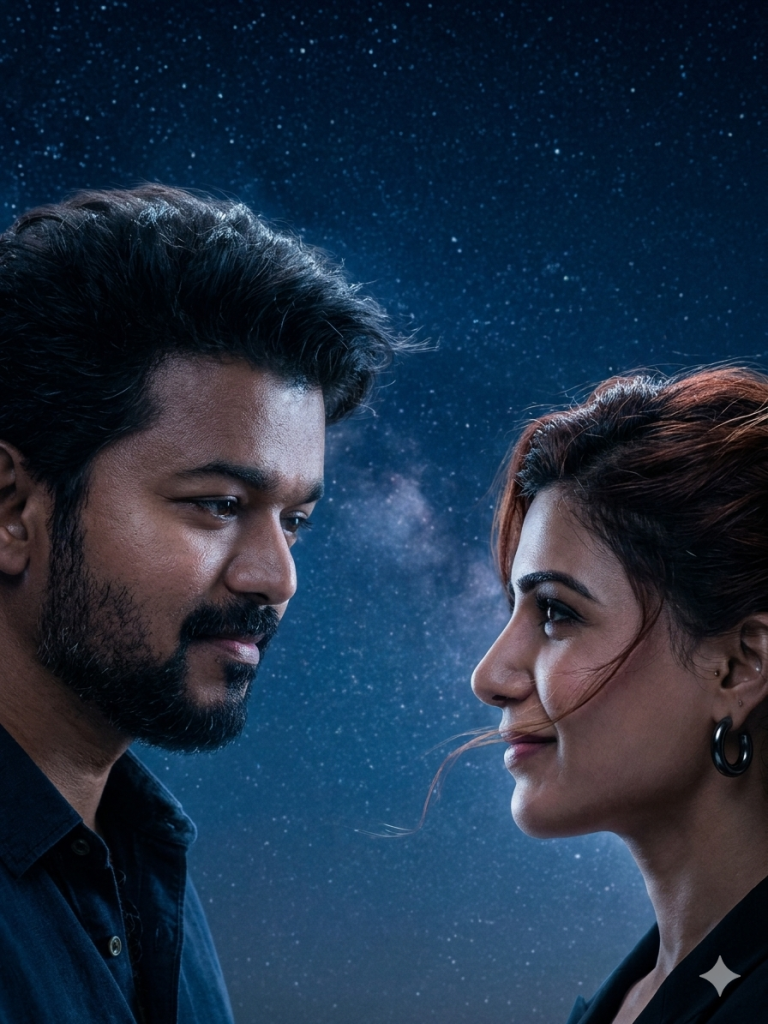
Use the uploaded reference image strictly for the face. Maintain exact facial features, identity, skin tone, and structure. Do not alter face. A young man standing under a night sky filled with stars, soft moonlight illuminating his face, looking toward the right with a gentle emotional expression, slight smile, cinematic shadows, cool blue tones, wind softly moving hair, ultra realistic, depth of field, Ultra HD 8K resolution, highly detailed skin texture, perfect lockscreen composition, left-side framing”
Prompt B (Female)
“Use the uploaded reference image strictly for the face. Maintain exact facial features, identity, skin tone, and structure. Do not alter face. A young woman under the same starry night sky, soft moonlight glow, looking toward the left with a warm loving expression, subtle smile, matching lighting and color tone, cinematic atmosphere, ultra realistic, depth of field, Ultra HD 8K resolution, highly detailed skin texture, perfect lockscreen composition, right-side framing”
Together: They look at each other.
Version 10: Better Half Portrait Wallpaper
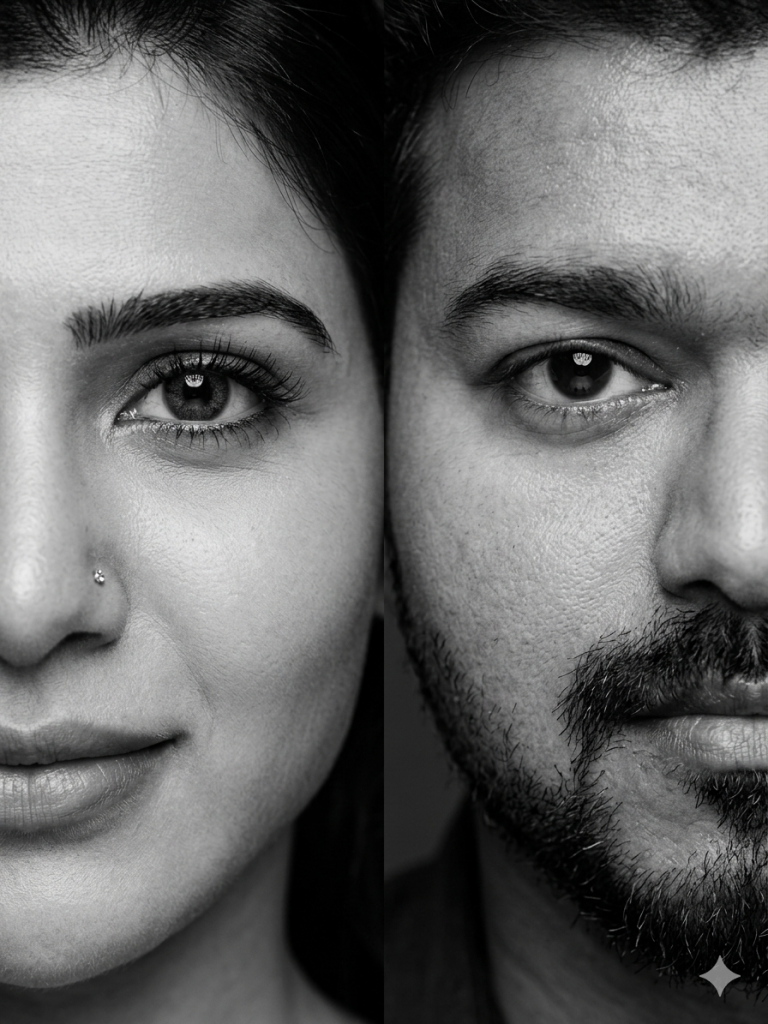
Lighting: soft studio lighting, even illumination, high contrast but natural skin tones, sharp focus on eyes and skin texture.
Style: monochrome, ultra-detailed skin texture, hyperrealistic, 85mm lens, shallow depth of field, editorial fashion photography, dramatic close-up framing.
Composition: perfectly symmetrical split portrait, faces aligned at center, minimal background (dark/neutral), tightly cropped.
Quality: 8K resolution, crisp detail, realistic pores, fine hair detail, no blur, professional portrait photography.
Negative prompt: color, blur, distortion, extra faces, misalignment, low quality, overexposure.
Version 11: “My Heart Completes You”
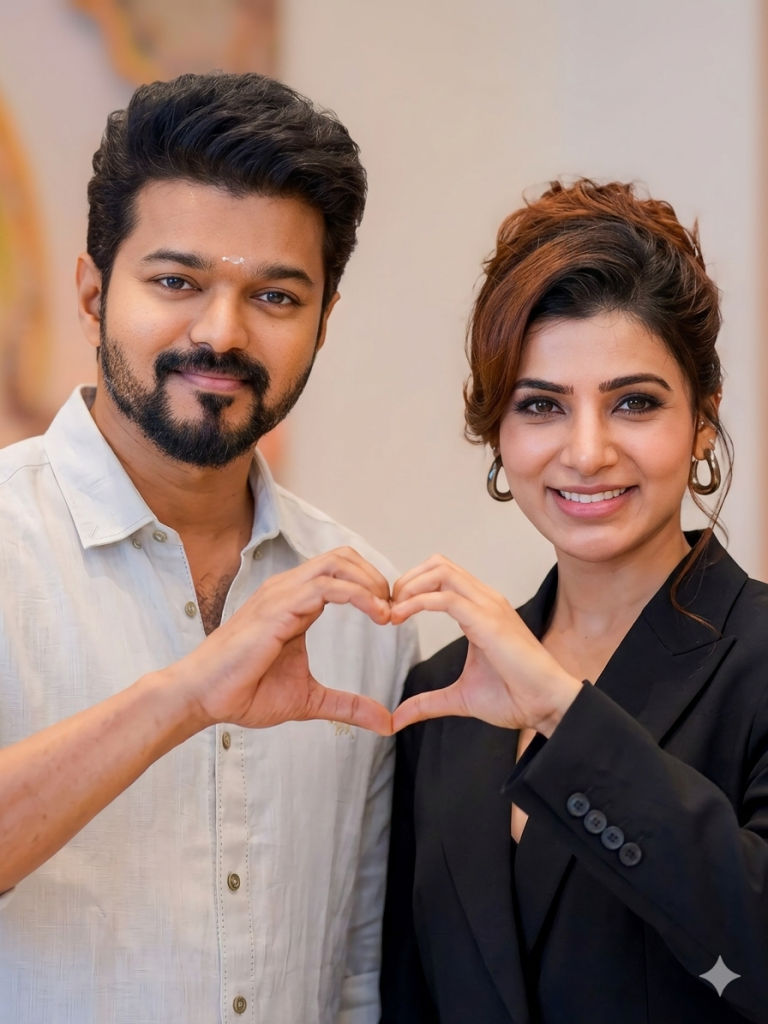
Use the uploaded reference image strictly for the face. Maintain exact facial features, identity, skin tone, and structure. Do not alter face. A young man making half of a heart shape gesture with his hand toward the right side, soft smile, clean minimal background, warm lighting, ultra realistic portrait, highly detailed skin, 8K Ultra HD, perfect lockscreen framing”
Prompt B (Female)
“Use the uploaded reference image strictly for the face. Maintain exact facial features, identity, skin tone, and structure. Do not alter face. A young woman completing the other half of the heart gesture toward the left, matching lighting and background, soft romantic expression, ultra realistic portrait, highly detailed skin, 8K Ultra HD, perfect lockscreen framing”
Together the image should be Full heart.
Version 12: Eyes Speak
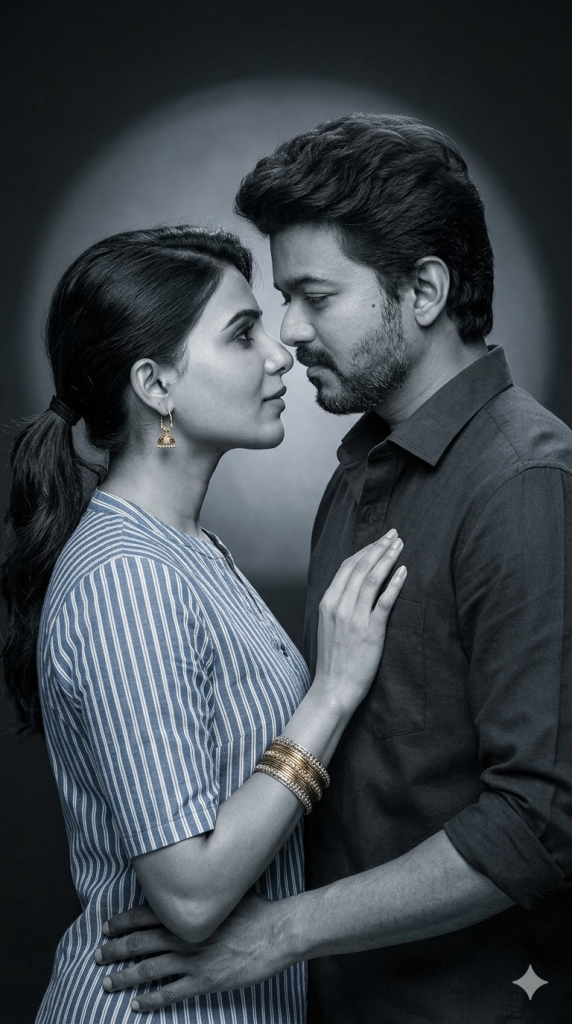
Expression: calm, subtle, intimate — not exaggerated, natural emotions.
Lighting: soft studio lighting with a gentle circular spotlight behind them, creating a subtle halo glow. Smooth shadows, realistic highlights, no harsh contrast.
Style: realistic monochrome with a slight cool blue tint (not overly stylized), natural skin texture, visible pores, fine details, minimal retouching.
Composition: vertical (9:16), centered couple, mid-shot framing from waist/chest up, clean dark background with faint vignette.
Atmosphere: soft, romantic, minimal effects — only very subtle grain or faint particles, no heavy sparkles.
Camera: 85mm lens look, shallow depth of field, sharp focus on faces.
Quality: photorealistic, high detail, natural tones, professional portrait photography.
Negative prompt: phone, hand holding device, over-stylized cinematic effects, excessive glow, unrealistic skin, blur, extra limbs, extra faces, cartoon, painting, watermark, text.
Version 13: “Evergreen Leaves” in the Autumn
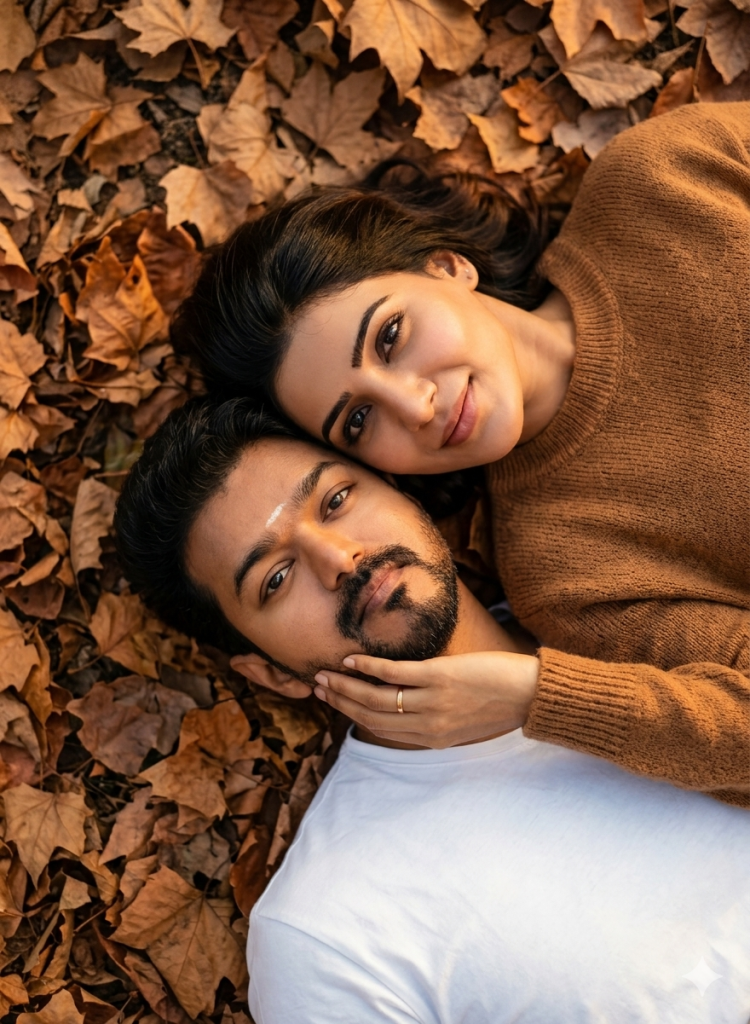
Optional negative prompt (if supported):
blurry, low quality, harsh shadows, overexposed, unnatural skin tones, distorted faces, extra limbs.
Version 14: Web of Love
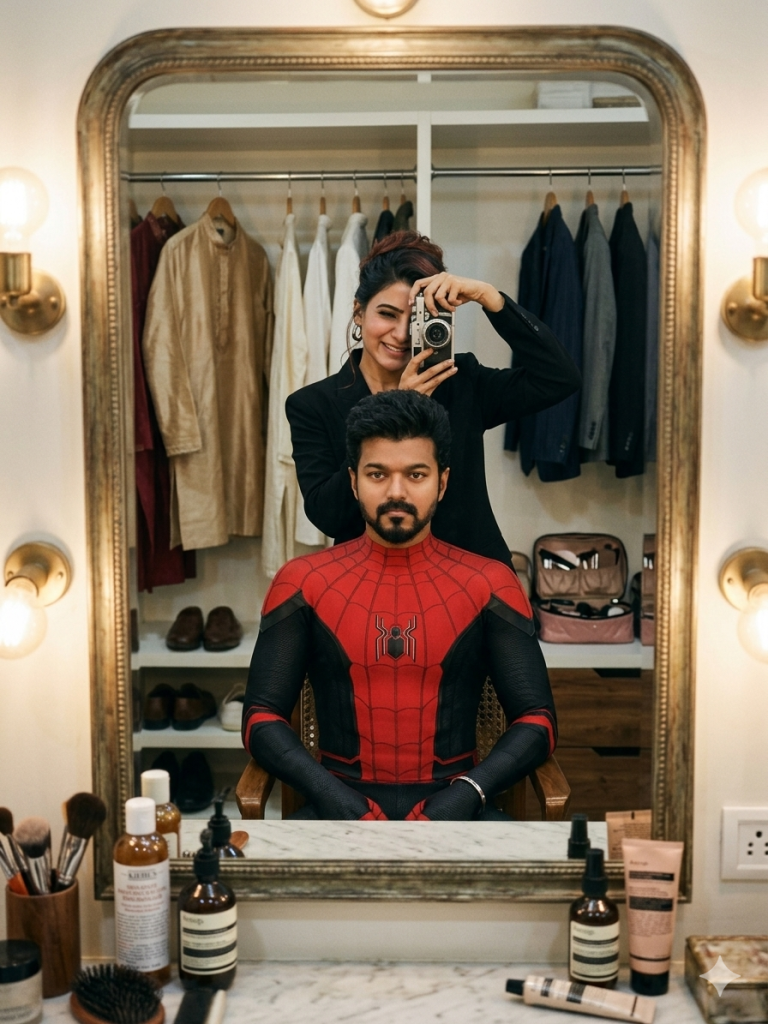
Negative Prompt:
blurry, low quality, distorted face, extra fingers, cartoon, painting, overexposed, oversaturated, watermark, text, logo, unrealistic skin, CGI, 3D render.
Version 15: Hunny Bunny
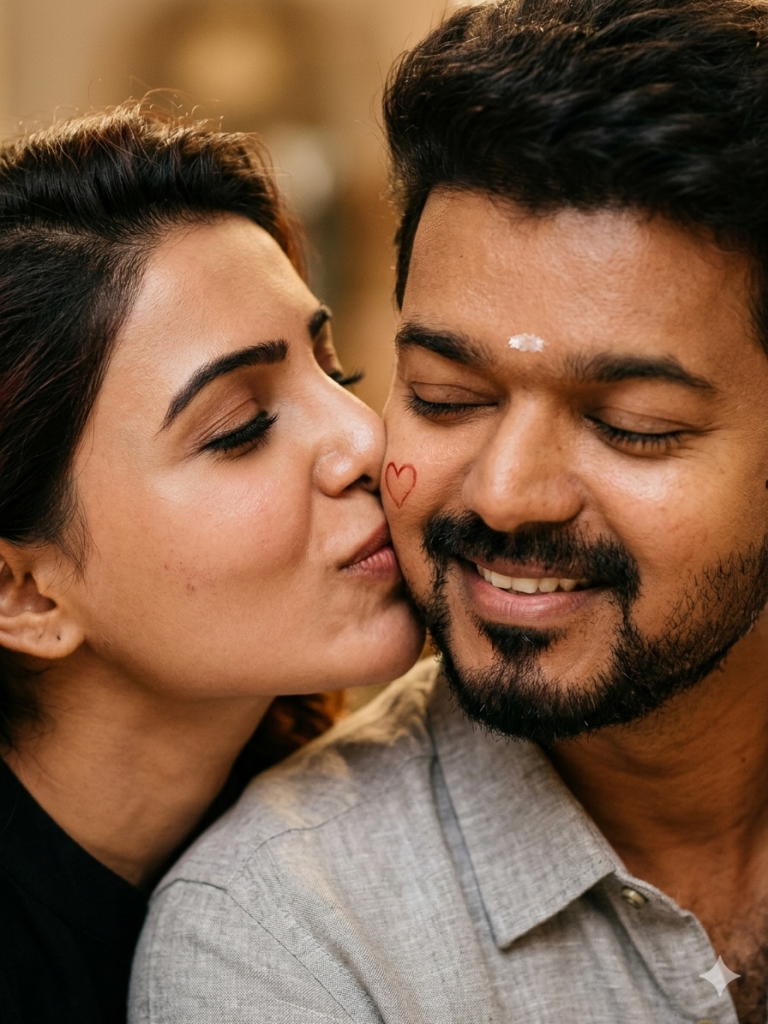
negative prompt:
text, watermark, logo, blurry, low quality, oversaturated, distorted faces, extra fingers, harsh shadows, cartoon, illustration.
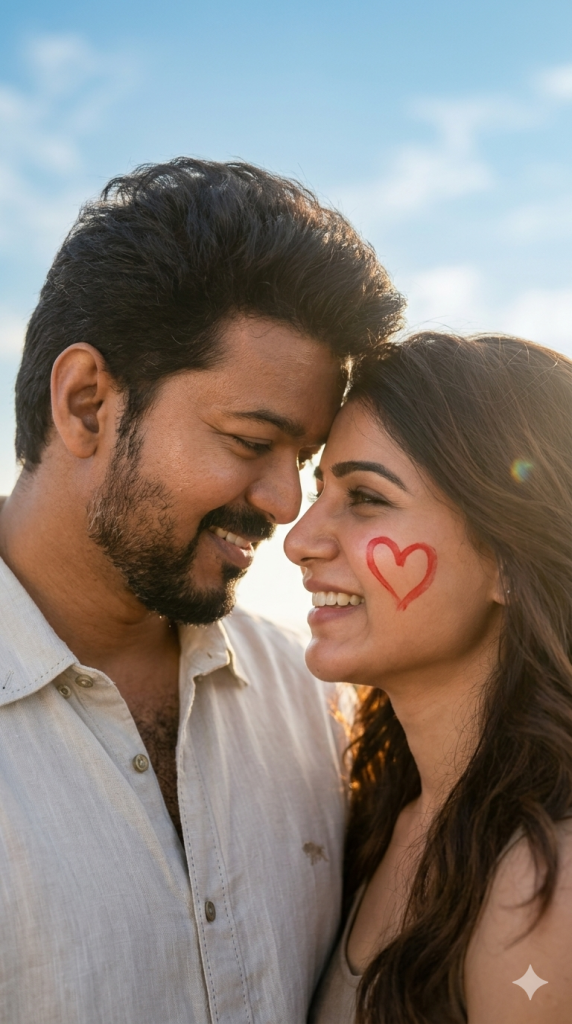
Version 16: My Sunshine
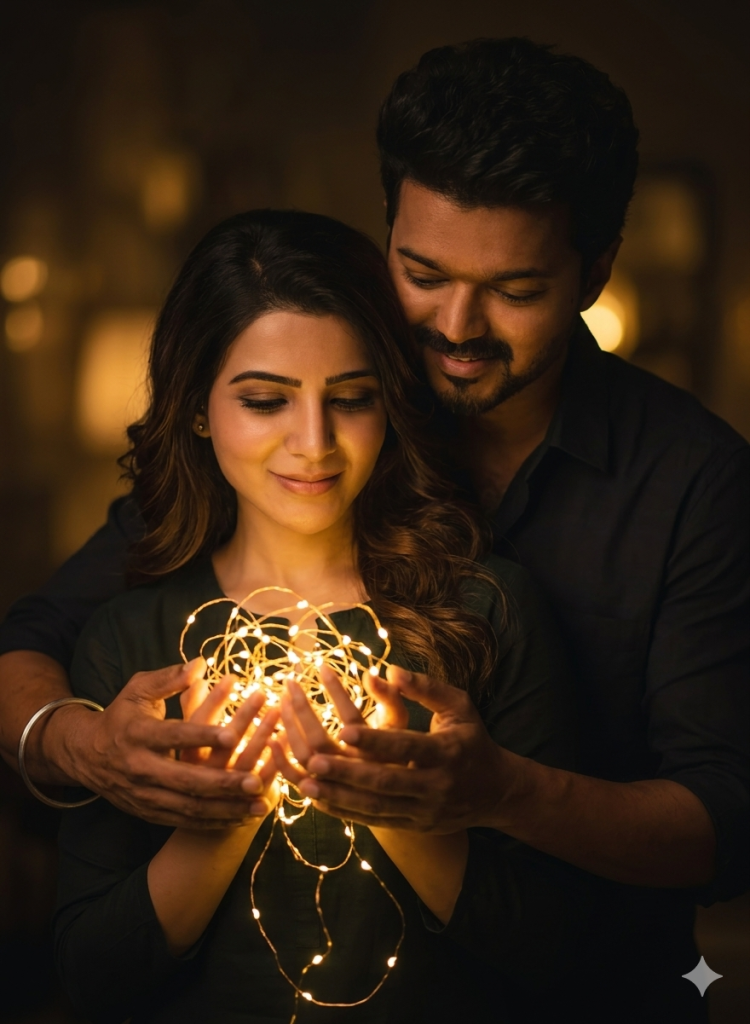
Version 17: Guiding Light
Negative Prompt:
blurry, low quality, overexposed, harsh shadows, extra fingers, distorted hands, bad anatomy, noisy background.
How to Use These Prompts
1. Below each image, you will see a prompt box with two buttons: Copy and Share to AI.
2. You can tap Copy to copy the full prompt manually. Or simply tap Share to AI; this will automatically copy the prompt for you.
3. After tapping Share to AI, a list of popular AI tools like ChatGPT, Gemini, Copilot, and others will appear on your screen.
4. Click on any AI tool you prefer. It will directly open the selected AI platform.
5. Once the AI page opens, paste the prompt into the prompt box (it is already copied if you used Share to AI).
6. Upload your reference image if required.
7. Click generate, and your image will be created.
8. If needed, you can slightly adjust the prompt for lighting, angle, or mood and generate again.
9. Once you are satisfied with the result, download the image and save it for your use.
Additional Tips to Make The Prompts Better!
You can easily personalise these prompts to match your style, mood, and platform. Use the tips listed below to get better and more unique results.
1. Face Identity & Accuracy
- Always mention “use the provided image for exact face identity (100% preserved)”
- Add: sharp eyes, natural skin texture, no distortion
- If needed, include: same hairstyle, same expression
2. Outfit & Styling
- Change outfits based on your vibe:
- Casual: hoodie, t-shirt, streetwear
- Formal: blazer, suit, satin shirt
- Traditional: saree, kurta, ethnic wear
- Add accessories like watch, chain, sunglasses, rings for a premium look
3. Lighting Control
Lighting plays a huge role in realism:
- Golden hour → warm, soft, aesthetic
- LED/cool light → moody, cinematic
- Flash lighting → bold, high contrast
- Soft indoor light → clean and natural
4. Camera Angle & Composition
- Try different angles for better results:
- Eye level → natural look
- Low angle → powerful vibe
- Side profile → aesthetic feel
- Mirror reflection focus → cinematic style
- Add: shallow depth of field for background blur
5. Background & Environment
- Keep it minimal and clean for a professional look
- Or customise based on theme:
- Hotel room → luxury feel
- Car mirror → lifestyle aesthetic
- Black background → dramatic portrait
- Home setup → cosy vibe
6. Mood & Expression
You can control the emotion of the image:
- Confident & bold
- Calm & introspective
- Soft & smiling
- Serious & moody
7. Colour Grading & Style
- Add finishing styles like:
- Cinematic tone
- Warm vintage look
- Black & white editorial
- High contrast luxury style
- Use: subtle film grain for realism
8. Quality & Output Settings
- Always include:
- 4K or 8K resolution
- Aspect ratio: 4:5 or 3:4 (best for social media)
- Add: ultra-realistic, sharp focus, great detail.
Start with any prompt from this list, then tweak outfit + lighting + mood + background to create endless variations. Small changes can give completely new results.