
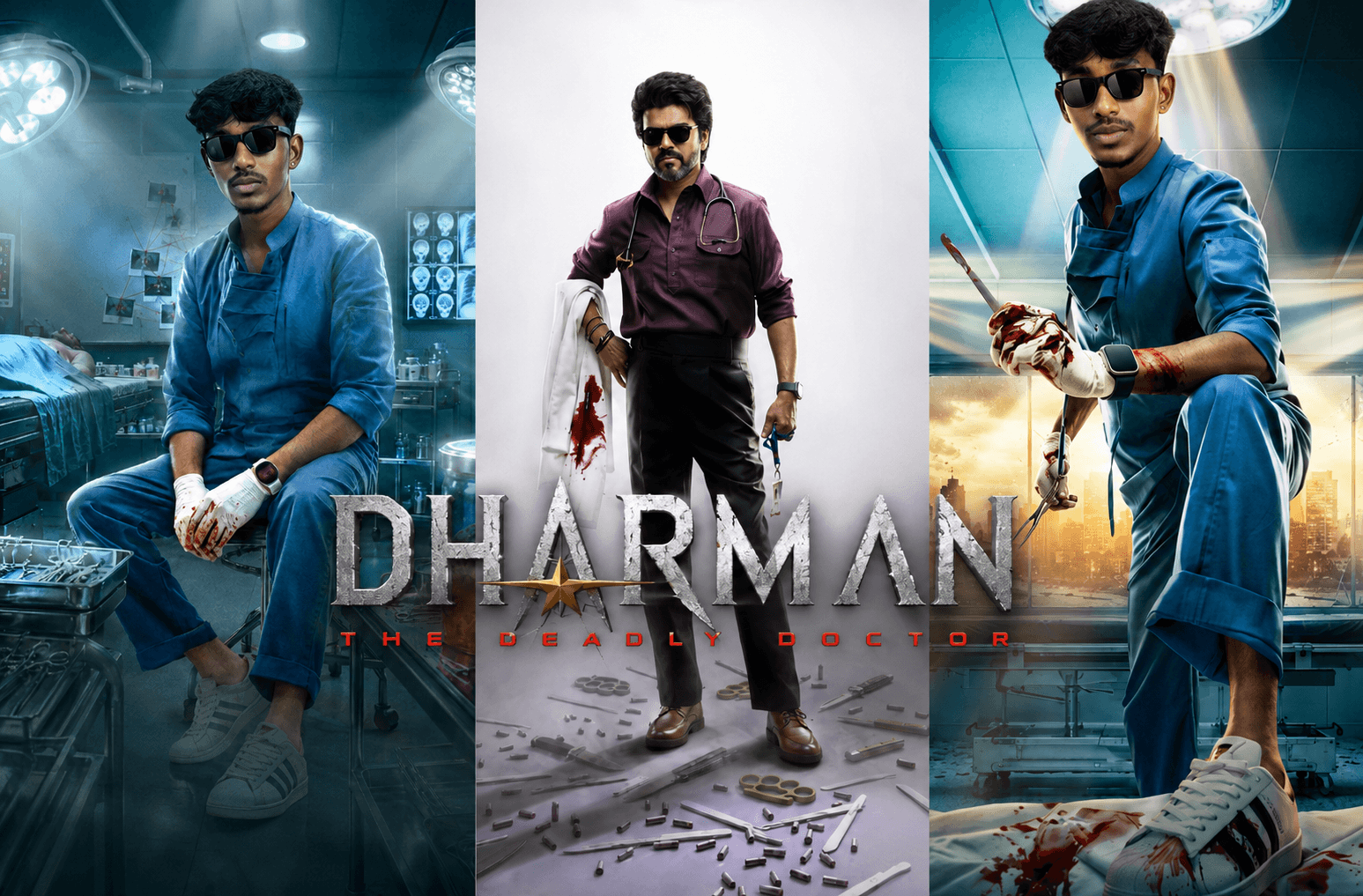
Dharman Movie Poster Recreation Prompts

Dharman Prompt

Do you want to recreate the powerful first look of the Dharman movie using AI? These ultra-realistic Dharman-inspired poster prompts help transform your photo into a cinematic medical-thriller hero character with blockbuster-quality visuals. From stylish studio portraits to intense operating-room scenes and dramatic action-packed medical posters, each prompt is designed to capture the bold atmosphere, premium lighting, and larger-than-life presence of a professional movie first-look poster.

Version 1: Urban Surgeon Power Look
Dharman Prompt (3)
Click COPY or Share to AI
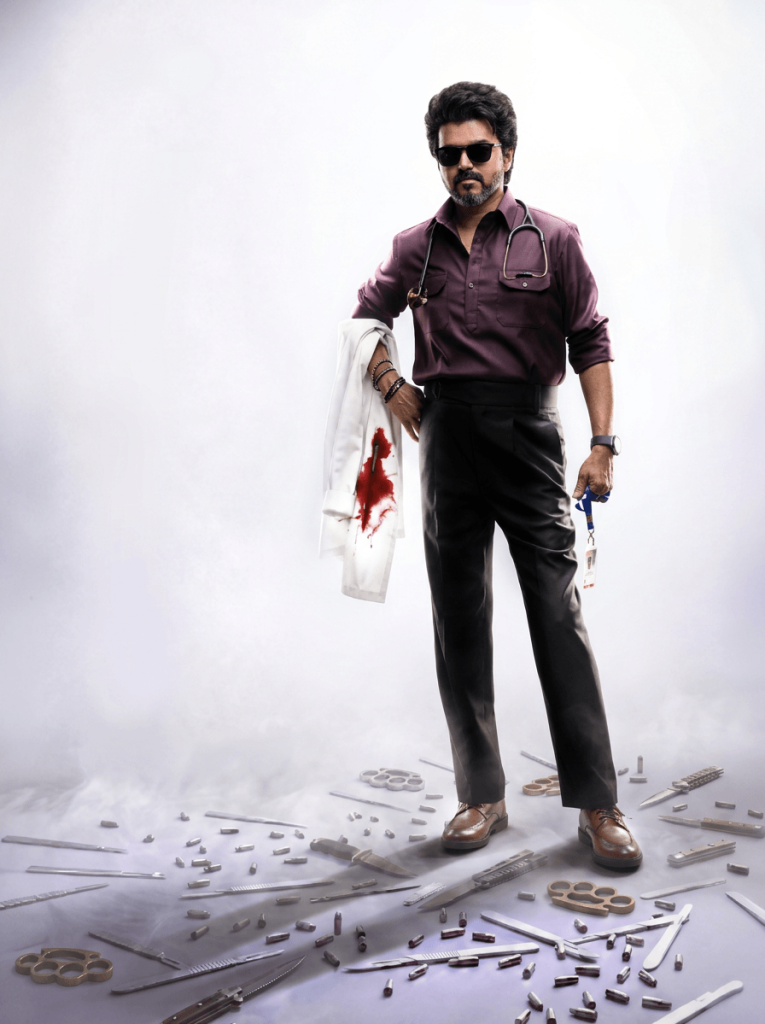
Use the uploaded face photo as the exact identity reference, preserving 100% facial features, skin tone, hairstyle, beard, age, and natural appearance. Use the attached image as the pose, outfit, and composition reference. Create an ultra-realistic full-body studio portrait with the subject standing confidently against a clean white-to-light-gray gradient background, one hand on the waist and the other holding a white doctor’s coat draped over the arm with a realistic blood stain. Dress the subject in a deep maroon full-sleeve button-up shirt with rolled sleeves, black formal trousers, brown leather shoes, black sunglasses, a stethoscope around the neck, a smartwatch, bracelets, and an ID card with keys hanging from one hand. Scatter surgical instruments, syringes, forceps, scalpels, brass knuckles, and spent bullet casings across the floor for a dramatic cinematic effect. Match the premium movie-poster lighting, sharp focus, high contrast, ultra-photorealistic detail, and minimalist composition. Remove all text, logos, credits, watermarks, and typography, leaving only the clean cinematic artwork. Vertical 4:5 aspect ratio.

Version 2: Dark Operating Room Thriller
Dharman Prompt (4)
Click COPY or Share to AI
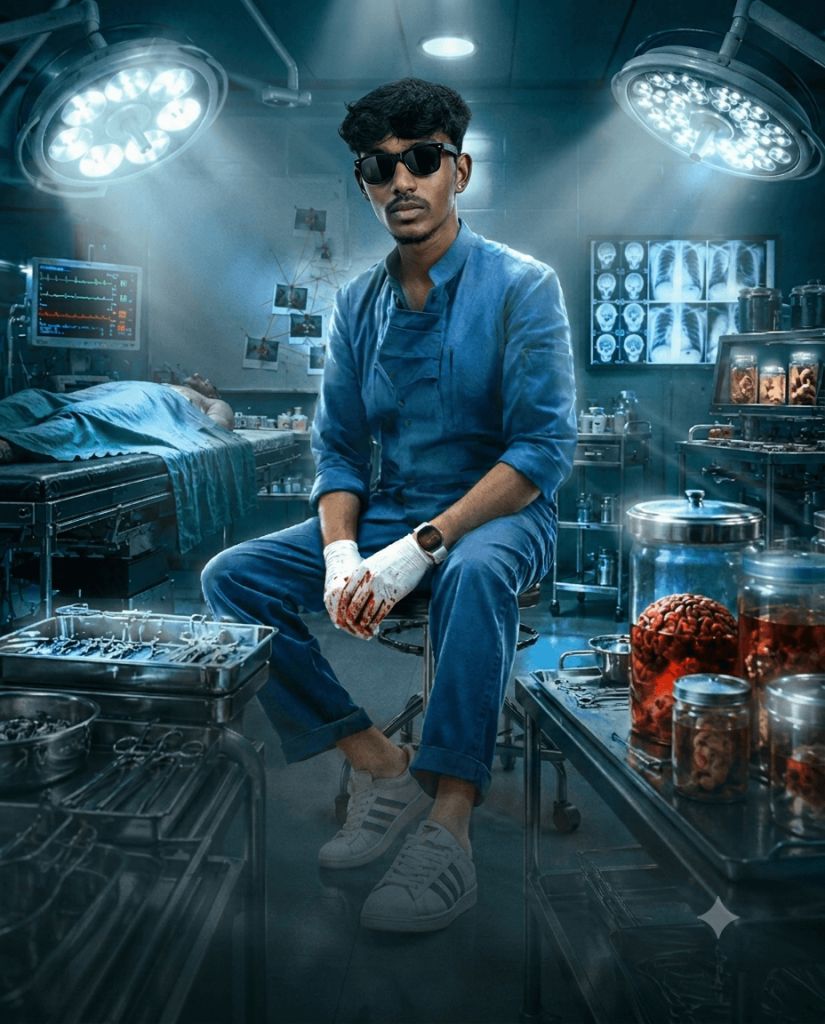
Use the uploaded face photo as the exact identity reference, preserving 100% facial features, skin tone, hairstyle, age, expression, and natural appearance. Use the attached poster as the composition and styling reference. Recreate the same cinematic operating-room scene with the subject seated confidently on a metal stool in the center, wearing blue surgical scrubs, white gloves stained with blood, black sunglasses, a smartwatch, and white sneakers. Surround the subject with surgical instruments, medical trays, preserved specimen jars, brain jars, stainless-steel containers, medical monitors, X-ray scans, an operating table with a patient under blue surgical drapes, overhead surgical lights, and a dark blue, high-tech hospital environment. Match the dramatic teal-blue color grading, volumetric lighting, ultra-detailed realism, sharp focus, moody atmosphere, and premium movie-poster composition. Remove all text, logos, credits, watermarks, and typography, leaving only the clean cinematic artwork. Vertical 4:5 aspect ratio, ultra-photorealistic, high-detail, blockbuster quality.

Version 3: Heroic Medical Action Pose
Dharman Prompt (2)
Click COPY or Share to AI
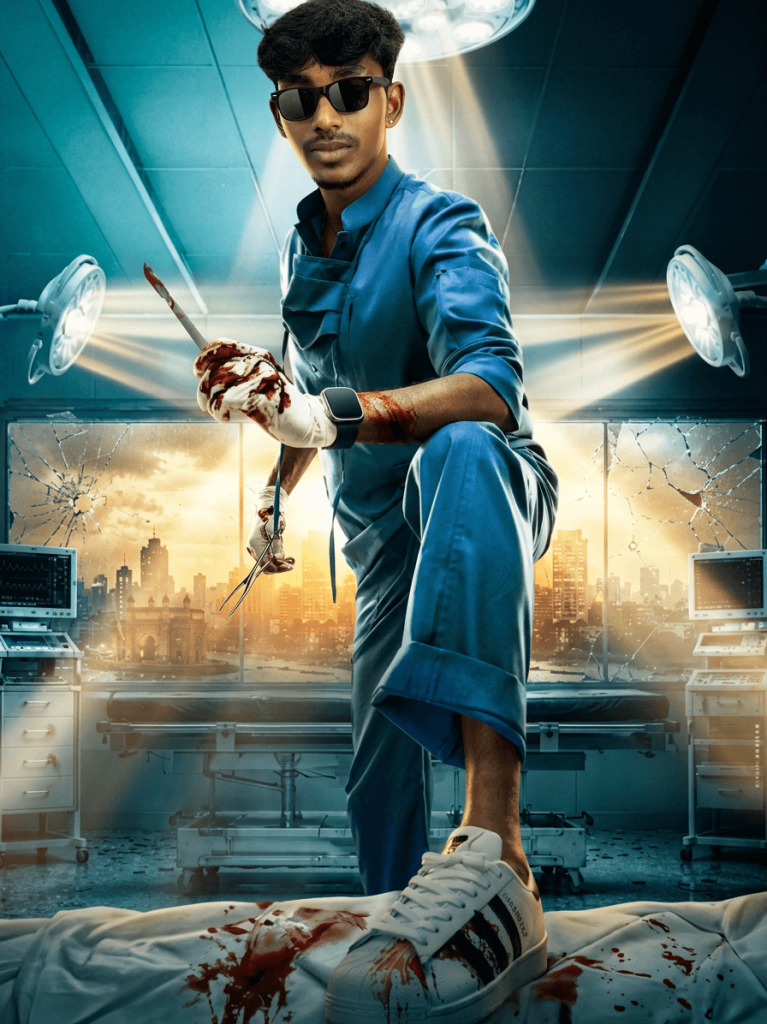
Use the uploaded face photo as the exact identity reference, preserving 100% facial features, skin tone, hairstyle, beard, age, and natural appearance. Use the attached image as the composition and styling reference. Recreate the same cinematic operating-room scene with the subject in blue surgical scrubs, black sunglasses, white sneakers, and a smartwatch, striking a powerful hero pose with one foot placed on an operating table covered by a blood-stained sheet. One gloved hand and forearm are smeared with blood while holding a blood-stained surgical scalpel; the other hand grips surgical forceps. Surround the scene with surgical lights, medical monitors, hospital equipment, cracked glass windows revealing a dramatic city skyline, and intense golden backlight mixed with cool teal-blue operating-room lighting. Match the low-angle perspective, dramatic shadows, ultra-realistic textures, blockbuster movie-poster quality, and high-detail cinematic atmosphere. Remove all text, logos, credits, watermarks, and typography, leaving only the clean artwork. Vertical 4:5 aspect ratio.

How to Use These Prompts

1. Below each image, you will see a prompt box with two buttons: Copy and Share to AI.

2. You can tap Copy to copy the full prompt manually. Or simply tap Share to AI; this will automatically copy the prompt for you.

3. After tapping Share to AI, a list of popular AI tools like ChatGPT, Gemini, Copilot, and others will appear on your screen.

4. Click on any AI tool you prefer. It will directly open the selected AI platform.

5. Once the AI page opens, paste the prompt into the prompt box (it is already copied if you used Share to AI).

6. Upload your reference image if required.

7. Click generate, and your image will be created.

8. If needed, you can slightly adjust the prompt for lighting, angle, or mood and generate again.

9. Once you are satisfied with the result, download the image and save it for your use.