

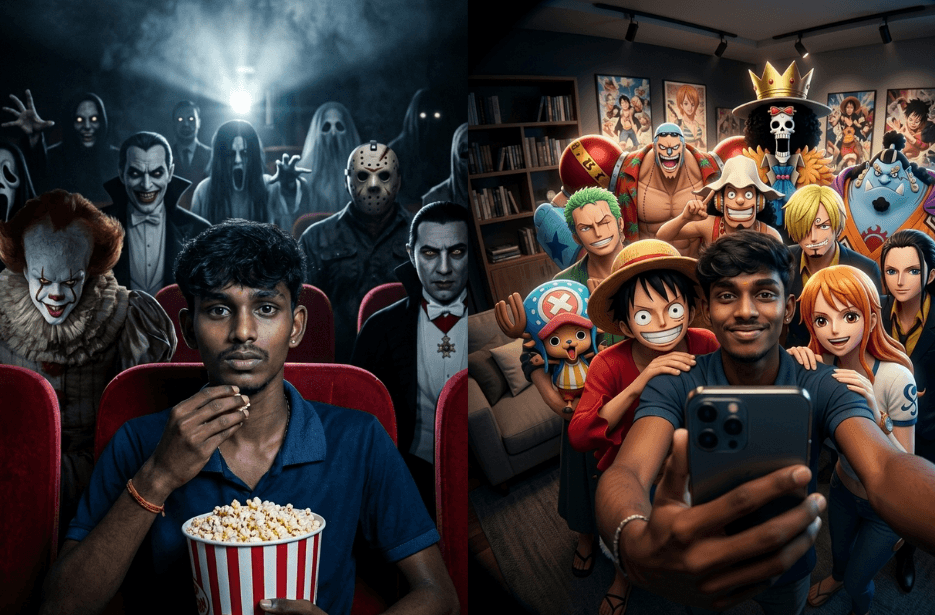
Pop culture is everywhere, from movies and music to memes and social media trends. With the rise of AI, creating eye-catching and fun pop culture photos has become easier than ever. You don’t need to be a designer or artist anymore. If you have a good idea and the right prompt, you can bring your imagination to life. Whether you want to recreate famous scenes or make viral-worthy visuals, these prompts will help you get started.
Version 1: I’m DEAD – Horror Theme
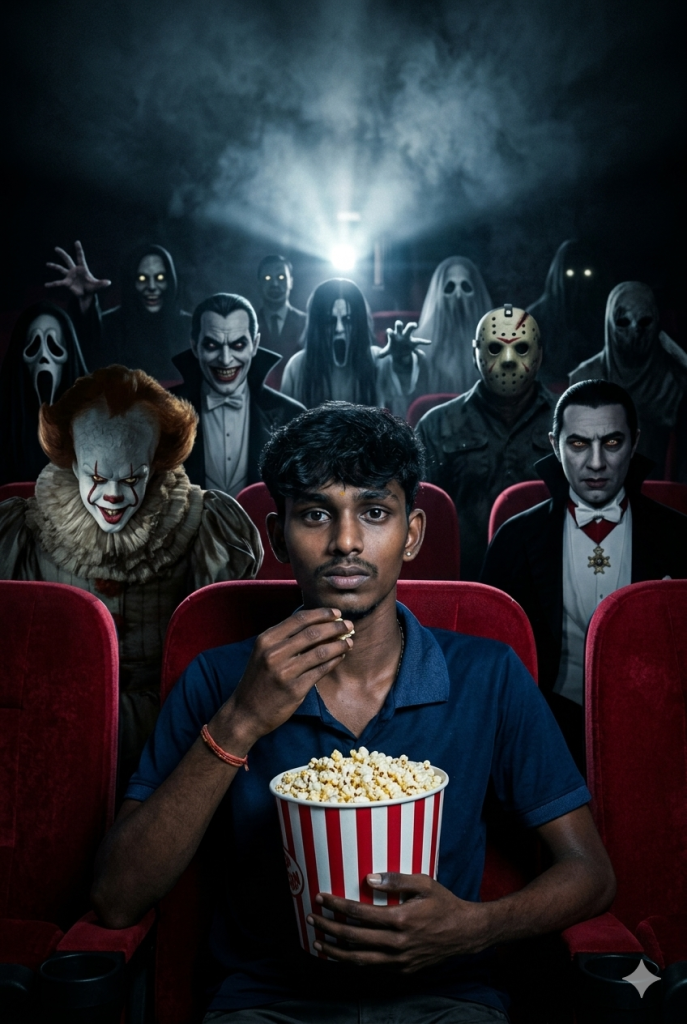
Behind the subject, multiple rows filled with a large ensemble of iconic horror villains and shadowy figures, including Pennywise with a sinister grin and glowing eyes partially lit by the projector, and Count Dracula sitting still in the shadows with piercing eyes and pale skin. Surround them with additional masked slashers, supernatural entities, ghostly apparitions, demonic silhouettes, figures with cracked porcelain masks, stitched mouths, hollow eyes, elongated limbs, and partially hidden creatures emerging from darkness.
Some figures subtly leaning forward, others sitting unnaturally still, a few with tilted heads, creating eerie unnatural symmetry. A few villains staring directly into the camera, others watching the subject. Faint glowing eyes scattered in the darkness, some reflecting the projector beam, others completely black voids.
Dark cinema auditorium, endless rows of red velvet seats fading into blackness, background swallowed in darkness with faint silhouettes barely visible. Single projector light glowing above and behind, perfectly centered, casting a strong overhead beam through volumetric haze.
Symmetrical framing, shallow depth of field, subject in ultra-sharp focus, villains slightly blurred but layered with depth, creating an overwhelming presence.
Dramatic cinematic lighting, strong overhead projector glow, bright circular light source at the top center, soft lens flare, deep shadows, high contrast, subtle rim light outlining the subject’s face, hair, shoulders, and popcorn bucket. Controlled highlights on skin and fabric, rich saturated red seats contrasting with a desaturated dark background.
Suspenseful horror movie poster mood, realistic skin texture, ultra-detailed fabric, fine film grain, volumetric fog, cinematic depth, HDR, 8K resolution, ultra-realistic rendering, haunting atmosphere.
Version 2: Selfie with StrawHat Pirates – One Piece
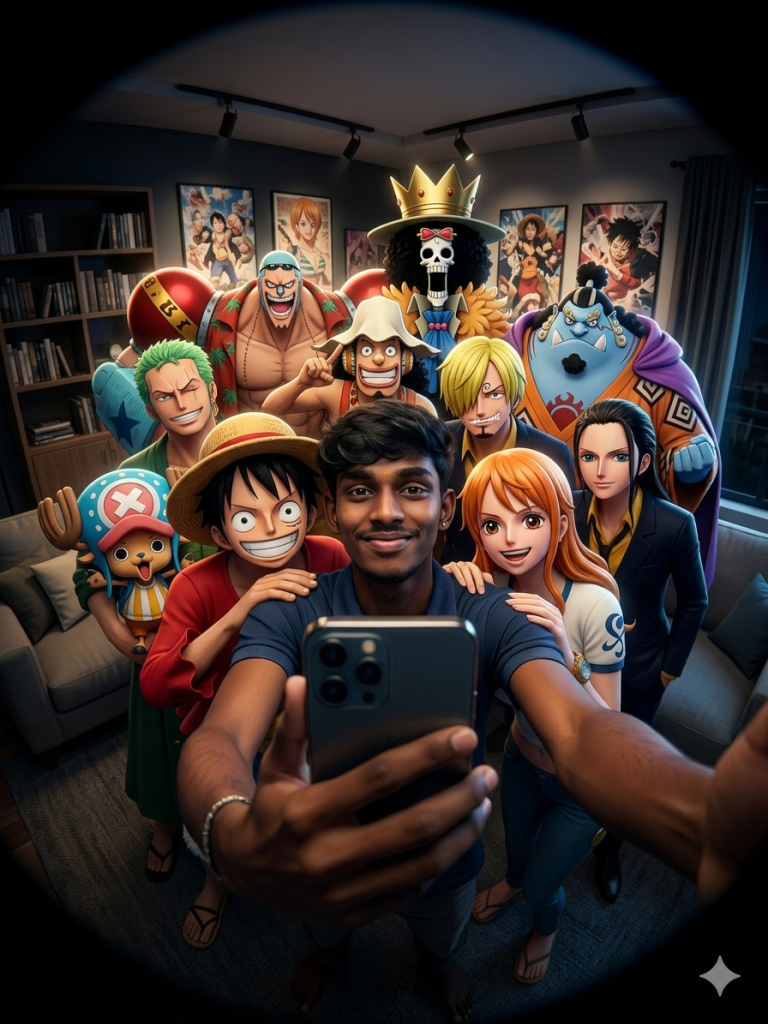
Indoor living room with sofa, bookshelf, framed anime posters, window with curtains in the background, warm wooden details, strong circular fisheye distortion, black rounded lens vignette around the edges, intimate selfie perspective, subject occupying the center foreground, background characters layered in depth around the face.
Apply a much darker, moodier, ultra-cinematic lighting style: deep black-rich shadows, cinematic contrast, dramatic directional light on the face and upper torso, selective radiant bloom on bright edges, luminous halo around face, shoulders and arms, strong subject separation from the background, subtle rim light, glossy highlights, realistic skin texture, soft but sharp facial detail, premium dark editorial cinematic grade, moody warm interior tones, controlled highlights, volumetric glow, film-like contrast, ultra-sharp details, realistic lighting diffusion, cinematic depth, high-end poster look, 8K.
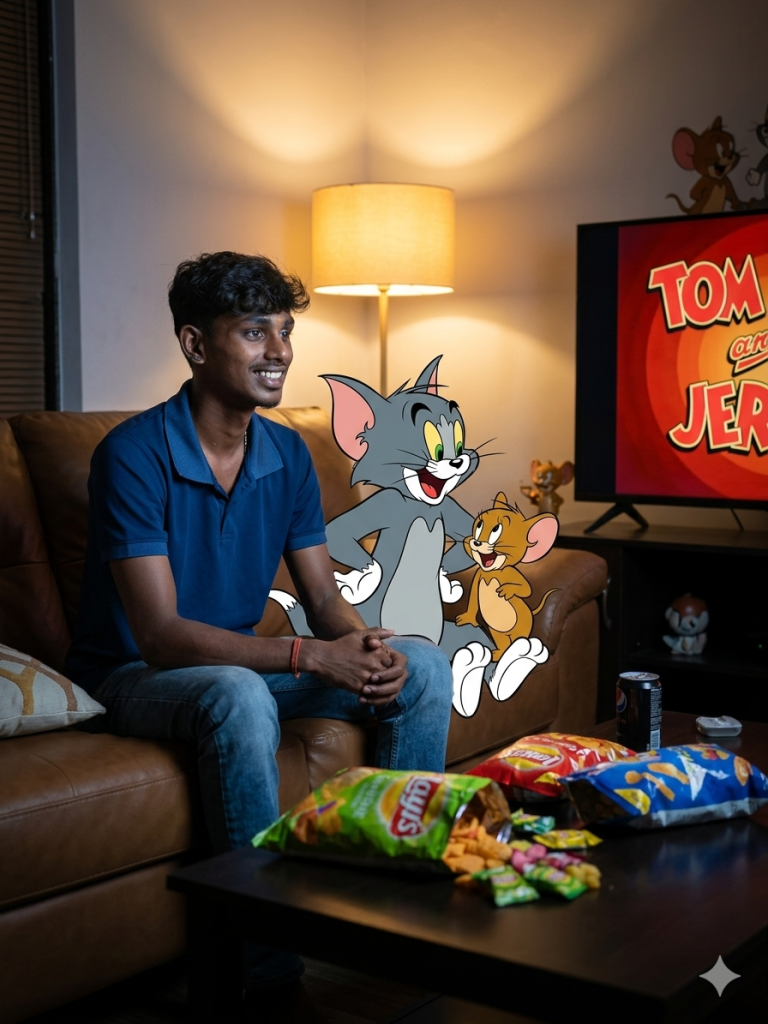
Version 3: Fun with Tom and Jerry
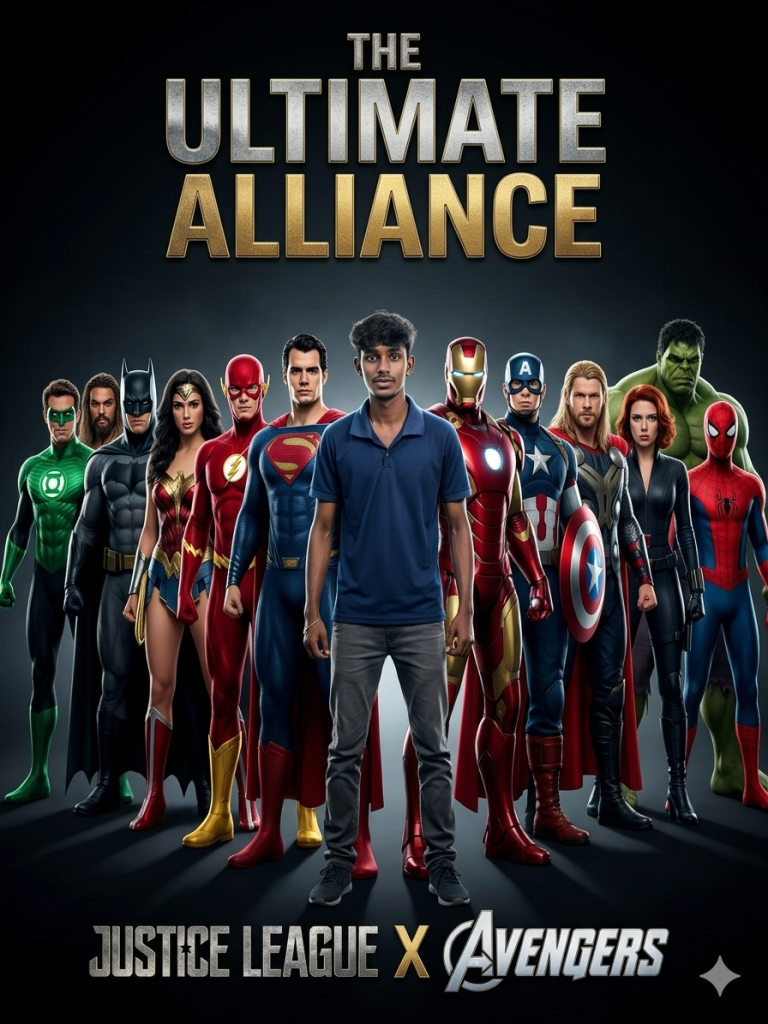
Version 4: The Ultimate Alliance
How to Use These Prompts
1. Below each image, you will see a prompt box with two buttons: Copy and Share to AI.
2. You can tap Copy to copy the full prompt manually. Or simply tap Share to AI; this will automatically copy the prompt for you.
3. After tapping Share to AI, a list of popular AI tools like ChatGPT, Gemini, Copilot, and others will appear on your screen.
4. Click on any AI tool you prefer. It will directly open the selected AI platform.
5. Once the AI page opens, paste the prompt into the prompt box (it is already copied if you used Share to AI).
6. Upload your reference image if required.
7. Click generate, and your image will be created.
8. If needed, you can slightly adjust the prompt for lighting, angle, or mood and generate again.
9. Once you are satisfied with the result, download the image and save it for your use.
Additional Tips to Make The Prompts Better!
You can easily personalise these prompts to match your style, mood, and platform. Use the tips listed below to get better and more unique results.
1. Face Identity & Accuracy
- Always mention “use the provided image for exact face identity (100% preserved)”
- Add: sharp eyes, natural skin texture, no distortion
- If needed, include: same hairstyle, same expression
2. Outfit & Styling
- Change outfits based on your vibe:
- Casual: hoodie, t-shirt, streetwear
- Formal: blazer, suit, satin shirt
- Traditional: saree, kurta, ethnic wear
- Add accessories like watch, chain, sunglasses, rings for a premium look
3. Lighting Control
Lighting plays a huge role in realism:
- Golden hour → warm, soft, aesthetic
- LED/cool light → moody, cinematic
- Flash lighting → bold, high contrast
- Soft indoor light → clean and natural
4. Camera Angle & Composition
- Try different angles for better results:
- Eye level → natural look
- Low angle → powerful vibe
- Side profile → aesthetic feel
- Mirror reflection focus → cinematic style
- Add: shallow depth of field for background blur
5. Background & Environment
- Keep it minimal and clean for a professional look
- Or customise based on theme:
- Hotel room → luxury feel
- Car mirror → lifestyle aesthetic
- Black background → dramatic portrait
- Home setup → cosy vibe
6. Mood & Expression
You can control the emotion of the image:
- Confident & bold
- Calm & introspective
- Soft & smiling
- Serious & moody
7. Colour Grading & Style
- Add finishing styles like:
- Cinematic tone
- Warm vintage look
- Black & white editorial
- High contrast luxury style
- Use: subtle film grain for realism
8. Quality & Output Settings
- Always include:
- 4K or 8K resolution
- Aspect ratio: 4:5 or 3:4 (best for social media)
- Add: ultra-realistic, sharp focus, great detail.
Start with any prompt from this list, then tweak outfit + lighting + mood + background to create endless variations. Small changes can give completely new results.