
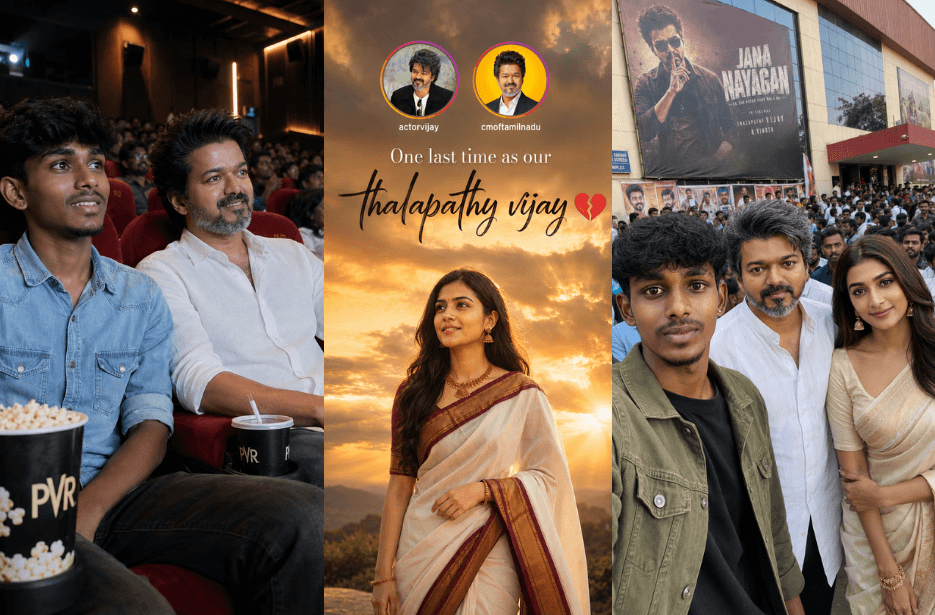
Viral Jana Nayagan AI Photo Prompts for Ultimate Thalapathy Fan Moments

Jana Nayagan Prompts (2)

Celebrate the excitement of Jana Nayagan with these trending AI photo prompts inspired by Thalapathy Vijay fandom. From a heartfelt fan girl tribute outside a theatre, to a realistic selfie with Vijay and Pooja Hegde, and a first-day-first-show cinema experience beside Vijay himself, these prompts help you create ultra-realistic cinematic images with your own photo. Perfect for Instagram stories, fan edits, posters, and social media celebrations.

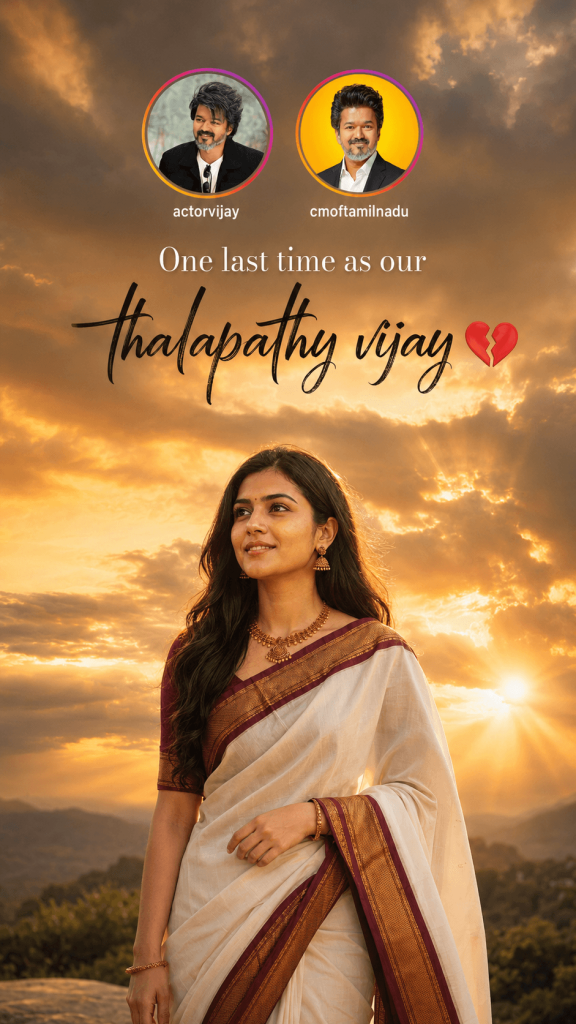
Version 1: One Last Time As Our Thalapathy Vijay
Jana Nayagan Prompts
Click COPY or Share to AI
Create an ultra-realistic cinematic Instagram Story poster in 9:16 vertical aspect ratio, inspired by an emotional farewell tribute. The background features a dramatic golden-hour sky filled with thick, dark clouds and warm sunlight streaming through the gaps, creating powerful volumetric god rays. The atmosphere is emotional, nostalgic, and cinematic with soft warm orange and golden tones. She has soft expressive eyes, medium wheatish skin tone, delicate facial features, and a calm, emotional expression while gazing slightly upward toward the horizon. The composition leaves generous empty space above the subject for text. At the top center, place two circular social media profile icons with Instagram-style gradient borders. One profile contains a stylish portrait of Thalapathy Vijay on the left, and the second contains another professional portrait of Thalapathy Vijay on the right. Below each profile, include the usernames: actorvijay cmoftamilnadu Centered below the profile icons, add elegant white serif typography: “One last time as our” Below it, add a large premium handwritten brush-script title in black: “thalapathy vijay💔” The typography should be stylish, clean, and balanced with cinematic spacing. The woman is illuminated by the warm sunset light from behind, creating a soft rim light around her hair and shoulders. The distant landscape includes subtle hills and greenery blurred with shallow depth of field. The overall color grading is warm golden-orange with realistic HDR lighting, high dynamic range, natural skin tones, soft atmospheric haze, and premium Instagram aesthetic.

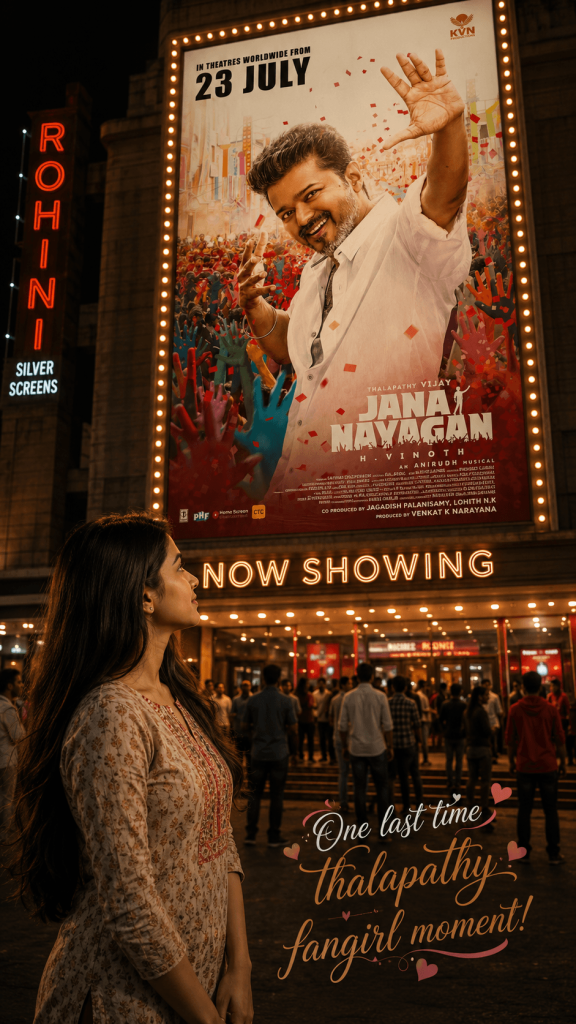
Version 2: One Last Time Thalapathy Fan Girl Moment
Jana Nayagan Prompt (2)
Click COPY or Share to AI
Create a image 9:16 with 8k quality of a girl standing in front of theatre in kurti costume with free hair & looking at the poster of attached poster. Theatre entrance with attached Jananayagan poster. Also write words with hearts and stylish medium size font curvy text as given below: One last time thalapathy fangirl moment!

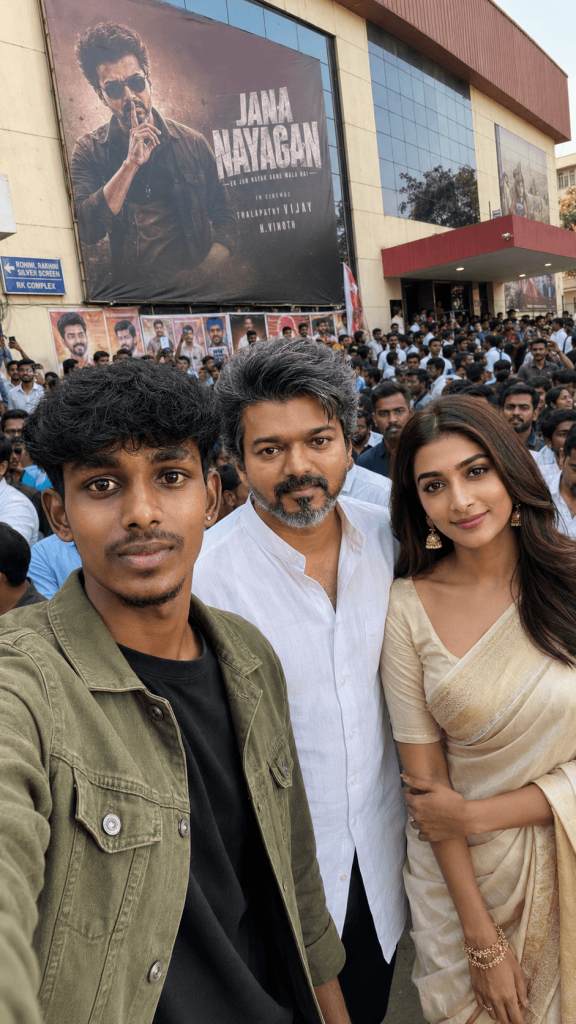
Version 3: Selfie with Thalapathy Vijay and Pooja Hegde
Jana Nayagan Prompt
Click COPY or Share to AI
Use my uploaded photo as exact face reference (100% identity lock, no changes). Create a 9:16 ultra-realistic wide-angle mobile selfie outside a cinema in daylight. I’m holding the phone (arm visible), wearing a sky blue shirt, natural smile.

Standing close beside me:

Middle-aged South Indian male – Vijay (salt & pepper hair, white kurta, leader vibe)
Elegant South Indian female – Pooja Hegde (beige saree, natural look)

Background: Huge crowd, banners, theatre entrance, and a large “JANA NAYAGAN” poster clearly visible.

Style: raw natural daylight, real phone camera look, no filters, no cinematic glow, ultra-realistic, no AI artifacts.

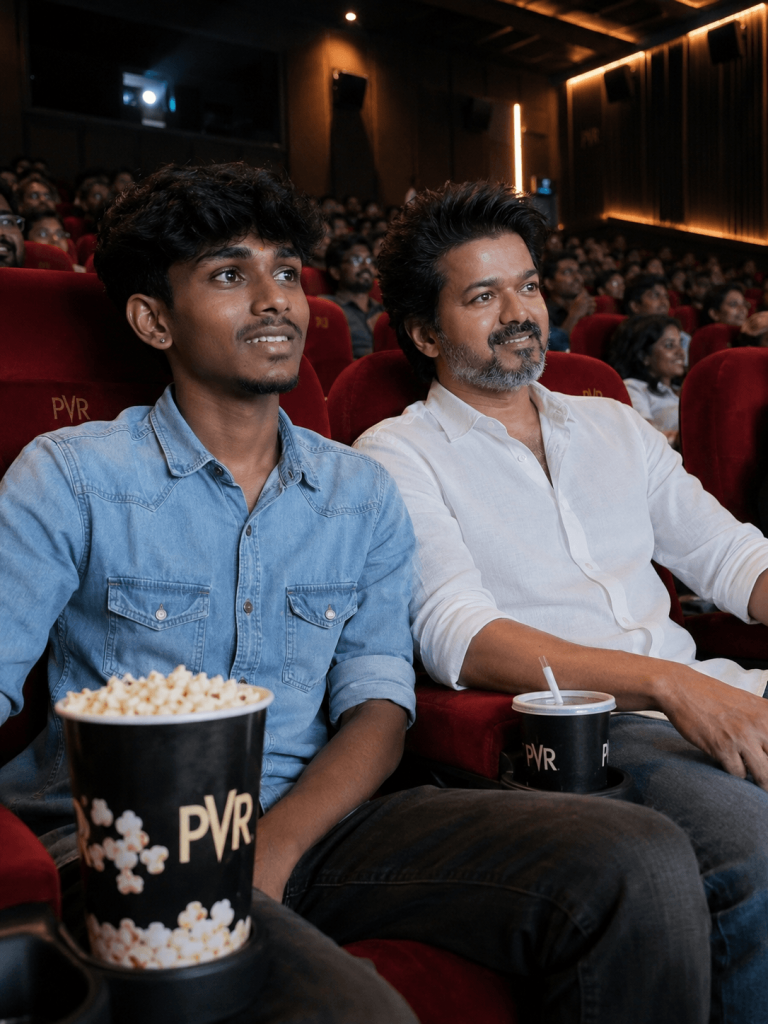
Version 4: Jana Nayagan FDFS with CM Joseph Vijay
Jana Nayagan Prompt (3)
Click COPY or Share to AI
Ultra-realistic cinematic photograph of a modern Tamil Nadu movie theater during a first-day-first-show atmosphere. A young South Indian man with a slim physique, medium-brown skin, beard is sitting in a plush red cinema seat.

He is wearing a sky blue denim shirt with rolled-up sleeves, black jeans, and casual sneakers, smiling naturally while watching the big screen. Seated beside him is South Indian actor Vijay, appearing as an adult, wearing a simple white shirt, blue jeans, and casual shoes. Vijay is smiling naturally and watching the movie along with him. Both are seated comfortably side by side, facing the cinema screen instead of looking at the camera, creating a candid and realistic moment. The theater is filled with excited fans celebrating a first-day-first-show atmosphere, glowing screen light illuminating their faces, popcorn buckets and soft drink cups on the armrests, vibrant cinematic lighting, realistic skin textures, subtle depth of field, authentic multiplex interior

How to Use These Prompts

1. Below each image, you will see a prompt box with two buttons: Copy and Share to AI.

2. You can tap Copy to copy the full prompt manually. Or simply tap Share to AI; this will automatically copy the prompt for you.

3. After tapping Share to AI, a list of popular AI tools like ChatGPT, Gemini, Copilot, and others will appear on your screen.

4. Click on any AI tool you prefer. It will directly open the selected AI platform.

5. Once the AI page opens, paste the prompt into the prompt box (it is already copied if you used Share to AI).

6. Upload your reference image if required.

7. Click generate, and your image will be created.

8. If needed, you can slightly adjust the prompt for lighting, angle, or mood and generate again.

9. Once you are satisfied with the result, download the image and save it for your use.