

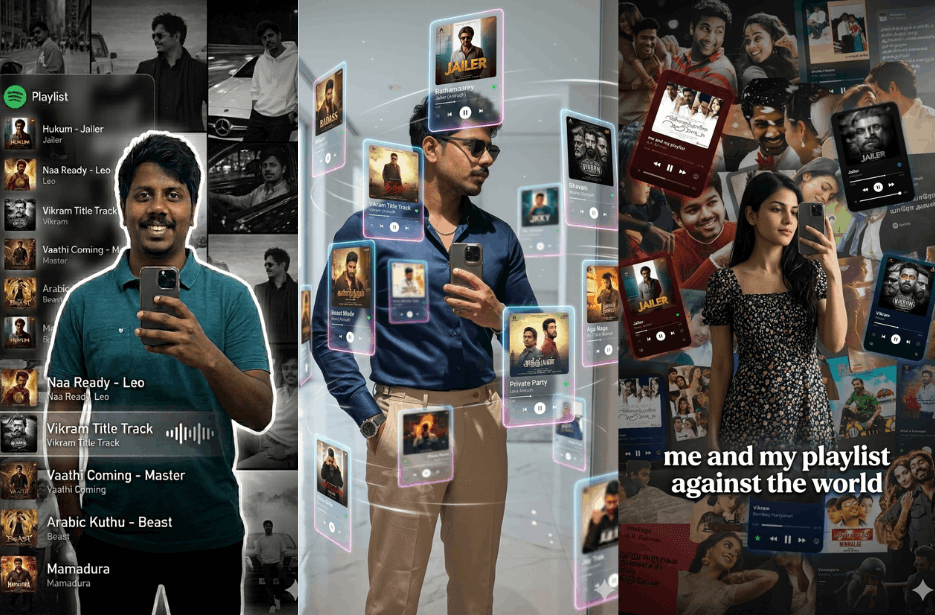
AI photo editing trends are taking over social media, especially music-themed edits with floating playlist cards, Spotify vibes, and stylish mirror selfies. These creative prompts can turn your normal photo into a futuristic reel cover, dark aesthetic poster, or neon music portrait in seconds.
We have got you the right prompts to recreate trending edits using your own image. Just upload your photo, copy the prompt, and generate eye-catching results for Instagram, WhatsApp DP, or reels.
Version 1: Mirror Selfie with Floating Music Tiles
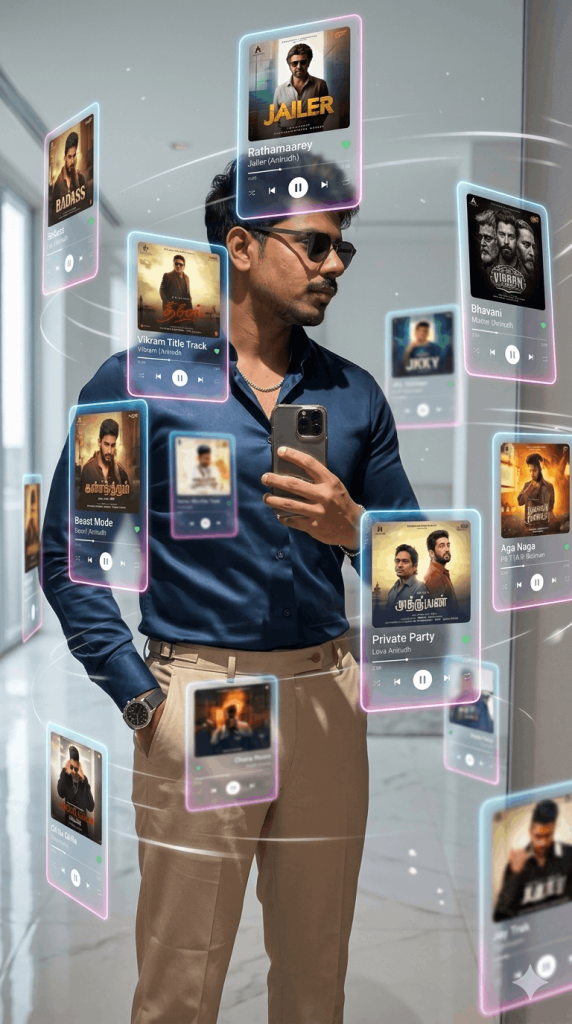
Each tile should display album art, play buttons, progress bars, song titles, and music UI controls. Arrange them naturally around my body like they are floating in air. Add slight blur on foreground and background cards for depth of field.
Style should be ultra realistic, clean aesthetic, modern Instagram reel vibe, cinematic lighting, glossy reflections on floor, minimal white luxury room background. Keep me centered and sharp focus.
Aspect ratio: 9:16 vertical.
Quality: 4K high detail.
Mood: futuristic, stylish, social media viral trend.
Version 2: Dark Spotify Poster Edit
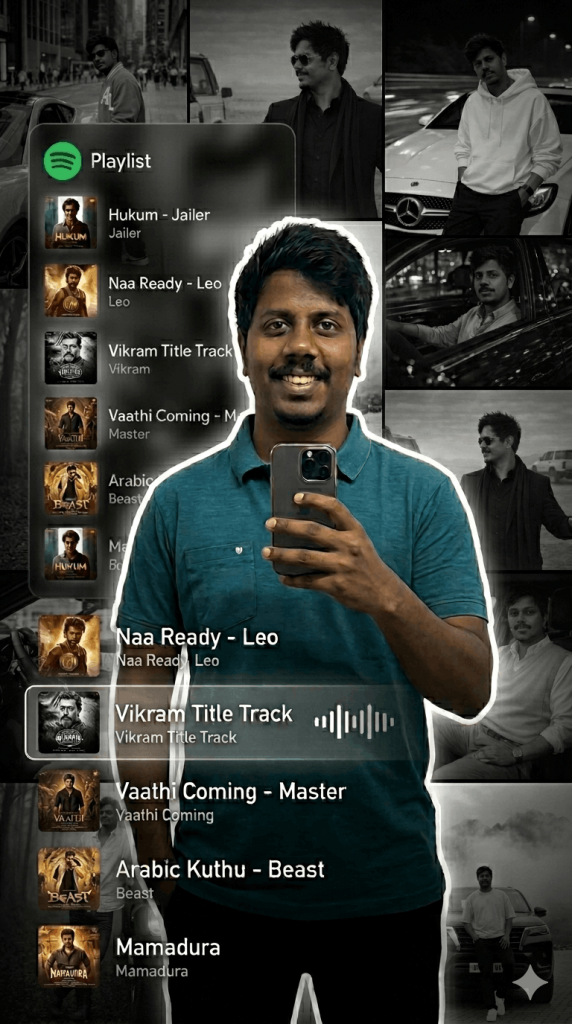
Background should be dark black with a cinematic collage of faded black-and-white photos of me placed behind in different positions. On the left side, add a transparent Spotify-style playlist panel with glowing UI showing trending Tamil hit songs. Include realistic album covers, song titles, artist names, waveform bars, and playlist text. Make one highlighted song tile larger and brighter.
Use songs inspired by popular Tamil hits like Jailer, Leo, Vikram, Master, Beast, Love Today, Don, Thunivu, Ponniyin Selvan with stylish Tamil music vibe.
Keep the design modern, clean, moody, and viral trend style.
Lighting should focus on me with sharp clarity while background stays slightly blurred.
Style: ultra realistic, high contrast, cinematic, trendy Gen Z edit, premium social media aesthetic.
Aspect ratio: 9:16 vertical
Quality: 4K high detail
Mood: dark stylish Tamil Spotify vibe poster.
Version 3: Neon Spotify Portrait
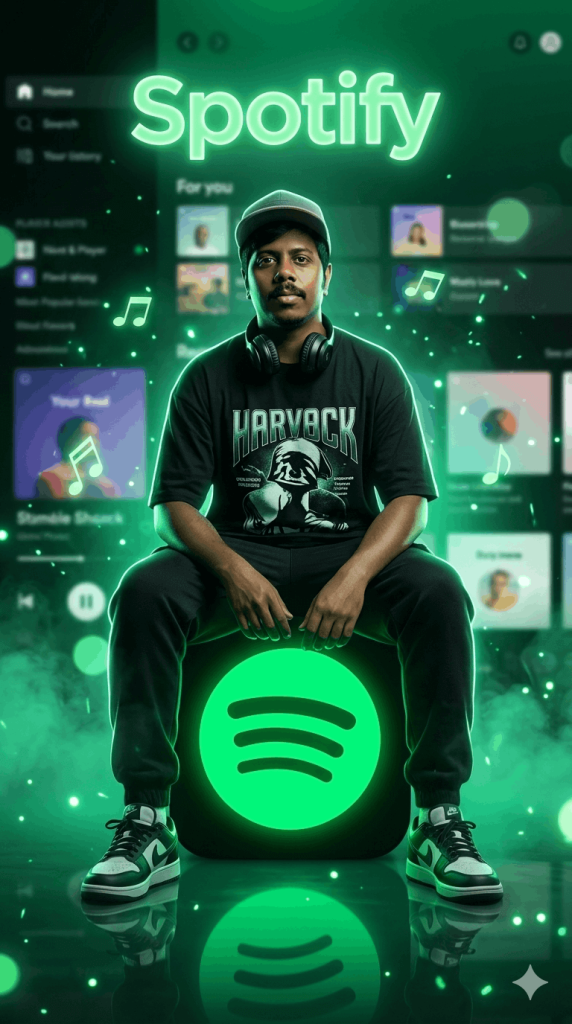
Pose me sitting casually with elbows resting on knees, looking directly at camera with attitude and calm expression. Dress me in oversized streetwear t-shirt, joggers, sneakers, cap, and headphones around ears.
Scene should be fully lit in vibrant Spotify green neon light with fog, smoke, glowing particles, floating music notes, and soft bokeh effects. Background should feature a futuristic blurred Spotify app interface with playlists and UI elements glowing behind me. Add the word Spotify at top in soft neon text.
Floor should be glossy with reflections of the glowing logo. Add dramatic rim lighting around my body for depth. Keep my face sharp and realistic.
Style: ultra realistic, premium poster design, cinematic lighting, high contrast, moody music studio vibe, viral Instagram reel aesthetic.
Aspect ratio: 9:16 vertical
Quality: 4K ultra detail
Mood: powerful, trendy, music lover, superstar vibe.
Version 4: Mirror Selfie with Tamil Music Cards
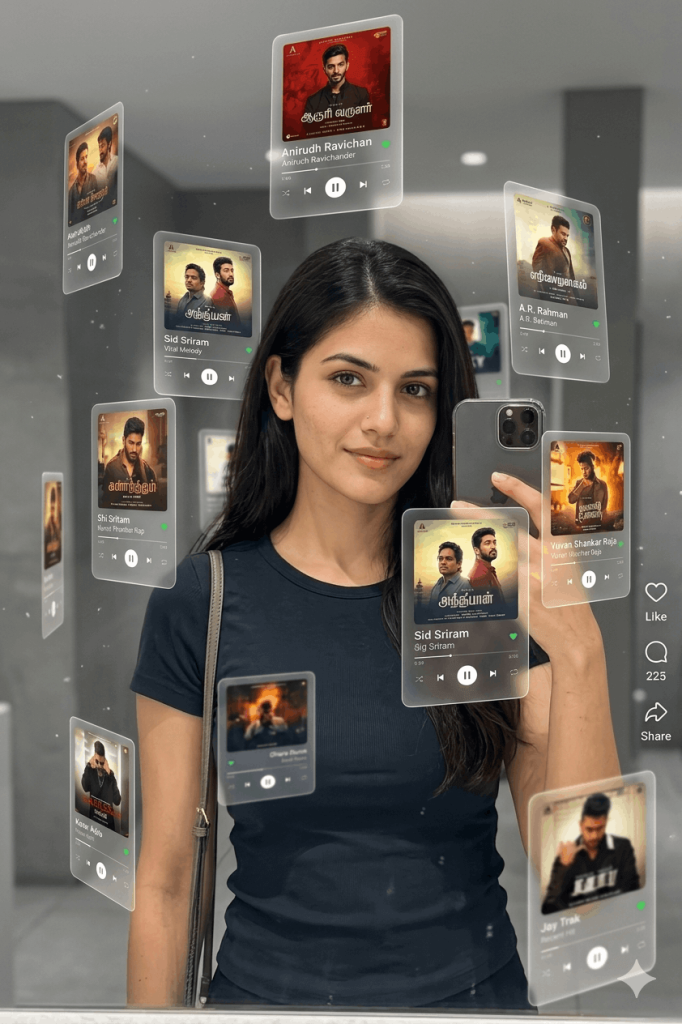
Use the uploaded image for 100% accurate face identity, facial structure, and expression.
The subject should be:
Holding a smartphone in front of a mirror (mirror selfie pose)
Slightly angled body posture, relaxed stance
Wearing casual modern outfit (dark fitted t-shirt, sling/overall strap visible)
Natural makeup, soft lighting on face
Center-framed composition
Floating Music Cards (Match Count & Placement Exactly)
Add exactly 8 floating glass-style music player cards (same as reference)
Place them around the subject at different positions:
Top left
Top right
Mid left
Mid right
Bottom left
Bottom right
One near center-left
One near lower center
Maintain depth layering (some closer, some blurred in foreground/background)
Add soft glow and subtle floating particles in air
Tamil Playlist (Replace All Songs)
Each card should show realistic Tamil songs instead of Drake, like:
Anirudh Ravichander – trending track
Sid Sriram – viral melody
Dhanush – latest song
A.R. Rahman – recent composition
Santhosh Narayanan – popular track
Yuvan Shankar Raja – trending song
Hip Hop Tamizha – upbeat track
GV Prakash Kumar – recent hit
Music Card UI Design (Keep Same Style)
Each floating card must include:
Album cover (realistic Tamil album art style)
Song title + artist name
Small platform icons (Spotify green / Apple Music red)
Minimal controls (play icon, progress bar optional)
Frosted glass look with rounded corners
Soft white glow edges
Lighting & Visual Style
Soft, diffused indoor lighting
Slight glow around subject
Floating dust/particle effects
Clean, modern aesthetic
Shallow depth of field
Realistic reflections on mirror and cards
Social Media Overlay (Optional but Matching)
Add Instagram-style UI on right:
Like, comment, share icons
Small engagement numbers
Version 5: Dark Playlist Aesthetic Poster
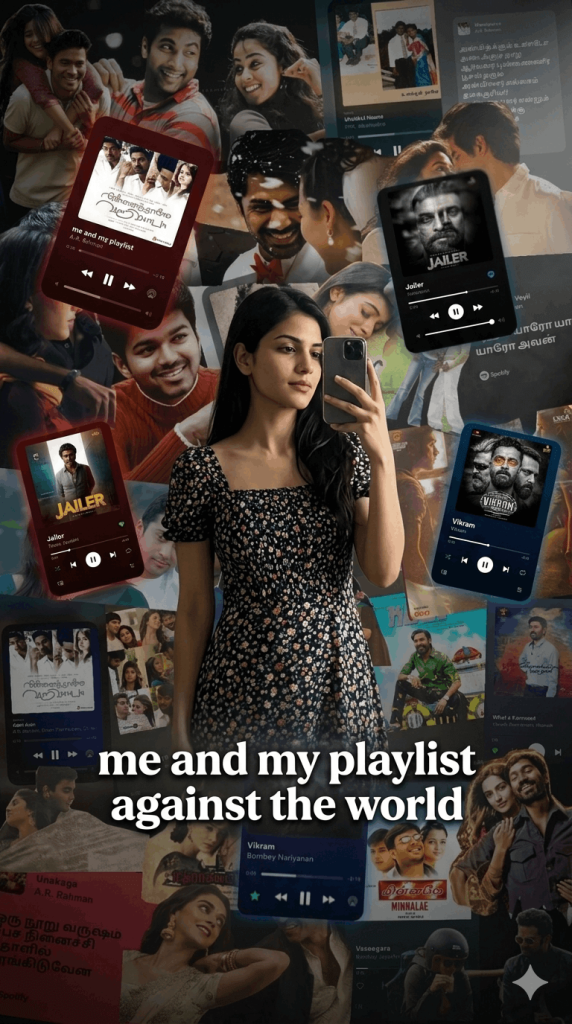
Use the separate background image I provide as the base environment. Blend me naturally into that background with realistic lighting and shadows matching the scene.
Around me, add multiple floating music player tiles/cards in a moody transparent style, inspired by playlist interfaces. Place them in the background and around the sides with soft glow. Use dark red, black, and blue neon tones. Include realistic album covers, song titles, progress bars, play buttons, and music controls.
Keep the atmosphere emotional and cinematic with subtle fog, low light, depth blur, reflections, and dramatic contrast. Make me the sharp focus in the center while the playlist tiles remain slightly blurred behind me.
Add bold stylish white caption text across the lower center:
“me and my playlist against the world”
Style: ultra realistic, moody edit, Gen Z aesthetic, emotional playlist vibe, premium Instagram reel cover.
Aspect ratio: 9:16 vertical
Quality: 4K high detail
Mood: lonely, stylish, music lover, late-night vibe.
How to Use These Prompts
1. Below each image, you will see a prompt box with two buttons: Copy and Share to AI.
2. You can tap Copy to copy the full prompt manually. Or simply tap Share to AI; this will automatically copy the prompt for you.
3. After tapping Share to AI, a list of popular AI tools like ChatGPT, Gemini, Copilot, and others will appear on your screen.
4. Click on any AI tool you prefer. It will directly open the selected AI platform.
5. Once the AI page opens, paste the prompt into the prompt box (it is already copied if you used Share to AI).
6. Upload your reference image if required.
7. Click generate, and your image will be created.
8. If needed, you can slightly adjust the prompt for lighting, angle, or mood and generate again.
9. Once you are satisfied with the result, download the image and save it for your use.
Customization Tips
1. Use Your Best Selfie
Upload a clear front-facing or mirror selfie photo for sharper and more realistic results.
2. Change Song Style
Replace Tamil songs with English, K-pop, Lo-fi, Hip Hop, or your favourite playlist theme.
3. Adjust Background
Use white room backgrounds for clean edits or dark backgrounds for cinematic looks.
4. Improve Fashion Style
Mention hoodie, streetwear, formal outfit, sunglasses, or headphones for better styling.
5. Make It More Viral
Add glowing lights, floating effects, neon colours, fog, reflections, or social media UI overlays.
6. Best Use Cases
Use these edits for Instagram reels, story covers, WhatsApp DP, YouTube thumbnails, and profile photos