

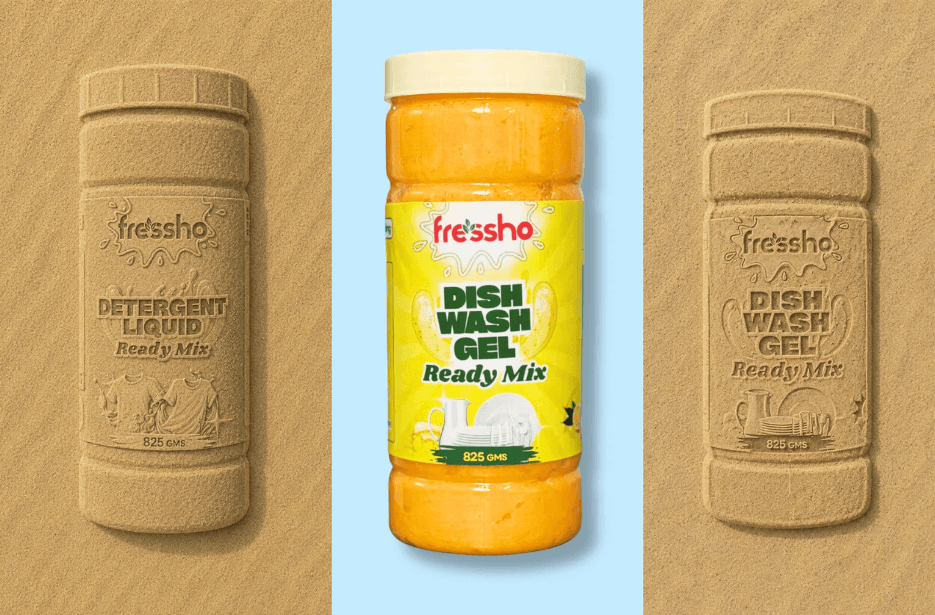
Turn your product into a scroll-stopping cinematic advertisement with AI! This prompt lets you recreate your product as a detailed sand impression and then transform it into a realistic product reveal video using ocean waves and foam. Simply upload your product image, generate the sand artwork, and use the image as a reference in Google Flow to create the final video.
Image Prompt
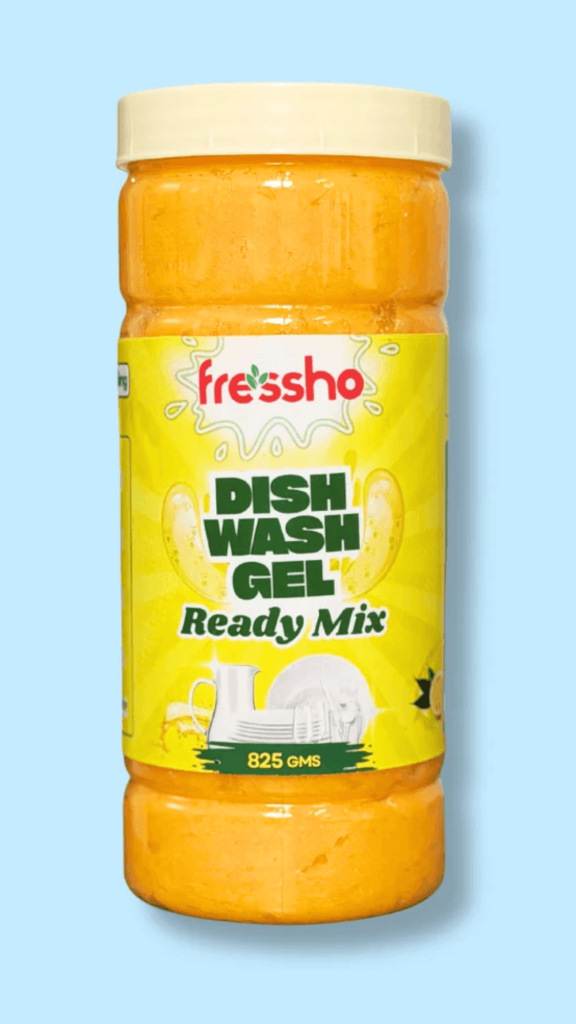
Use the uploaded product image as the exact reference for the product. Carefully study the product’s overall silhouette, proportions, shape, orientation, packaging design, logo, typography, labels, graphics, text placement, and distinctive visual details.
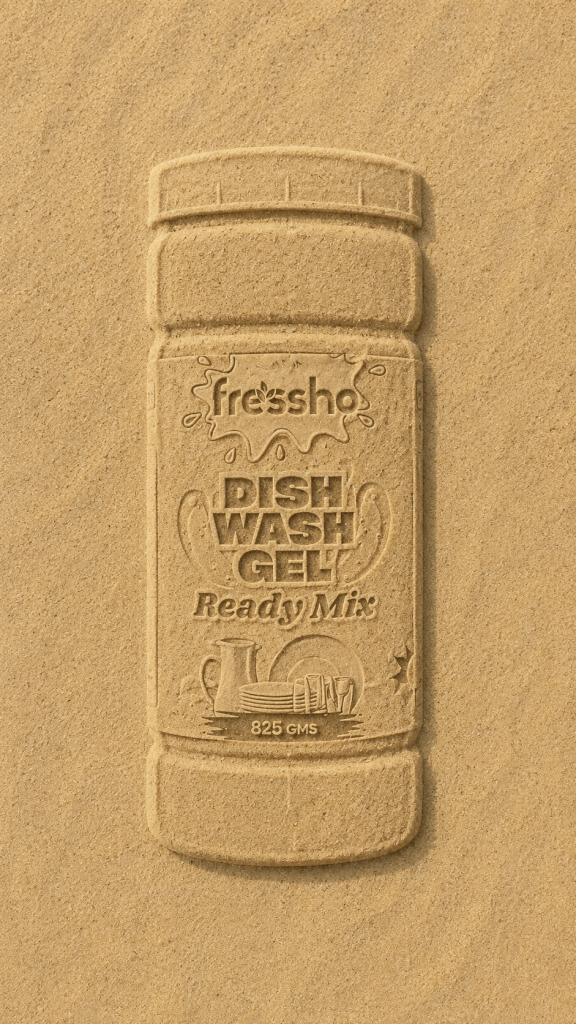
Recreate the product entirely in fine beach sand as though someone physically placed the product on the sand, carefully traced its complete shape and then recreated the visible packaging details inside the outline before removing the product.
The sand artwork must include both the outer silhouette AND the recognizable details printed on the product. Recreate the product’s visible brand name, logo, numbers, words, label sections, typography placement, graphic elements and other important markings as shallow carved, pressed or raised formations in the sand.
The text and branding should follow the same relative position, orientation and proportions as they appear on the uploaded product, rather than being randomly placed.
The writing should look as though it has been drawn/carved directly into the sand, using realistic grooves and shallow indentations. Individual letters should be clearly recognizable while still having natural sand imperfections. Do not make the lettering look like digitally overlaid text.
The entire product should appear as a single cohesive sand drawing/impression. The outer edges, internal label details and lettering should all be made from the same physical sand.
Use fine, warm beige beach sand with visible individual grains, subtle variations in texture, naturally displaced sand around the grooves and tiny imperfections caused by someone physically drawing the design by hand.
Use realistic directional sunlight that creates delicate shadows inside the carved lettering, logo, label details and outer product outline. The shadows should help make the sand artwork dimensional and physically believable.
Position the camera directly overhead, perfectly perpendicular to the sand. Keep the entire product-shaped sand drawing visible and centered, with generous clean sand surrounding it.
Create a minimal, cinematic beach environment with no unnecessary objects.
The result should look like a real, highly detailed product advertisement created by drawing the actual product and its packaging design into beach sand.
Photorealistic, cinematic commercial photography, highly detailed sand texture, realistic carved lettering, realistic product proportions, natural sunlight, physically believable shadows, premium advertising aesthetic, sharp central subject, vertical 9:16 composition.
NEGATIVE PROMPT:
No actual product, no physical product sitting on the sand, no floating product, no digitally pasted text, no text overlay, no normal printed label, no flat graphic, no CGI, no 3D render, no cartoon, no illustration, no generic lettering, no random words, no misspelled brand name, no incorrect logo, no rearranged text, no distorted product proportions, no missing packaging details, no perfectly smooth digital edges, no unrealistic sand, no hands, no people, no footprints, no shells, no rocks, no unnecessary props, no side angle, no low-angle perspective.
Prioritize accurate recreation of the product’s visible text and branding even though it is made from sand. Do not omit the writing simply because the medium is sand.
Video Prompt
The scene takes place on wet sand near the ocean. A detailed impression of the BioTop 700 Hair Mask tube is already pressed into the sand, creating a recognizable outline of the product.
At the beginning, ocean foam and shallow seawater move naturally into the shot from the upper edge of the frame. The advancing foam travels across the wet sand and gradually washes over the entire product-shaped impression until the outline is completely hidden beneath the water and foam.
While the impression is concealed, create subtle movement underneath the foam. The wet sand should appear to compress and shift naturally, suggesting that something is developing beneath the surface without actually revealing the transformation.
Once the foam starts flowing back toward the bottom of the frame, reveal the product progressively from underneath. The upper section of the BioTop 700 Hair Mask should become visible first, followed naturally by the rest of the tube as more of the foam clears away. The reveal should look as though the physical product is emerging from the exact outline that was previously pressed into the sand.
The final product must precisely match the uploaded BioTop 700 Hair Mask reference image. Preserve its gold-beige packaging, white cap, black BIO TOP branding, large “700” marking, label design, dimensions, and natural height-to-width proportions. Do not stretch, squash, enlarge, narrow, warp, or redesign the packaging to fit the frame.
Once completely revealed, the hair mask remains naturally positioned on the wet sand while small bubbles, thin foam residue, and droplets remain around its base.
Keep the entire transformation within one continuous shot. The camera stays fixed overhead throughout. Use realistic ocean foam, wet sand textures, fluid movement, reflections, and natural daylight. The soundscape should include gentle waves, soft water movement, bubbling foam, and subtle wet-sand sounds.
No people, hands, filming equipment, subtitles, text overlays, camera movement, or scene cuts.
The video should be in 9:16 vertical format.
How to Create the Image & Video
1. Copy the image prompt by clicking the Copy option. Or simply tap Share to AI; this will automatically copy the prompt for you.
2. After tapping Share to AI, a list of popular AI tools like ChatGPT, Gemini, Copilot, and others will appear on your screen.
3. Click on any AI tool you prefer. It will directly open the selected AI platform.
4. Once the AI page opens, paste the prompt into the prompt box. (The prompt is already copied if you used Share to AI.)
5. Upload your reference image.
6. Click Generate, and your image will be created.
7. If needed, you can slightly adjust the prompt for lighting, angle, or mood and generate again.
8. Once you are satisfied with the image, copy the video prompt provided.
9. Open Google Flow, Google’s AI video-generation tool.
10. Switch to Video Generation and paste the copied video prompt.
11. Upload both the generated sand image and the product image as reference images.
12. Click Generate and wait for your product video to be created.
13. Once you are satisfied with the result, download the video and save it for your use.