
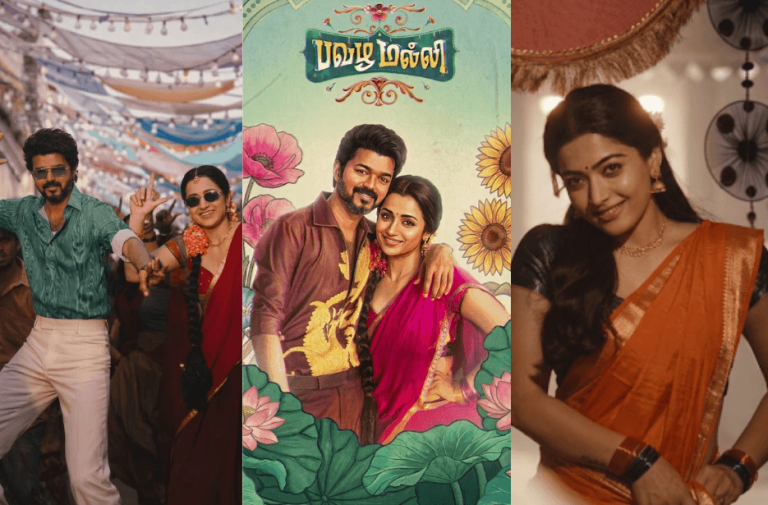
The song Pavazha Malli, composed by Sai Abhyankkar, has captured attention with its colourful festival dance moments, romantic close-up scenes, and vintage poster visuals. With the help of AI image generation tools, you can now recreate these cinematic scenes using your own photos.
We provide six detailed AI prompts inspired by different Pavazha Malli scenes. Simply upload your photo, paste the prompts into your preferred AI image generator, and create stunning South Indian cinematic portraits with realistic lighting, cultural aesthetics, and movie-style compositions.
Version 1: Pavazha Malli Retro Couple Poster
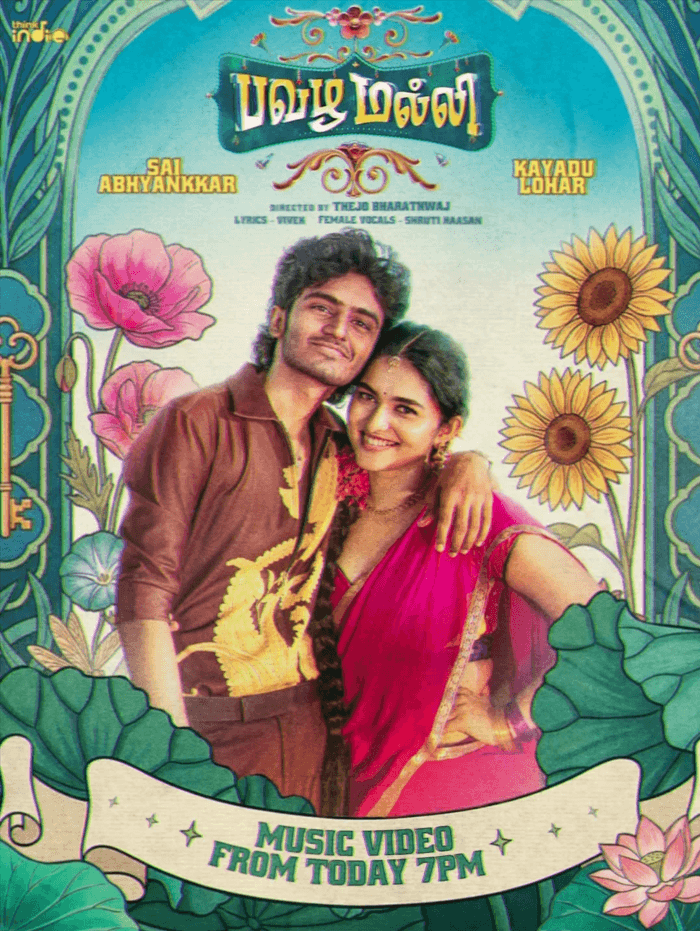
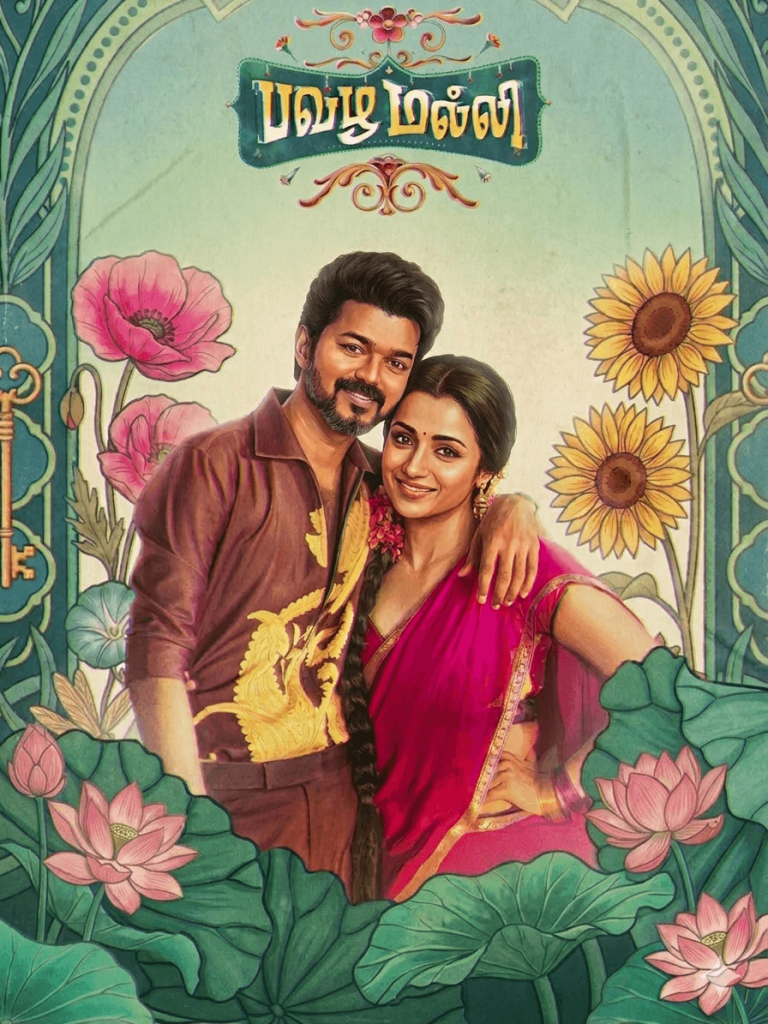
Use the uploaded poster image as the main style and layout reference.
Replace the two characters in the poster with the faces from the uploaded reference photos while preserving their facial identity, skin tone, and expressions.
Scene:
A young South Asian couple standing together in a romantic pose. The man stands slightly behind the woman with his arm resting around her shoulder. Both are smiling warmly and leaning slightly toward each other.
Male character:
Use the uploaded male reference face. He has wavy medium-length hair, light stubble, expressive eyes, and a relaxed confident smile. He wears a retro brown shirt with a large golden embroidered dragon design on the chest and an open collar, classic 1970s Tamil cinema fashion.
Female character:
Use the uploaded female reference face. She wears a bright pink traditional saree with a gold border and matching blouse. Her hair is long and braided with flowers. She wears traditional earrings, bangles, and a small bindi. She smiles warmly.
Composition:
Waist-up pose, centered composition, couple leaning slightly toward each other with affectionate body language.
Poster Environment:
Highly decorative illustrated vintage Tamil poster frame surrounding the couple.
Large illustrated flowers such as sunflowers, poppies, and lotus flowers placed symmetrically on both sides.
Ornamental teal and pastel green art-nouveau arch frame with intricate floral patterns and leaves.
Decorative botanical illustration background with soft pastel colors.
Style:
Classic retro South Indian movie poster aesthetic
Hand-painted illustration look
Vintage 1970s Tamil cinema poster design
Soft faded ink colors
Vintage paper texture
Subtle film grain
Slightly aged printed poster finish
Lighting:
Soft warm studio lighting on faces
Cinematic romantic tone
Version 2: Pavazha Malli Street Dance Scene
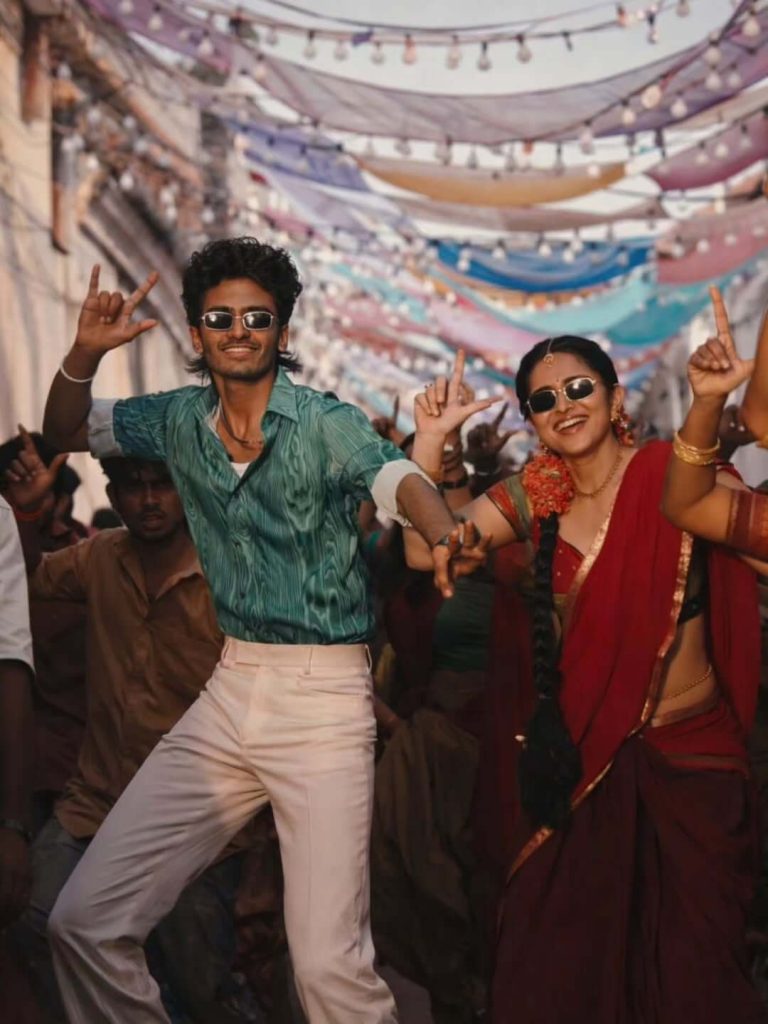
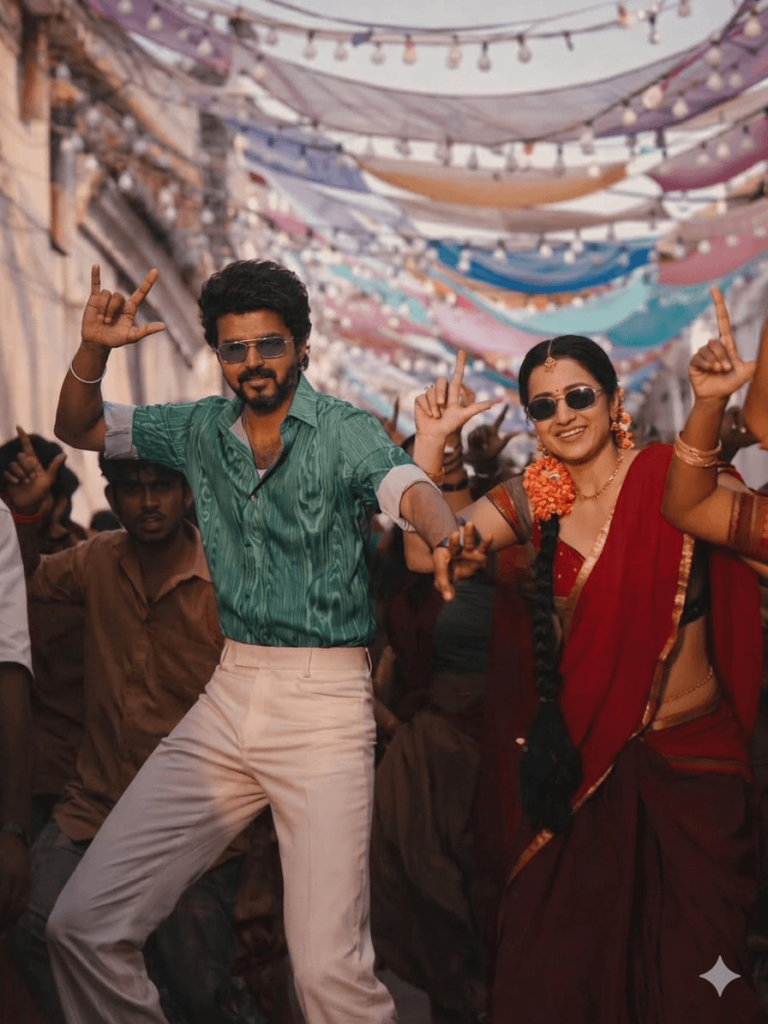
Scene:
A vibrant South Indian street festival dance celebration. The main subject (from the reference image) is dancing energetically in the center of a narrow decorated street filled with people celebrating.
He is wearing stylish black sunglasses, a green patterned shirt with sleeves rolled up, and cream/white trousers. His pose is dynamic and confident with expressive hand gestures while performing a lively street dance step.
Next to him, a cheerful woman with the face from the provided female reference image is dancing joyfully. She is wearing a traditional red saree with gold jewelry, jasmine flowers in her hair, and sunglasses, smiling while performing the same energetic dance step.
Background:
A festive South Indian street filled with people dancing and celebrating. The narrow street is decorated with colorful fabric drapes and strings of warm decorative lights hanging overhead, forming a festive canopy. The crowd behind them is cheering and dancing.
Lighting:
Warm cinematic lighting with golden festival tones, natural daylight mixed with decorative string lights, creating vibrant colors and festive highlights.
Camera Style:
Mid-shot full-body dance frame, slight motion energy, 50mm lens, shallow depth of field with background crowd slightly blurred for cinematic focus.
Mood:
Joyful, energetic, lively South Indian festival dance atmosphere.
Style:
Ultra-realistic photography, cinematic color grading, high detail, natural skin tones, realistic motion, professional festival photography.
Composition:
Both subjects centered in the street, dancing toward the camera, with the colorful decorated crowd and festival canopy behind them.
Version 3: Pavazha Malli Romantic Close-Up Scene
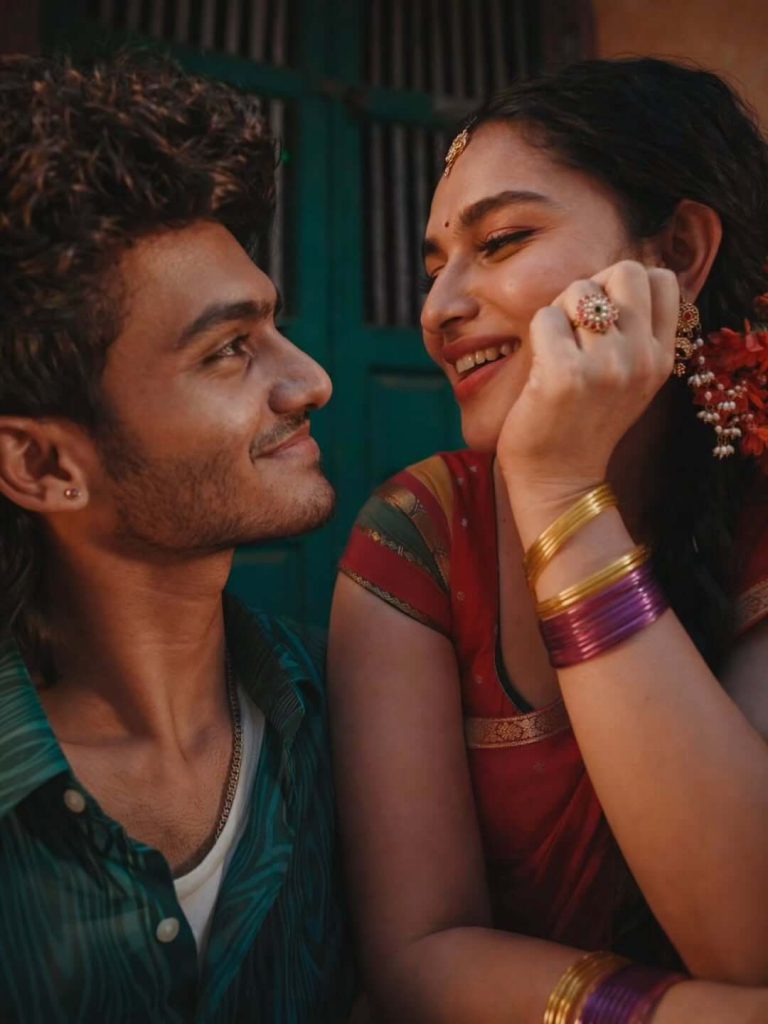
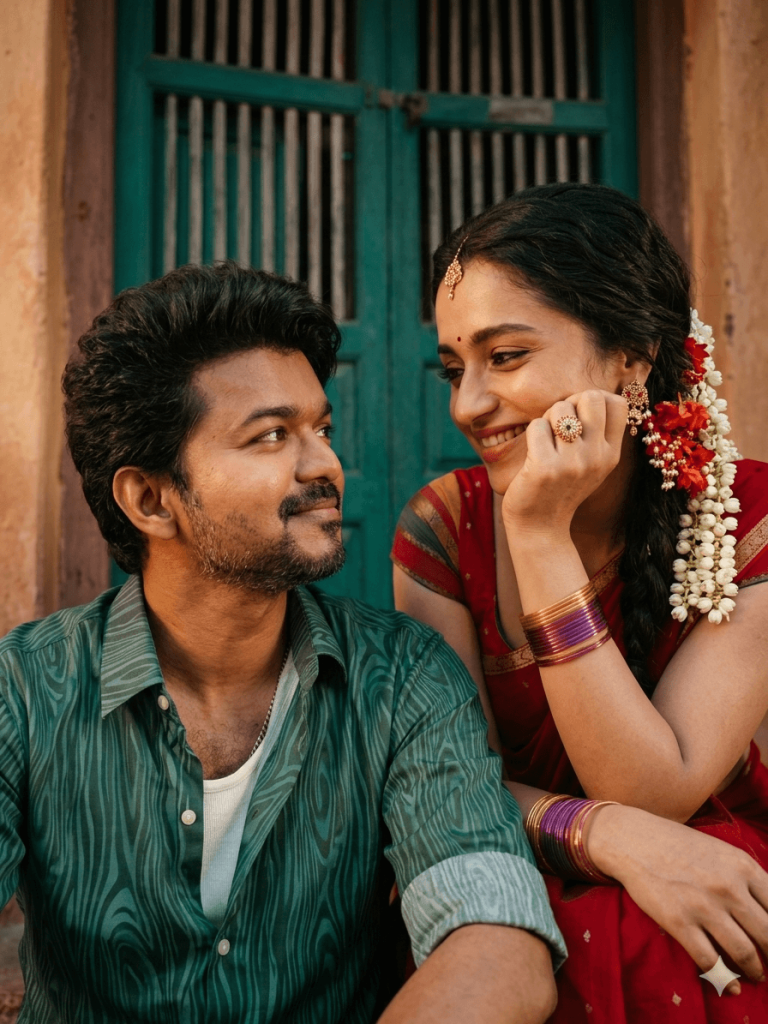
Scene:
A romantic South Indian couple sitting very close together during a quiet intimate moment. The man sits slightly lower and looks up at the woman with a soft loving smile. The woman leans forward gently with her chin resting on her hand while smiling warmly back at him. Their expressions show natural chemistry, affection, and comfort.
Outfits:
Man wearing a green patterned casual shirt with sleeves slightly rolled, over a white inner vest, collar slightly open, youthful relaxed style.
Woman wearing a traditional red saree with a gold border, gold bangles and purple glass bangles, traditional ring and earrings, jasmine flowers in her hair, and a small bindi on her forehead.
Background:
Traditional South Indian house entrance with a teal/green wooden door and warm textured walls, rustic and cozy atmosphere.
Lighting:
Warm cinematic evening lighting with golden tones, soft highlights on skin and jewelry, gentle shadows, natural ambient glow.
Camera Style:
Close-up romantic portrait framing, 50mm lens look, shallow depth of field, background softly blurred.
Style:
Ultra-realistic photography, cinematic color grading, natural skin tones, professional romantic portrait photography.
Quality Tags:
photorealistic, ultra realistic, cinematic lighting, 8k detail, sharp focus, natural skin texture, realistic shadows, romantic mood
Version 4: Pavazha Malli Festival Dance Hall Scene
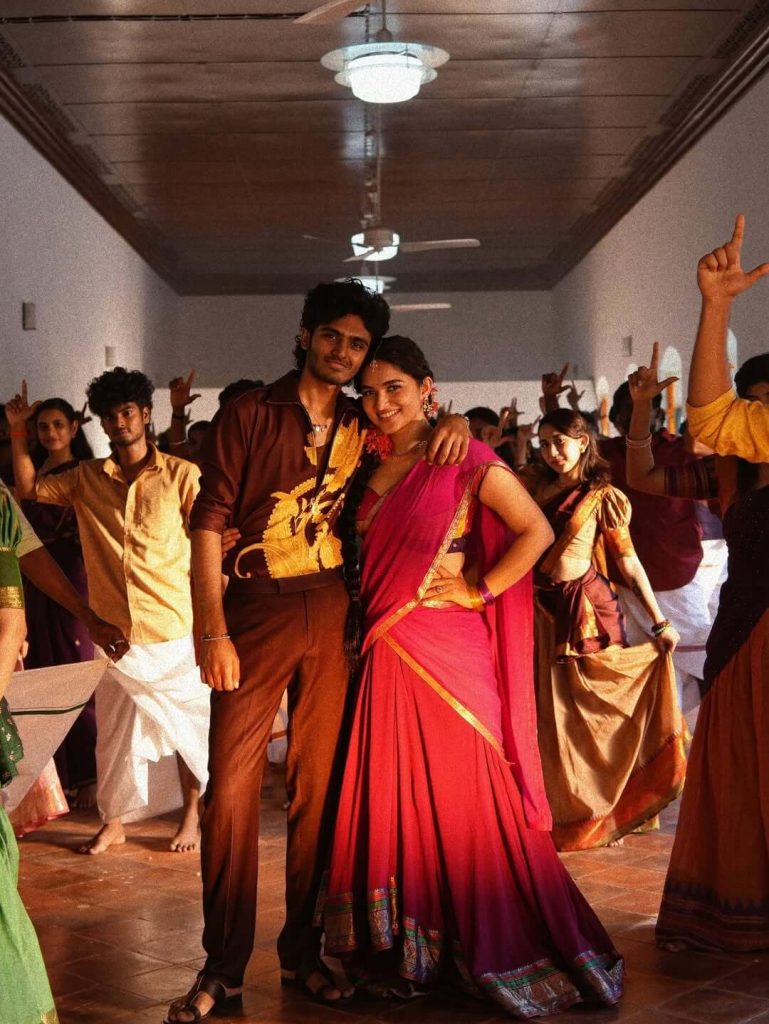
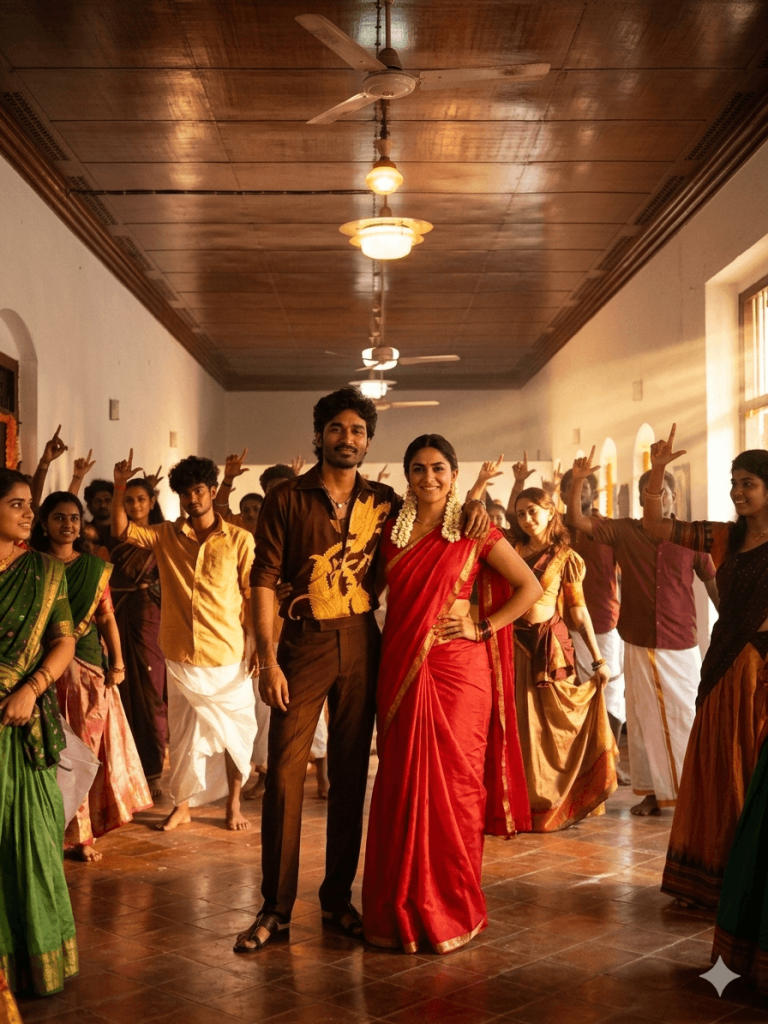
Version 5: Pavazha Malli Herione Entry Scene
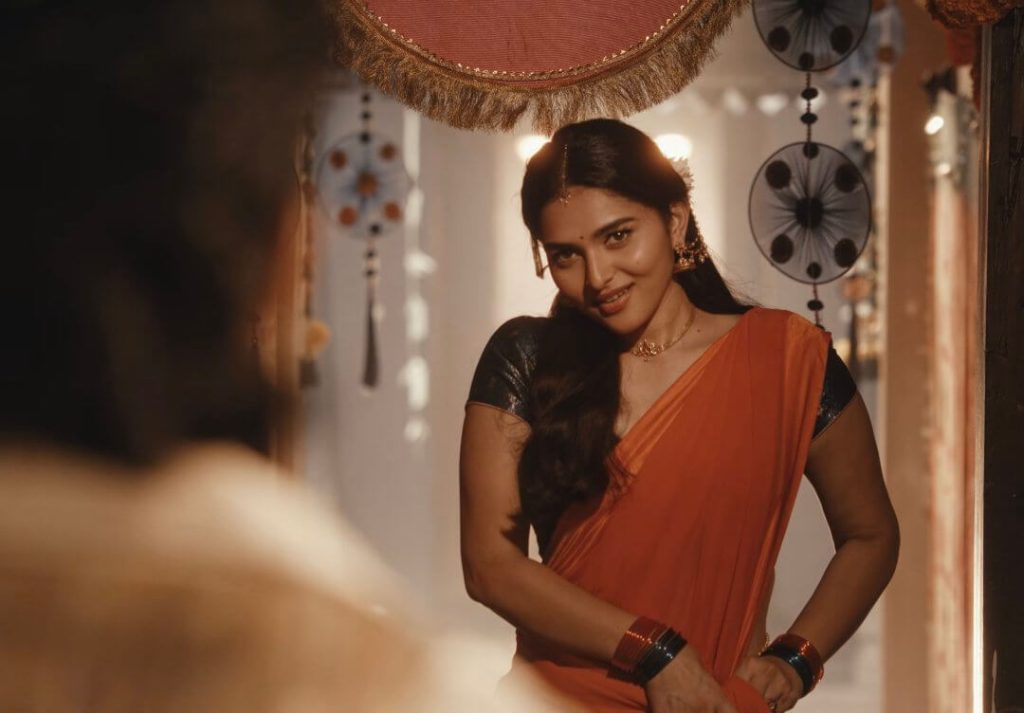
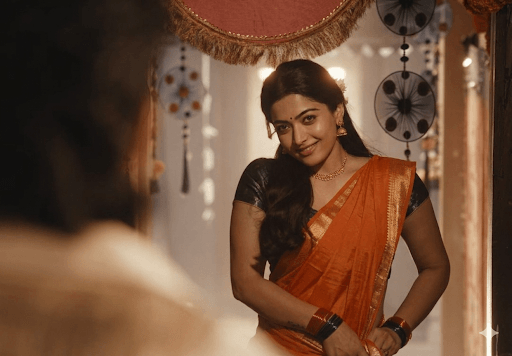
She is standing slightly leaning forward with a gentle playful smile, hands adjusting the saree pallu near her waist, looking toward someone in front of her.
The background shows a festive decorated hallway with hanging circular ornaments, traditional decorative strings, and warm ambient lights creating a cozy cultural atmosphere. A decorative cloth canopy with golden fringe hangs above her head.
Version 6: Pavazha Malli Vintage Poster
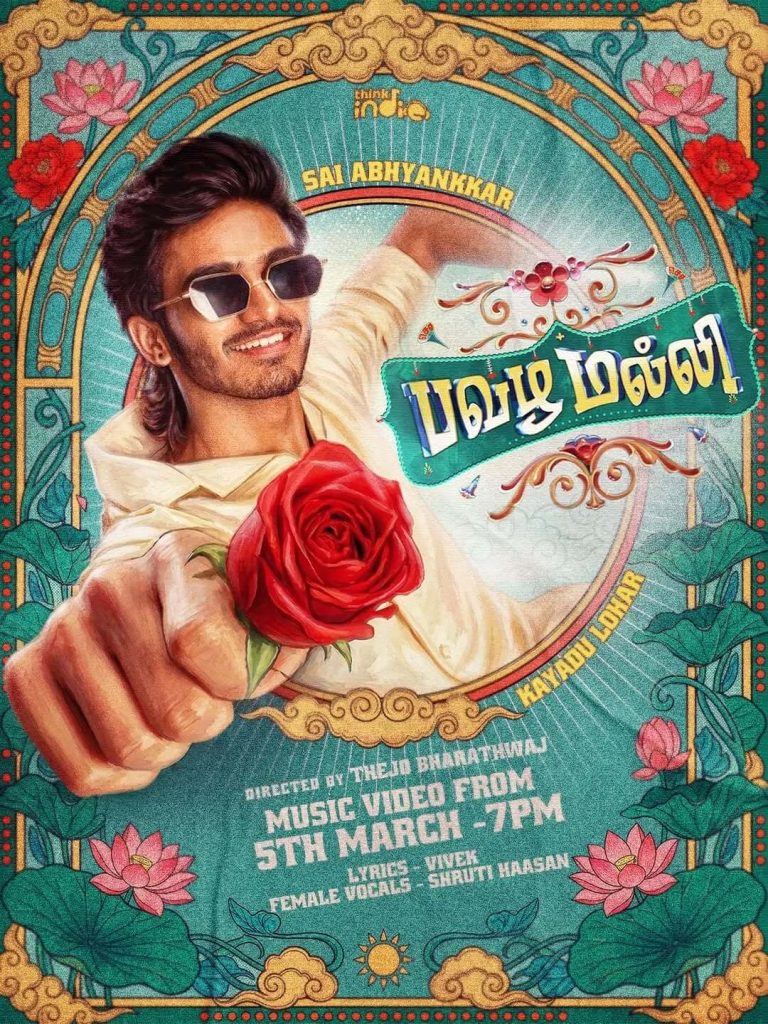
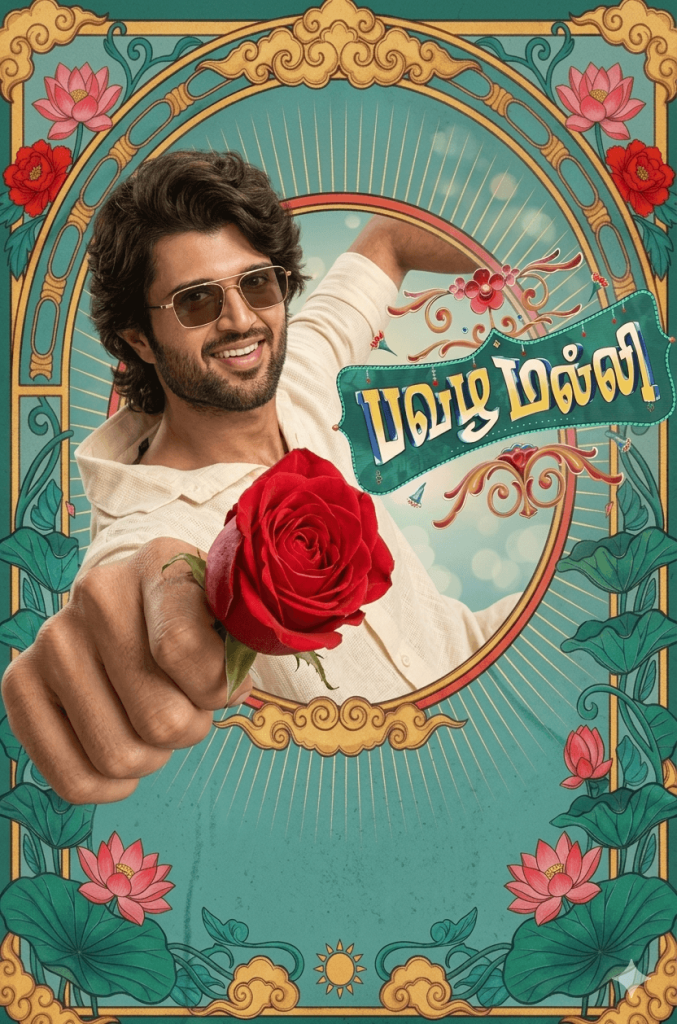
Replace the man’s face with the face from the uploaded reference image while preserving facial identity, skin tone, and expression.
Character:
A stylish young South Asian man wearing retro sunglasses and a cream-colored shirt, smiling confidently. He is extending his arm toward the camera holding a red rose, creating a dramatic perspective where the rose appears closer to the viewer.
Pose & Composition:
The character is centered inside a large ornate circular frame. His arm stretches forward toward the viewer holding the rose. The perspective exaggerates the hand and flower slightly to create a cinematic poster effect.
Poster Layout:
Highly decorative vintage Tamil cinema poster design with an ornate circular frame and symmetrical botanical decorations around the edges.
Background Elements:
• Large illustrated lotus flowers
• Decorative leaves and floral vines
• Art-nouveau style ornamental frame
• Teal textured background
• Golden ornamental borders and flourishes
• Vintage poster symmetry
Typography:
Keep ONLY the main title inside the green title plate.
Remove all other text, credits, logos, watermarks, and promotional lines.
Style:
Classic retro South Indian cinema poster aesthetic
Hand-painted illustration look
Vintage 1970s Tamil poster style
Detailed floral artwork
Soft faded ink colors
Printed paper texture
Subtle grain and aged poster finish
Lighting:
Soft warm studio lighting on the character
Illustrated shading consistent with vintage poster painting
Color Palette:
Teal, gold, pastel green, deep red, and warm cream tones.
How to Use These Prompts
1. Below each image, you will see a prompt box with two buttons: Copy and Share to AI.
2. You can tap Copy to copy the full prompt manually. Or simply tap Share to AI; this will automatically copy the prompt for you.
3. After tapping Share to AI, a list of popular AI tools like ChatGPT, Gemini, Copilot, and others will appear on your screen.
4. Click on any AI tool you prefer. It will directly open the selected AI platform.
5. Once the AI page opens, paste the prompt into the prompt box (it is already copied if you used Share to AI).
6. Download the original reference image of the song from the article, then upload both the reference image and your own photo together in the AI tool.
7. Click generate, and your image will be created.
8. If needed, you can slightly adjust the prompt for lighting, angle, or mood and generate again.
9. Once you are satisfied with the result, download the image and save it for your use.
Customization Tips
To get the best results while using these Pavazha Malli AI prompts, you can customize certain elements based on your preferences and the capabilities of the AI image generator you are using.
1. Use a Clear Reference Photo
Upload a high-quality reference photo with good lighting and a clear view of your face. A sharp image helps the AI accurately match facial features and produce more realistic results.
2. Adjust the Outfit if Needed
You can modify the clothing details in the prompt. For example, you may replace the shirt or saree colors, change the style of clothing, or add accessories such as sunglasses, jewelry, or traditional ornaments.
3. Experiment with Different Backgrounds
If you want a different setting, you can edit the background description in the prompt. For example, you could replace the street festival with a temple courtyard, a village street, or a modern city environment.
4. Modify the Lighting Style
Lighting plays an important role in cinematic images. You can experiment with golden sunset lighting, soft indoor lighting, dramatic spotlight effects, or festive night lighting to create different moods.
5. Try Different Camera Angles
Small changes in camera angles can significantly affect the final result. You can try variations such as close-up shots, wide cinematic frames, low-angle hero shots, or mid-shot dance scenes.
6. Adjust Facial Expressions and Poses
You can tweak the prompt to change expressions or poses. For example, you may change the pose to a smiling dance step, a romantic glance, or a confident hero-style stance.
7. Change the Aspect Ratio for Social Media
Different platforms work better with different image sizes. You can adjust the aspect ratio in the AI tool depending on where you plan to use the image.
- 9:16 for Instagram Reels, YouTube Shorts, and TikTok
- 4:5 for Instagram posts
- 16:9 for cinematic landscape visuals
8. Add Cinematic Effects
For a more dramatic look, you can add effects like dust particles, flower petals, motion blur for dance scenes, festive lights, or glowing lanterns.
9. Generate Multiple Variations
AI tools often produce slightly different results each time. If the first image is not perfect, generate multiple variations and choose the best one.
0 Comments