

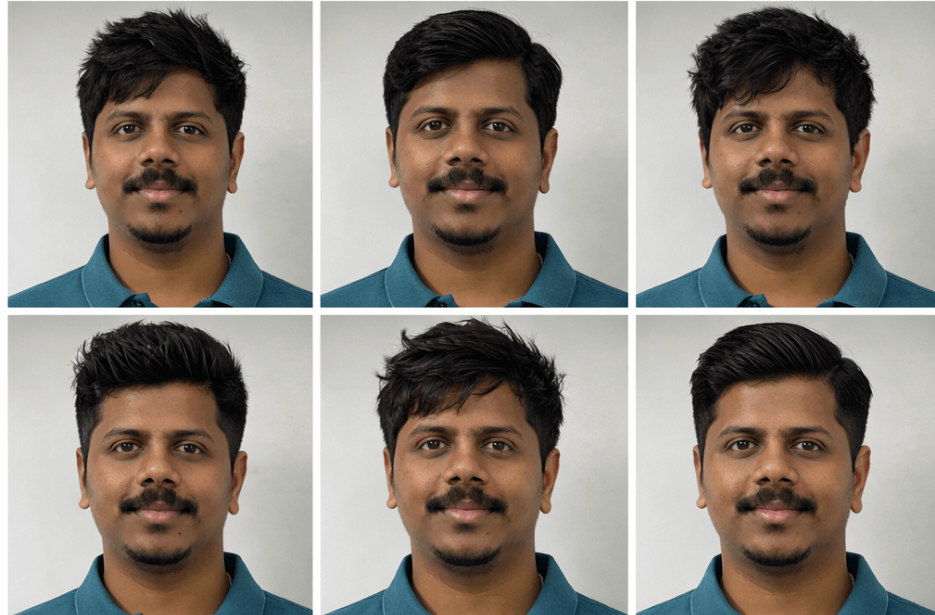
Choosing the right hairstyle can completely change your look. With the help of AI, you can now preview different hairstyles before visiting the barber. By uploading your photo and using the prompt below, you can generate different hairstyles while keeping your face, skin tone, and identity exactly the same.
This AI hairstyle guide helps you explore trendy cuts that match your face shape. It creates ultra-realistic results so you can easily compare different styles and decide which haircut suits you best.
AI Prompt to Generate Different Hairstyles from Your Photo
How to Use These Prompts
1. Below each image, you will see a prompt box with two buttons: Copy and Share to AI.
2. You can tap Copy to copy the full prompt manually. Or simply tap Share to AI; this will automatically copy the prompt for you.
3. After tapping Share to AI, a list of popular AI tools like ChatGPT, Gemini, Copilot, and others will appear on your screen.
4. Click on any AI tool you prefer. It will directly open the selected AI platform.
5. Once the AI page opens, paste the prompt into the prompt box (it is already copied if you used Share to AI).
6. Upload your reference image if required.
7. Click generate, and your image will be created.
8. If needed, you can slightly adjust the prompt for lighting, angle, or mood and generate again.
9. Once you are satisfied with the result, download the image and save it for your use.
How to Download Your Preferred Hairstyle from the Grid
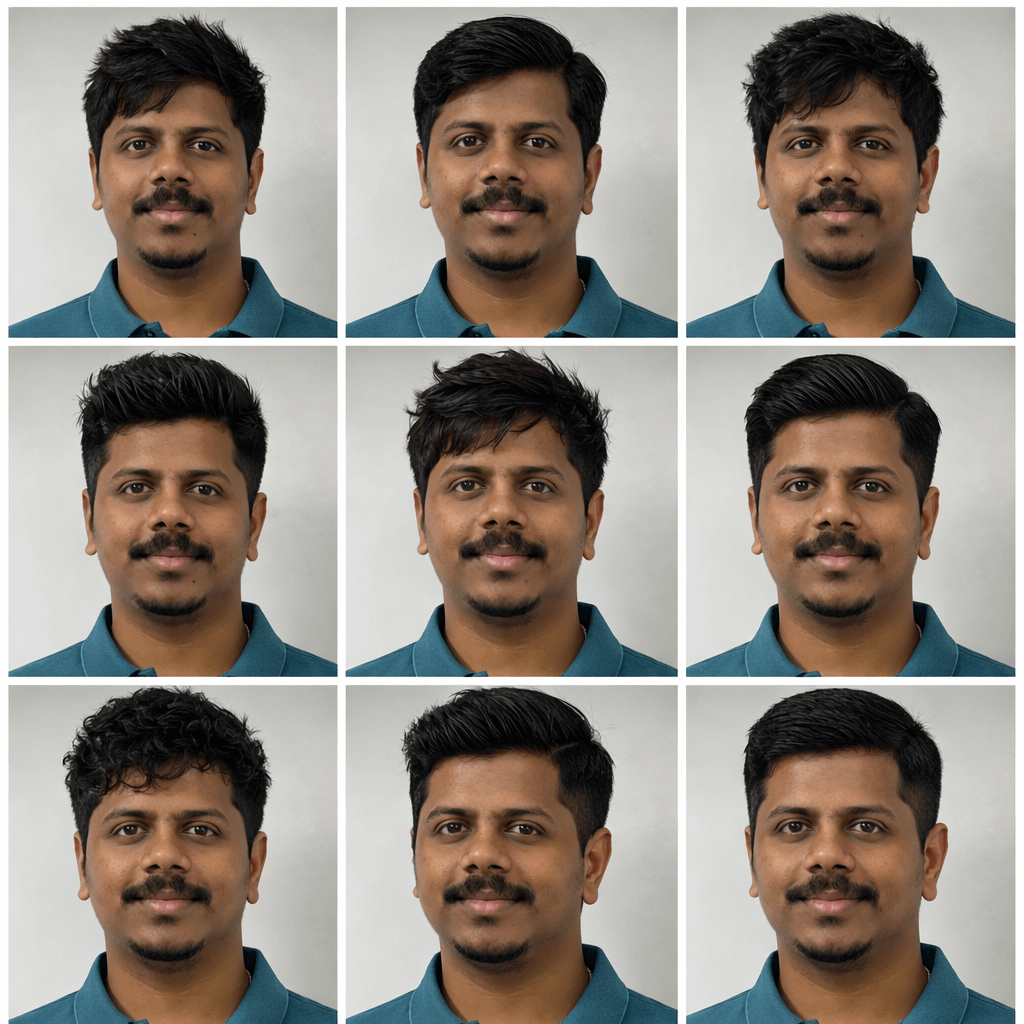
After generating the hairstyle guide, you will see 9 different hairstyle options arranged in a 3×3 grid. Each image shows the same face with a different hairstyle, making it easier to compare styles.
Follow these simple steps to select your preferred hairstyle:
- Look through all 9 hairstyle options in the grid carefully.
- Choose the hairstyle you like the most or the one that suits your personality and face shape.
- Note the position of the image in the grid (for example: 1st, 5th, or 9th image).
- Type a request such as: “I pick the 6th picture, give me that photo.”
- The selected hairstyle image will then be extracted and provided as a separate download.
This method helps you easily pick and download the hairstyle you like from the generated grid.
Sure, here’s a medium-length version that keeps the details without being too long:
Customisation Tips
1. Change Hairstyle Types – Try different looks such as fade cuts, curly styles, undercuts, textured crops, or classic hairstyles.
2. Adjust Hair Length – Experiment with short, medium, or long hairstyles to see which length suits the face best.
3. Experiment with Hair Texture – Generate straight, wavy, curly, or naturally messy hairstyles based on your preference.
4. Try Different Lighting – Use natural daylight, professional studio lighting, or barbershop lighting for different results.
5. Modify the Background – Replace the neutral studio background with a barbershop, city street, or lifestyle setting.
6. Change the Camera Angle – Try front-facing, slight side angles, 45-degree views, or close-up portraits to preview the hairstyle from different perspectives.
7. Add Beard & Grooming Styles – Experiment with clean-shaven looks, light stubble, or different beard styles to complement the hairstyle.
8. Adjust Hair Finish – Try a matte finish, glossy pomade look, natural texture, or messy volume for different styling effects.