

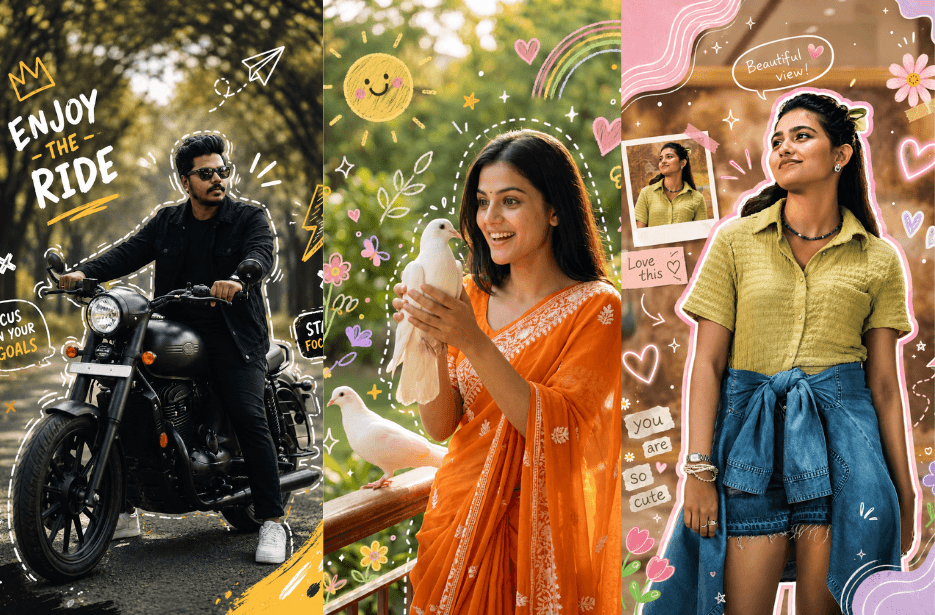
Give your photos a fun, creative upgrade with these AI Doodle Prompts. From cute pastel doodles and scrapbook edits to bold typography and masculine street-style designs, each prompt creates unique overlays based on your photo. Perfect for Instagram posts, stories, reels, and aesthetic edits.
Version 1: Aesthetic Doodle
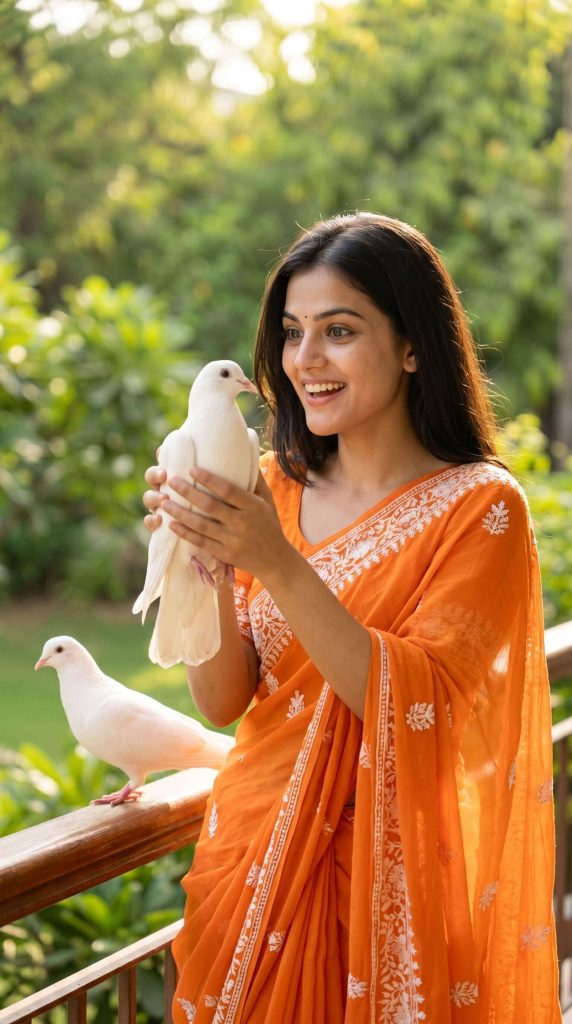
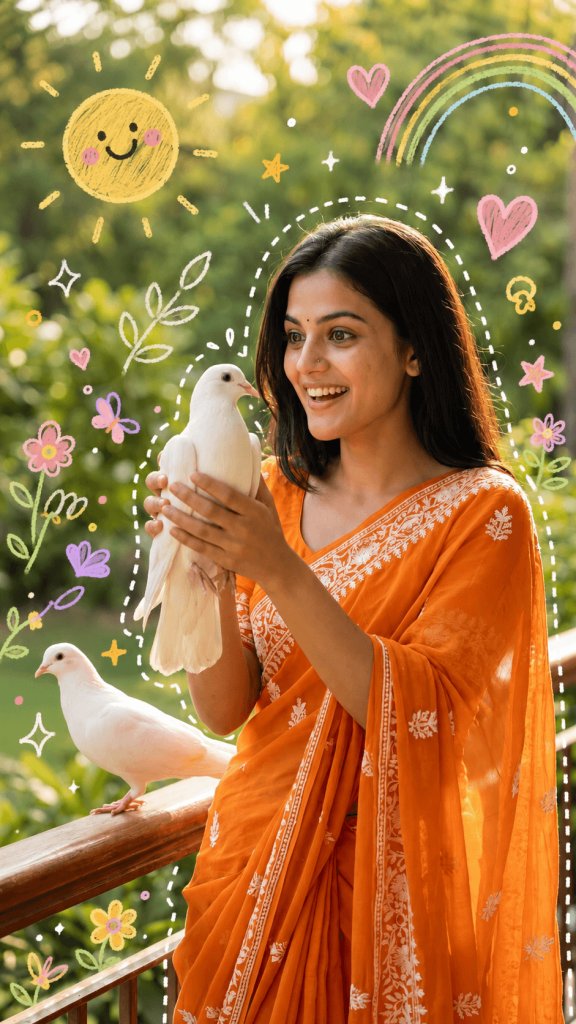
Aesthetic lifestyle photo of a person (use uploaded image as base), keep the original composition and subject unchanged, enhance with playful hand-drawn doodle overlays that adapt to the scene content and mood.
Generate unique doodles intelligently based on the image:
If outdoor sunny scene → add cute smiling sun, sparkles, soft pastel rainbows
If greenery/plants → add illustrated flowers, leaves, butterflies
If urban setting → add stars, arrows, hearts, graphic shapes
If calm/minimal → add subtle sparkles, soft outlines, minimal strokes
Doodle style:
hand-drawn, pastel colors (yellow, pink, green, white), sketchy crayon/marker texture, soft imperfect lines, slightly transparent, whimsical and cute
Add white dashed outline around the person (main subject), slightly glowing, hand-drawn effect
Lighting:
keep natural lighting, slightly warm tone, soft shadows, bright and cheerful mood
Composition:
do not cover the face, keep doodles around subject, balanced spacing, Instagram aesthetic, 9:16 vertical format
Style:
trendy Instagram doodle edit, playful, Gen Z aesthetic, high resolution, realistic base + illustrated overlay fusion
Version 2: Scrapbook Doodle
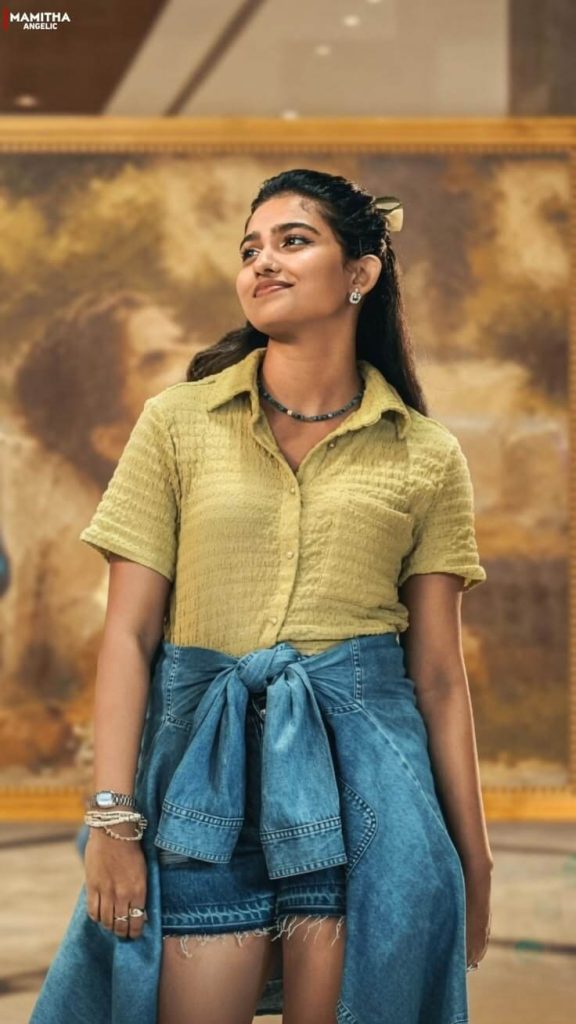
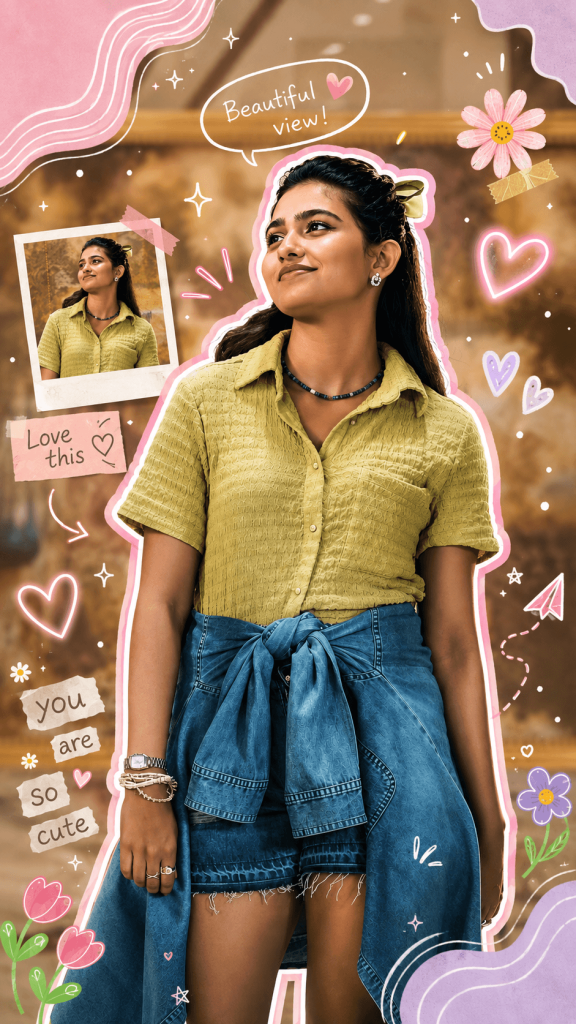
Create a aesthetic scrapbook edit with layered doodles, stickers, and graphic elements that adapt intelligently to the image content, colors, and mood.
MAIN SUBJECT EFFECT:
Add a thick soft outline around the person (double layer: inner white + outer pastel pink glow)
Slight drop shadow to make subject pop (cut-out sticker effect)
Add subtle blush glow or soft highlight on subject
SMART DOODLE GENERATION (VERY IMPORTANT):
Analyze the image and generate unique doodles based on scene:
If flowers/nature → add illustrated flowers, petals, leaves, butterflies
If sunny outdoor → add hearts, glowing sparkles, cute sun doodle
If portrait → add hearts near head, soft accents around face
If colorful scene → match doodle colors to dominant tones
Always keep doodles relevant, not random
DOODLE STYLE:
Hand-drawn + sticker style mix
Colors: pastel pink, lavender, white, soft green
Neon-style hearts (glow effect)
Scribbles, arrows, stars, sparkles
Soft brush/marker texture
Slight glow + transparency
SCRAPBOOK ELEMENTS:
Add text bubbles (handwritten style) like:
“Beautiful view!”, “Love this”, or customizable short phrases
Add a small polaroid-style inset image frame (mini duplicate or zoomed crop of subject)
Add abstract blob shapes (top corners) with contour lines
Add arrows pointing toward subject
COMPOSITION RULES:
Do NOT cover face
Balance left and right spacing
Cluster doodles around subject, corners, and empty areas
Maintain clean aesthetic (not too crowded)
LIGHTING & COLOR:
Bright, vibrant, slightly saturated
Warm natural tones
Enhance greens and pinks for aesthetic look
FINAL STYLE:
Instagram viral edit, scrapbook collage, cute + trendy, high resolution, 9:16 format
Version 3: Soft Girl Doodle
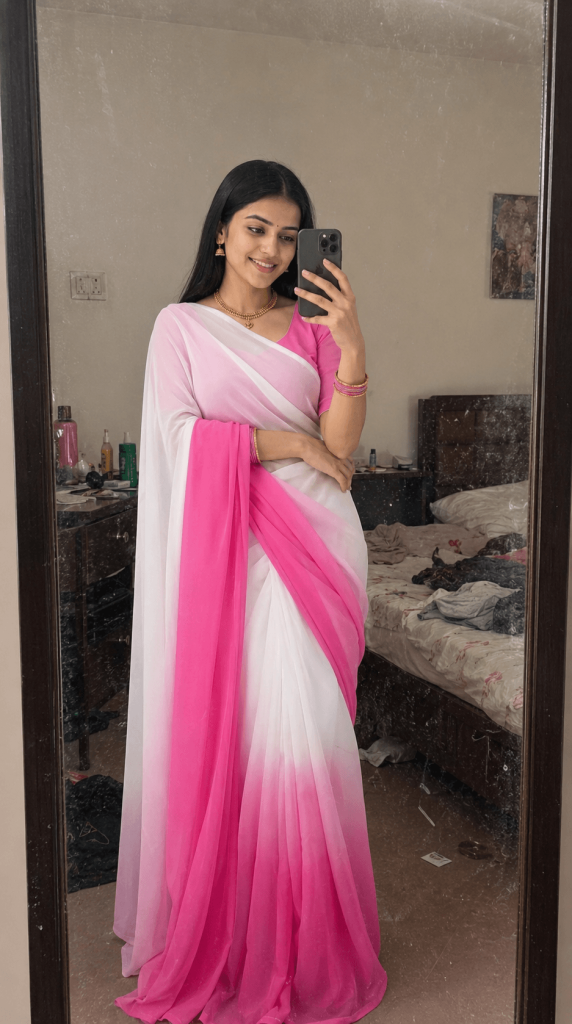
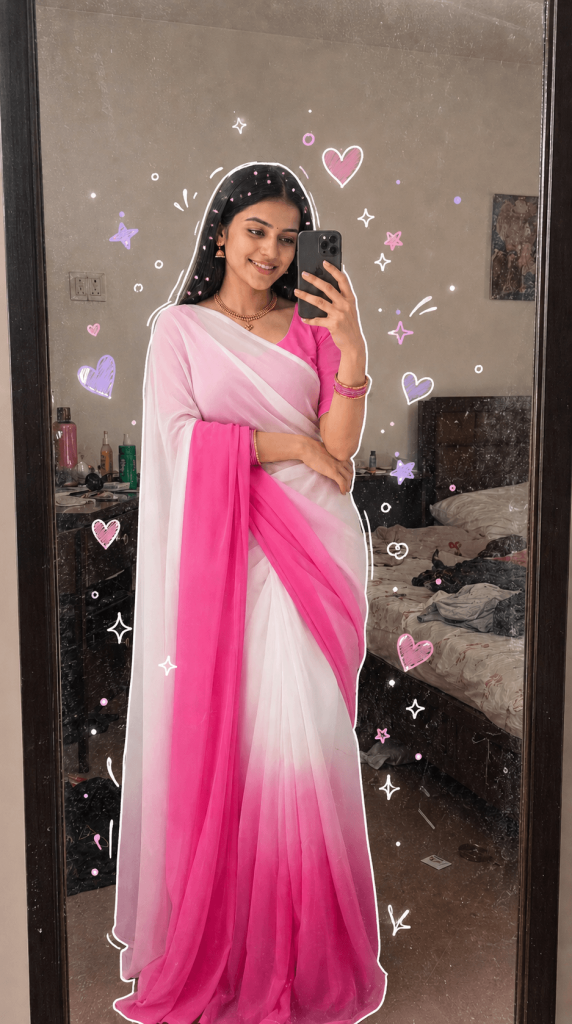
Add soft, hand-drawn doodle overlays that adapt to the subject and mood of the image.
Core effect:
Draw a clean white hand-drawn outline around the person (slightly uneven, sketch style, glowing softly)
Add cute floating doodles around the subject (not covering the face)
Smart doodle generation (adaptive):
If the mood is happy/playful → add hearts (white + pastel purple/pink), sparkles, tiny dots
If portrait/selfie → focus doodles near head and shoulders
If soft/feminine outfit → use hearts, soft curves, minimal shapes
If darker/edgy → use stars, scribbles, abstract strokes
Doodle style:
hand-drawn, imperfect lines
pastel colors (lavender, pink, white, soft purple)
marker/crayon texture
slightly transparent, soft glow
minimal but expressive
Hair detail enhancement:
add tiny colorful beads or dots subtly in hair (matching outfit tones)
Lighting & tone:
soft brightness boost
slightly warm skin tones
smooth clean finish (Instagram aesthetic)
Composition rules:
keep face fully visible and clear
place doodles around empty spaces
balanced spacing, not cluttered
Output:
trendy Instagram doodle edit, soft girl aesthetic, clean + minimal, high resolution, 9:16 or original aspect ratio
Version 4: Gen Z Typography Doodle
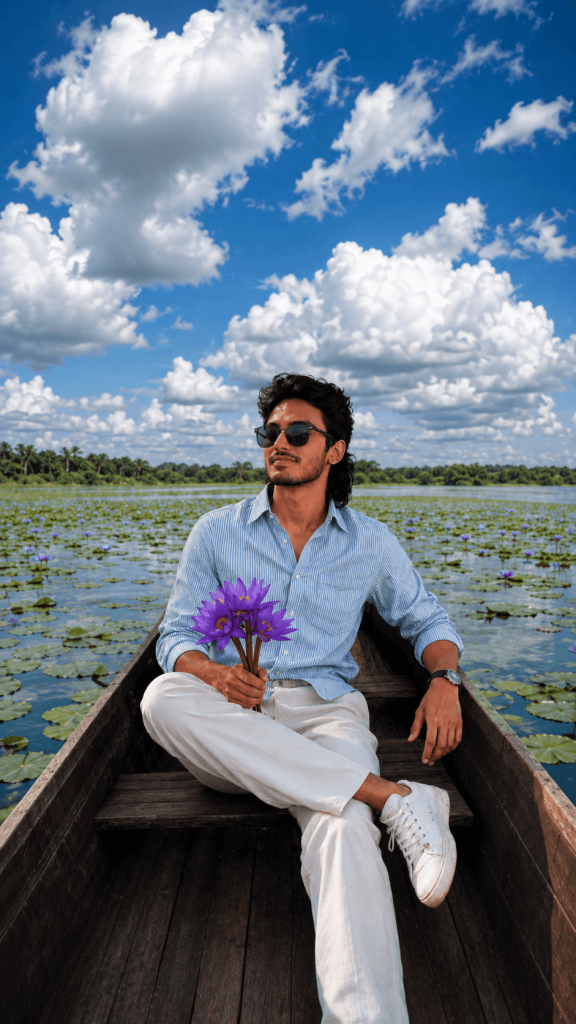
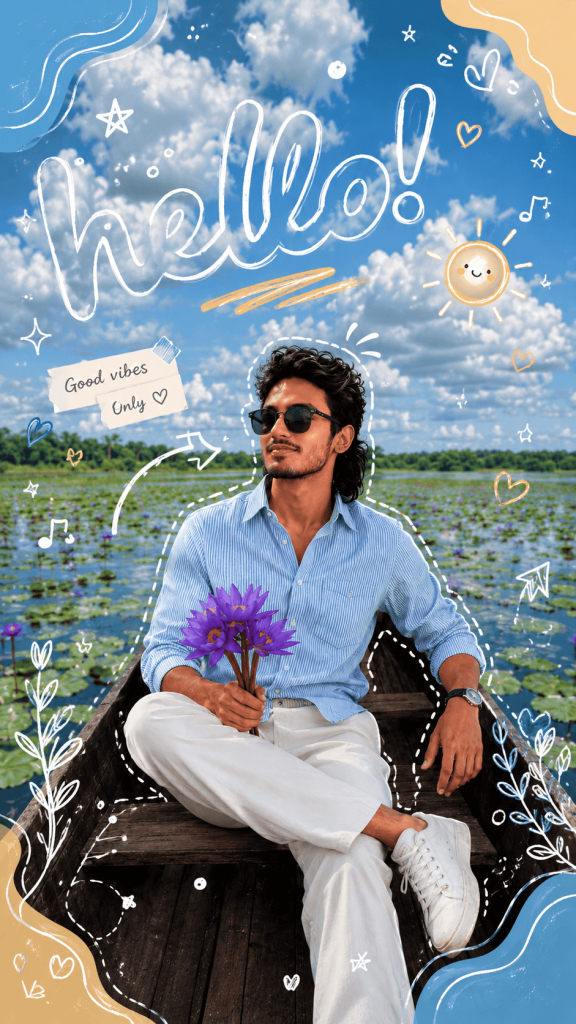
Create a playful, modern doodle + graphic overlay design with bold handwritten typography and adaptive doodles.
MAIN SUBJECT EFFECT:
Add a dashed white outline around the main subject (hand-drawn, slightly uneven)
Subtle glow to separate subject from background
SMART DOODLE GENERATION (AUTO-ADAPTIVE):
Analyze the image content and generate unique doodles accordingly:
If grass/nature → add flowers, leaves, organic shapes, sun, soft blobs
If sky/open space → add stars, sparkles, abstract shapes
If portrait → add hearts, arrows, highlights around face
If colorful outfit → match doodle colors to outfit tones
Always vary doodles per image (no repetition)
TYPOGRAPHY (KEY FEATURE):
Add large playful handwritten text like “hello!” or customizable word
White outline font with transparent fill (stroke style)
Slight tilt/curve for dynamic feel
DOODLE ELEMENTS:
Scribbles, stars, hearts, arrows, geometric shapes
Abstract blobs in corners (blue, beige, white palette)
Music notes, small icons (optional based on mood)
Cute sticker-style mini illustrations (optional)
COLOR STYLE:
Soft pastel palette (blue, cream, white, light yellow)
Slight contrast boost for fresh outdoor look
Keep colors cohesive with background
COMPOSITION RULES:
Do NOT cover face or main subject
Place large text in open space (top/side)
Balance doodles across frame
Keep it playful but not cluttered
LIGHTING:
Bright, natural, slightly enhanced highlights
Clean Instagram aesthetic
FINAL STYLE:
Gen Z doodle edit, playful, fresh, minimal but expressive, high resolution, Instagram-ready, 9:16 or original ratio
Version 5: Masculine Street Doodle
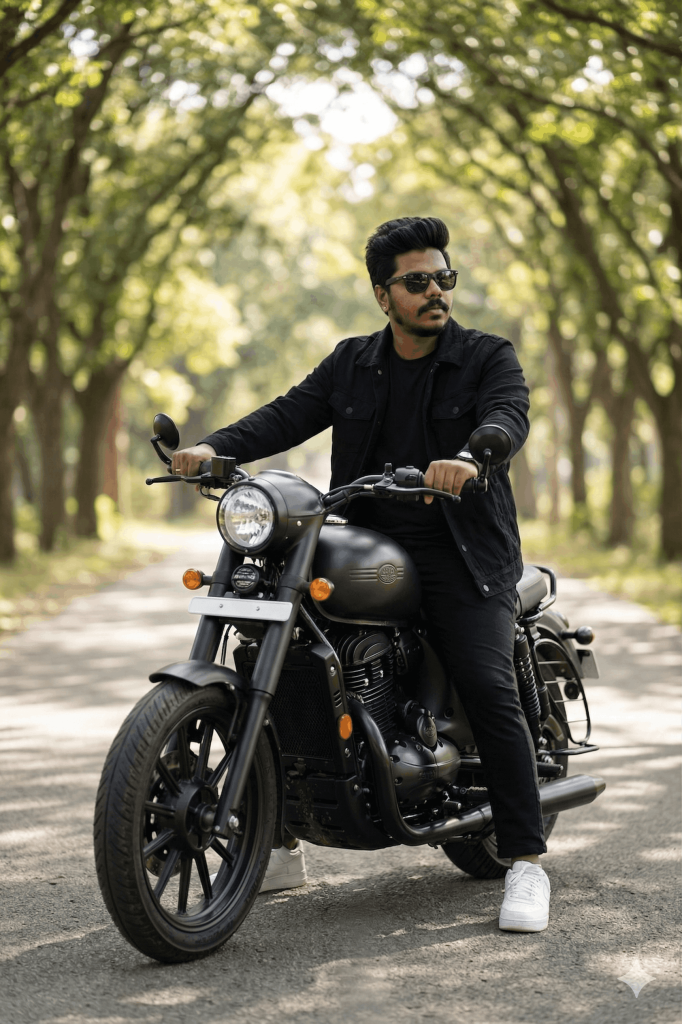
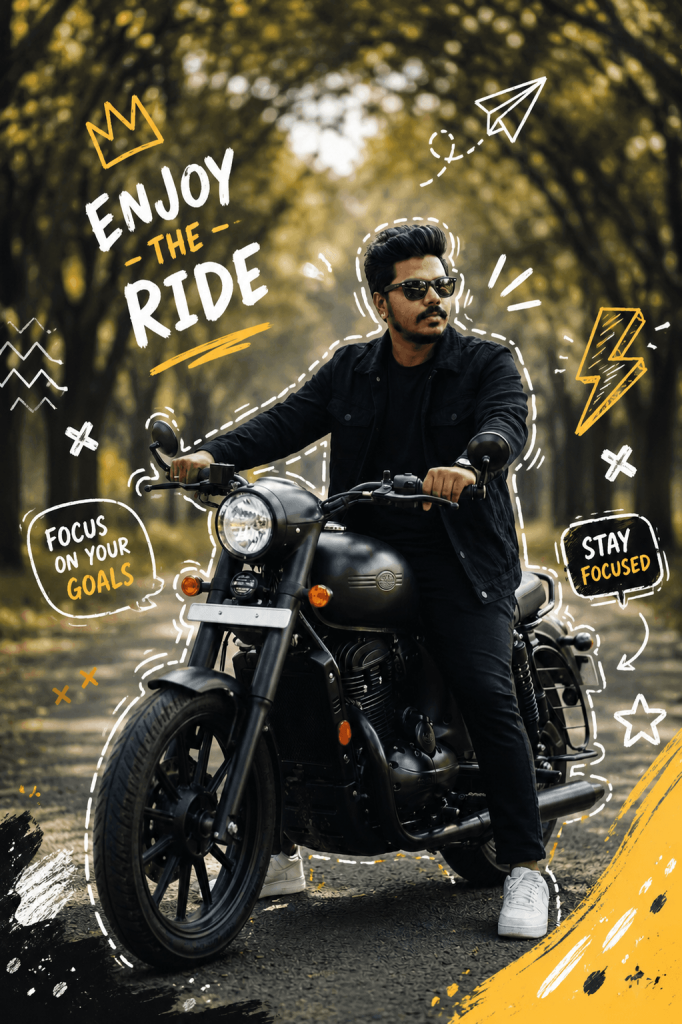
Create a bold, masculine, modern doodle + typography overlay inspired by street style, biker culture, and Gen Z aesthetics.
SUBJECT DETECTION:
Automatically detect the main subject (person, vehicle, object)
Add a rough, hand-drawn dashed outline around the subject (white or subtle yellow)
Add a soft glow or highlight to separate subject from background
SMART DOODLE SYSTEM (VERY IMPORTANT):
Generate COMPLETELY UNIQUE doodles based on the image content:
IF bike/car → add speed lines, tire marks, arrows, lightning bolts, road symbols
IF nature (trees/road/sky) → add wind lines, leaves, sun rays, abstract motion shapes
IF portrait → add attitude elements like crowns, shades highlight, focus lines
IF dark outfit → use high contrast (white, yellow, orange)
IF bright scene → match colors subtly
DO NOT reuse same doodles across images — every image must feel custom.
DOODLE STYLE:
Hand-drawn, rough, slightly imperfect strokes
Street/graffiti vibe
Masculine energy (avoid cute/feminine elements)
Elements: arrows, lightning, crosses, scribbles, paper planes, speed trails
TYPOGRAPHY (AUTO-GENERATED TEXT):
Generate text based on the mood of the image:
IF confident pose → “OWN THE ROAD”, “NO LIMITS”, “STAY SHARP”
IF relaxed → “CHILL MODE”, “JUST VIBING”
IF action → “FULL THROTTLE”, “RIDE HARD”
Typography style:
Bold handwritten font
Mix of solid + outline text
Slight tilt, imperfect alignment
Place in empty areas (top/side)
COLOR PALETTE:
Primary: white, yellow, orange
Secondary: black accents
Keep it strong, minimal, and high contrast
COMPOSITION:
Do NOT cover face or key subject details
Balance doodles around subject
Add corner paint strokes or abstract shapes
Keep it clean but energetic
LIGHTING:
Slight cinematic contrast
Warm tones if outdoor
Keep natural look
FINAL STYLE:
Masculine Instagram edit, biker/street aesthetic, dynamic, high contrast, ultra-detailed, 4K, sharp, viral-ready
IMPORTANT RULE:
All doodles and text MUST be generated based on the uploaded image content.
Every output should look unique and customized — never repetitive.
How to Use These Prompts
1. Below each image, you will see a prompt box with two buttons: Copy and Share to AI.
2. You can tap Copy to copy the full prompt manually. Or simply tap Share to AI; this will automatically copy the prompt for you.
3. After tapping Share to AI, a list of popular AI tools like ChatGPT, Gemini, Copilot, and others will appear on your screen.
4. Click on any AI tool you prefer. It will directly open the selected AI platform.
5. Once the AI page opens, paste the prompt into the prompt box (it is already copied if you used Share to AI).
6. Upload your reference image if required.
7. Click generate, and your image will be created.
8. If needed, you can slightly adjust the prompt for lighting, angle, or mood and generate again.
9. Once you are satisfied with the result, download the image and save it for your use.
Customization
Make each prompt unique by customising the following elements:
- Doodle Style: Choose cute, minimal, scrapbook, pastel, street, graffiti, or bold hand-drawn doodles.
- Colours: Match the doodles with your outfit, background, or favourite colours.
- Typography: Replace the suggested text with your own words, name, quote, or short caption.
- Mood: Adjust the doodles for a happy, romantic, playful, aesthetic, travel, chill, or energetic vibe.
- Elements: Add hearts, stars, flowers, butterflies, arrows, sparkles, music notes, leaves, or motion lines based on the photo.
- Subject Outline: Choose a white, pastel, neon, or high-contrast outline to make the subject stand out.
- Background: Keep the original background or add subtle scrapbook shapes, blobs, stickers, or graphic accents.
- Format: Use 9:16 for Instagram Stories/Reels, 4:5 for Instagram posts, or keep the original aspect ratio.
- Text: Ask the AI to keep text in open areas and never cover the face or important details.
- Overall Look: Choose between a soft aesthetic finish, colourful scrapbook style, clean minimal edit, or bold masculine street-style design.