

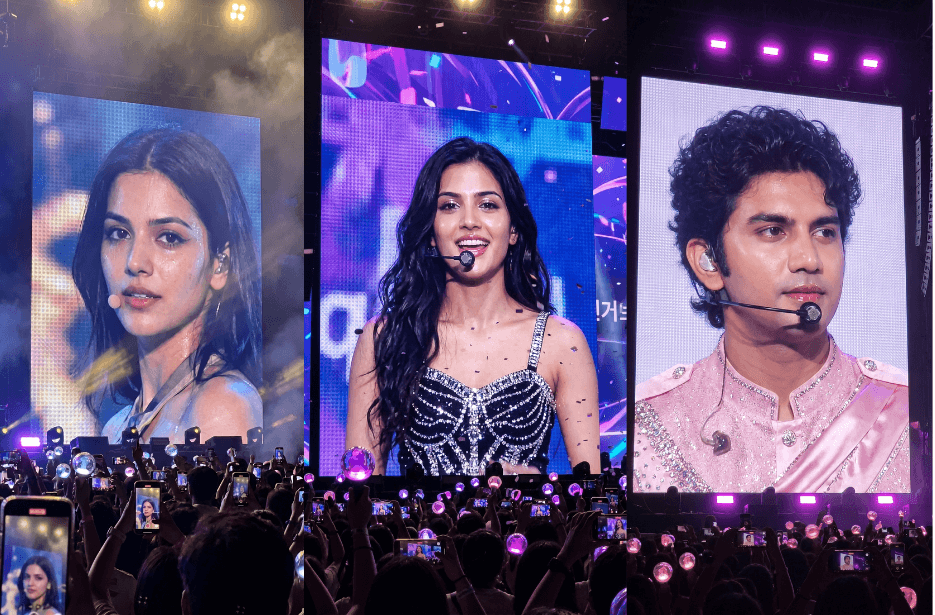
Want to turn your photos into cinematic K-pop concert moments? These ultra-detailed AI prompts help you transform any portrait into a realistic K-pop idol jumbotron scene captured like a real fan photo during a live stadium concert. From dreamy female idol aesthetics to luxury male K-pop visuals, each prompt is designed with authentic concert lighting, giant LED screens, glowing lightsticks, and realistic fan-captured energy. Perfect for creating viral AI images, Instagram Reels covers, or cinematic K-pop-inspired portraits.
K-Pop Idol Singing Live at a Stadium Video Prompt
The scene should feature giant LED concert screens, purple and neon lighting, cinematic haze, glowing lightsticks, and fans recording with phones from the audience perspective. Make it feel like authentic handheld concert footage captured by a fan in the crowd.
The video begins with her singing confidently on stage with emotional expressions and realistic lip-sync. Her hair moves naturally under stage fans and lights. After finishing a lyric, she pauses and breathes heavily in a charismatic post-performance moment, then slowly looks into the camera and gives a playful, heart-melting wink. Ultra-realistic 4K cinematic K-pop fancam aesthetic with dramatic lighting, smooth motion, and professional concert atmosphere.
How to Create a K-pop Idol Singing Video
1. Go to the Google Flow website and click “+ New Project.”
2. In the prompt box, switch from Image to Video. Then select Frames and set the size to 9:16 (vertical).
3. Upload your image in “Start” and “End.”
4. Copy the prompt from the article and paste it into the prompt box.
5. Click the Generate (arrow) button. Wait a few minutes, your transformation video will be ready.
Image Prompts
Image prompts for both men and women to transform themselves into a world-famous K-pop idol appearing on a giant concert jumbotron screen.
Version 1: K-pop Idol Concert Screen Transformation
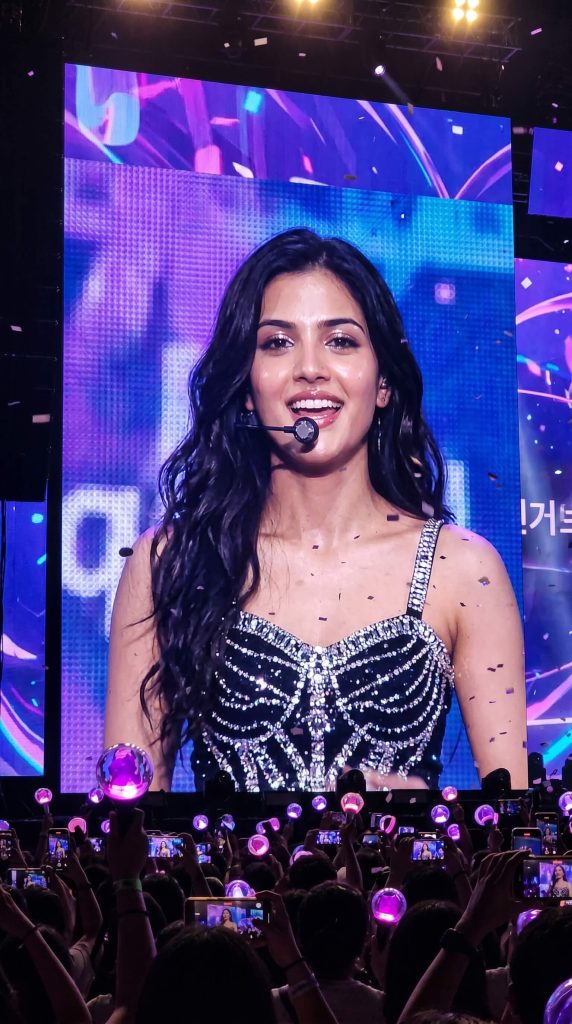
Version 2: Realistic K-pop Jumbotron Fan-Cam
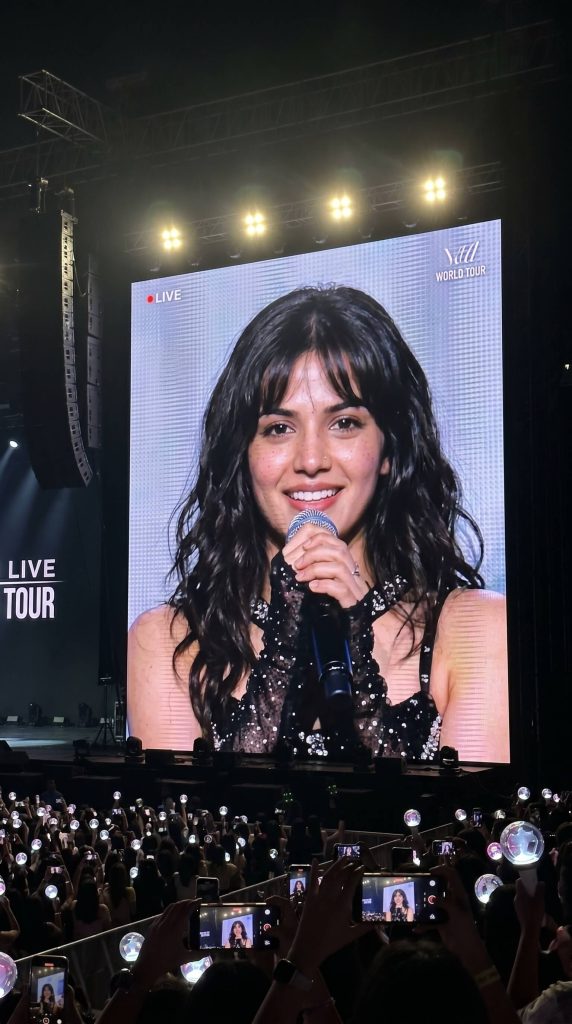
The actual performer on stage must not be visible. The idol should appear exclusively on the large concert screen, making the scene feel like the audience is watching the screen from afar. The key focus is a realistic live concert screen capture, not a studio portrait.
Absolute identity preservation is critical. Maintain the person’s original facial structure, eyes, nose, lips, hairstyle, hair color, bangs, and overall face proportions. The final image must clearly resemble the same individual from the input photo. Do not alter ethnicity or generate a different face.
Version 3: Ultra-Realistic K-pop Stadium Live Feed
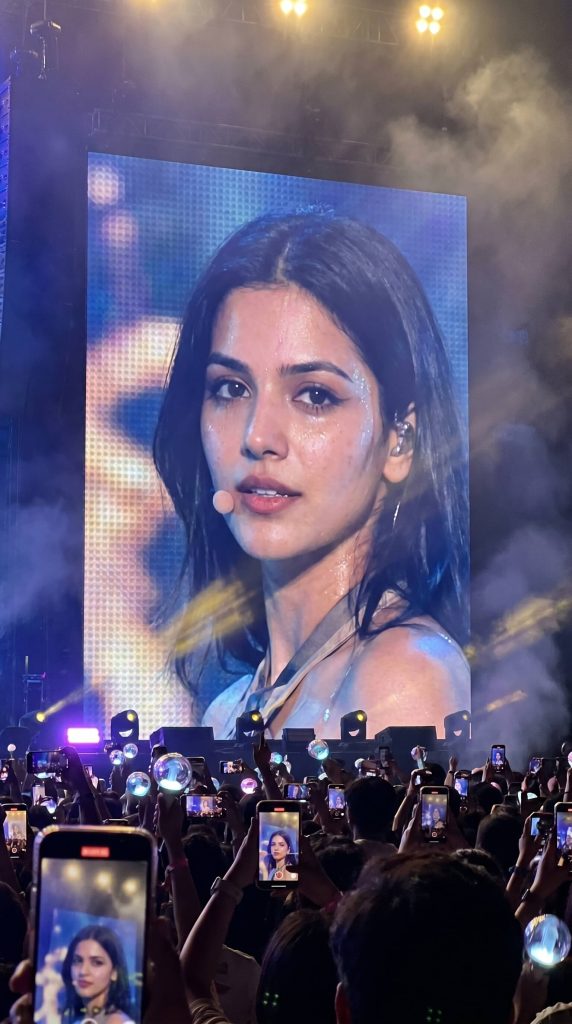
The giant LED jumbotron screen should dominate most of the frame and display a cinematic close-up of the idol during the performance. The actual performer on the stage must not be visible anywhere — only the massive concert screen should show the idol. Use a realistic audience perspective from the seating area with a slightly handheld angle and natural phone-camera framing.
The idol should have a soft side gaze or slightly off-camera focus, with a calm realistic performance expression instead of directly looking at the camera. Keep natural skin texture, realistic makeup, and authentic concert lighting reflections on the face.
The stadium should feel dark, immersive, and energetic with glowing lightsticks in the crowd, blurred audience silhouettes, and multiple fans holding up phones while recording the screen. Add cinematic stage lighting, soft haze, subtle motion blur, shallow depth of field, realistic LED screen texture, and atmospheric concert mood. Ultra-realistic live concert photography style, candid fan-captured aesthetic, DSLR-quality detail, vertical portrait framing.
Version 4: Dreamy Female K-pop Concert Jumbotron
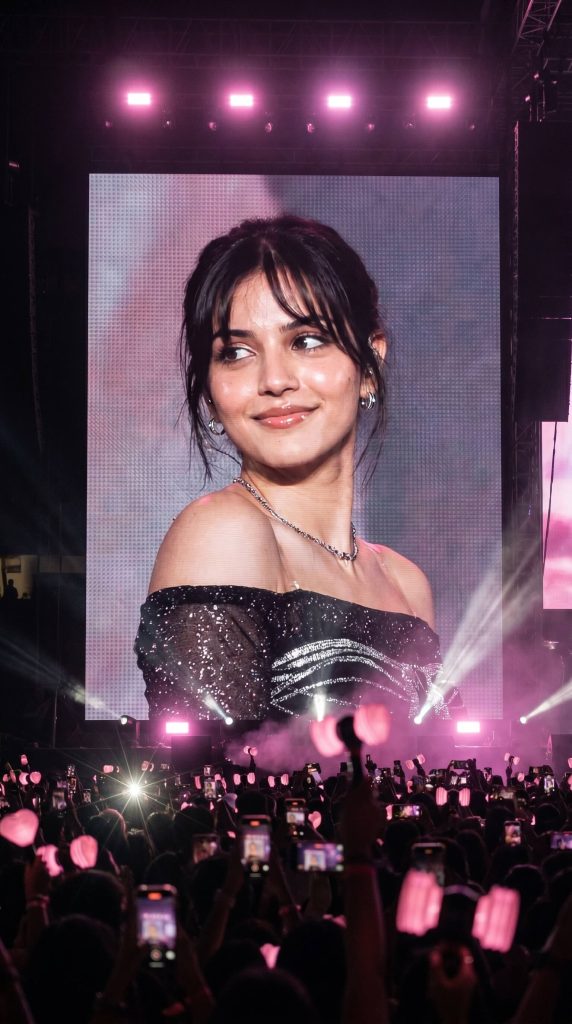
The scene is captured from the audience POV inside a massive night stadium filled with fans holding pink lightsticks and recording the screen with their phones. The atmosphere should feel emotional, immersive, and realistic, with pink and purple neon concert lights, cinematic flash lighting, shallow depth of field, soft cinematic blur, atmospheric haze, and realistic LED screen texture. Korean drama-style cinematography, dreamy feminine vibe, luxurious concert aesthetic, subtle film grain, ultra-detailed realism, realistic concert energy, 4K quality, vertical Instagram Reel framing, masterpiece quality.
Version 5: Male K-pop Idol Stadium Screen Fan-Capture
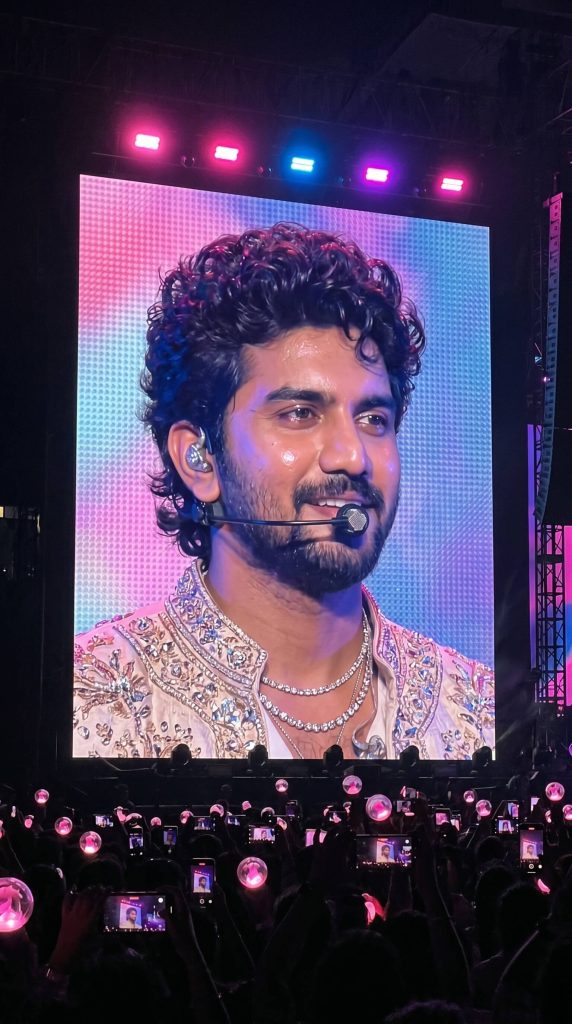
Version 6: Luxury Male K-pop Idol Concert Jumbotron
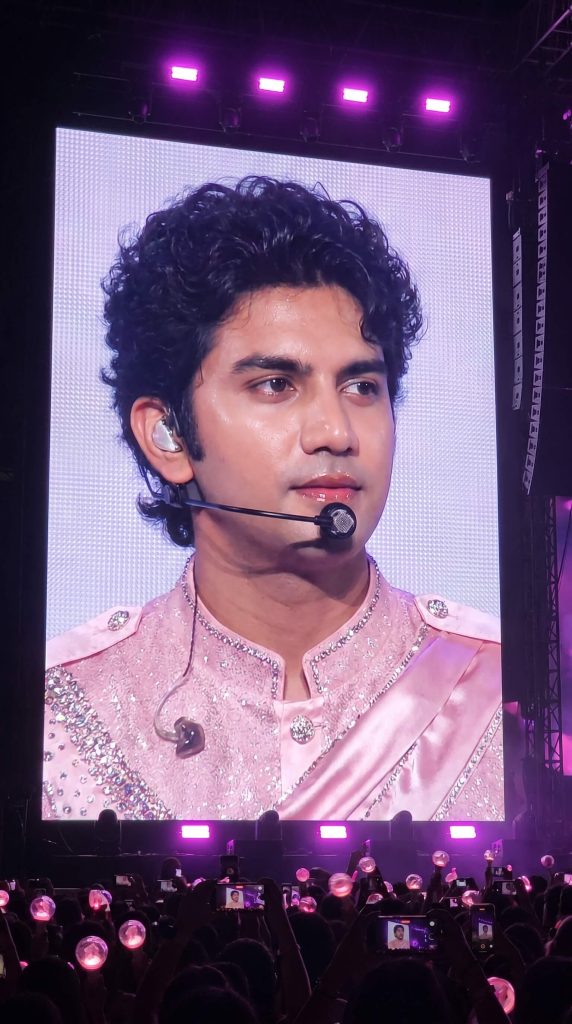
The massive LED screen dominates the composition while the actual performer is NOT visible outside the screen. The idol wears a luxurious sparkling pastel-pink K-pop stage outfit with rhinestone details, glitter textures, satin fabric, subtle jewelry, headset microphone, and in-ear monitor. Expression is soft, charismatic, and dreamy, looking slightly sideways instead of directly at the camera. Hair is silky, slightly messy, and styled like a top-tier Korean idol during a live performance.
Dark stadium atmosphere with glowing pink lightsticks, audience silhouettes, and fans recording on phones below the screen. Realistic purple and pink concert lighting, authentic LED pixel texture, subtle moiré, slight overexposure, natural low-light grain, mild motion blur, and realistic digital zoom softness. Cinematic live-concert realism, photorealistic, immersive nighttime atmosphere, NOT poster-like, NOT AI-looking, vertical composition, ultra-detailed.
How to Use These Prompts
1. Below each image, you will see a prompt box with two buttons: Copy and Share to AI.
2. You can tap Copy to copy the full prompt manually. Or simply tap Share to AI; this will automatically copy the prompt for you.
3. After tapping Share to AI, a list of popular AI tools like ChatGPT, Gemini, Copilot, and others will appear on your screen.
4. Click on any AI tool you prefer. It will directly open the selected AI platform.
5. Once the AI page opens, paste the prompt into the prompt box (it is already copied if you used Share to AI).
6. Upload your reference image if required.
7. Click generate, and your image will be created.
8. If needed, you can slightly adjust the prompt for lighting, angle, or mood and generate again.
9. Once you are satisfied with the result, download the image and save it for your use.
Customization Tips
1. Change the Concert Lighting
Replace:
- “pink and purple neon lighting”
with: - blue cyberpunk lighting
- warm golden spotlight lighting
- red dramatic concert lighting
2. Modify the Outfit Style
You can customise the idol outfit into:
- luxury black stage outfit
- pastel pink rhinestone jacket
- Y2K K-pop fashion
- leather concert outfit
- elegant Korean drama styling
3. Adjust the Camera Perspective
For different vibes, add:
- “captured from upper stadium seats”
- “extreme iPhone zoom look”
- “front-row audience perspective”
- “slightly shaky handheld framing”
4. Enhance Realism
To make images feel less AI-generated, include:
- realistic LED pixel texture
- slight moiré effect
- low-light grain
- subtle motion blur
- natural overexposure
- candid fan-camera aesthetic
5. Customise the Idol Expression
Try expressions like:
- soft smile
- emotional side gaze
- charismatic serious look
- dreamy off-camera stare
- confident live-performance expression
6. Improve Identity Accuracy
Add phrases such as:
- “maintain exact facial identity”
- “Do not alter facial structure”
- “preserve hairstyle and skin tone”
- “same recognisable appearance”
7. Create Different Concert Moods
You can change the atmosphere into:
- emotional ballad concert
- energetic world tour stage
- luxury award show performance
- dreamy Korean drama concert aesthetic
- cinematic stadium encore stage