

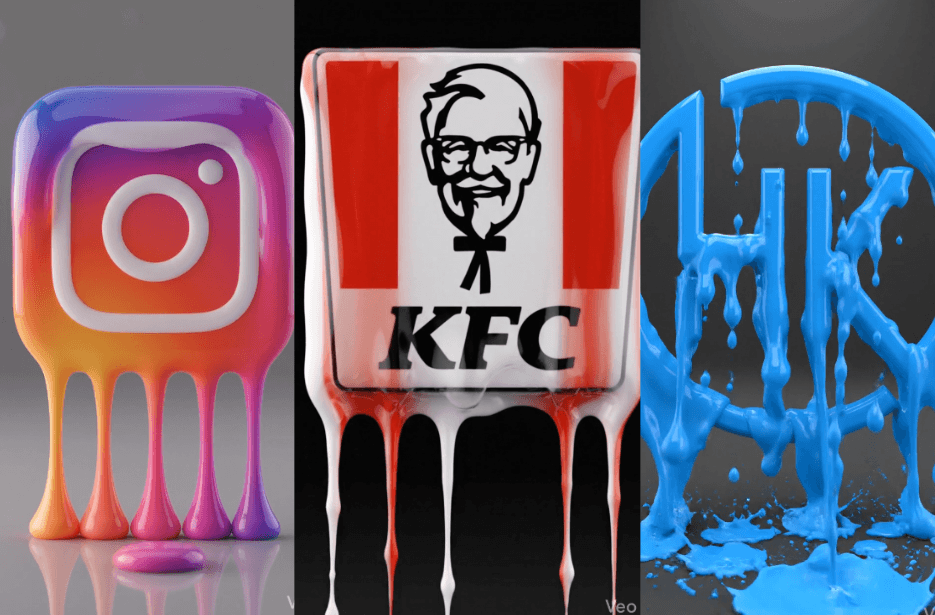
Most of us have probably seen those crazy logo drip videos, where a logo just melts into smooth liquid and looks insanely satisfying. Nowadays, you don’t need heavy design skills or expensive tools to create this video. With the right AI prompt and Google Flow, you can turn any logo into a smooth, melting visual in minutes. In this guide, I will show you exactly how to create that drip effect with your brand logo.
Instagram Drip
KFC Drip
HK Online Drip
CocoCola Drip
Steps to Create Logo Drip Videos
1. At the top, you will see a prompt box with two buttons: Copy and Share to AI.
2. You can tap Copy to copy the full prompt manually.
3. Go to the Google Flow website and click “+ New Project.”
4. In the prompt box, switch from Image to Video. Then select Ingredients and set the size to 9:16 (vertical).
4. Upload your brand logo and paste the prompt into the text box.
5. Click the Generate (arrow) button. Wait a few minutes, your drip video will be ready.
6. Once you are satisfied with the result, download the video and save it for your use.
Tips to Make the Logo Drip Video Better
- Always start with a clean, high-resolution logo (preferably PNG or vector). Blurry logos will ruin the final output.
- A plain or soft gradient background makes the drip effect stand out more. Too many elements is a distraction.
- Make sure the fluid strictly follows the original logo colors. Avoid prompts that introduce random or muddy colors.
- Good lighting (soft + slight rim light) makes the liquid look glossy and high-end instead of flat.
- A slight zoom or macro view highlights the dripping details and makes the video more engaging.
- If the first result isn’t perfect, regenerate or tweak the prompt slightly.
- Export in high resolution (HD or higher) for better quality on platforms like Instagram Reels.