

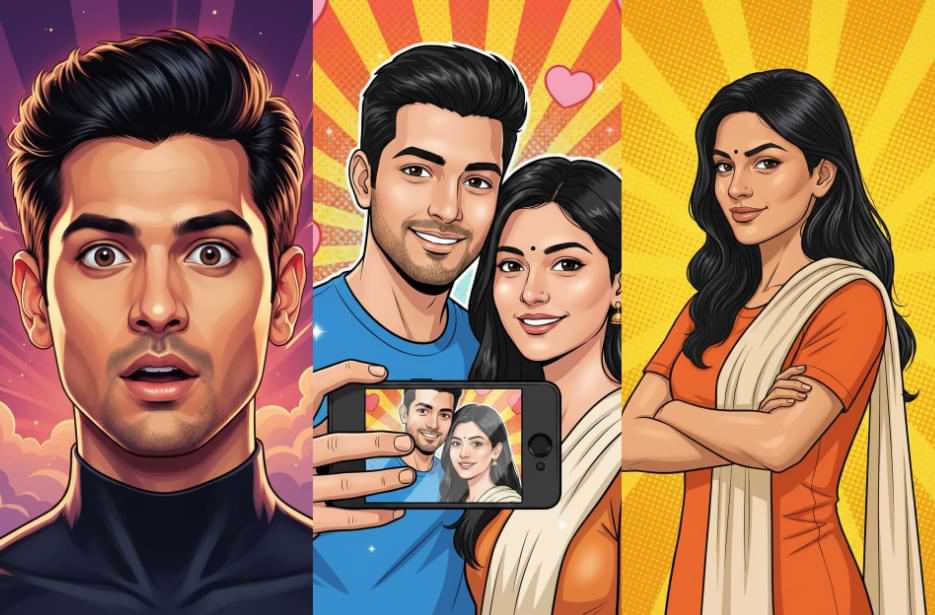
Turn your photos into vibrant comic art portraits in just a few clicks. Whether it is a picture of yourself, your friends, family, partner, or even your pet, these prompts make it easy to create eye-catching images. You don’t need hours of editing or complicated software, just paste the prompt into any AI tool. The results are colourful, detailed, and modern comic-style portraits that look professional and fun. From single portraits to couple selfies, these prompts help you create lively, cinematic pop-art images effortlessly. It’s a simple way to give your photos a unique and stylish comic twist.
Pop Comic Art Photo Prompts
Use these ready-made prompts in your favourite AI tool to generate vibrant comic-style portraits instantly.
Version 1: Single Close-Up Portrait
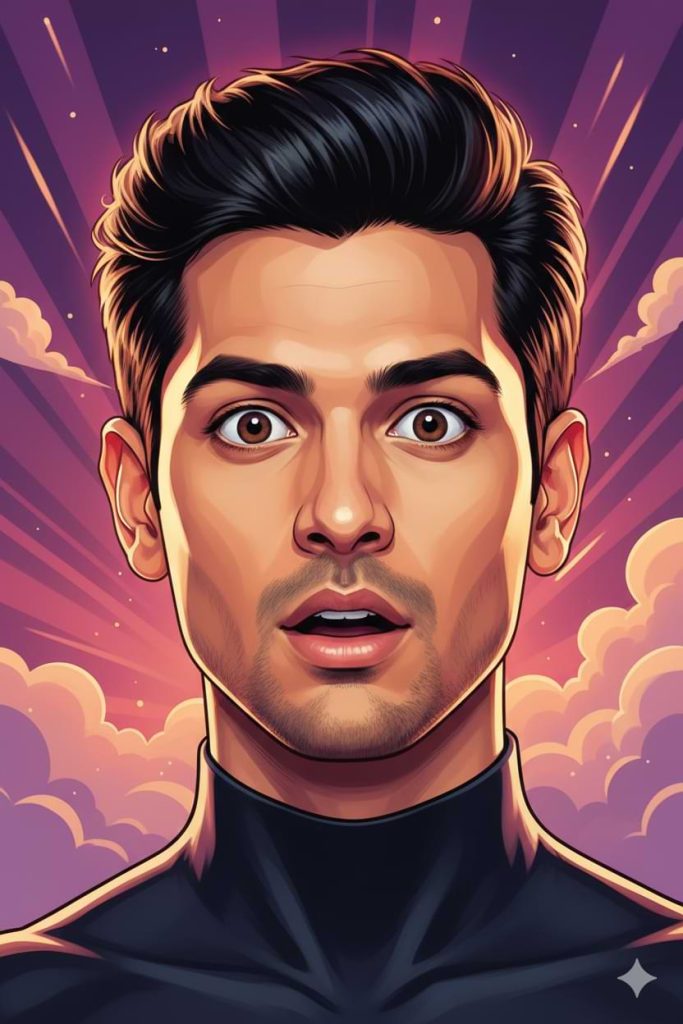
The character is shown in a close-up portrait with a surprised and amazed expression, eyes wide open and mouth slightly parted in shock. The face must closely match the uploaded photo, maintaining accurate facial structure, skin tone, and natural likeness.
Style the artwork in a modern colorful comic book style with smooth digital painting, soft airbrushed shading, and clean semi-bold outlines. Keep the face realistic while the overall art style remains stylized and polished.
Hair should appear voluminous and dramatic with rich stylized texture. Outfit should be a sleek modern high-collar top.
Background: a dynamic radiant burst with glowing energy rays, soft clouds, and vibrant gradient colors (purple, pink, and warm tones) to create a powerful cinematic pop-art effect.
Lighting: soft glowing rim light around the hair and face, with warm dramatic highlights.
Mood: surprised, energetic, eye-catching, cinematic comic poster style.
Quality: ultra-detailed, sharp focus, 4K digital illustration, highly polished.
Aspect ratio: Square (1:1)
Version 2: Vector Comic Style Single Potrait
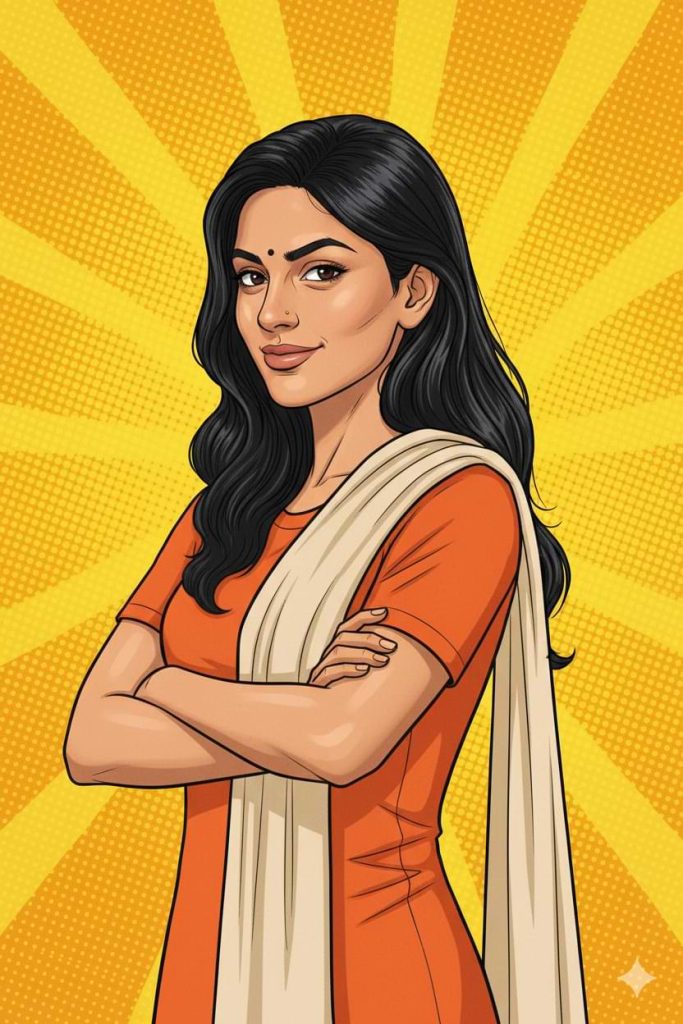
Style: bold vector comic art, clean black linework, smooth cel shading, vibrant colors, sharp details, modern graphic novel aesthetic.
Pose: arms confidently crossed over the chest, shoulders slightly angled, head tilted slightly forward with a confident, subtle smile.
Expression: self-assured, calm, strong presence.
Hair: keep the same hairstyle as in the uploaded photo, rendered with smooth flowing comic-style highlights.
Outfit: solid orange short-sleeve kurta-style top with a light beige/cream dupatta draped over one shoulder.
Background: bright yellow pop-art radial burst with halftone dot texture, subtle sparkles, and a dynamic superhero vibe.
Lighting: soft but defined comic-style shading with gentle highlights on cheekbones, nose bridge, and arms.
Make the final image look like a polished digital illustration suitable for a modern graphic novel cover. Maintain likeness to the uploaded photo while stylizing it into bold comic art.
Version 3: Vibrant Comic Couple Selfie
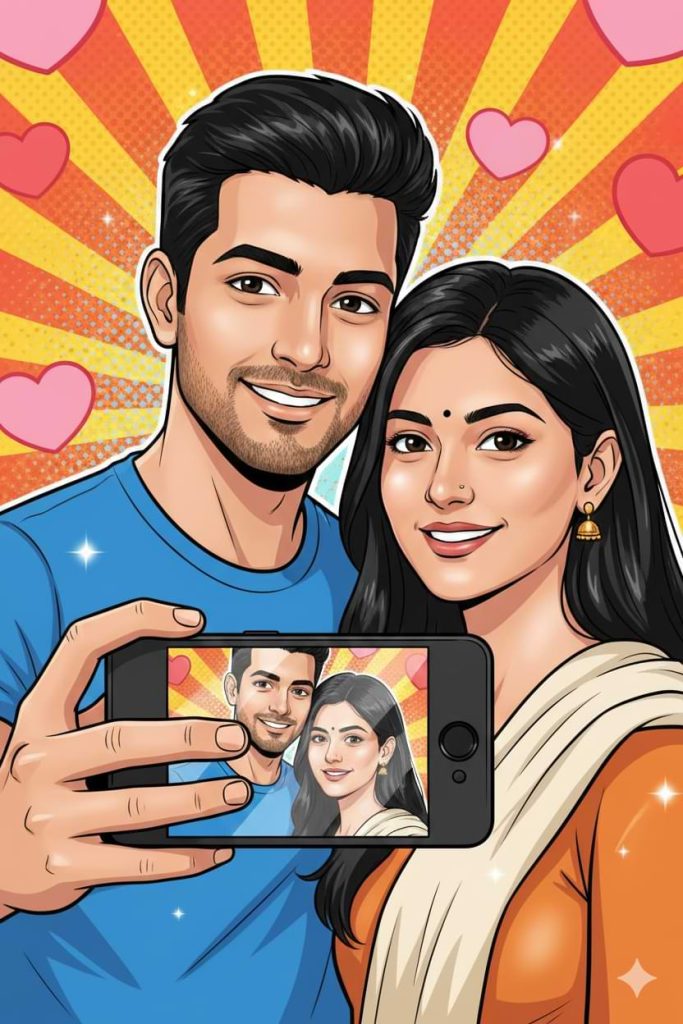
The couple stands close together in a natural, affectionate pose. The man is holding a smartphone in the foreground showing their selfie on the screen. Both have warm, genuine smiles and soft expressive eyes.
Style the artwork with bold clean comic ink lines, smooth cel shading, and vibrant but well-balanced colors. Add glossy highlights on the hair and skin for a premium digital illustration feel.
Background should be a dynamic retro comic burst combined with soft glowing heart bokeh and subtle halftone texture to create depth. Use cinematic soft lighting with gentle rim light around the couple to make them stand out.
Mood should feel romantic, cheerful, and trendy. The final image should look like a professional modern comic poster, ultra sharp, highly detailed, and visually eye-catching.
Aspect ratio: Portrait (2:3)
Quality: High detail, 4K look.
How to Use These Prompts
1. Below each image, you will see a prompt box with two buttons: Copy and Share to AI.
2. You can tap Copy to copy the full prompt manually. Or simply tap Share to AI; this will automatically copy the prompt for you.
3. After tapping Share to AI, a list of popular AI tools like ChatGPT, Gemini, Copilot, and others will appear on your screen.
4. Click on any AI tool you prefer. It will directly open the selected AI platform.
5. Once the AI page opens, paste the prompt into the prompt box (it is already copied if you used Share to AI).
6. Upload your reference image if required.
7. Click generate, and your image will be created.
8. If needed, you can slightly adjust the prompt for lighting, angle, or mood and generate again.
9. Once you are satisfied with the result, download the image and save it for your use.
Customisation Tips for Pop Comic Art Photo Prompts
- Try different facial expressions like smiling, surprised, playful, or confident while keeping the face realistic.
- Change the clothes or colours to match the mood or theme.
- Add accessories like flowers, sunglasses, hats, or even pets to make it more personal.
- Adjust hair style, volume, or colour to make it dynamic and lively.
- Change the background with bursts, halftone textures, heart bokeh, soft clouds, gradients, or cityscapes.
- Play with lighting to create soft, dramatic, or glowing effects.
- Modify the pose, gestures, and mood to make the image energetic, romantic, playful, or empowering.
- Adjust the comic style with bold outlines, cel shading, soft airbrush, or glowing effects
- Change the aspect ratio for square or portrait images depending on where you will use them.
- Make small changes one at a time to see different results and get the perfect comic art photo