
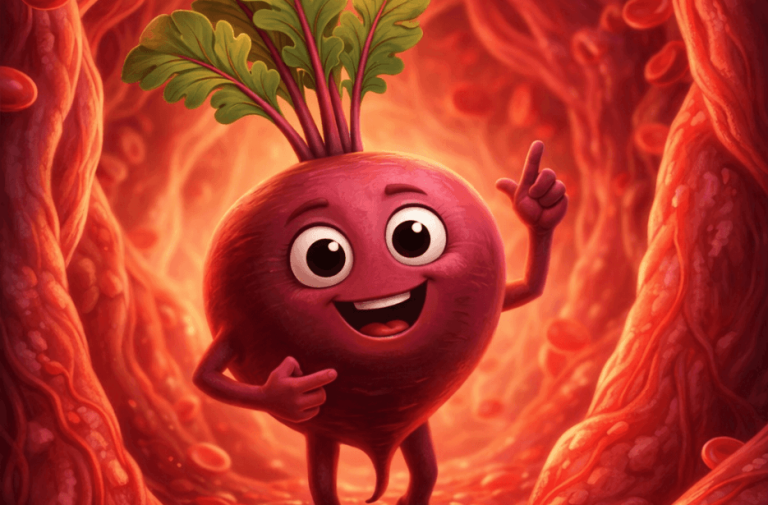
Vegetable and fruit talking videos are trending right now, as you can see the animated vegetable and fruit characters walk, run, and speak about their health benefits inside parts of the human body. If you’re curious about how these videos are created and want to make one yourself, the process is simple with the help of prompts and AI tools.
You can use free AI tools to get started and easily create these engaging videos. Just follow and customise the prompt provided in this article to produce your own trending talking vegetables videos.
Image Prompt for Talking Beetroot Character
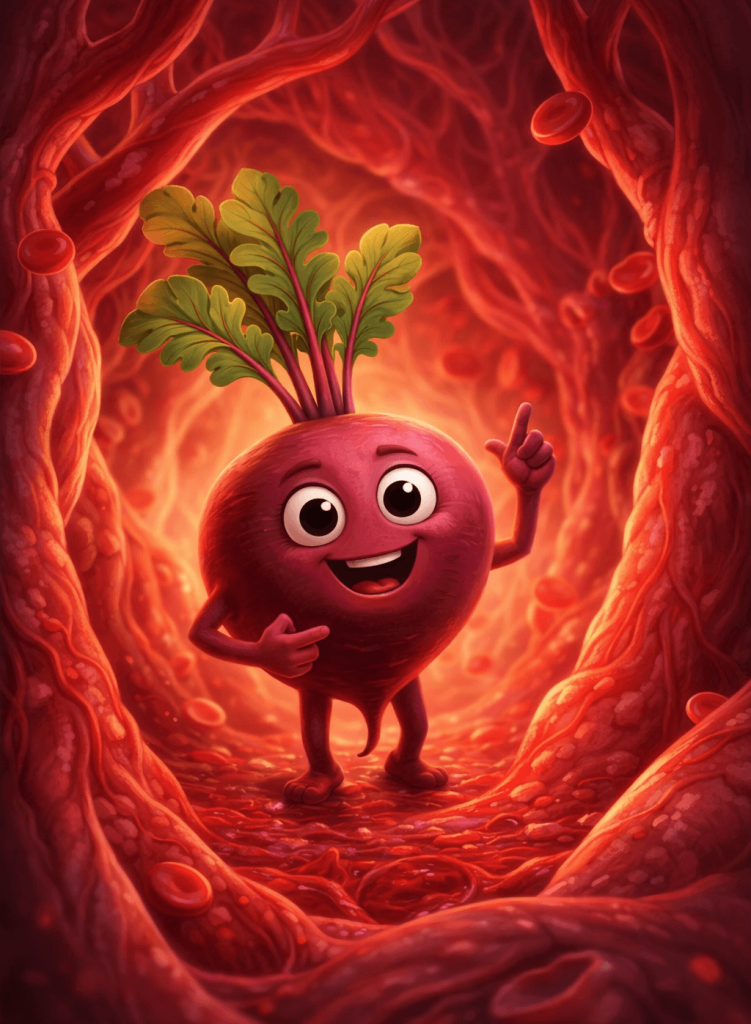
Video Prompt for Animated Talking Beetroot Inside Blood Vessels
Character & Identity:
Use the uploaded image as the base reference.
Preserve the exact appearance, shape, and texture of the {beetroot}.
Add expressive animated features: eyes, mouth, hands, and legs.
Scene Description:
Environment: Inside {blood vessels} (e.g., heart blood vessels) with realistic organic textures.
Red blood cells are flowing continuously in the opposite direction of the character’s movement.
The environment should feel alive with subtle motion and depth.
Animation & Motion:
The {beetroot} is walking slowly forward toward the camera.
Natural body movement (hands slightly moving, light bounce while walking).
Mouth movement should sync naturally with speech.
Blood cells flow smoothly past the character in the reverse direction, creating dynamic contrast.
Clip time: 15 seconds
Dialogue (Tamil – MUST SYNC LIP MOVEMENT):
The character should speak clearly in Tamil with a friendly, engaging tone:
“நான் பீட்ரூட். இரத்த அழுத்தத்தை குறைக்கும் மற்றும் இதய நோய், பக்கவாதம் ஏற்படும் அபாயத்தை குறைக்கும் தன்மைக்காக நான் பரவலாக அறியப்படுகிறேன். என்னுள் உள்ள நைட்ரேட்டுகள் நைட்ரிக் ஆக்சைடாக மாற்றப்படுகின்றன; அது இரத்த நாளங்களை தளர்த்தி விரிவடையச் செய்து, இரத்த ஓட்டத்தையும் சுழற்சியையும் மேம்படுத்துகிறது.”
Voice & Expression:
Voice: Warm, friendly, slightly energetic Tamil voice
Expression: Smiling, confident, educational tone
Occasional hand gestures while speaking
Lighting & Style:
Soft cinematic lighting with warm glow
Slight depth of field (background blur)
3D animated / Pixar-style
Vibrant, high-quality visuals
Important Constraints:
No text or subtitles on screen
No watermark
Keep it kid-friendly, educational, and visually engaging
Smooth animation, no jerky motion
How to Use These Prompts
1. Copy the image prompt to generate the animated beetroot image.
2. Paste the prompt into Google Gemini or any other image/video generation AI tool.
3. Download the generated image.
4. Re-upload the image to the AI tool, then copy and paste the video prompt to generate the animation.
5. You will get a lip-synced animated video of a beetroot moving inside blood vessels.
Customisation Options
You can easily customise these prompts to create a wide variety of talking vegetable or fruit videos:
Replace the Vegetable & Body Part
Update the vegetable/fruit name and the body part in both the image and video prompts to match your concept. For example, replace “beetroot” and “heart blood vessels” with your preferred ingredient and the body part it benefits.
Modify the Dialogue
Change the dialogue in the video prompt based on your preferred language, tone, and message. You can make it educational, fun, motivational, or even storytelling-based.
Other Possible Customisation Points
- Character Style: Cartoon, 3D, Pixar-style, or realistic
- Expressions & Gestures: Happy, energetic, calm, or funny
- Environment: Inside different body parts (brain, stomach, skin, lungs, etc.)
- Lighting & Mood: Bright, cinematic, soft, or dramatic
- Voice & Tone: Friendly, professional, playful, or storytelling
- Language: Tamil, English, Hindi, or any regional language
- Video Duration: Short (10–15 sec) or longer explainer videos
- Camera Angles: Walking toward the camera, side view, close-up shots
- Health Focus: Immunity, digestion, heart health, skin care, etc.
Limitations
Google Gemini allows you to generate up to 100 images per day on its free plan, but you can create only 1 video per day. While the Pro plan offers unlimited image generation, it still limits video creation to up to 3 videos per day.
Therefore, you may also consider using alternative AI video generation tools if you need unlimited video creation.
0 Comments