Caricature-style AI images are trending everywhere right now. From Instagram profile pictures to WhatsApp DPs, people are turning their regular photos into fun cartoon versions that still look just like them. The mix of exaggerated features, bright colours, and creative backgrounds makes these edits stand out instantly.
If you want a playful version of yourself that also reflects your profession or personality, these caricature AI prompts will help you create one easily. Just upload your photo and let the AI turn it into a bold, eye-catching cartoon portrait perfect for sharing online. Try using it on tools like Gemini, ChatGPT, or any other AI image generator that supports photo uploads and detailed prompts.
Viral AI Caricature Prompts
Copy, customise, and create stunning, funny, and personality-filled caricatures using these ready-to-use AI prompts.
Version 1: Signature Caricature Creator Prompt
Click COPY or Share to AI
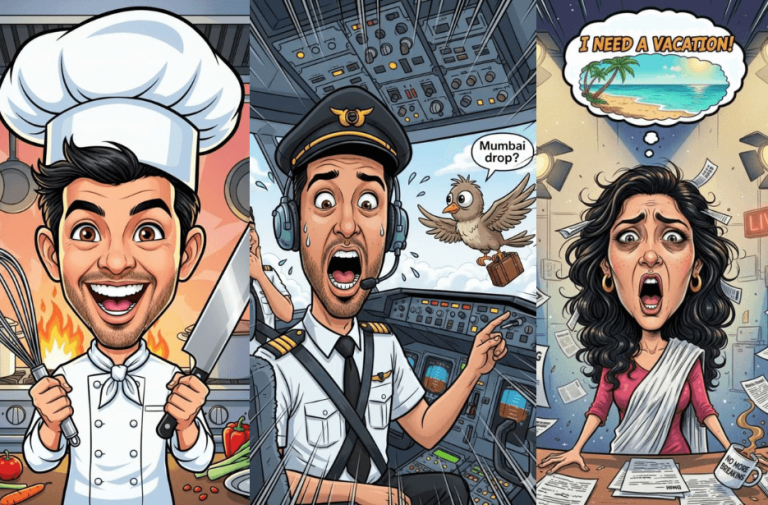
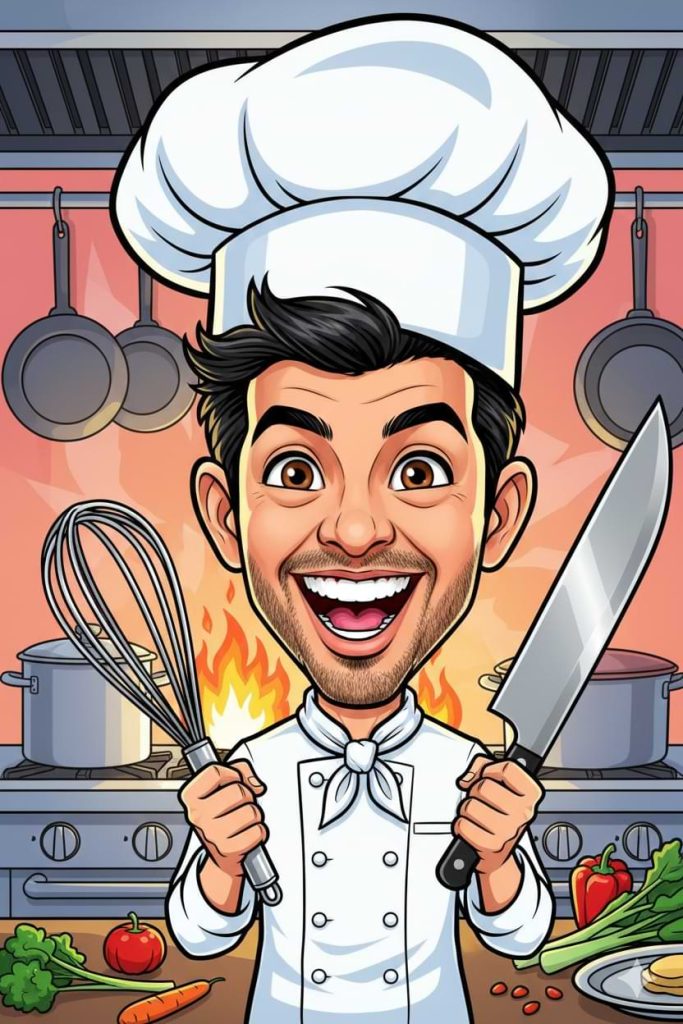
Image Generation: Use the uploaded photo as a reference and generate a fun, high-quality caricature portrait of the person that keeps their facial identity clearly recognisable while creatively exaggerating key facial features in a dynamic cartoon style. Reflect the person’s profession or job by adding relevant props, tools, outfit details, and background elements that clearly represent their work, such as oversized kitchen tools and a chef hat for a chef, a laptop and coffee for a programmer, giant books for a teacher, an exaggerated stethoscope for a nurse, a camera and tripod for a photographer, or a bold multi-screen setup for a gamer. Show an expressive pose with natural emotion, whether energetic and excited with big eyes and a wide smile, calm and composed with soft exaggerated features, playful with a mischievous grin, or dramatic and theatrical. Use bright, vibrant colours, bold outlines, dynamic composition, high-contrast shading, and a cohesive profession-themed background suitable for social media sharing. Keep it in portrait orientation with high detail and balanced framing that highlights both personality and profession, applying one or a mix of styles such as colourful social media cartoon, hand-drawn whimsical illustration, cinematic 3D render, street-art inspired look, vintage comic style, or meme-ready expressive caricature.
Version 2: Funny Pilot Cockpit Caricature Prompt
Click COPY or Share to AI
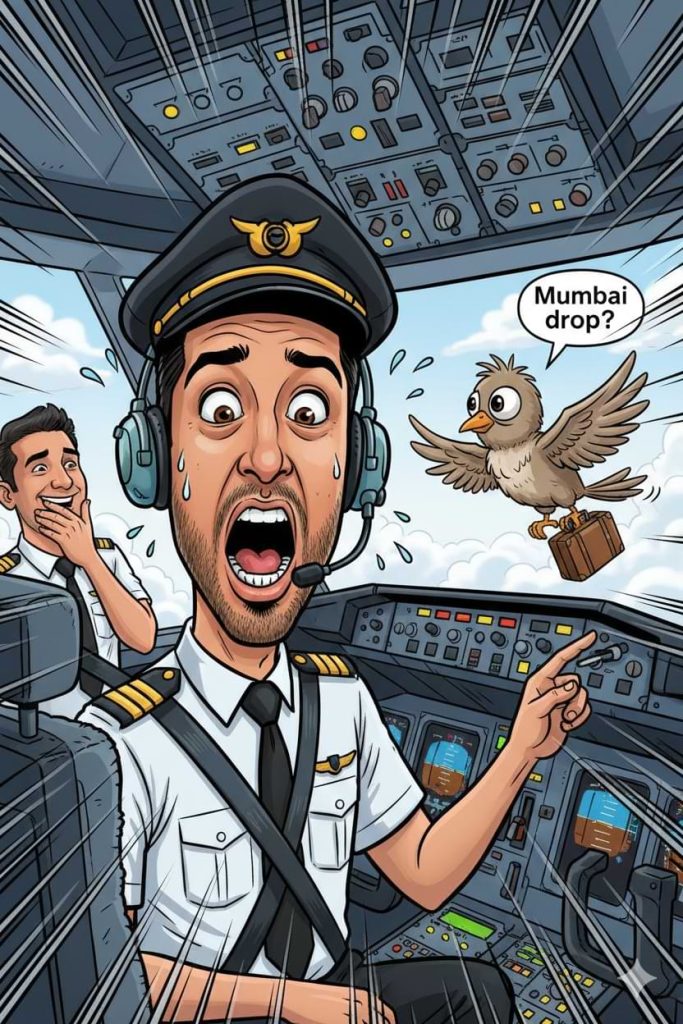
Image Generation: Use the uploaded photo as reference and create a fun, high-detail caricature portrait of me as a commercial airline pilot, keeping my facial identity clearly recognizable while creatively exaggerating my expressions in a dynamic cartoon style. The scene shows me inside the cockpit flying a large airplane high above the clouds. Outside the cockpit window, a funny cartoon bird is flying calmly beside the aircraft while holding a tiny suitcase and politely knocking on the cockpit glass with one wing as if asking for a ride. Add a small speech bubble near the bird that says, “Mumbai drop?” I look completely shocked with exaggerated wide eyes, raised eyebrows, and an open mouth, with cartoon sweat drops flying from my face and my pilot cap slightly tilted in panic. In the background, the co-pilot is trying not to laugh, covering his mouth while glancing at the situation. Include dramatic motion lines around the bird and plane to enhance movement, bright flashing cockpit buttons, soft clouds outside, and playful chaos energy. Keep my pilot uniform detailed with captain stripes and a visible headset. Use a funny, light-hearted, expressive comic style with bright vibrant colours, bold outlines, dynamic composition, high-contrast shading, and meme-ready cartoon exaggeration in portrait orientation with high detail, optimized for social media sharing.
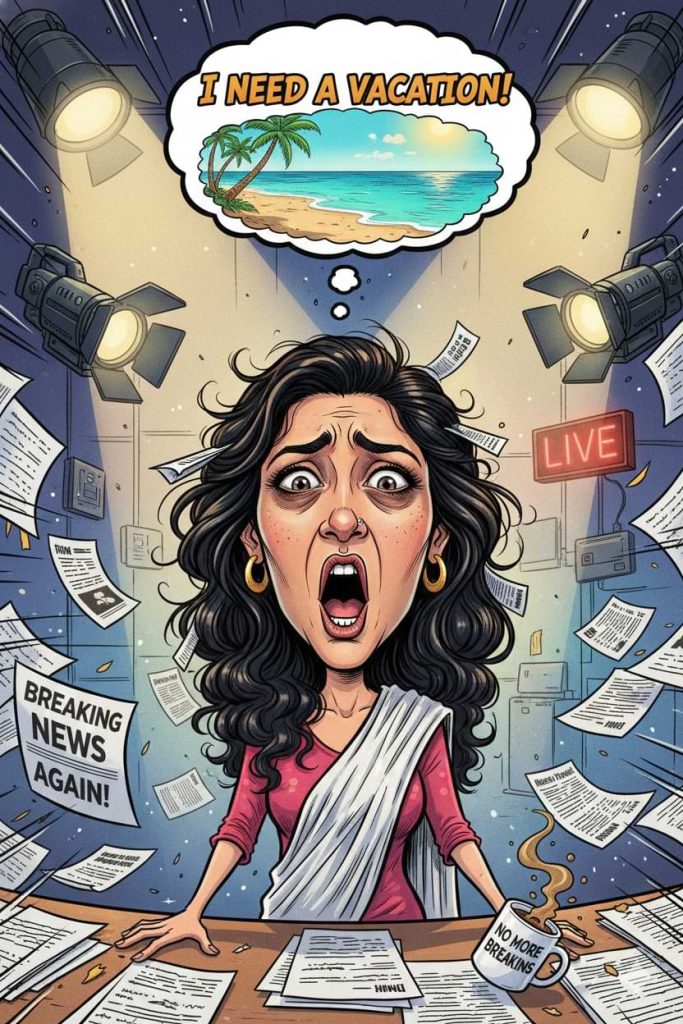
Version 3: Frustrated News Anchor Behind the Scenes Caricature
Click COPY or Share to AI
Image Generation: Use the uploaded photo as reference and create a fun, high-detail caricature portrait of me as a commercial airline pilot, keeping my facial identity clearly recognizable while creatively exaggerating my expressions in a dynamic cartoon style. The scene shows me inside the cockpit flying a large airplane high above the clouds. Outside the cockpit window, a funny cartoon bird is flying calmly beside the aircraft while holding a tiny suitcase and politely knocking on the cockpit glass with one wing as if asking for a ride. Add a small speech bubble near the bird that says, “Mumbai drop?” I look completely shocked with exaggerated wide eyes, raised eyebrows, and an open mouth, with cartoon sweat drops flying from my face and my pilot cap slightly tilted in panic. In the background, the co-pilot is trying not to laugh, covering his mouth while glancing at the situation. Include dramatic motion lines around the bird and plane to enhance movement, bright flashing cockpit buttons, soft clouds outside, and playful chaos energy. Keep my pilot uniform detailed with captain stripes and a visible headset. Use a funny, light-hearted, expressive comic style with bright vibrant colours, bold outlines, dynamic composition, high-contrast shading, and meme-ready cartoon exaggeration in portrait orientation with high detail, optimized for social media sharing.
How to Use These Prompts
1. Below each image, you will see a prompt box with two buttons: Copy and Share to AI.
2. You can tap Copy to copy the full prompt manually. Or simply tap Share to AI; this will automatically copy the prompt for you.
3. After tapping Share to AI, a list of popular AI tools like ChatGPT, Gemini, Copilot, and others will appear on your screen.
4. Click on any AI tool you prefer. It will directly open the selected AI platform.
5. Once the AI page opens, paste the prompt into the prompt box (it is already copied if you used Share to AI).
6. Upload your reference image if required.
7. Click generate, and your image will be created.
8. If needed, you can slightly adjust the prompt for lighting, angle, or mood and generate again.
9. Once you are satisfied with the result, download the image and save it for your use.
Customization Tips
Modify the colour tone. If you like softer visuals, go for pastel shades. If you want something eye-catching, ask for bright and vibrant colours.
You can change the profession in the prompt to match your real job or even your dream job. For example, switch it to doctor, fitness trainer, artist, pilot, business owner, or anything you like.
Add different props and tools related to your work. Small details like books, gadgets, paint brushes, microphones, or sports gear can make the caricature more personal.
Adjust the expression and mood. Ask for a confident look, a funny, exaggerated smile, a serious boss vibe, or a relaxed and calm pose.
Change the background theme. Instead of a work setup, try a nature background, city skyline, gaming room, studio setup, or even a fantasy setting.
Play with the art style. Try 3D cartoon, comic book style, graffiti look, soft pastel illustration, or bold meme-style art.

0 Comments