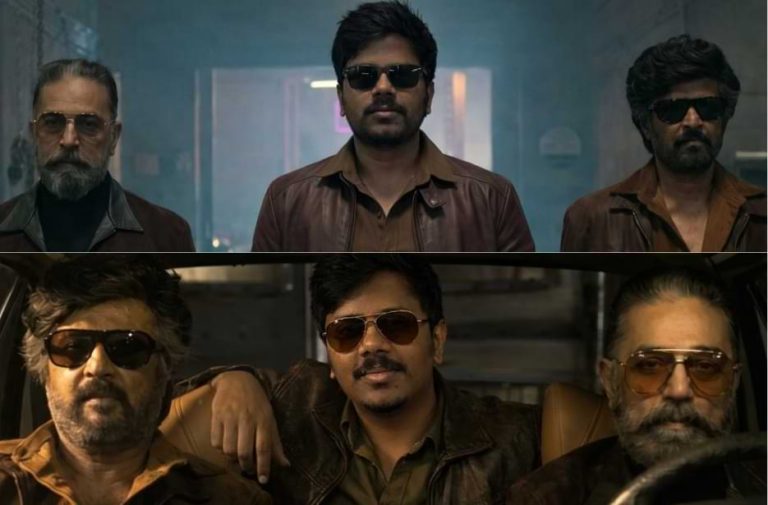
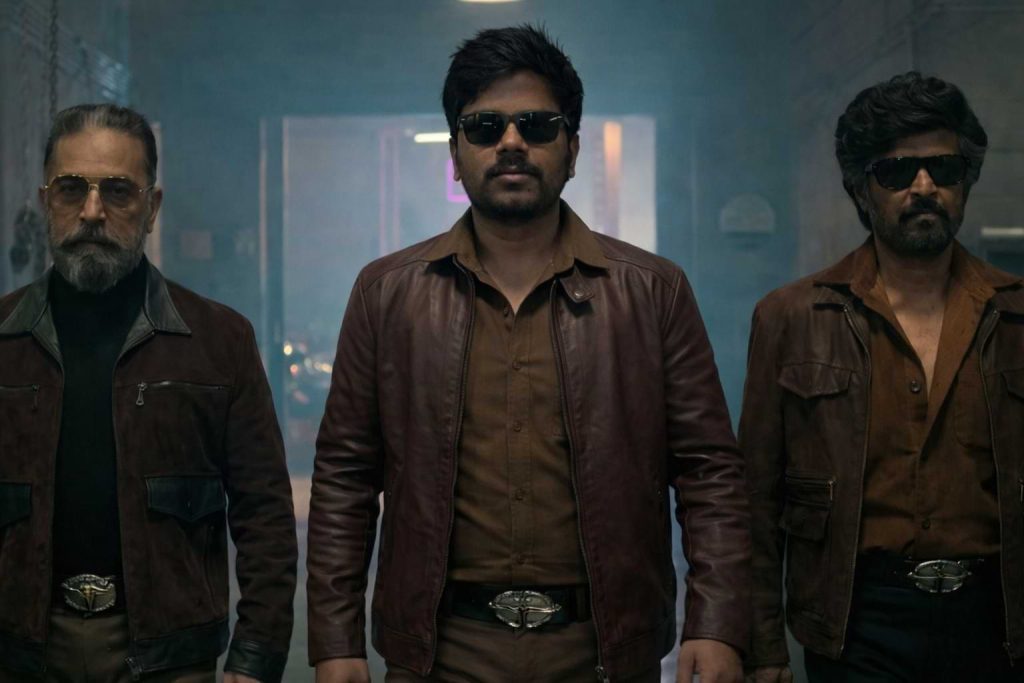
The wait is finally over! The most anticipated reunion of legends Rajinikanth and Kamal Haasan is here, and fans can’t stop talking about it. Inspired by this epic movie, we have created a fun and creative prompt that lets you share the screen with these icons. Just download the base image from our website, upload your own photo, and use the prompt to see yourself standing alongside Rajinikanth and Kamal Haasan in this legendary scene. It’s your chance to be part of the magic!
KH x RK Legendary Reunion – Ultra-Realistic AI Scene Recreation Prompts
Recreate the iconic KH x RK reunion moment with these powerful AI prompts. Follow these steps to smoothly blend your face and create a cinematic mass hero look.
Version 1: Stepping in with the Legends
Click COPY or Share to AI
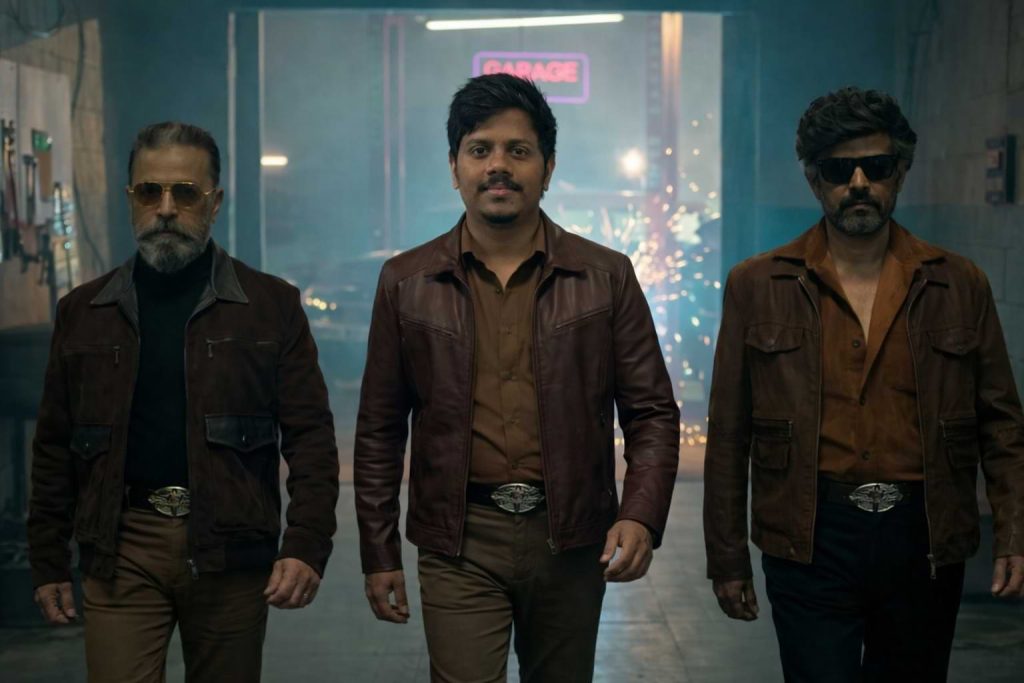
Use the uploaded movie promo image as the base image. Keep everything in the original scene exactly the same. Remove the man standing in the center of the frame and replace him with the person from the reference photo. Match the exact walking pose, confident body language, and forward stride of the original center character. Dress the inserted person in the same style brown leather jacket outfit matching the other two men, with realistic fabric texture and natural folds. ⚠️ Important face requirement: Use the reference face exactly as it is. Do NOT add sunglasses, do NOT stylize, do NOT cartoonize. Keep the face fully visible, natural, and photorealistic. 🚫 Strict preservation rule: Do NOT change, modify, enhance, regenerate, or restyle the faces of the persons on the left and right. Keep both side characters exactly as they are in the original image. Only modify the center person using the reference image. Maintain: identical cinematic garage background same sparks and depth of field same dramatic teal-orange movie color grading same lighting direction and shadows on the face and body same camera perspective and framing same film still realism Ensure perfect face blending with: realistic Indian skin tone sharp focus natural neck merge correct head size and proportions seamless color matching Style: ultra-realistic cinematic movie still, 4K, dramatic lighting, mass hero entry vibe, photorealistic, no cartoon, no illustration.
Version 2: Owning the Frame Beside Icons
Click COPY or Share to AI
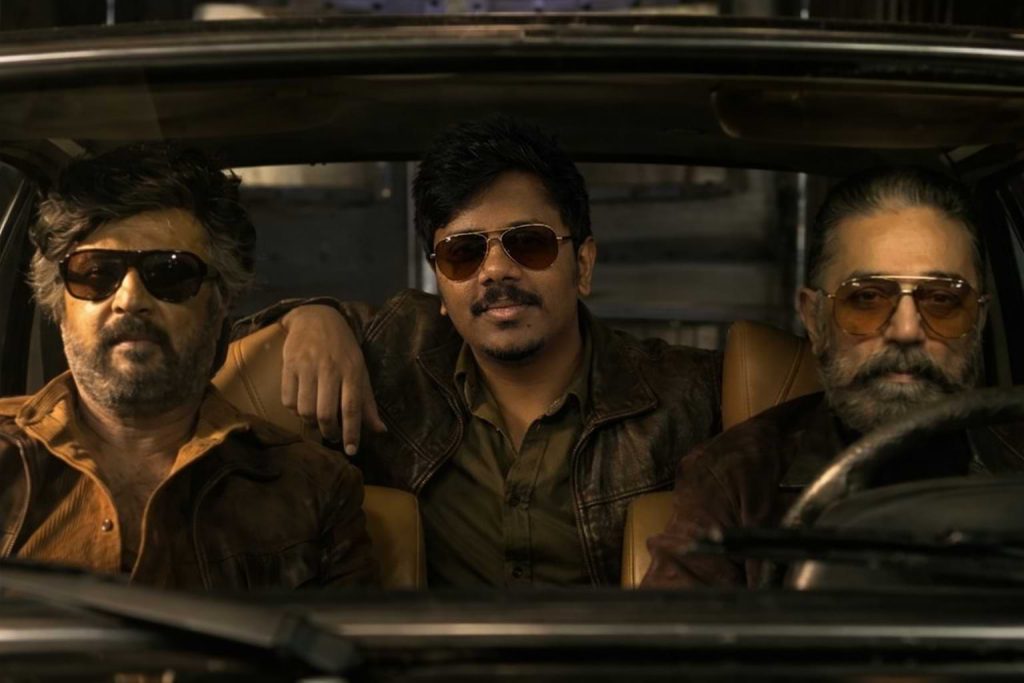
Use the uploaded movie still as the base image. Remove only the center person sitting inside the car and replace him with the person from my reference photo. Pose and body language (important correction): Match the exact sitting pose and confident body language of the original center character. I am seated in the same relaxed style, but ensure my right hand is resting naturally on the back seat behind the driver (not incorrectly placed behind the driver’s body). Maintain proper arm perspective and depth. Costume and styling: Dress me in the same costume style as the original center character, matching color, texture, leather finish, and natural fabric folds so I blend seamlessly with the scene. Sunglasses requirement (new): Add stylish sunglasses to me that closely match the style, tint, and realism of the sunglasses worn by the person driving the car. The glasses must look natural, cinematic, and properly fitted to my face. Facial expression (bold and classy — very important): Give me a subtle confident smirk, calm dominant eyes behind the sunglasses, and a slightly lifted chin to create a bold, classy, silent confidence look. Keep the expression natural and realistic, not exaggerated. Face requirement: Use my reference face exactly as original with only very slight natural beautification. Maintain natural Indian skin tone and realistic beard texture. Face must be sharp, photorealistic, and perfectly blended. 🚫 Strict preservation rule: Do NOT change, modify, enhance, or regenerate the faces of the two persons sitting in the front seat. Their faces, expressions, sunglasses, and details must remain exactly as in the original image. Maintain exactly: identical car interior and background same cinematic warm lighting and shadows same camera angle and framing same color grading realistic depth of field correct head size and proportions seamless neck merge natural shadow matching ultra realistic face blending Quality target: ultra realistic, theatrical, sharp focus, premium cinematic finish.
Version 3: Shoulder to Shoulder with Legends
Click COPY or Share to AI
Use the uploaded movie promo image as the base image. Keep everything in the original scene exactly the same. Remove the man standing in the center of the frame and replace him with the person from the provided reference photo. Match the exact walking pose, confident body language, forward stride, and mass hero entry attitude of the original center character. Dress the inserted person in the same brown leather jacket outfit as the original center character, matching the style of the two men on the sides. Ensure realistic leather texture, natural fabric folds, proper shadows, and accurate fit. Add stylish black coolers (sunglasses) to the reference person to match the cinematic mass hero vibe. The sunglasses must look natural, properly aligned to the face, and realistically lit according to the scene lighting. ⚠️ FACE REQUIREMENT: Use the reference face exactly as it is. Do NOT stylize. Do NOT cartoonize. Do NOT alter facial structure. Maintain natural Indian skin tone, real texture, and photorealism. Keep sharp focus and correct head proportions. Ensure seamless neck blending and accurate color matching. 🚫 STRICT PRESERVATION RULE: Do NOT change, modify, enhance, regenerate, or restyle the faces of the left and right characters. Keep both side characters exactly as they appear in the original image. Only modify the center person. Maintain: Identical cinematic garage background Same sparks and depth of field Same teal-orange dramatic movie color grading Same lighting direction and shadow fall Same camera perspective and framing Same realistic film still quality Style: Ultra-realistic cinematic movie still, 4K resolution, dramatic lighting, mass hero entry vibe, photorealistic, no cartoon, no illustration.
How to Use These Prompts
1. Below each image, you will see a prompt box with two buttons: Copy and Share to AI.
2. You can tap Copy to copy the full prompt manually. Or simply tap Share to AI; this will automatically copy the prompt for you.
3. After tapping Share to AI, a list of popular AI tools like ChatGPT, Gemini, Copilot, and others will appear on your screen.
4. Click on any AI tool you prefer. It will directly open the selected AI platform.
5. Once the AI page opens, paste the prompt into the prompt box (it is already copied if you used Share to AI).
6. Upload your reference image if required.
7. Click generate, and your image will be created.
8. If needed, you can slightly adjust the prompt for lighting, angle, or mood and generate again.
9. Once you are satisfied with the result, download the image and save it for your use.
Customization Tips
Change outfit colours: Swap the brown leather jacket for black, maroon, or any preferred style.
Adjust lighting mood: Try warm sunset, low-key studio light, or night cinematic lighting.
Modify background feel: Replace the garage vibe with a street, warehouse, or outdoor mass setup.
Tweak sunglasses style: Use aviators, square frames, or remove them for a clean hero look.
Control expression: Try a serious look, slight smile, or intense stare.
Improve realism: Increase sharpness, add film grain, or enhance depth of field for a true movie still feel.

0 Comments