
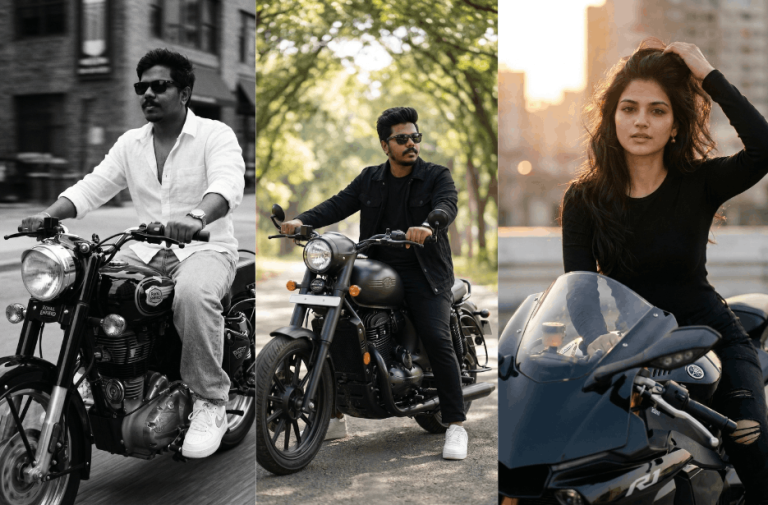
Creating stunning, cinematic motorcycle portraits is easier than ever with the right prompt. This Prompt collection brings you four powerful, ready-to-use AI prompts designed to generate ultra-realistic bike photoshoots. From a matte black Jawa street aesthetic to a bold golden hour sports bike portrait, each prompt helps you maintain accurate facial identity while capturing style, confidence, and motion.
Whether you’re aiming for a calm nature vibe, a classic Royal Enfield look, or a high-speed cinematic shot, these prompts are crafted to deliver professional-quality visuals with ease. Just upload your image, apply the prompt, and bring your dream bike photoshoot to life.
Version 1: Matte Black Jawa Bike Photoshoot
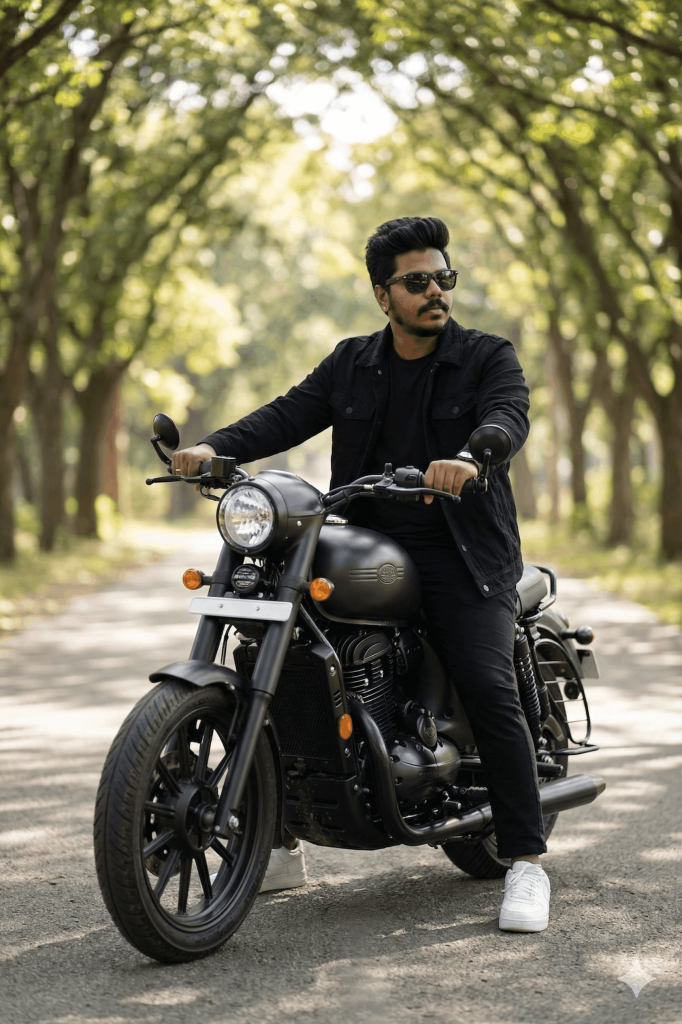
Create a realistic, high-quality photograph of a young man sitting on a matte black Jawa motorcycle, parked on a peaceful tree-lined road. He is seated upright on the bike with one hand resting on the handlebar, looking confidently to the side.
He is wearing an all-black outfit: a black jacket over a black t-shirt, black pants, and clean white sneakers. Add stylish dark sunglasses. His hairstyle should be neat and voluminous, with a well-groomed beard.
The motorcycle should match a modern classic Jawa bike with matte black finish and visible mechanical detailing.
The environment should feature a lush green avenue with tall trees forming a natural canopy overhead. The background should have a soft bokeh blur, with sunlight filtering through the leaves, creating a calm and cinematic atmosphere.
Camera style: eye-level shot, slightly low angle, full-body framing including the entire bike.
Lighting: soft natural daylight with diffused sunlight through trees.
Style: cinematic, ultra-realistic photography, high detail.
Focus sharply on the subject and motorcycle, with a softly blurred green background
Version 2: Royal Enfield Hunter 350 Photoshoot
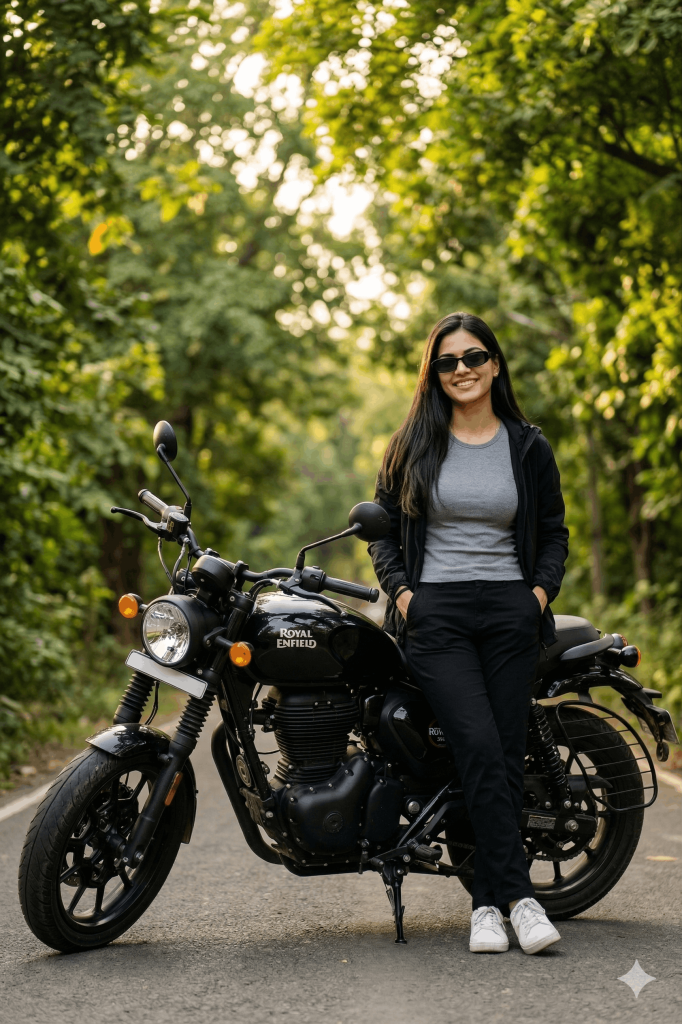
Create a realistic, high-quality photograph of a young woman standing beside a black Royal Enfield motorcycle parked on a quiet road surrounded by lush green trees. She is leaning casually against the bike with one hand resting on it, looking slightly to the side with a calm, confident expression.
She is wearing an black outfit: a fitted grey t-shirt, black jacket unbutton, black pants, and white sneakers. Her hair is long, straight, and naturally flowing over her shoulders. She is wearing a black shade coolers.
The motorcycle should match a classic Royal Enfield style hunter 350 with visible engine details and a vintage feel.
The environment should be outdoors with soft natural lighting, warm sunlight filtering through the trees, and a slightly blurred green background (bokeh effect) to create depth.
Camera style: eye-level shot, slightly wide framing capturing full body and bike.
Lighting: natural, soft, golden-hour feel.
Style: realistic, cinematic photography, high detail. Standing with two hands in her pocket.
Focus sharply on the subject and bike, with a softly blurred background.
Version 3: Cinematic Riding Shot with Royal Enfield Bullet 350
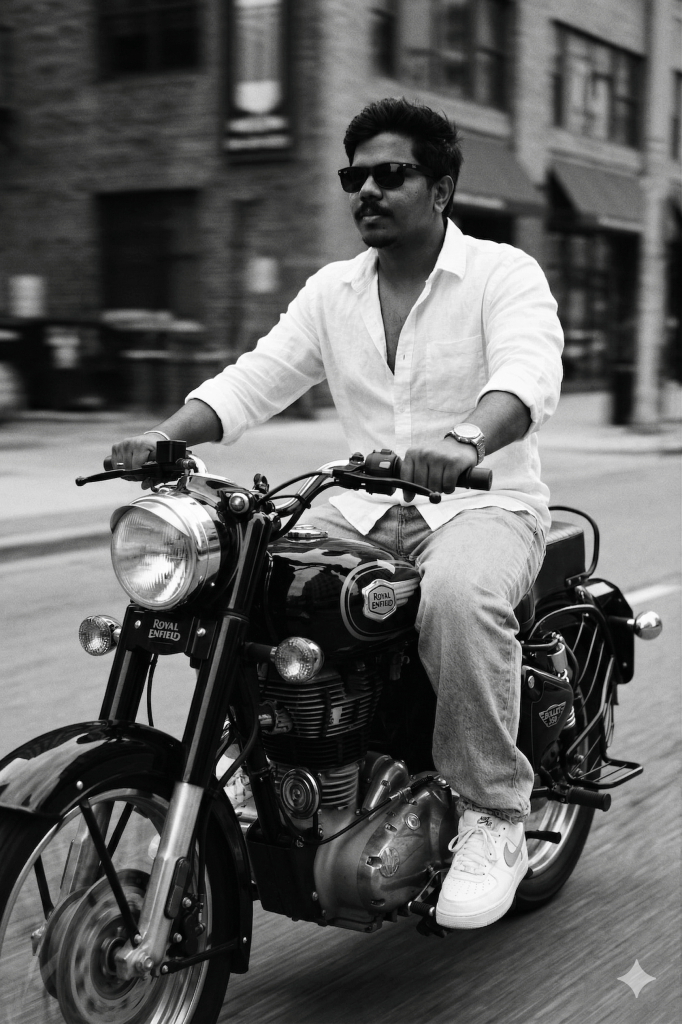
Slim-fit 5’7 young man riding his black Royal Enfield Bullet 350, glancing confidently to the side, hands on the handlebars, leaning naturally into the ride. He’s wearing an oversized white linen shirt with the top buttons open, light blue baggy jeans, and clean white Nike Air Force 1 sneakers. A silver wristwatch shines subtly on his wrist, and narrow-frame rectangular classy sunglasses complete his look. His face is fully visible – preserve 100% face.
The photo features a vintage cinematic grain aesthetic with Leica M11 Monochrome black-and-white tones, enhanced with a motion blur effect in the background to convey speed and dynamic movement.
Version 4: Golden Hour Sports Bike Portrait
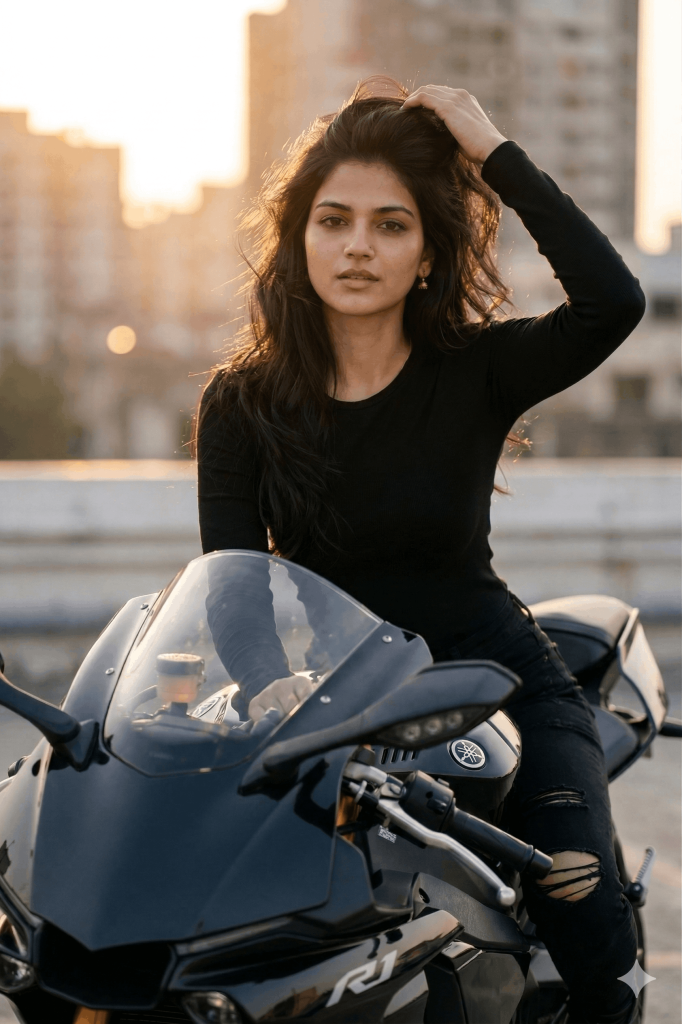
Use the uploaded image for face identity and facial expression. Maintain accurate facial structure, skin tone, and natural features.
Outfit: fitted black long-sleeve top and black ripped jeans, modern and minimal styling.
Hair: long, voluminous, slightly windswept, catching warm sunlight.
Lighting: soft golden hour sunlight from the side/back, creating a warm glow and natural highlights on hair and skin.
Environment: urban rooftop or open city setting with blurred skyline in the background (shallow depth of field, bokeh effect).
Motorcycle: glossy black sportbike with realistic reflections and details.
Style: ultra-realistic, high detail, cinematic photography, 85mm lens look, shallow depth of field, natural color grading.
Mood: confident, stylish, modern, slightly dramatic.
Camera angle: slightly low angle, mid-shot framing (waist-up to full body depending on composition).
Enhance realism with natural skin texture, subtle shadows, and soft highlights. Avoid over-smoothing or artificial effects.
How to Use These Prompts
1. Below each image, you will see a prompt box with two buttons: Copy and Share to AI.
2. You can tap Copy to copy the full prompt manually. Or simply tap Share to AI; this will automatically copy the prompt for you.
3. After tapping Share to AI, a list of popular AI tools like ChatGPT, Gemini, Copilot, and others will appear on your screen.
4. Click on any AI tool you prefer. It will directly open the selected AI platform.
5. Once the AI page opens, paste the prompt into the prompt box (it is already copied if you used Share to AI).
6. Upload your reference image if required.
7. Click generate, and your image will be created.
8. If needed, you can slightly adjust the prompt for lighting, angle, or mood and generate again.
9. Once you are satisfied with the result, download the image and save it for your use.
Customization Tips
- Lighting: Experiment with golden hour, soft daylight, or night lighting to change the mood.
- Background: Try different settings like city streets, highways, mountains, or forest roads.
- Outfit: Go for biker style, casual wear, or trendy street fashion to match the vibe.
- Pose & Action: Add variety with standing, leaning, walking, or riding shots for a dynamic feel.
- Effects: Use motion blur, smoke, dust, or wind effects to add realism and energy.
- Camera Angles: Low angles create power, while close-ups add intensity and focus.
- Colour Grading: Adjust tones, warm for cinematic, cool for modern, or black & white for vintage.
- Bike Detailing: Enhance reflections, colours, and mechanical details for a premium look.
- Face Consistency: Always keep facial accuracy enabled for realistic results.
- Try Variations: Generate multiple versions with small changes to get the best output.
0 Comments