
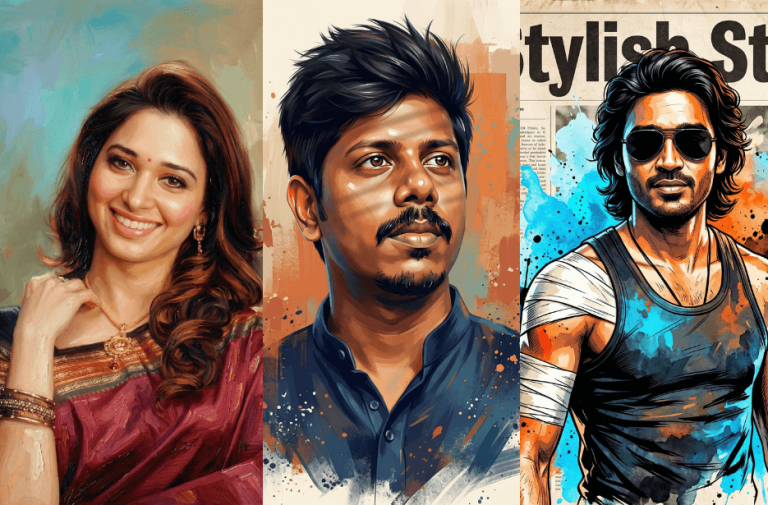
Creating stunning portrait artwork no longer requires professional painting skills. With the help of AI, you can transform your photos into ultra-realistic digital paintings, oil portraits, and stylised illustrations in just a few clicks.
These powerful AI portrait prompts are designed to maintain your exact facial identity while applying different artistic styles from expressive acrylic paintings to hyper-realistic digital art and cinematic illustrations. Simply choose a prompt, paste it into your favourite AI image generator, and turn your photo into a masterpiece.
Version 1: Ultra-Detailed 4K Digital Portrait Painting
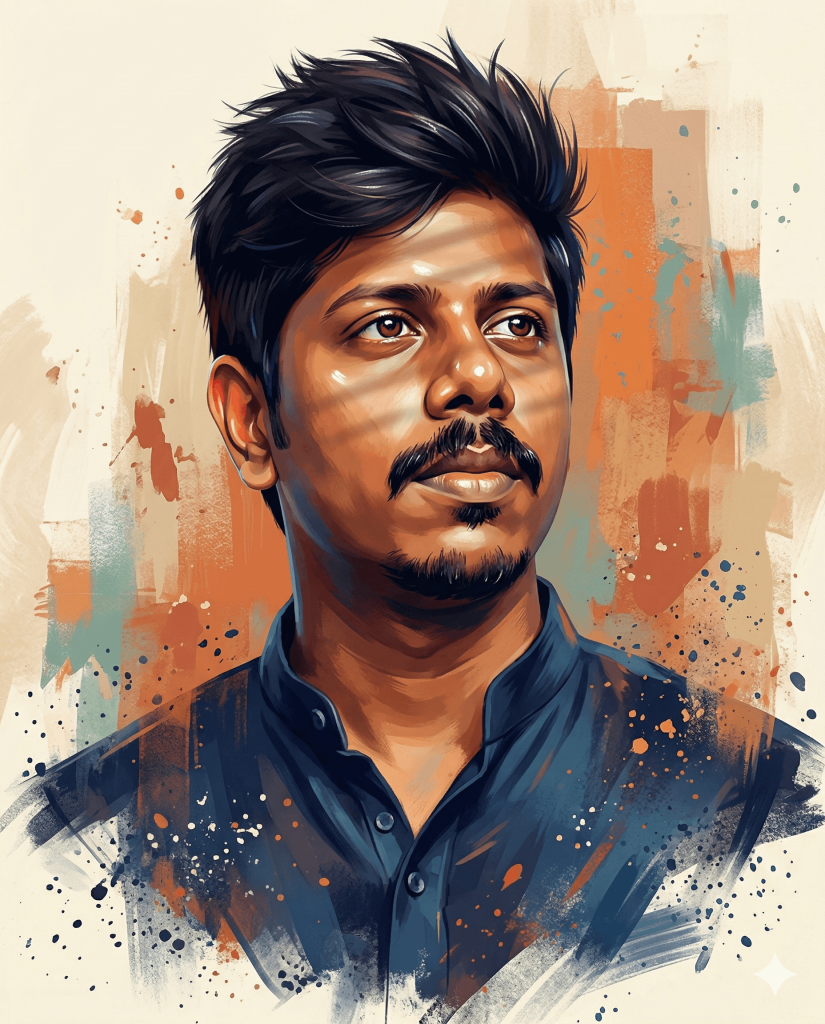
A person shown from the shoulders up in a three-quarter view, looking slightly upward and to the right with a thoughtful, determined expression. The portrait must accurately match the subject’s identity, age, face, facial structure, proportions, hairstyle, hairline, hair texture, and beard (if present), exactly as seen in the reference image.
Ensure the subject’s facial hair matches the reference: maintain a perfectly clean-shaven look if no hair is present, or a sharp, well-maintained, and groomed beard if shown.
The subject has tan skin, naturally styled, voluminous hair, bright, enhanced eye colour, a strong jawline, a defined nose, prominent cheekbones, and a trimmed moustache (if present).
Lighting: soft direct window light from the front illuminating the face, ears, and hair. Glossy painted highlight reflections on the forehead, nose bridge, cheekbones, chin, and lips, with defined specular highlights on individual hair strands to create a polished shine effect similar to editorial portrait painting. Subtle window-blind shadow bars fall across the face only. Hair strands catch the light with a natural shine.
Rendering quality: ultra-detailed 4K digital painting with strong emphasis on facial features, ear detail, skin texture, and individual hair strands.
Clothing: dark blue kurta shirt, minimally detailed but rendered with the same expressive acrylic brush strokes, painterly shading, color blending, and subtle highlight reflections as the face, including visible paint texture and stylized lighting accents on fabric folds.
Lower fade effect: the lower portion of the portrait gradually dissolves into painterly brush strokes, with the shoulders and clothing softly fading into abstract paint textures rather than ending with a hard edge. The transition blends smoothly into the background using loose acrylic strokes, soft opacity falloff, and scattered paint splashes, creating a natural artistic fade-out from the chest downward while keeping the face fully sharp and detailed.
Color palette: rich, saturated painterly tones with warm colors – burnt orange, terracotta, and peach – combined with deep navy and cool blue shadow accents. High color depth and contrast similar to modern editorial illustration.
Background: abstract painterly backdrop with a cream and beige base, layered orange and terracotta brush strokes, muted teal accents, splattered paint marks, and textured acrylic-style strokes.
Style: expressive acrylic and oil painting, modern editorial illustration, centered portrait composition.
Resolution: 4K, ultra-sharp focus, rich color grading.
Aspect ratio: 4:5
Version 2: Classical Oil Painting Portrait
Crucial Instructions:
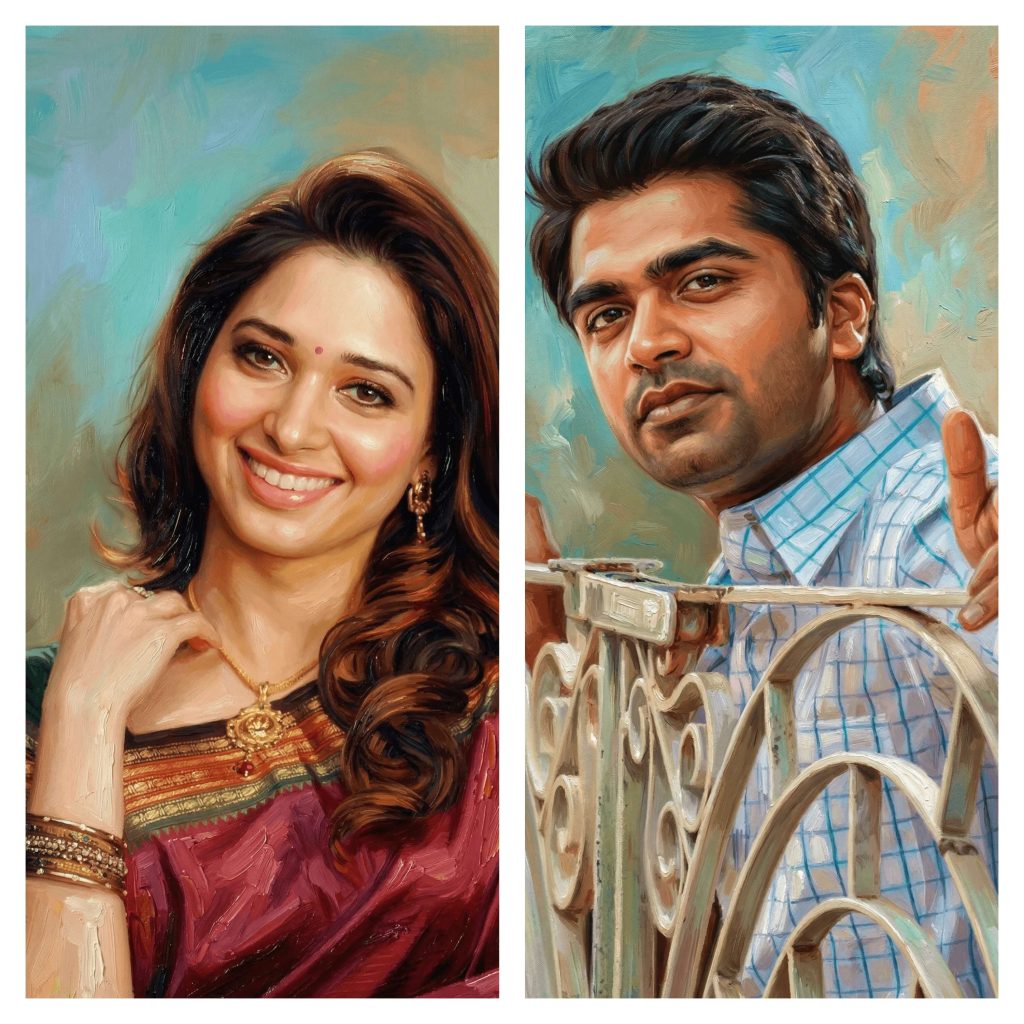
Identity: Use the uploaded image for the face identity; maintain the exact same face, facial structure, and 100% likeness.
Expression & Pose: Do not change the pose, position, or any facial expressions from the original photo.
Attire: Maintain the same dress and clothing colors as seen in the uploaded image.
Artistic Details: * Strong emphasis on expressive eyes, soft facial shadows, and realistic skin glow.
Hair painted with layered brushstrokes in deep brown, auburn, and warm highlights, showing volume and subtle texture.
Overall style inspired by modern Indian oil portraiture with bold brushwork, smooth blending around the face, and textured impasto strokes around the clothing.
Ultra-sharp facial detailing with an artistic painterly finish throughout.
Version 3: Hyper-Realistic Digital Portrait (Vibrant Studio Lighting Style)
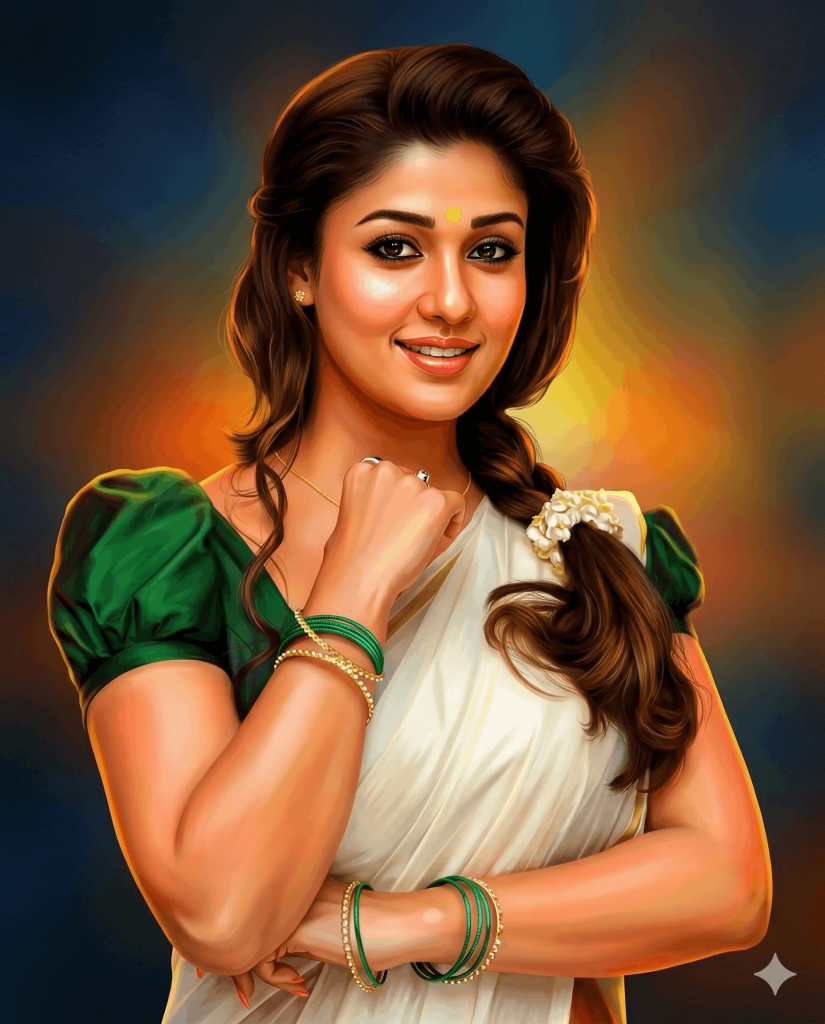
Version 4: Cinematic Stylised Portrait (Comic & Watercolour Fusion Art)
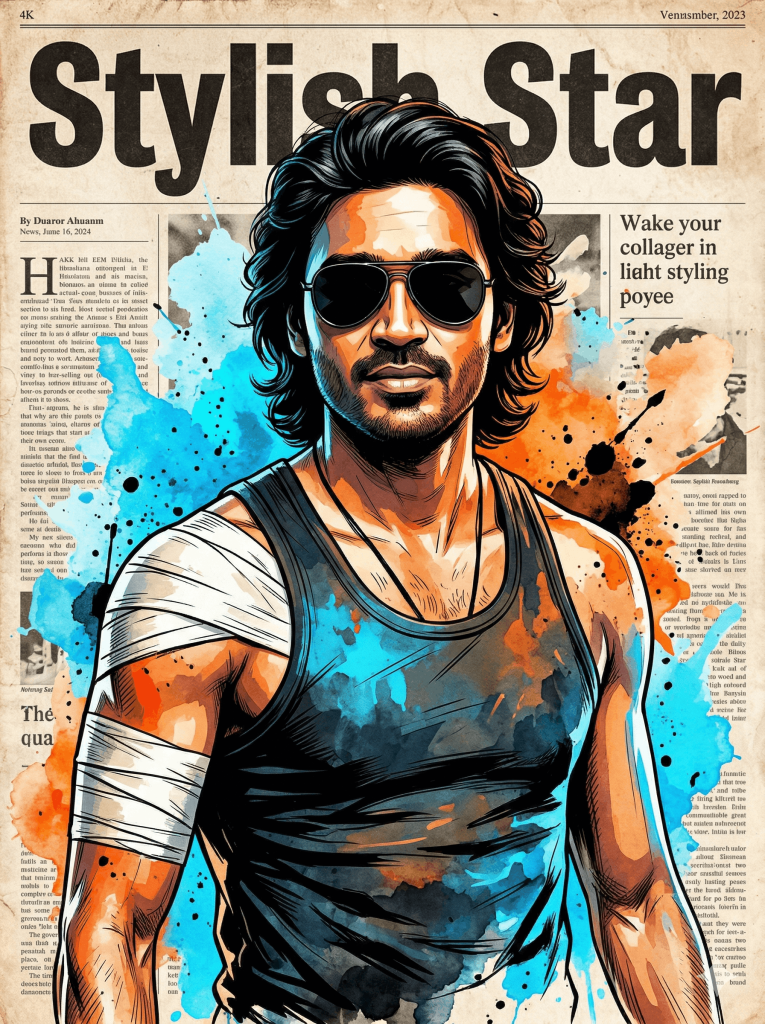
The art style is a blend of realistic comic-book ink detailing and vibrant watercolor splashes in bright blue, orange, and black.
The background features a vintage, weathered newspaper collage, with a bold headline reading ‘Stylish Star’.
Ultra-sharp details, dramatic lighting, cinematic contrast, clean edges, and expressive textures.
4K Ultra-HD quality, highly detailed, professional illustration, aspect ratio 3:4, poster-ready composition.
How to Use These Prompts
1. Below each image, you will see a prompt box with two buttons: Copy and Share to AI.
2. You can tap Copy to copy the full prompt manually. Or simply tap Share to AI; this will automatically copy the prompt for you.
3. After tapping Share to AI, a list of popular AI tools like ChatGPT, Gemini, Copilot, and others will appear on your screen.
4. Click on any AI tool you prefer. It will directly open the selected AI platform.
5. Once the AI page opens, paste the prompt into the prompt box (it is already copied if you used Share to AI).
6. Upload your reference image if required.
7. Click generate, and your image will be created.
8. If needed, you can slightly adjust the prompt for lighting, angle, or mood and generate again.
9. Once you are satisfied with the result, download the image and save it for your use.
Customisation Tips for Better Results
- Match Your Photo Quality: Use a clear, high-resolution image with good lighting for the most accurate facial details.
- Adjust Lighting Style: Add terms like soft light, dramatic lighting, studio light, or cinematic shadows to change the mood.
- Refine Skin Tone & Texture: Specify natural skin tone, glowing skin, or matte finish for more control over realism.
- Control Art Style Intensity: Use phrases like subtle painterly effect or heavy brushstroke texture, depending on how artistic you want it.
- Customise Background: Try plain background, abstract art, studio backdrop, or vintage textures to match your style.
- Enhance Details: Add keywords like ultra-detailed, sharp focus, 8K, and high contrast for more refined outputs.
- Experiment with Colours: Mention warm tones, cool tones, vibrant colours, or a muted palette to change the overall feel.
- Keep Identity Consistent: Always include instructions like “maintain exact face identity” for realistic results.
- Try Multiple Variations: Slightly tweak prompts (lighting, colours, style) to generate different artistic versions of the same photo.
Tip: Small prompt changes can create big visual differences. Experiment to find your perfect style.
0 Comments