
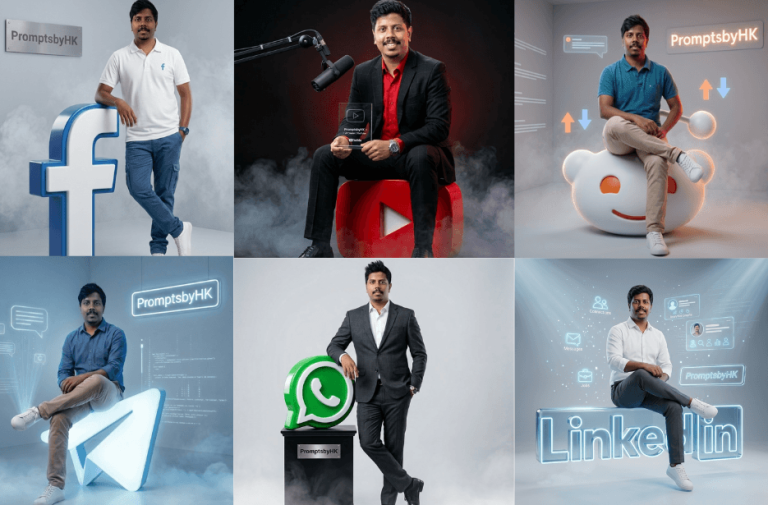
Imagine you want to create a professional LinkedIn-style portrait or a creative Instagram-themed visual for your content, but you don’t have design skills or time to build it from scratch. This is where these social media-themed AI prompts will help you. With the right prompt, you can instantly generate high-quality, platform-inspired images that look realistic.
Whether you are creating content for fun, branding, or showcasing ideas, these prompts make the entire process simple and efficient.
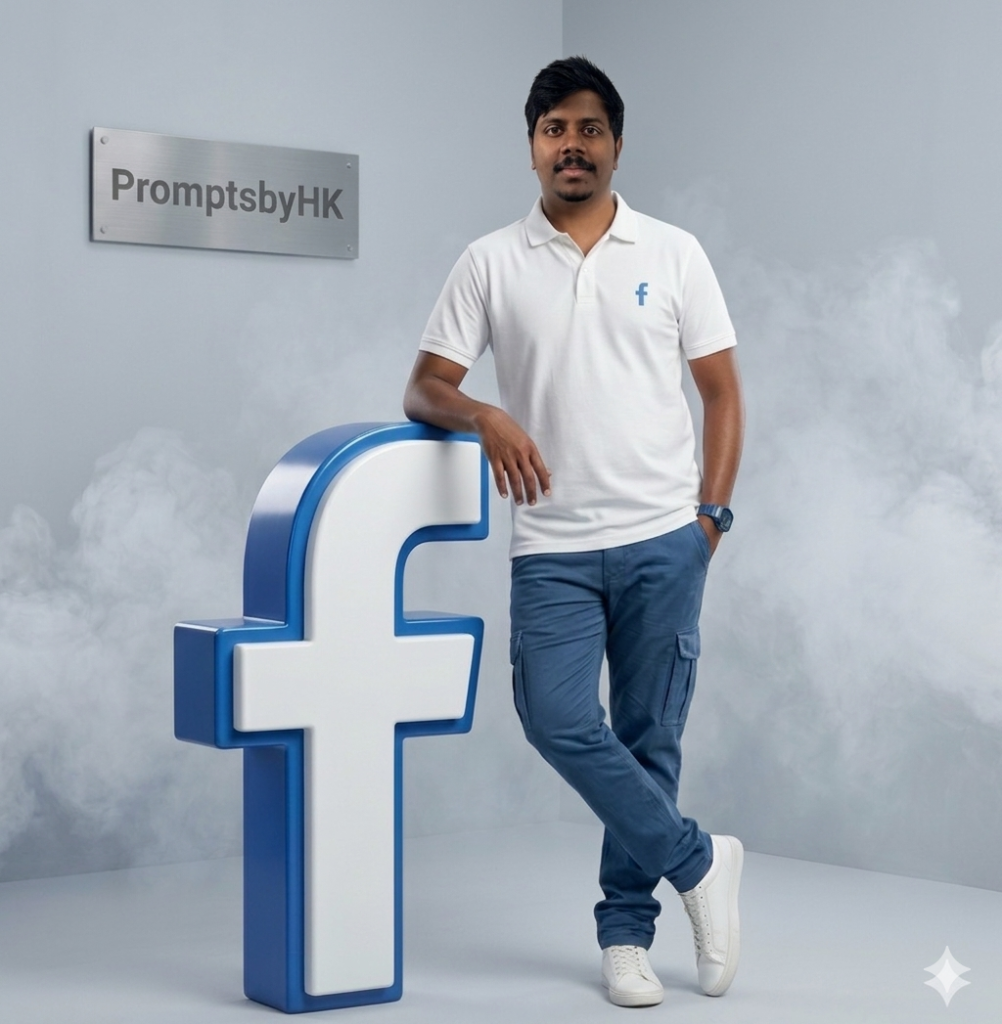
Version 1 – Facebook
Version 2 – Instagram
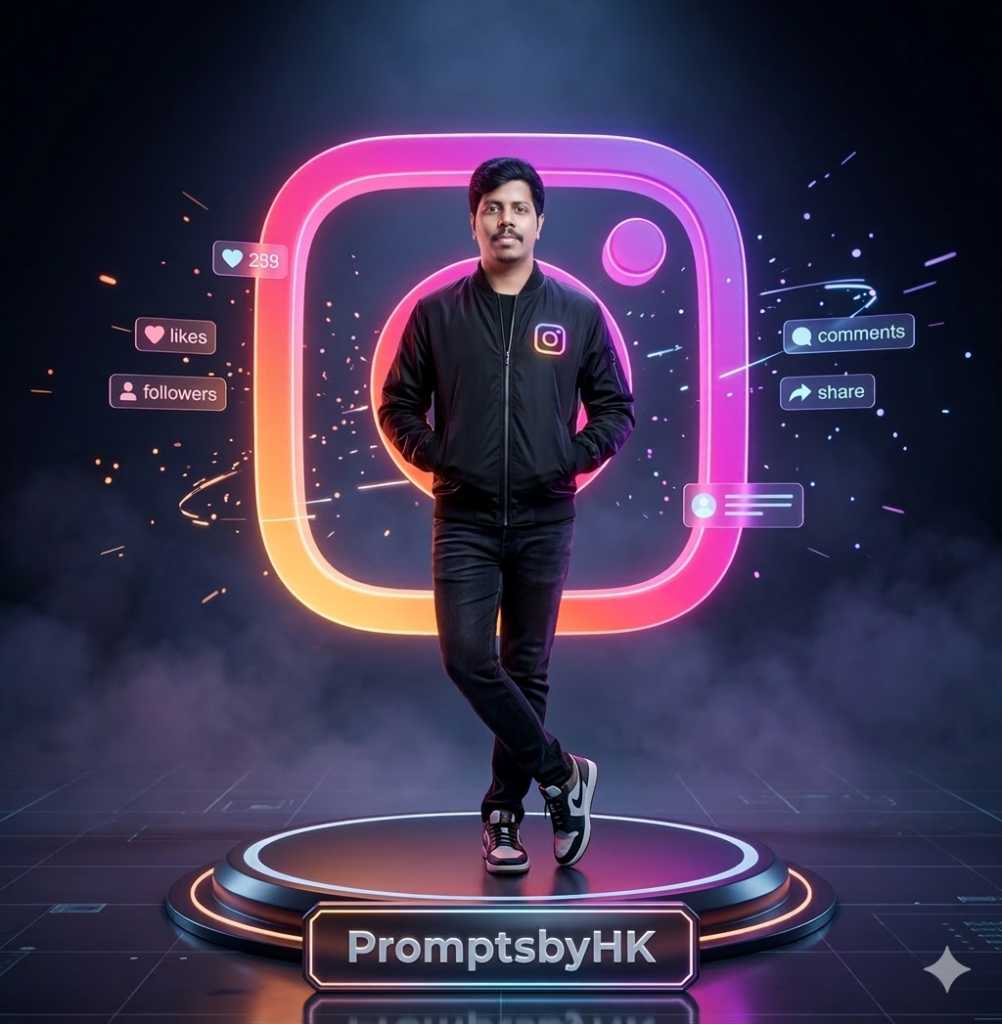
A confident modern man standing casually with legs crossed and hands in pockets, wearing a sleek black bomber jacket with a subtle glowing social media logo, dark fitted jeans, and premium sneakers. He stands on a futuristic circular platform surrounded by soft neon fog.
Behind him is a large glowing 3D rounded-square social media-style frame in vibrant neon gradients (pink, orange, purple), acting as a halo backdrop.
At the base of the platform, include a metallic nameplate with glowing edges displaying the text “PromptsbyHK” clearly and sharply.
Add floating holographic UI elements (likes, followers, comments, share icons) orbiting subtly around him. Include digital particles, light streaks, and a faint futuristic grid on the reflective floor.
Environment: dark premium studio, volumetric fog, cinematic atmosphere
Lighting: neon rim lighting, soft key light on face, high contrast, realistic reflections
Style: ultra-realistic, futuristic, cyberpunk luxury branding shoot
Camera: full-body shot, eye-level, 50mm lens, shallow depth of field
Quality: 8K, HDR, extremely detailed, sharp focus
Strict constraint: maintain exact facial identity from reference image, do not alter facial structure or expression in any way
Version 3 – WhatsApp
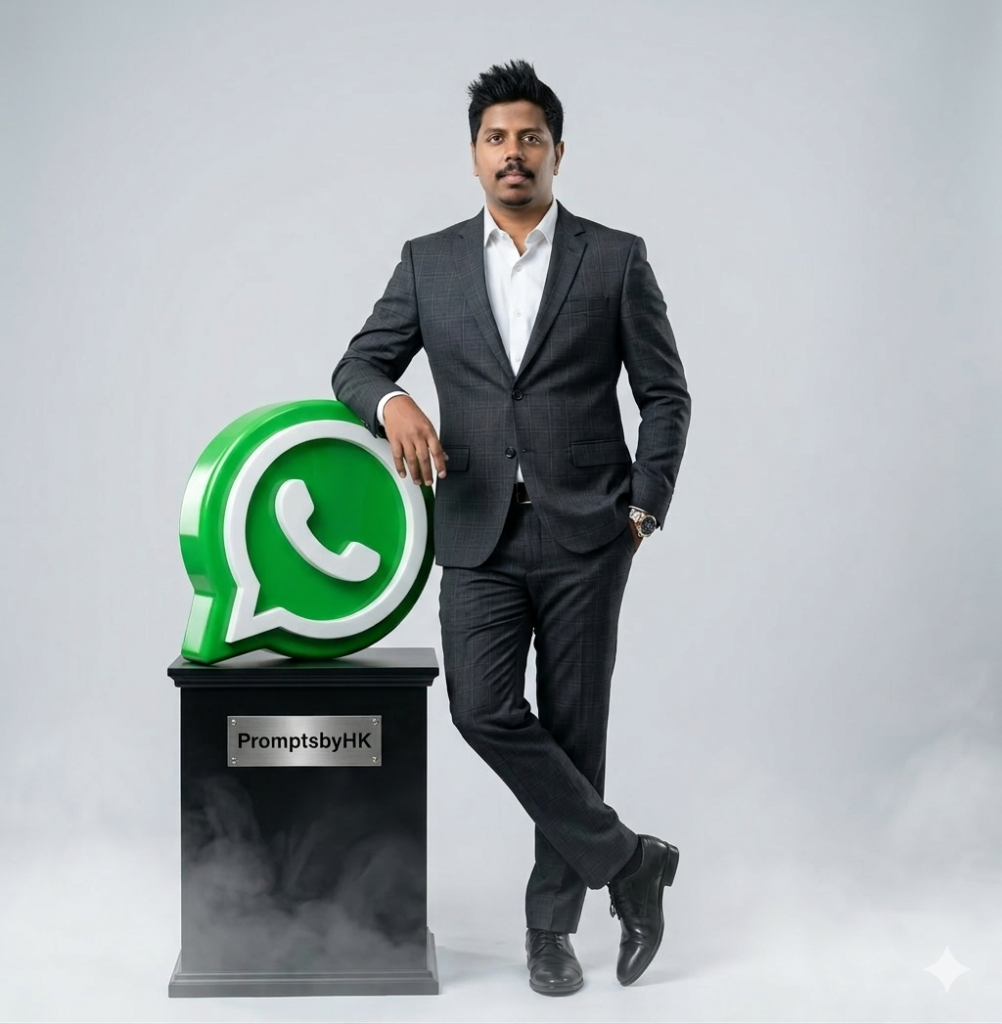
Pose: He is standing in a relaxed yet confident posture, slightly leaning his right arm on top of the WhatsApp logo. His left hand is casually placed inside his pant pocket. His legs are crossed at the ankles, giving a stylish professional stance. He is facing forward and making direct eye contact with a calm, composed expression.
Object details: The WhatsApp logo is large, glossy, and 3D with a vibrant green color and white phone icon, slightly reflective surface. It sits on a rectangular black pedestal with a metallic nameplate on the front that reads “PromptsbyHK”. Soft fog or smoke is subtly emerging around the base of the pedestal, adding depth.
Environment: Minimalistic clean studio background with smooth light grey gradient, no distractions. Floor is matte and slightly reflective.
Lighting: Soft professional studio lighting with a three-point setup — key light from front-left, soft fill light, and subtle rim light to define edges. Gentle shadows under feet and pedestal. Even illumination with realistic skin tones and no harsh contrast.
Style & Quality: Ultra-realistic, high detail, sharp focus, cinematic composition, realistic textures, natural skin tone, depth of field, global illumination, 4K quality, commercial fashion photography style.
Version 4 – YouTube
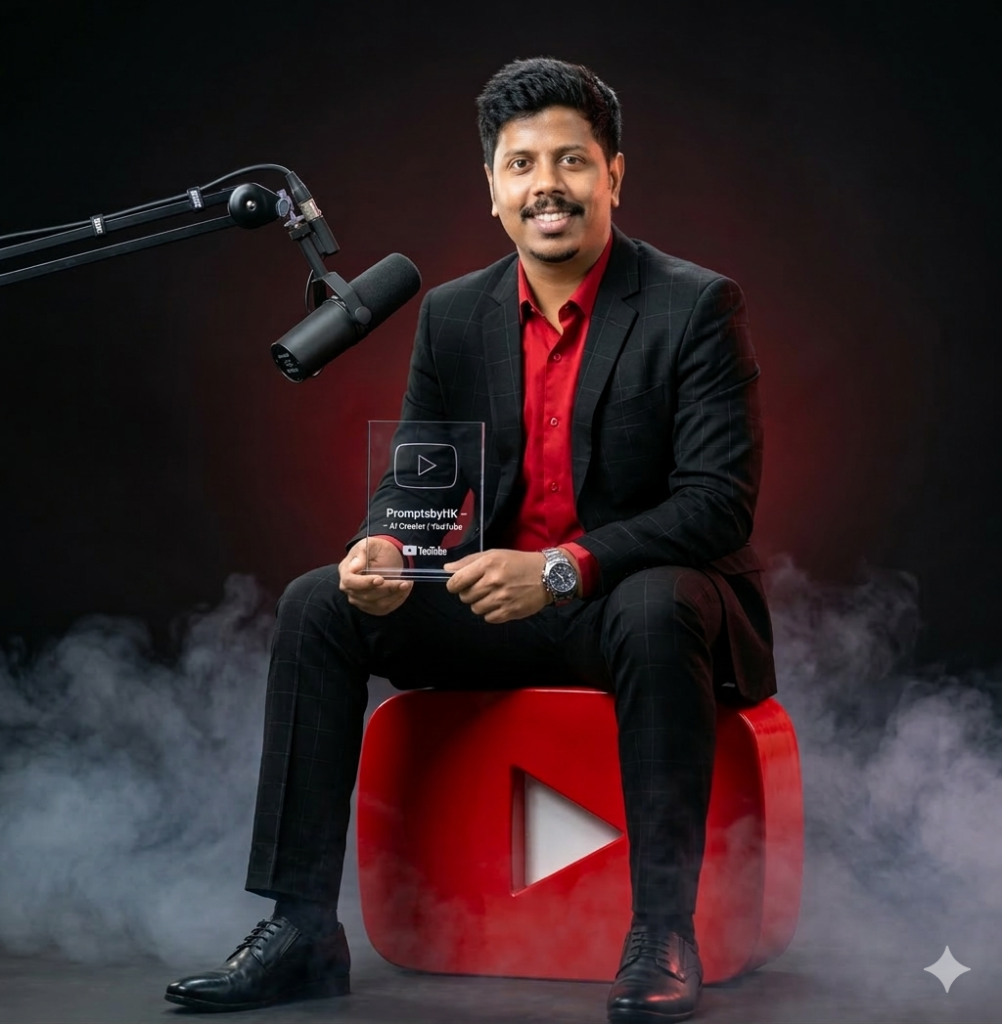
He wears a tailored black checkered suit, a sharp red dress shirt, a premium wristwatch, and polished black leather shoes, styled for a modern professional look.
The subject is holding a sleek creator award plaque engraved with:
“PromptsbyHK – AI Creator | YouTube”
A professional podcast microphone on a stand is positioned beside him, subtly reinforcing a high-end content creator studio environment.
Soft volumetric clouds or smoke wrap around the base of the sculpture, adding depth and a dramatic cinematic atmosphere.
Lighting & Environment:
Dark studio background with soft gradient lighting and controlled highlights. Use cinematic three-point lighting with rim light to enhance subject separation and emphasize the glossy red YouTube logo.
Style & Quality:
Ultra-realistic, hyper-detailed skin texture, sharp focus, realistic reflections, global illumination, depth of field, 85mm lens look, f/1.8 aperture, HDR, 4K resolution, commercial fashion/editorial photography style, clean composition, premium branding aesthetic.
Version 5 – Telegram
Version 6 – LinkedIn
Version 7 – Reddit
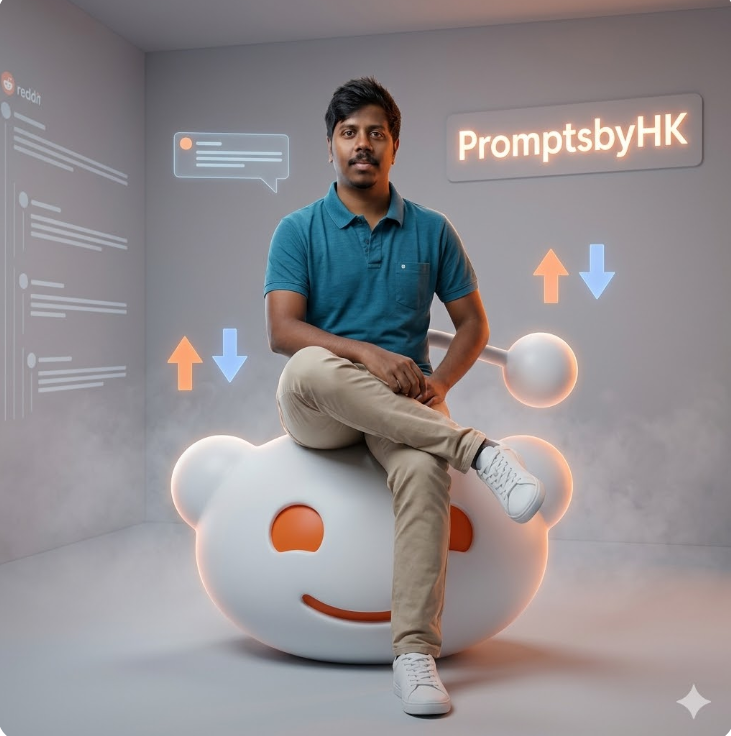
Pose & Composition:
The subject is casually seated on the edge of a large 3D Reddit Snoo mascot sculpture, slightly tilted, with one leg crossed over the other. One hand rests on his knee while the other lightly supports him on the sculpture, giving a relaxed yet authoritative creator vibe. Direct eye contact with a calm, confident expression.
Main Element (Unique Twist):
Instead of a simple logo block, the Reddit mascot is designed as a modern sculptural seat — smooth matte white with subtle orange accents, softly glowing edges, premium product-style finish.
Scene & Environment:
Minimal studio space with a soft neutral grey background, enhanced with subtle Reddit-inspired elements:
Floating holographic comment bubbles around him (clean white outlines)
A few upvote/downvote arrows subtly rising upward near the floor (very minimal, not cluttered)
Faint Reddit thread UI lines projected on one side wall (like a soft overlay, not distracting)
Brand Placement:
“PromptsbyHK” appears as a clean glowing wall sign in Reddit orange-white tone, slightly blurred in the background for depth.
Floor & Atmosphere:
Smooth matte studio floor with slight reflection
Light fog/smoke near the base of the sculpture for depth (very subtle)
Soft shadow grounding the subject
Outfit:
Smart casual business look — solid shirt (blue/white), beige or neutral chinos, clean white sneakers — modern creator/entrepreneur vibe (not overly formal like suit)
Lighting:
Soft studio lighting with balanced exposure
Slight warm orange accent light from one side (inspired by Reddit branding)
Gentle rim light for subject separation
Clean skin tones, natural finish
Mood:
Modern creator, community leader, approachable yet premium — “face of a digital platform”
Style & Quality:
Ultra-realistic, high detail, natural skin texture, sharp focus, soft shadows, depth of field, commercial photography style, 4K–8K, clean composition
How to Generate Your Social Media Themed AI Images
1. You can see a prompt menu at the top with two options – Copy and Share to AI.
2. Select Copy to copy the full prompt manually. Or tap Share to AI; this will automatically copy the prompt for you.
3. After tapping Share to AI, choose Gemini. If you have chosen the Copy option, visit the Gemini webpage.
4. Paste the prompt into the box (it is already copied if you used Share to AI).
5. Now, upload your photo and click the Arrow icon. If needed, you can slightly adjust the prompt for lighting, angle, or mood and generate again.
6. Wait a few seconds while Gemini processes and generates the enhanced and more detailed version of the image.
7. Once you are satisfied with the result, download the image and save it for your use.
Customization Tips
You can slightly modify the prompts to get even better results depending on the AI tool you use.
1. Adjust Lighting
If the image appears too dark or too bright, add instructions like: “enhance cinematic lighting” or “soft natural lighting.”
2. Improve Face Matching
If the face swap does not look natural, include phrases like: “highly detailed face match” or “accurate facial identity preservation.”
3. Enhance Cinematic Style
To make the image look more dramatic, add styles such as: “epic cinematic color grading,” “film poster style,” or “ultra-realistic lighting.”
4. Adjust Camera Perspective
You can modify the viewing angle with phrases like: “slight low-angle shot,” “close-up cinematic portrait,” or “wide cinematic framing.”
5. Increase Image Quality
For sharper results, add quality terms like: “high detail,” “8K resolution,” or “ultra realistic textures.”
6. Experiment with Multiple Generations
Sometimes the best result appears after a few tries. Generate the image multiple times and pick the version you like the most.
0 Comments