
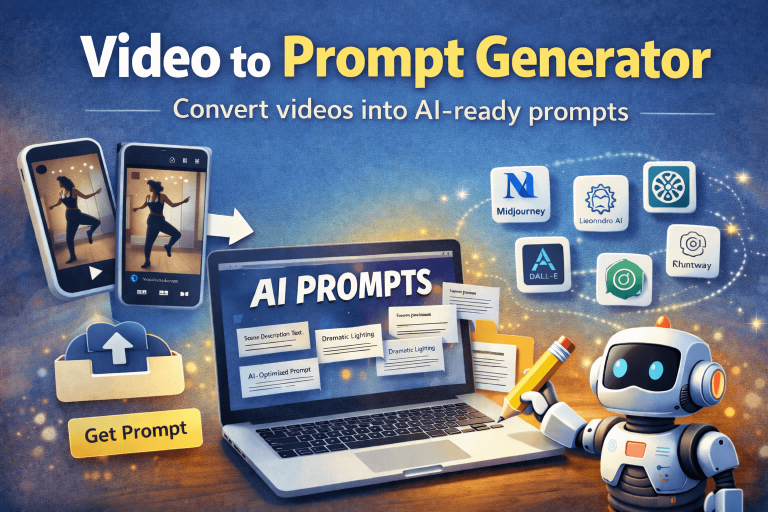
Turn any video into powerful, AI-ready prompts in seconds.
With the Video to Prompt Tool, you can instantly transform YouTube Shorts, Reels, or uploaded video clips into detailed prompts that describe scenes, characters, camera angles, lighting, motion, and actions. Our Video to Prompt tool analyses uploaded videos frame-by-frame to generate scene-by-scene descriptions, camera movements, characters, actions, and AI-optimised prompts you can use across popular image and video generation platforms.
No manual writing, no guesswork, just paste a video link or upload a file and generate structured prompts for your creative workflow.
How to Use This Tool?
- Paste a video URL (YouTube Shorts, Reels, etc.) or upload a video file (up to 20MB).
- Click Get Prompt.
- The tool analyses the video frame by frame.
- View the generated scene-by-scene prompt results.
- Click Copy All to copy prompts or Export to download as a TXT file.
- Paste the prompt into your preferred AI platform and start creating.
Why Use This Tool?
- Transforms videos into detailed, AI-ready prompts: Automatically converts visual content into structured prompts describing scenes, characters, lighting, motion, and camera angles.
- Produces scene-by-scene breakdowns: Generates time-based segments with clear descriptions and optimised prompts for each moment in the video.
- Eliminates manual prompt writing: No need to describe visuals yourself; the tool does the heavy lifting in seconds.
- Works with links and uploads: Supports YouTube Shorts, Reels, and direct video file uploads for flexible usage.
- Compatible with major AI platforms: Prompts are optimised for Midjourney, Stable Diffusion, ChatGPT, DALL·E, Leonardo AI, Runway, and more.
- Browser-based and lightweight: No installation or technical setup required, just open the tool and start creating.
Frequently Asked Questions
A Video to Prompt Generator converts a video into AI-ready text prompts. When you upload a video file, the tool analyses frames at regular intervals and generates scene-by-scene prompts including actions, camera angles, lighting, and environment details.
Yes. When you upload a video file, the tool samples frames every few seconds and creates time-based segments like: 00:00–00:03, 00:03–00:06, 00:06–00:09. Each segment includes scene description, characters, actions, and optimised prompts.
Yes. You can paste a YouTube URL to generate a smart AI prompt based on video context. For a detailed frame-by-frame scene breakdown, uploading the video file is recommended.
You can use the generated prompts with: Midjourney, Stable Diffusion, DALL·E, ChatGPT, Leonardo AI, Runway, or any other image or video generation AI platform.
Our converter supports MP4, MPEG/MPG, MOV, AVI, WEBM, and OGG.
No. Videos are processed only to generate prompts and are not saved to your Media Library or stored permanently.
Yes. You can freely modify, expand, or combine the generated prompts to better match your creative style or specific project needs.
Yes. Users can generate only up to 3 prompts per day.