

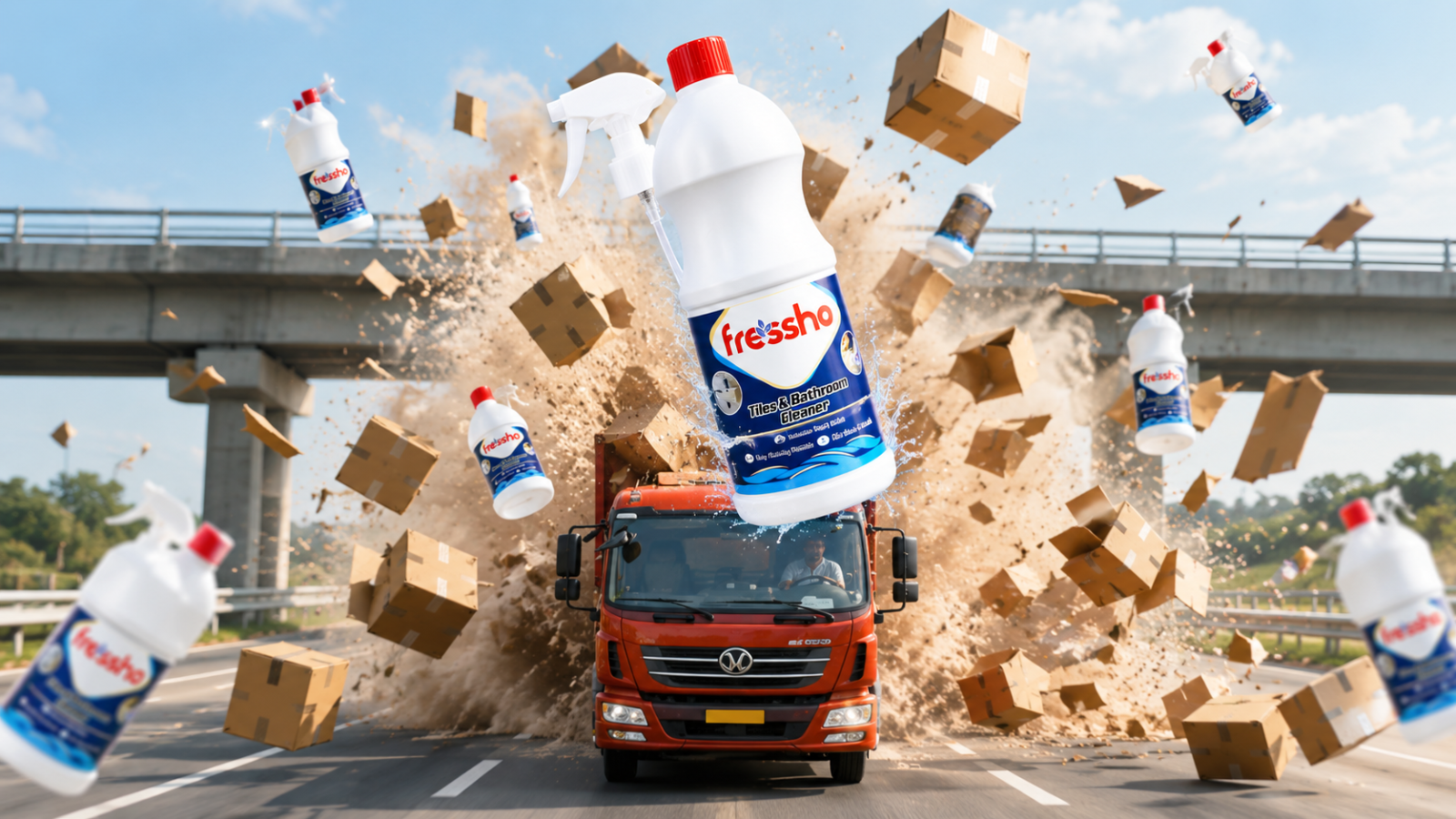
Turn your product into a high-impact cinematic AI advertisement with this creative video prompt. Using your uploaded product reference, you can recreate a dramatic truck-and-bridge collision scene where only the box layers that hit the bridge shatter, sending the products into a dynamic mid-air reveal before transitioning into a premium hero shot. The prompt keeps your original bottle, packaging, branding, colours, and proportions unchanged, making it ideal for creating eye-catching product ads for social media and marketing.
Video Prompt
Create a 6-second vertical 9:16 photorealistic cinematic commercial. A red cargo truck drives along a 3-lane highway, carrying a very tall stack of brown cardboard boxes filled with my product. The truck approaches and passes under the first small crossing bridge, causing the tall box stack to violently collide with and shatter against the bridge.
The video is filmed by an imaginary cameraman standing on a second small crossing bridge farther ahead, looking down the highway toward the approaching truck.
At impact, the boxes explode into realistic cardboard fragments and dust while multiple products burst outward. One product flies toward the camera and becomes the hero product.
5–6s: Freeze the hero product in the foreground in the same premium freeze-style reveal as the reference, with subtle debris moving behind it.
Keep the truck, bridges, highway, physics, product packaging, branding, colors, and proportions realistic and unchanged. No extra vehicles or people. and remember only the layers hit the bridge gets shattered in the mid air and not all the boxes in the truck
How to Create this AI Ad Video for your Product
1. Click the Copy option to copy the prompt.
2. Go to Google Flow.
3. Upload your product reference image.
4. Paste the copied prompt.
5. Switch to Video mode.
6. Select your preferred resolution and set the video duration to 8 or 10 seconds.
7. Click Generate and wait for your video to be created.
Customization Tips
1. Change the Product – Replace the uploaded product with your own bottle, packaging, or product.
2. Customize the Boxes – Try plain, branded, or printed cardboard boxes.
3. Change the Hero Reveal – Make the product fly, rotate, or move toward the camera.
4. Customize the Background – Try a highway, city road, industrial area, or open road.
5. Keep the Collision Accurate – Only the box layers that hit the bridge should shatter; the remaining boxes stay intact.