

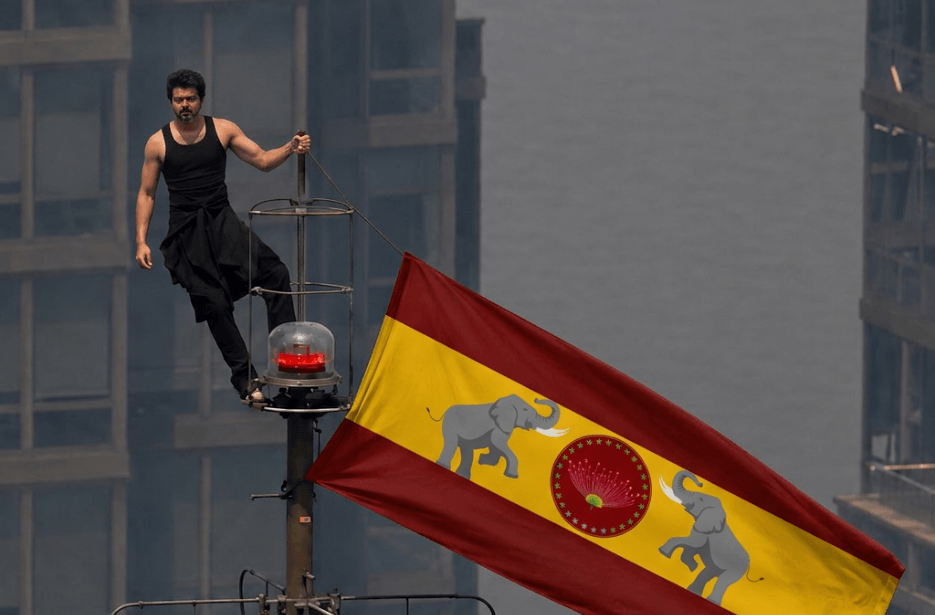
Create your own version of the viral Empire State Building proposal with AI prompt. Add your photos, personalise the message, and let your creativity transform this iconic skyline moment into a unique cinematic masterpiece.
Version 1: Viral Empire State Building Banner Video AI Prompt
The camera begins with a distant telephoto view matching the original photograph exactly, then slowly pushes in. A military-style helicopter appears in the far background, flying between the skyscrapers and gradually approaching behind the tower. The helicopter rotors spin rapidly, creating realistic air turbulence that causes the flag to whip more aggressively through the air. Atmospheric haze, urban fog, and subtle smoke drift between the buildings.
The two individuals maintain their positions on the tower while making slight natural movements for balance. The red warning beacon beneath them flashes periodically. The flag fabric shows highly detailed folds, ripples, and realistic wind physics. Skyscrapers in the background feature subtle reflections and depth from telephoto compression.
Camera movement includes a slow cinematic zoom-in, gentle handheld vibration from long-lens photography, and slight parallax as the helicopter moves behind the subjects. Dramatic overcast daylight, realistic shadows, natural color grading, documentary news footage aesthetic, ultra-realistic physics, sharp focus on the tower and flag, shallow atmospheric depth, high detail, 4K HDR quality, cinematic realism, smooth motion, professional aerial cinematography.
Video Settings: 10–15 seconds, 24fps, telephoto lens (400–600mm look), realistic helicopter motion, strong wind simulation, dynamic flag movement, cinematic documentary style, ultra-realistic, no extra people, no visual distortions, no cartoon effects, no CGI appearance.
Version 2: Empire State Building Banner Photo AI Prompt
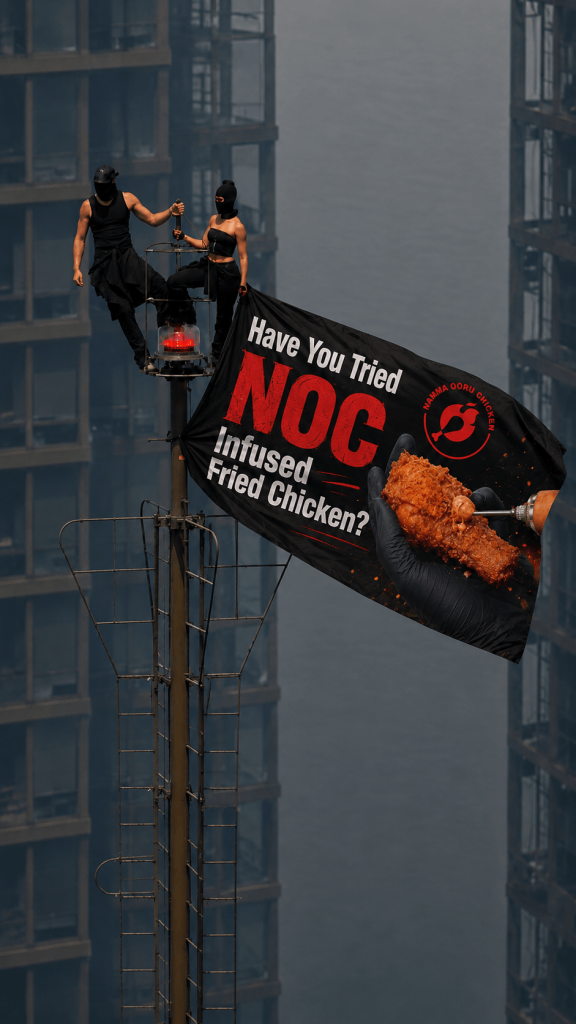
Version 3: Empire State Building Solo Flag Scene AI Prompt
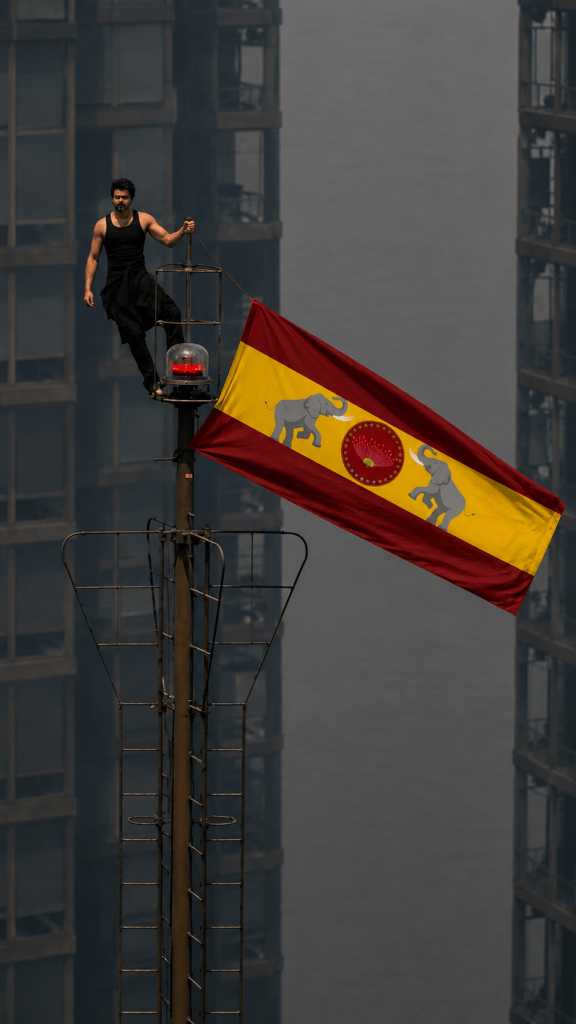
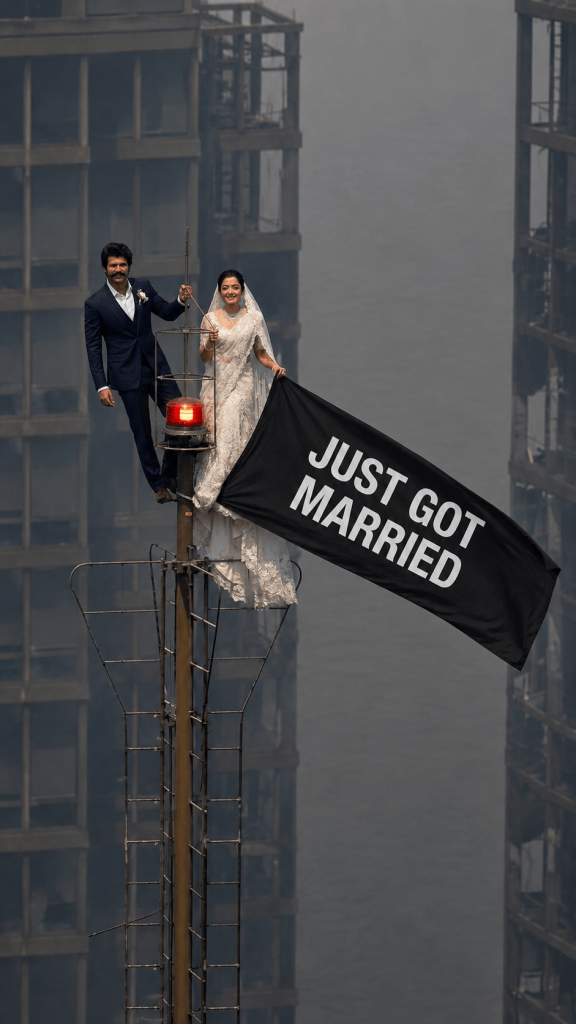
Version 3: Empire State Building Wedding Banner AI Prompt
How to Create Your Own Version
1. Click the Copy Prompt button to copy the entire prompt.
2. Open your preferred AI image generator, such as ChatGPT or Adobe Firefly.
3. Paste the copied prompt into the image generator’s prompt box.
4. Upload the reference image provided with the prompt to ensure the composition, pose, and style are recreated accurately.
5. Upload your own photos that you want to use as the identity reference.
6. Generate the image and wait for the AI to process the prompt and references.
7. Review the result and, if needed, regenerate or make small adjustments to achieve your preferred look.
8. Download and save your personalised image once you’re satisfied with the final output.
Customization Tips
- Upload your own photo to replace the person standing atop the structure.
- Change the banner text to wedding announcements, brand promotions, birthdays, or custom messages.
- Add your company logo, product image, or business advertisement to the flag.
- Customize clothing such as wedding outfits, chef uniforms, formal suits, or casual wear.
- Replace the skyline with New York, Dubai, Mumbai, London, or any preferred city.
- Add helicopters, drones, fireworks, fog, clouds, or dramatic weather effects.
- Choose between static photo generation or cinematic video creation.
- Adjust lighting to golden hour, sunset, daytime, overcast, or nighttime scenes.
- Create realistic telephoto documentary shots or dynamic 3D cinematic camera movements.
- Export in 1:1, 16:9, or 9:16 aspect ratios for social media, websites, and marketing campaigns.