

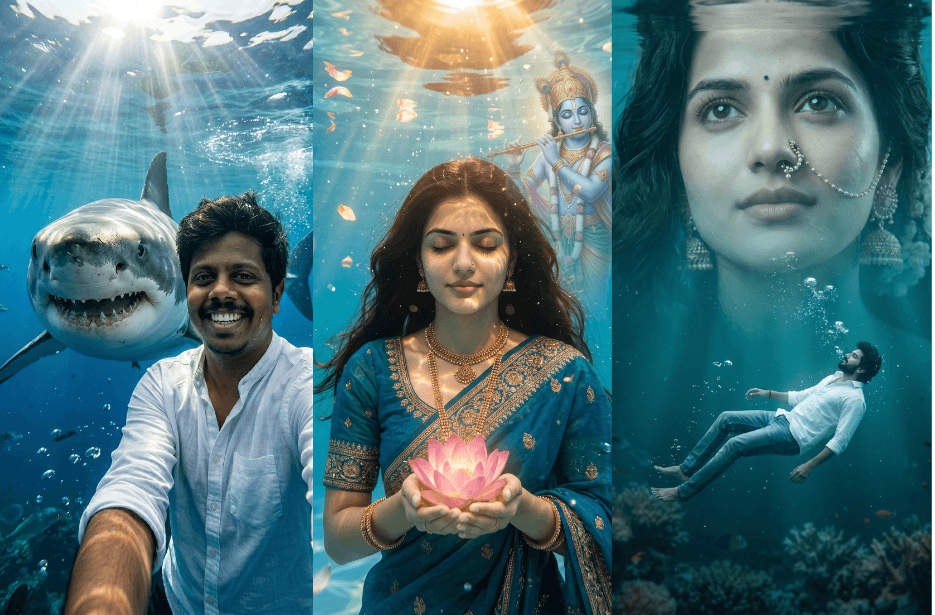
Underwater AI photo edits are becoming one of the most popular trends on social media. From peaceful underwater portraits and adventurous shark selfies to spiritual Krishna-inspired artwork and dreamy fantasy scenes, these creative prompts can transform your ordinary photos into stunning cinematic masterpieces. Here, you’ll find six unique underwater AI photo edit prompts that help create realistic, artistic, and viral-worthy images using your own photos.
Version 1: Underwater Portrait
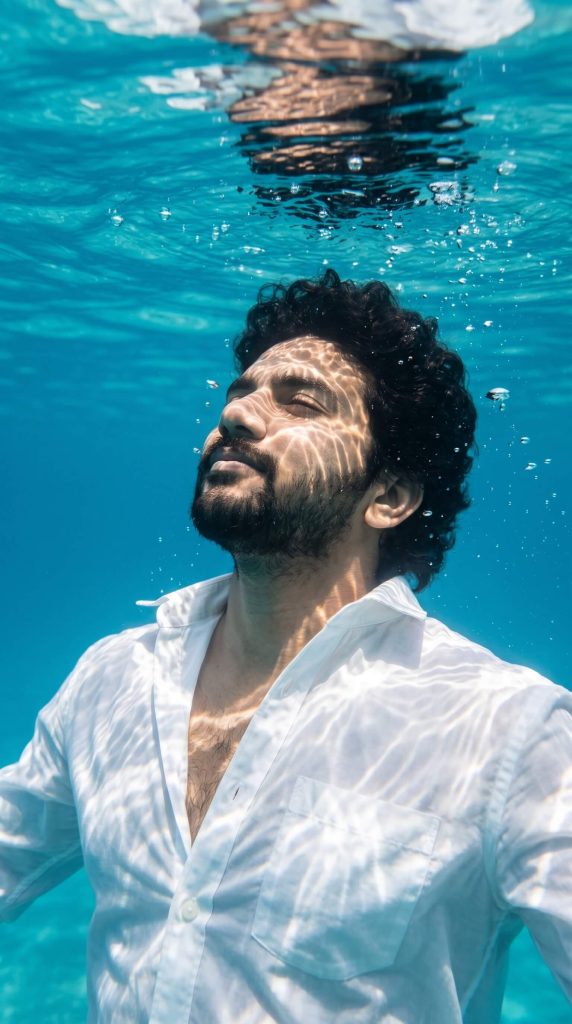
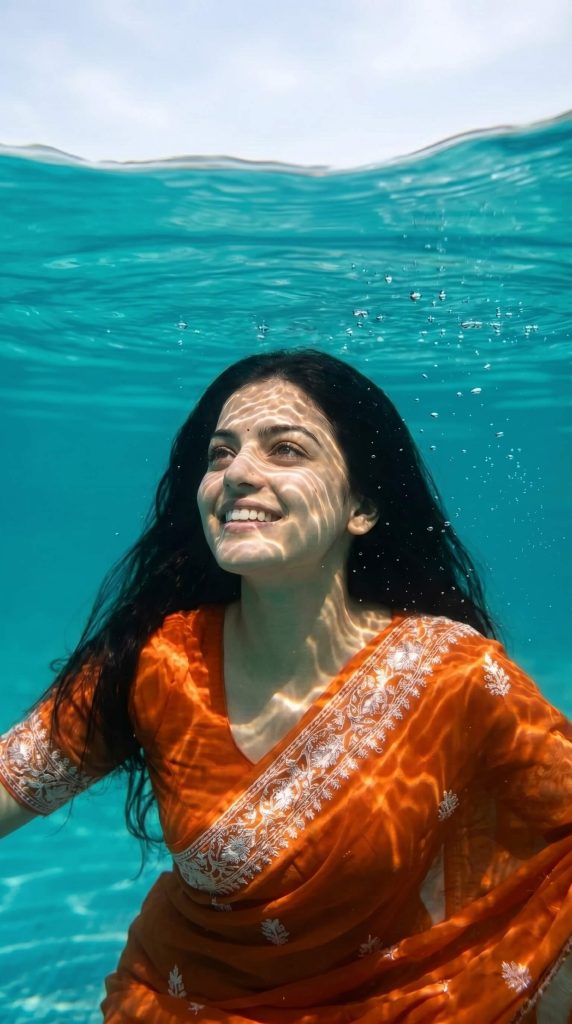
Bright sunlight filters down through the water, creating shimmering caustic light patterns across his skin and clothing. The environment is filled with rich turquoise tones, soft underwater haze, and gradual depth fade in the background. Tiny air bubbles rise toward the surface, which glows with subtle reflective ripples.
The scene is graded with a cinematic teal and warm amber tone, preserving natural skin colors while enhancing ocean blues. Ultra-detailed facial features, realistic water distortion, and soft underwater diffusion effects. Sharp focus on the face with gentle background blur. HDR lighting, minimal composition, serene mood, ultra-realistic 8K underwater photography style.
Version 2: Underwater Selfie with Selfie
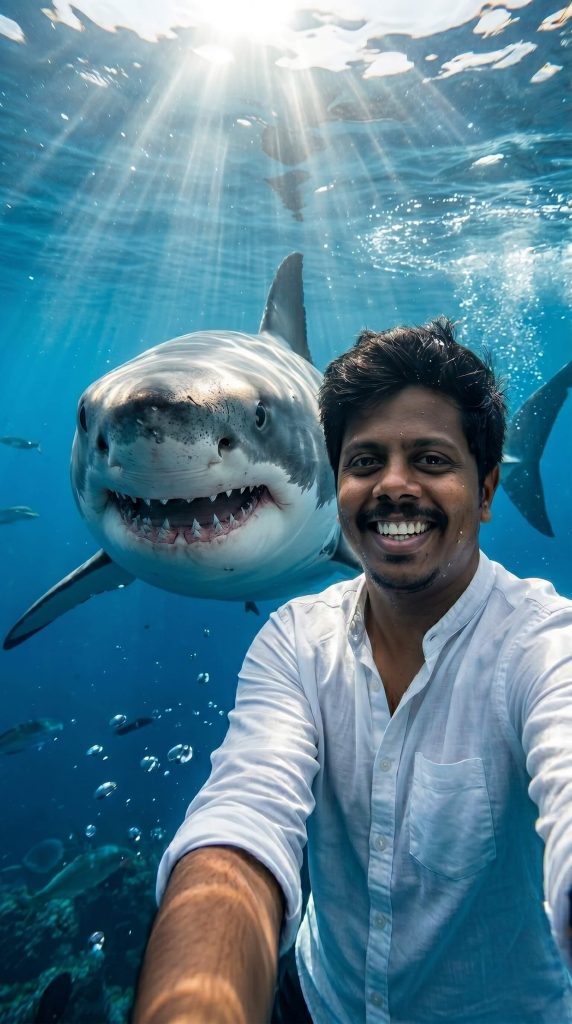
The setting is a crystal-clear blue ocean with sunlight streaming down from the surface, creating dynamic light patterns in the water. Captured in a wide-angle selfie perspective, the scene conveys a sense of adventure with a fun, daring, and humorous vibe.
Highly detailed underwater textures, realistic marine life rendering, rich water effects, and hyperrealistic wildlife styling. Shot in an immersive underwater photography style with stunning clarity and depth, 8K resolution, aspect ratio 3:4.
Version 3: Krishna Underwater Fantasy
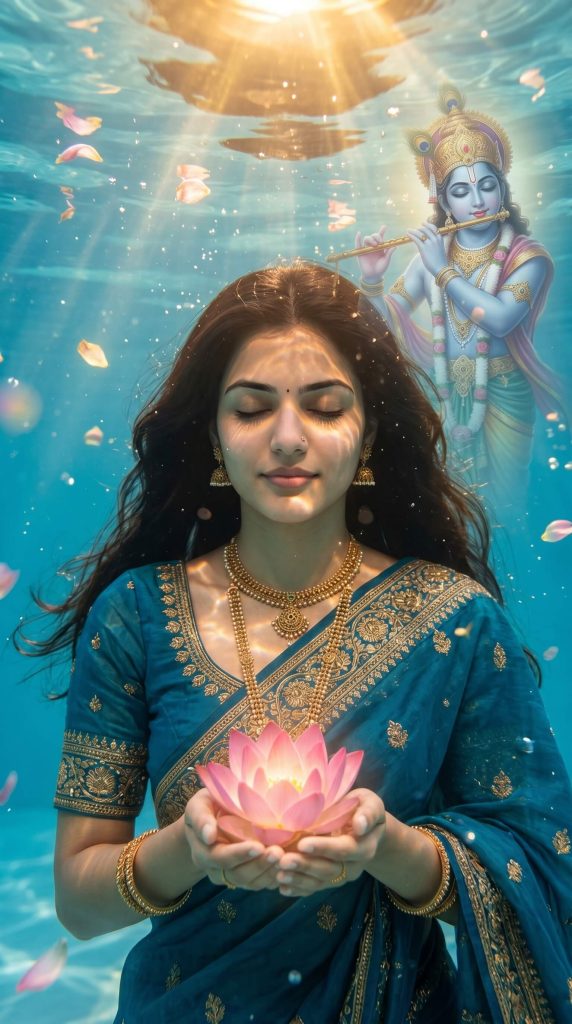
I am depicted as a serene figure submerged underwater, eyes closed, calm expression, holding a glowing pink lotus flower in both hands. Wearing a traditional teal-blue saree with intricate gold embroidery, detailed jewelry (necklace, earrings), and soft natural makeup. Long hair flowing gently in water.
Above and behind me, a large divine, semi-transparent figure of Lord Krishna appears underwater, softly illuminated, playing a flute, with a peaceful expression.
Deep blue underwater environment with cinematic lighting, golden light rays filtering from the surface, floating petals, air bubbles, and shimmering water reflections across the skin and clothing.
Highly detailed textures, volumetric lighting, soft glow, spiritual and dreamy atmosphere, fantasy cinematic poster style, sharp focus, 4K ultra-realistic quality.
Version 4: Dreamy Underwater Love Story
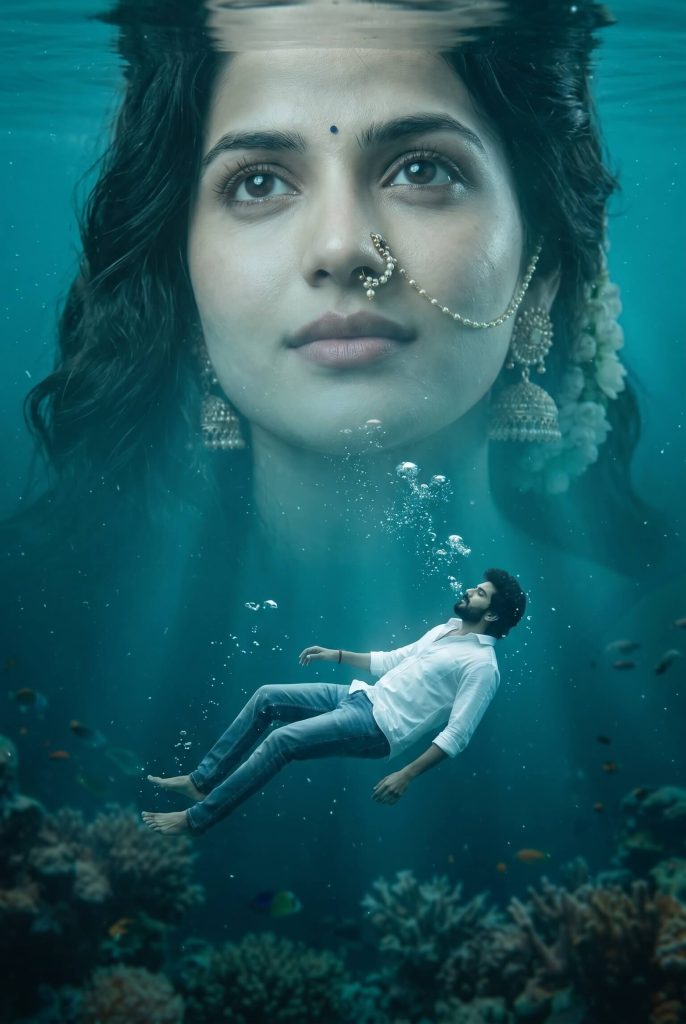
A massive, dreamy, semi-transparent version of her face emerges beneath the water’s surface, showing a calm, emotional expression. Soft ripples and reflections flow across the water, enhancing the deep blue underwater atmosphere. Cinematic lighting, floating particles, and subtle glow effects create a surreal, romantic mood.
Below this larger face, a realistic full-body version of the man floats peacefully underwater, dressed in a casual shirt and jeans. His pose is dramatic yet serene, surrounded by rising air bubbles, adding to the emotional storytelling composition.
The scene features hyper-realistic water textures, teal-blue color grading, ultra-detailed skin rendering, and volumetric lighting. Styled like a high-end fantasy cinematic poster, it carries a dreamy, emotional, love-inspired concept with sharp focus, realistic reflections, and a visually striking, viral-ready aesthetic in ultra 4K quality.
Version 5: Shivling Underwater Meditation
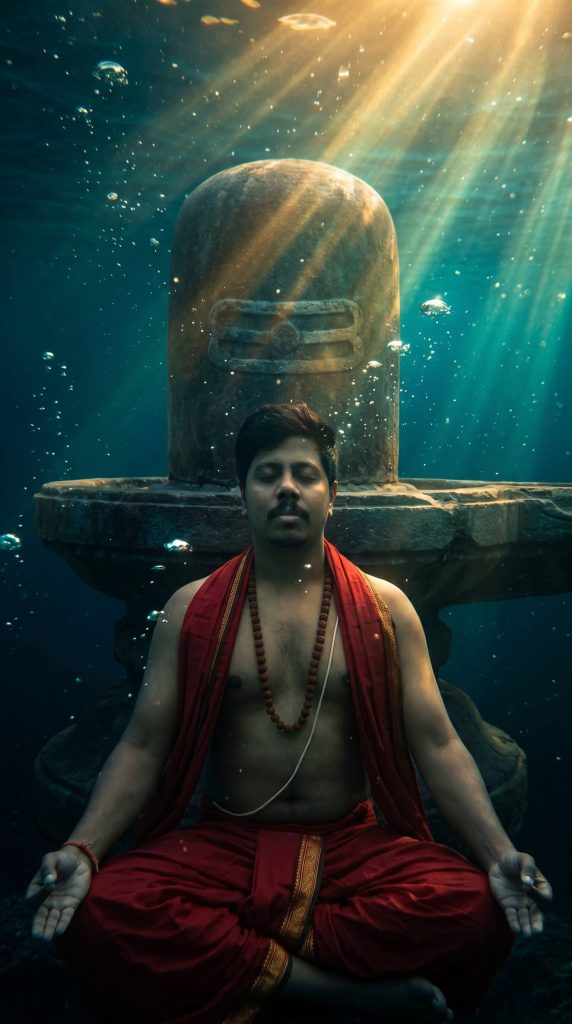
Golden and teal light rays cut through the water, with air bubbles, mist, and fine underwater particles adding depth. The scene has high contrast, sharp detailing, and a moody, divine atmosphere. Ensure the face remains 100% identical to the reference image.
Version 6: Underwater Saree Portrait
How to Use These Prompts
1. Below each image, you will see a prompt box with two buttons: Copy and Share to AI.
2. You can tap Copy to copy the full prompt manually. Or simply tap Share to AI; this will automatically copy the prompt for you.
3. After tapping Share to AI, a list of popular AI tools like ChatGPT, Gemini, Copilot, and others will appear on your screen.
4. Click on any AI tool you prefer. It will directly open the selected AI platform.
5. Once the AI page opens, paste the prompt into the prompt box (it is already copied if you used Share to AI).
6. Upload your reference image if required.
7. Click generate, and your image will be created.
8. If needed, you can slightly adjust the prompt for lighting, angle, or mood and generate again.
9. Once you are satisfied with the result, download the image and save it for your use.
Customization Tips
- Upload a clear, high-resolution portrait photo.
- Use front-facing images for better facial accuracy.
- Replace clothing colours to match your preferred style.
- Adjust lighting intensity for better or moodier effects.
- Change water colour from turquoise to deep ocean blue.
- Add extra bubbles, fish, flowers, or marine elements.
- Experiment with cinematic, fantasy, or spiritual themes.
- Use a 9:16 aspect ratio for Instagram Reels and TikTok.
- Increase detail settings for sharper facial features.
- Preserve facial identity for the most realistic results.