

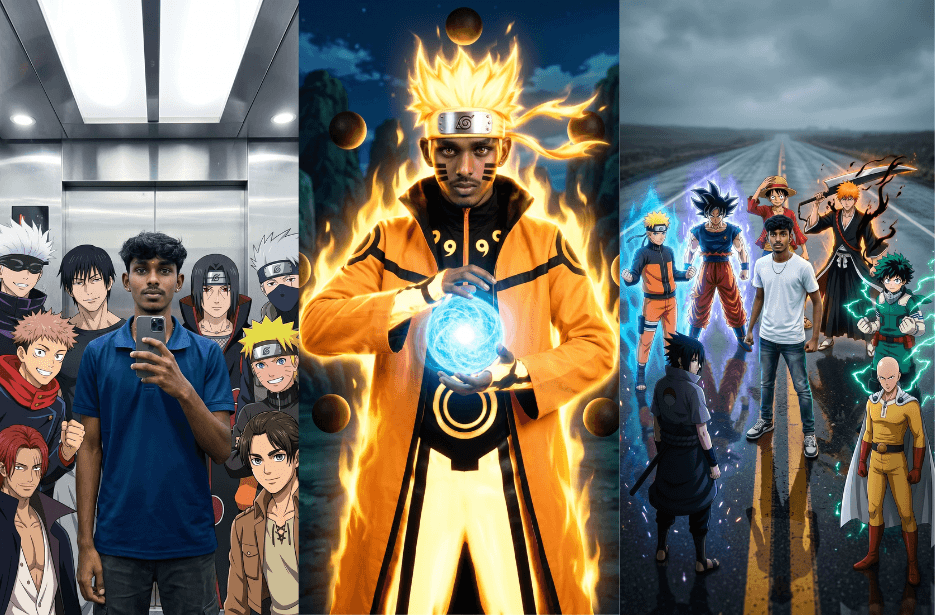
Naruto-inspired AI photo edits are becoming one of the biggest trends on social media. With the right prompt, you can transform your photo into a powerful shinobi, summon Kurama or Susanoo, pose alongside iconic anime characters, or create emotional cinematic scenes straight out of the Naruto universe.
Here are the 10 carefully crafted Naruto AI photo prompts that work perfectly with image generation tools. Simply upload your photo, copy your favourite prompt, and create stunning anime-inspired portraits, action scenes, and crossover artworks in seconds.
Version 1: Naruto Nine-Tails Mode Cosplay
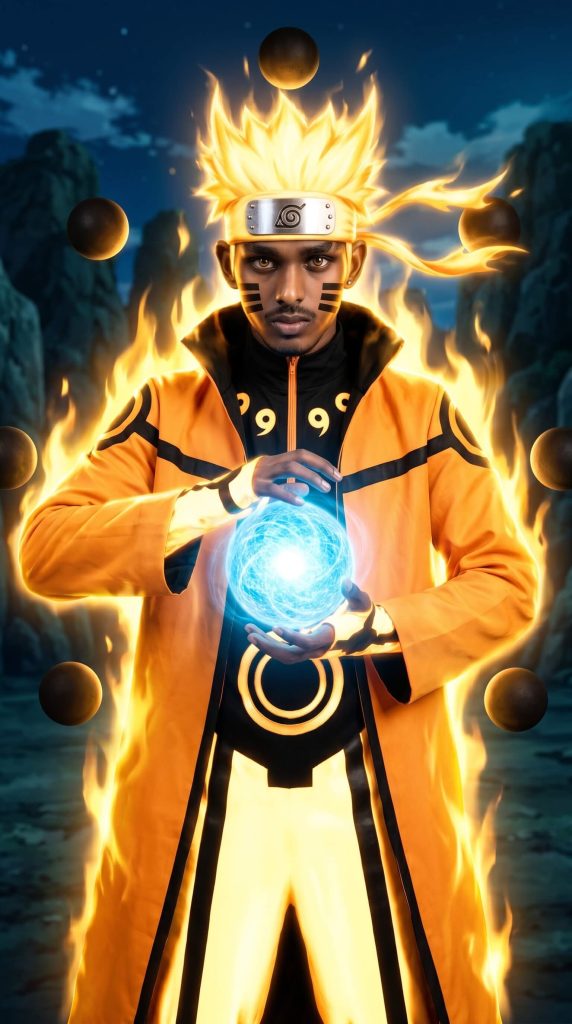
Version 2: Kurama Chakra Guardian Naruto
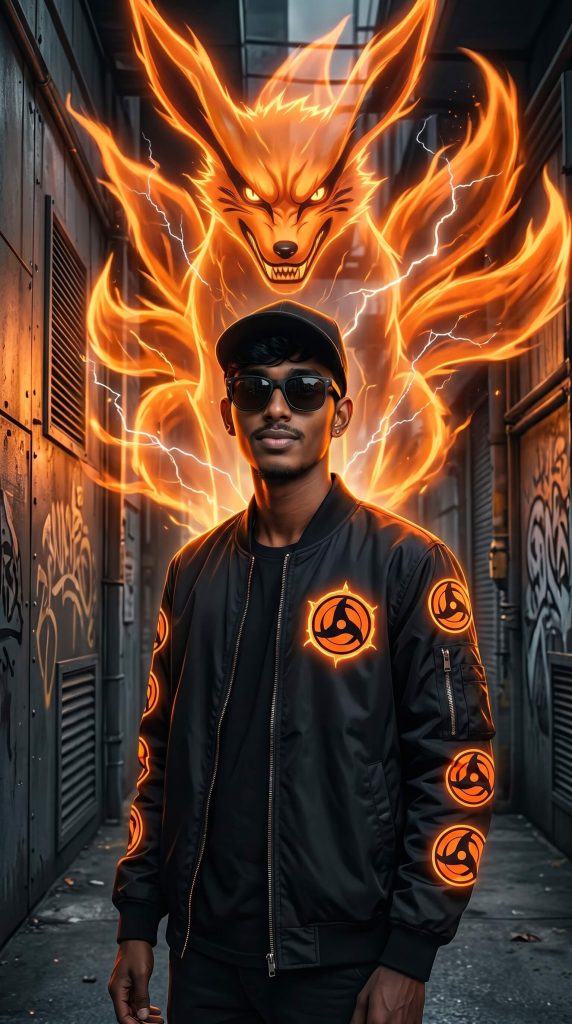
Behind him, generate a large, fiery chakra entity resembling the Nine-Tailed Fox (Kurama), formed from glowing orange energy with sharp ears, fierce eyes, and multiple flowing tails. The chakra fox should appear semi-transparent, radiating power, with electric lightning streaks and flame-like energy trails surrounding both the character and the spirit.
Lighting should be dramatic with strong orange glow highlights reflecting on the subject’s outfit and face, contrasting with darker background tones. Use depth of field, cinematic shadows, ultra-detailed textures, and a blend of realism and anime aesthetics. The overall mood should feel powerful, mystical, and heroic. Render in 4K, sharp focus, high dynamic range, volumetric lighting, and crisp details.
Version 3: Green Susanoo Spirit Naruto
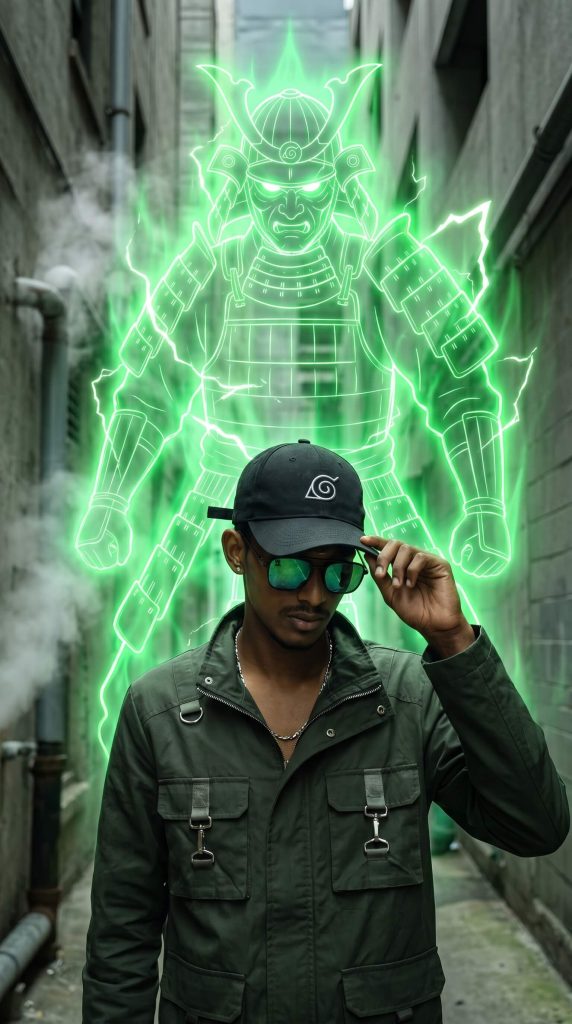
Behind him, generate a large spectral warrior resembling a Susanoo-inspired chakra entity. The figure should look like a glowing green samurai spirit with armor plating, a helmet, and a powerful stance. The chakra avatar must be semi-transparent, made of neon green energy lines, with lightning bolts and electric aura radiating outward. The energy should wrap around the subject subtly, connecting him to the spirit.
Use dramatic lighting with strong green glow illuminating the subject’s edges and clothing. Add depth of field, cinematic shadows, and high contrast between the dark environment and the bright chakra aura. Blend realistic photography with anime energy effects. Ultra-detailed textures, volumetric lighting, sharp focus, HDR, 4K resolution. The mood should feel intense, powerful, and supernatural.
Version 4: Epic Susanoo Summon Jutsu Subway Scene
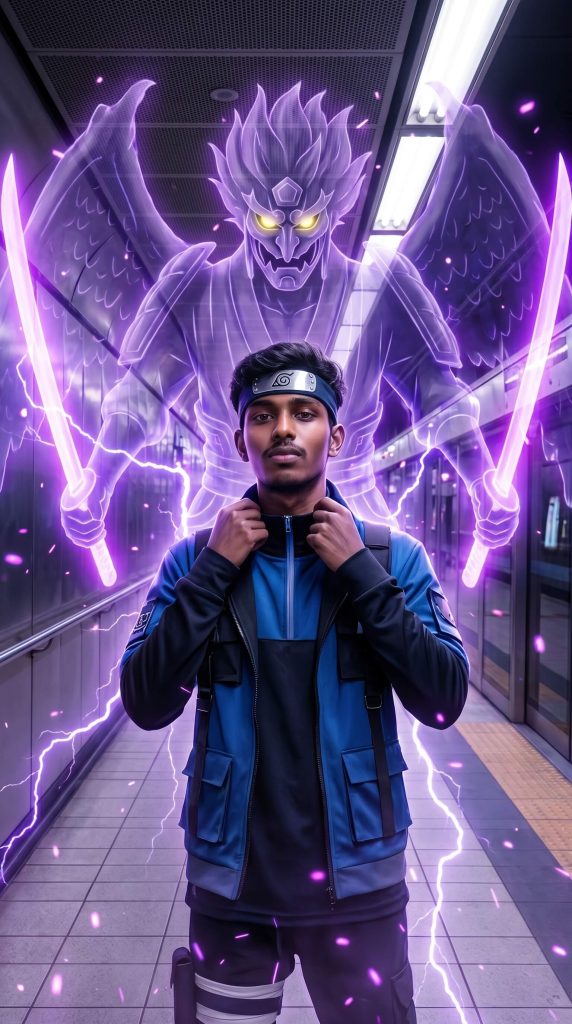
Behind him, manifest a giant Susanoo-inspired summon — a towering humanoid chakra entity with a fierce face, glowing yellow eyes, and large wing-like extensions. The summon should hold two radiant purple energy swords, emitting intense light. Its form should be semi-transparent, made of dense chakra smoke, glowing particles, and energy flames.
The entire scene should be infused with vibrant purple chakra energy, lightning bolts, and aura streams rising from the ground around the character. The energy should subtly wrap around the subject, connecting him to the summon like a completed jutsu.
Environment details: metallic subway walls, tiled flooring, overhead fluorescent lights, symmetrical composition, slight depth of field. Add reflections of purple light on the floor and the subject’s outfit.
Lighting: strong neon purple glow as the primary light source, creating rim lighting and dramatic shadows. Blend realistic photography with anime VFX energy effects.
Style: ultra-detailed, cinematic, HDR, volumetric lighting, sharp focus, 4K resolution, anime-realism fusion, powerful and aesthetic ‘Summon Jutsu’ moment.
Version 5: Real Human & Anime Warrior Cinematic
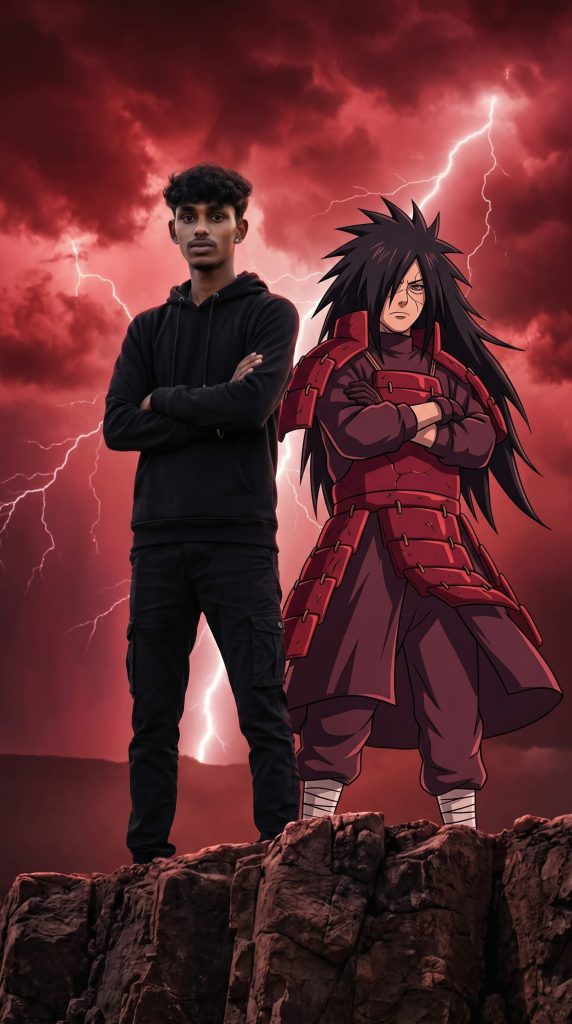
Place me standing confidently on a rugged rocky cliff with arms crossed, wearing a black hoodie, black cargo pants, and white sneakers. Beside me stands a powerful anime-inspired warrior with long spiky black hair, crimson samurai armor, and an imposing presence. Both are standing in the same pose, facing forward like legendary allies.
Background features massive storm clouds, dramatic red skies, intense lightning bolts, cinematic atmosphere, and epic energy. The anime character should remain fully animated while I stay completely realistic. Blend live-action photography with anime fantasy seamlessly.
Style: ultra-realistic human subject, cinematic movie poster, HDR, dramatic lighting, volumetric clouds, depth of field, realistic shadows, sharp focus, 8K, high-detail textures, epic fantasy atmosphere.
Version 6: Naruto and Sakura Anime Crossover
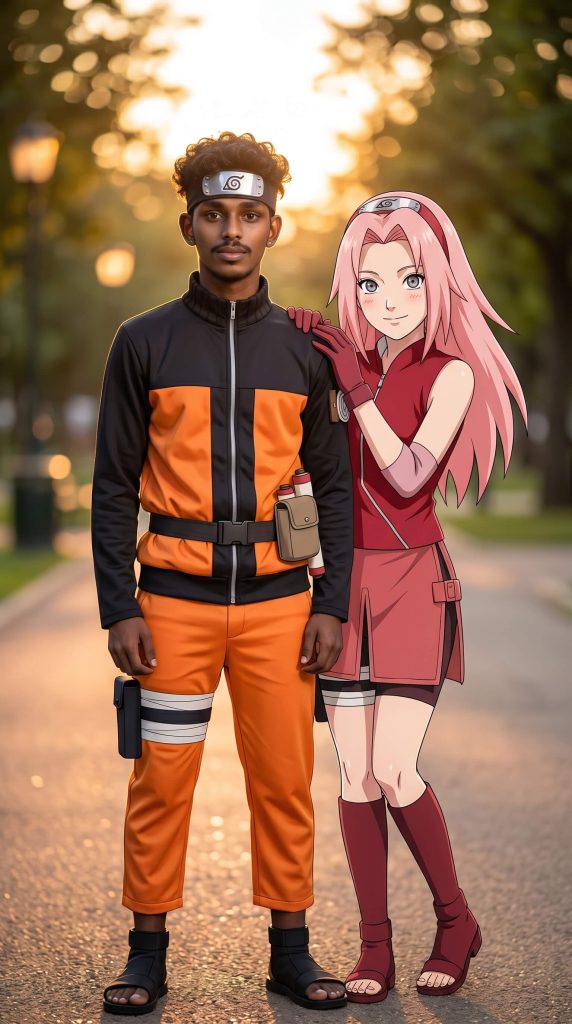
Beside him stands a beautiful pink-haired anime kunoichi inspired by Sakura-style aesthetics, with large expressive anime eyes, a red sleeveless outfit, gloves, and a friendly smile, gently resting her hand on his shoulder. The scene takes place in a peaceful park during golden hour with warm sunset light, soft bokeh background, blurred trees, and cinematic depth of field.
Blend ultra-realistic photography with high-quality anime character design. The human subject should remain realistic while seamlessly fitting into the anime universe. Warm cinematic color grading, natural skin textures, detailed clothing folds, soft lighting, HDR, 4K resolution, professional portrait photography, sharp focus, highly detailed, anime-realism fusion, viral social media edit style.
Version 7: Emotional Naruto Friends Comforting Scene
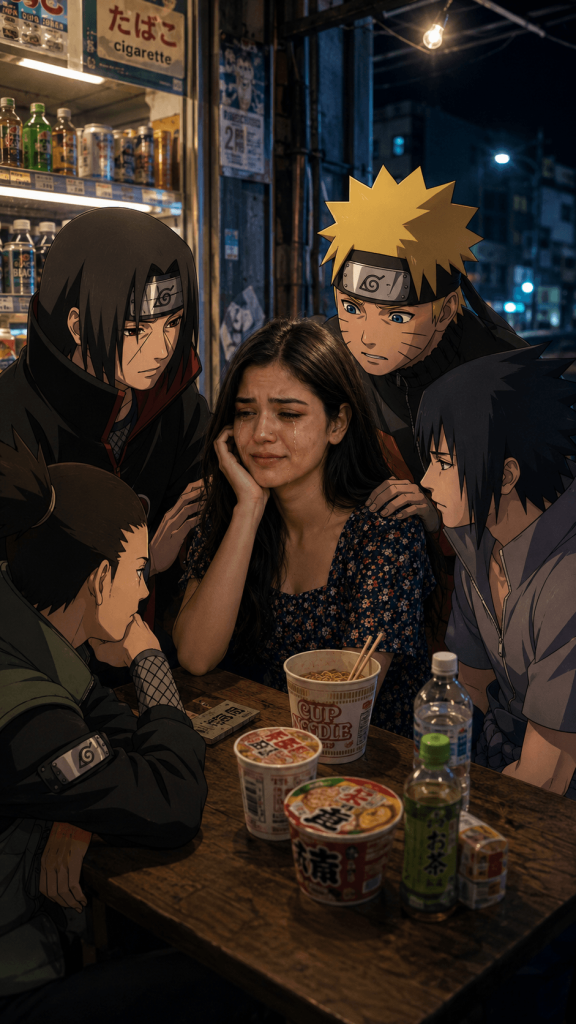
Use the uploaded photo as the central character, keeping the face 100% realistic with exact facial features, skin tone, and expression (do not animate or stylize the face). She is sitting at a small roadside convenience store table at night, crying openly with visible tears, red watery eyes, and a deeply emotional, vulnerable expression. Her face must remain fully visible (no hiding or covering). One hand rests naturally on the table or near her face.
Surround her with anime-style Naruto characters: Itachi Uchiha (calm, empathetic), Sasuke Uchiha (serious, concerned), Naruto Uzumaki (worried, leaning in), and Shikamaru Nara (quiet, thoughtful). They are seated or standing close, gently comforting her in a supportive emotional circle.
Setting: realistic night street shop with warm interior lighting, glass windows, visible snack shelves, drinks, and instant noodles on the table for realism.
Lighting & mood: warm indoor glow mixed with cool blue night tones, soft shadows, cinematic depth, emotional atmosphere, subtle light glow around anime characters to blend them naturally into the real environment.
Style: ultra-realistic human subject + clean Naruto anime style characters, high detail, shallow depth of field, soft bokeh background, 4K cinematic storytelling, strong emotional tone. (9:16 ratio)
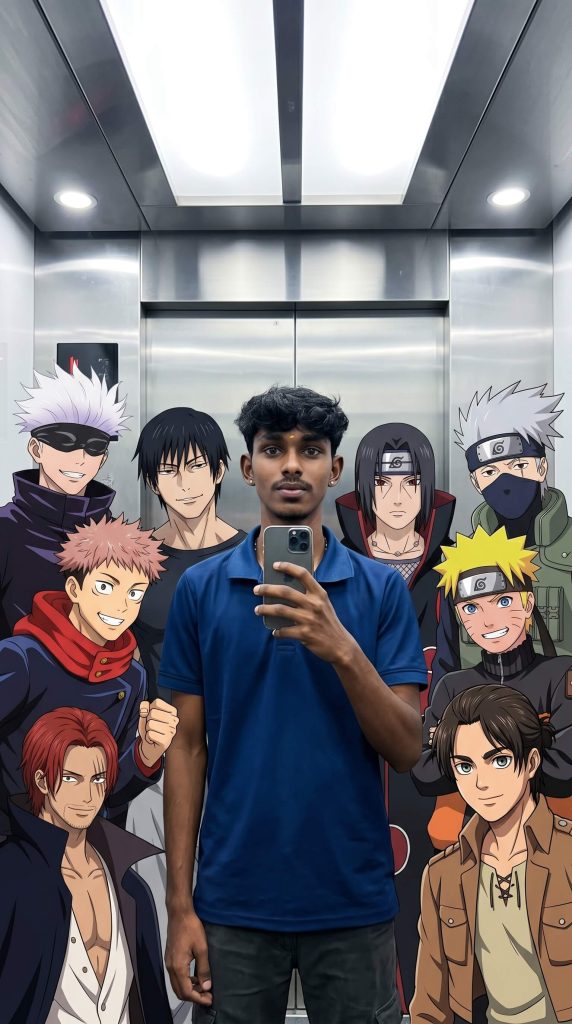
Version 8: Ultimate Anime Mirror Selfie Group Photo
Version 9: Legendary Anime Heroes Team-Up Photo
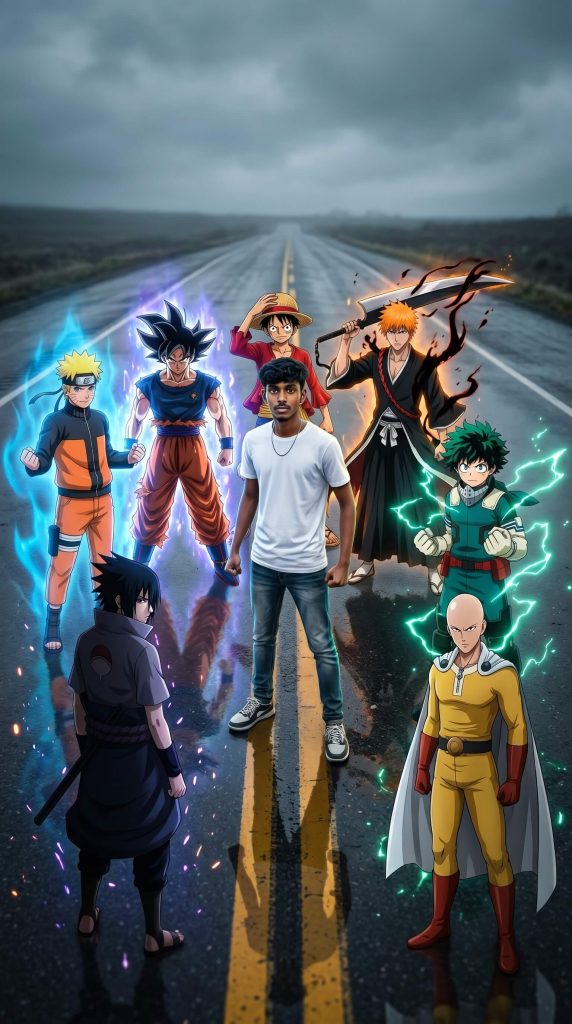
Create an epic cinematic group portrait where the person stands confidently in the center of an empty road, viewed from a slightly elevated angle. Surround him with six legendary anime-inspired heroes resembling a blond ninja shinobi, a black-haired energy martial artist, a straw-hat pirate captain, an orange-haired swordsman, a dark-cloaked shadow ninja, a green-haired young hero, and a bald yellow-suited superhero. They should be positioned around him like trusted allies, looking powerful and battle-ready.
The central person wears a fitted white t-shirt, blue jeans, and white sneakers, standing naturally with clenched fists and a determined expression. Each anime hero should have their signature-inspired outfit, unique aura, glowing energy effects, and dramatic stance. Add blue, purple, orange, and green energy glows around the characters, with subtle lightning and power particles floating in the air.
Background: wet asphalt road with double yellow center lines, cinematic overcast sky, dramatic atmosphere, realistic reflections on the road surface, shallow depth of field.
Style: ultra-realistic anime crossover, live-action meets anime, highly detailed character rendering, cinematic lighting, HDR, 8K, sharp focus, realistic shadows, depth, vibrant energy effects, movie-poster composition, epic team-up aesthetic, viral social media artwork.
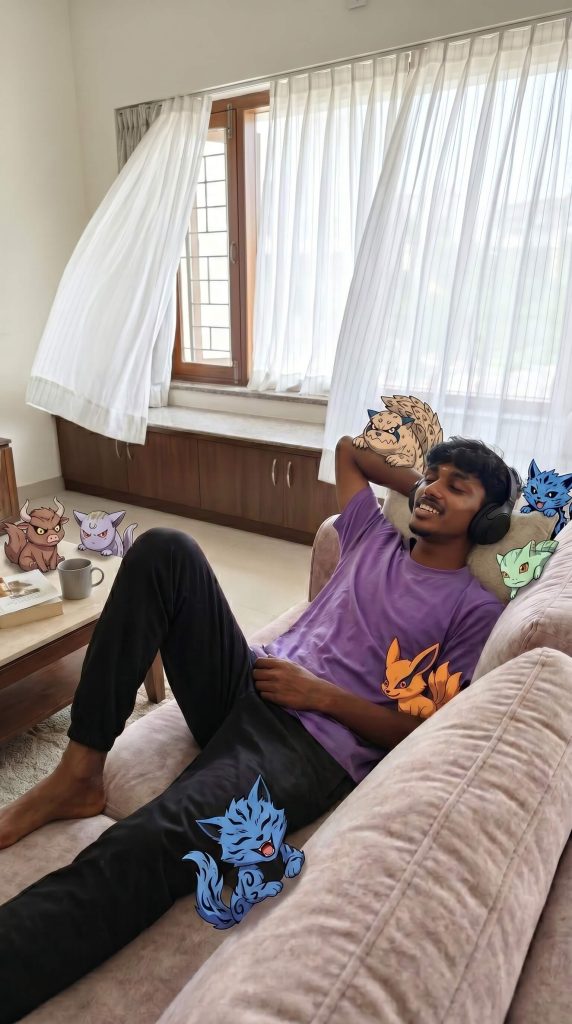
Version 10: Cute Naruto Bijuu Companion
How to Use These Prompts
1. Below each image, you will see a prompt box with two buttons: Copy and Share to AI.
2. You can tap Copy to copy the full prompt manually. Or simply tap Share to AI; this will automatically copy the prompt for you.
3. After tapping Share to AI, a list of popular AI tools like ChatGPT, Gemini, Copilot, and others will appear on your screen.
4. Click on any AI tool you prefer. It will directly open the selected AI platform.
5. Once the AI page opens, paste the prompt into the prompt box (it is already copied if you used Share to AI).
6. Upload your reference image if required.
7. Click generate, and your image will be created.
8. If needed, you can slightly adjust the prompt for lighting, angle, or mood and generate again.
9. Once you are satisfied with the result, download the image and save it for your use.
Customization Tips
- Keep Your Face Accurate
Add: “Preserve 100% facial identity, skin tone, hairstyle, and expression from the uploaded photo.” - Make Yourself Look Realistic
Add: “Ultra-realistic human subject, DSLR photography, natural skin texture, HDR.” - Increase Chakra Effects
Add: “Glowing chakra aura, lightning, energy particles, cinematic energy trails.” - Upgrade the Background
Try locations like Hidden Leaf Village, Valley of the End, subway station, stormy cliff, or cyberpunk city. - Boost Image Quality
Add: “8K resolution, sharp focus, volumetric lighting, ultra-detailed textures.” - Create Viral Social Media Edits
Add: “Vertical 9:16 ratio, cinematic composition, social media poster style.” - Mix Realism and Anime Perfectly
Add: “Human remains photorealistic while anime characters retain their original anime style.” - Make the Scene More Cinematic
Add: “Movie-poster lighting, dramatic shadows, depth of field, atmospheric effects.”