

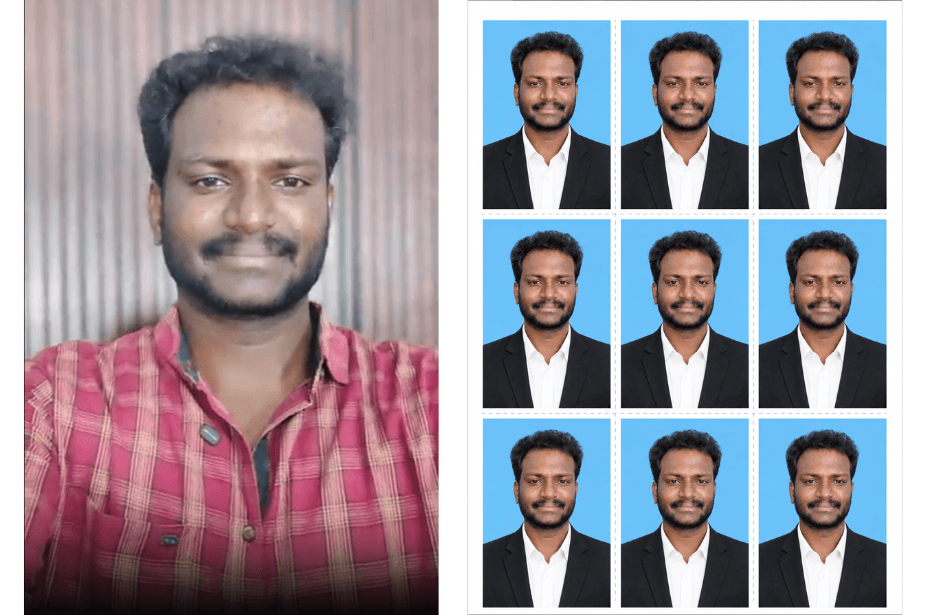
Create studio-quality passport photos and printable passport photo sheets using AI. These ready-to-use prompts help transform casual photos into professional passport-style portraits with formal attire, clean backgrounds, proper lighting, and print-ready layouts. Perfect for passports, visas, resumes, ID cards, and official documentation.
Version 1: Keep Original Photo Details Same (Only Background & Passport Formatting)
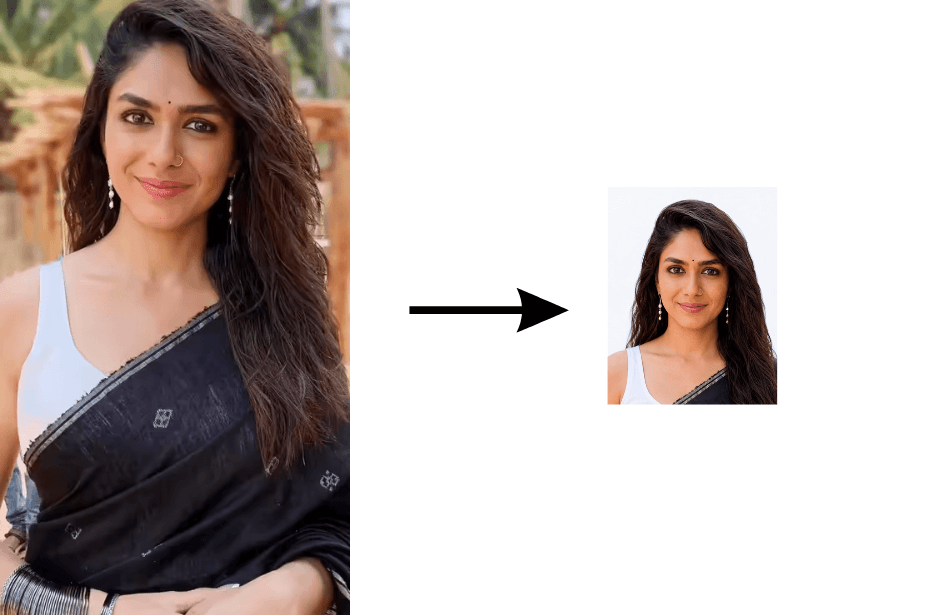
Version 2: Change Entire Photo (Dress, Pose & Background)
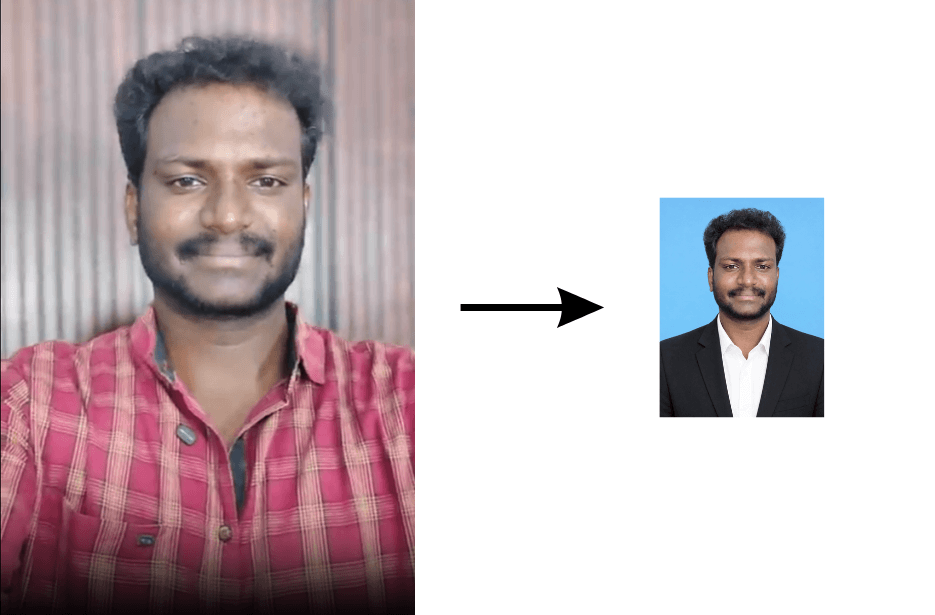
Correct the posture so the person is facing straight toward the camera with shoulders aligned and squared, maintaining an upright and balanced position. Keep the head centered and level, with a neutral expression and direct eye contact.
Preserve the original facial features, skin tone, hairstyle, and identity without any distortion. Remove or minimize distracting accessories if needed, keeping only subtle, acceptable items.
Ensure even lighting, no shadows, and a clean white or light blue background. Adjust brightness, contrast, and sharpness to meet official passport photo standards. Final output should be high-resolution, cropped to head-and-shoulders framing suitable for passport size (35 mm x 45 mm)
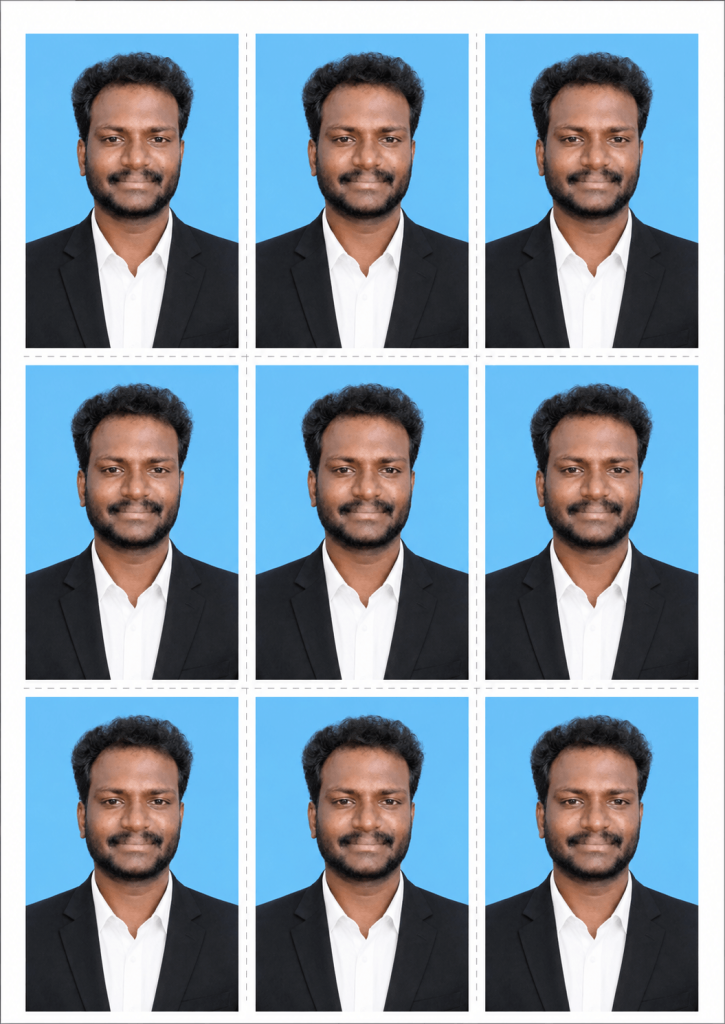
Version 2: AI Printable Passport Photo Sheet
How to Use These Prompts
1. Below each image, you will see a prompt box with two buttons: Copy and Share to AI.
2. You can tap Copy to copy the full prompt manually. Or simply tap Share to AI; this will automatically copy the prompt for you.
3. After tapping Share to AI, a list of popular AI tools like ChatGPT, Gemini, Copilot, and others will appear on your screen.
4. Click on any AI tool you prefer. It will directly open the selected AI platform.
5. Once the AI page opens, paste the prompt into the prompt box (it is already copied if you used Share to AI).
6. Upload your reference image if required.
7. Click generate, and your image will be created.
8. If needed, you can slightly adjust the prompt for lighting, angle, or mood and generate again.
9. Once you are satisfied with the result, download the image and save it for your use.
Customization Tips
- Change “blue background” to:
- “pure white background” for international passports
- “light blue background” for visa/passport photos
- “soft grey background” for corporate IDs
- Add:
- “soft studio lighting with no shadows”
- “maintain natural skin tone and facial details”
- “high sharpness and professional contrast”
- For photo sheets, add:
- “dotted cutting lines”
- “equal spacing and symmetrical alignment”
- “300 DPI ultra high-resolution print quality”
- Change outfit style:
- “black blazer and white shirt” for a formal look
- “plain formal shirt” for simple ID style