

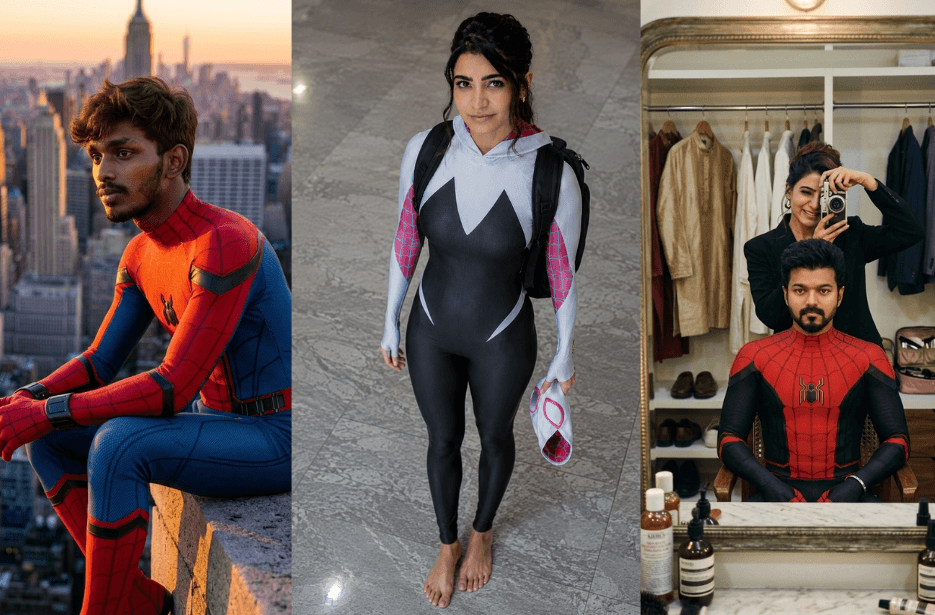
What if you could create a Spider-Man scene that looks like a real Hollywood movie frame using just a single AI prompt? AI image generators are now capable of creating stunning superhero artwork with incredible realism. But the secret behind those viral Spider-Man images is not just the AI tool, it is the quality of the prompt. In this guide, you will discover some of the best Spider-Man AI prompts for generating ultra-realistic, cinematic superhero art.
Variation 1: Webs of Love
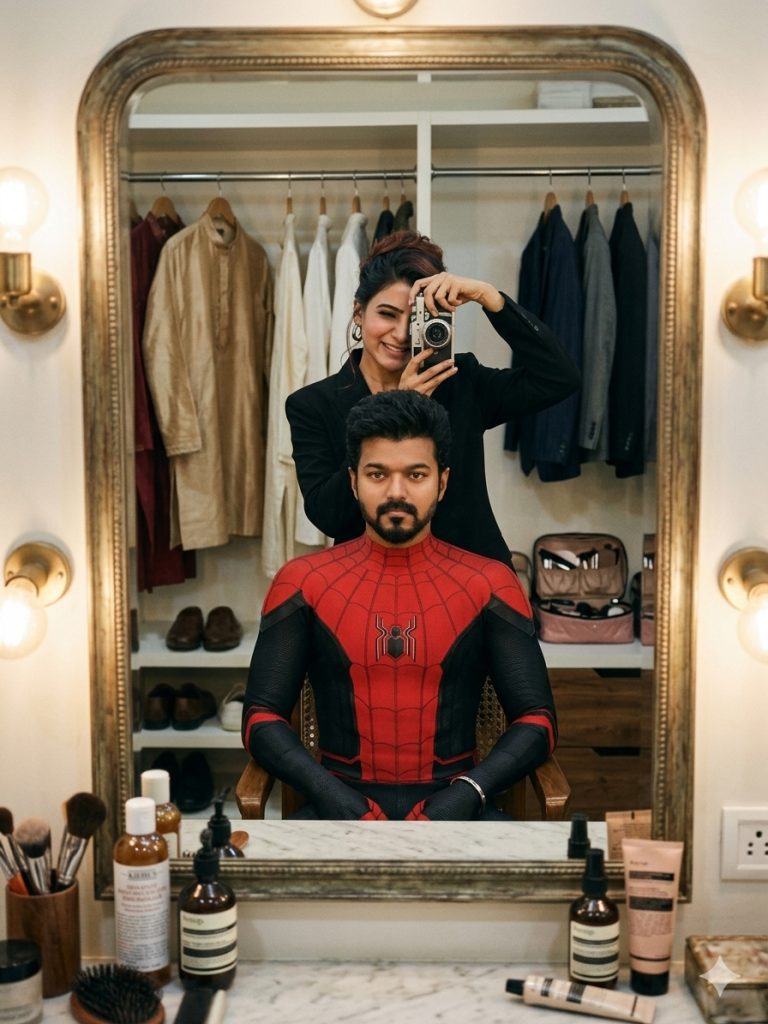
Negative Prompt:
blurry, low quality, distorted face, extra fingers, cartoon, painting, overexposed, oversaturated, watermark, text, logo, unrealistic skin, CGI, 3D render.
Variation 2: Samantha as Gwen Stacy A.K.A Spider-Woman
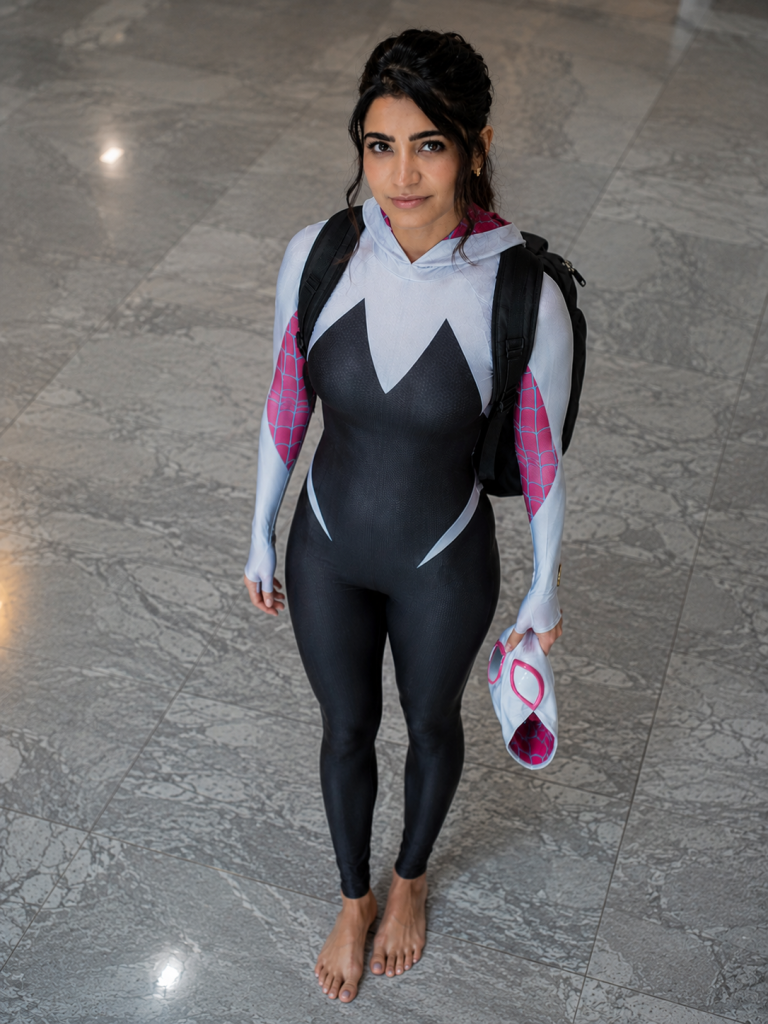
The atmosphere feels grounded and cinematic, like Gwen Stacy after school or after patrol. Soft natural indoor lighting creates gentle shadows and realistic skin tones. The composition has a candid urban-photography aesthetic, with subtle imperfections, natural posture, realistic fabric textures, and a quiet “superhero off-duty” vibe. Photorealistic, highly detailed, shallow depth of field, realistic proportions, modern cinematic color grading.
Variation 3: With Great Power Comes Great Responsibility!
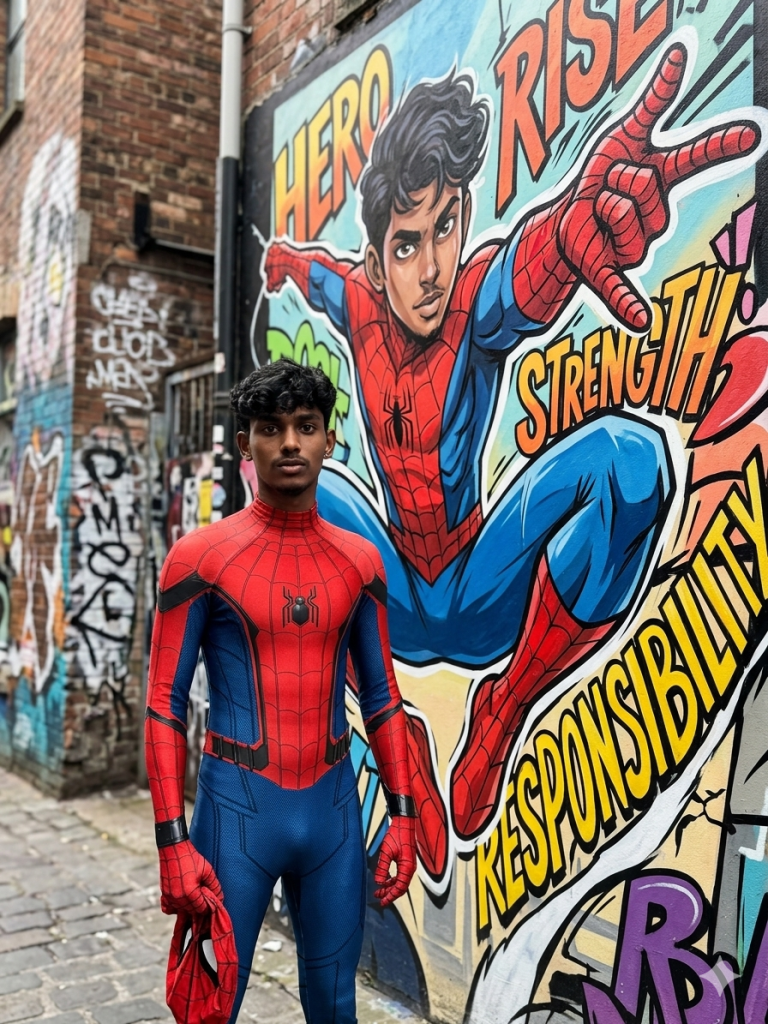
Beside him, spanning the brick wall, is a large-scale street art mural of himself depicted in a dynamic superhero pose. The mural is rendered in a bold anime-inspired style—featuring exaggerated motion lines, vibrant saturated colors, sharp highlights, and stylized proportions. The mural version wears the full mask, appearing larger-than-life, heroic, and symbolic—contrasting with the grounded, photorealistic figure in the foreground.
The environment is a textured, weathered brick wall layered with graffiti tags, paint drips, and urban decay. Integrated seamlessly into the mural are expressive words like “HERO,” “COURAGE,” “RESPONSIBILITY,” “RISE,” and “UNBREAKABLE,” painted in energetic, graffiti typography.
Lighting is bright, natural daylight with soft shadows, enhancing realism while preserving high contrast. The subject is in sharp focus with ultra-detailed textures (fabric, skin, wall), while the background subtly falls into a cinematic depth of field. Editorial street photography style, dramatic yet grounded, ultra-realistic, 8K resolution, crisp detail, high dynamic range.
Variation 4: Brand New Day
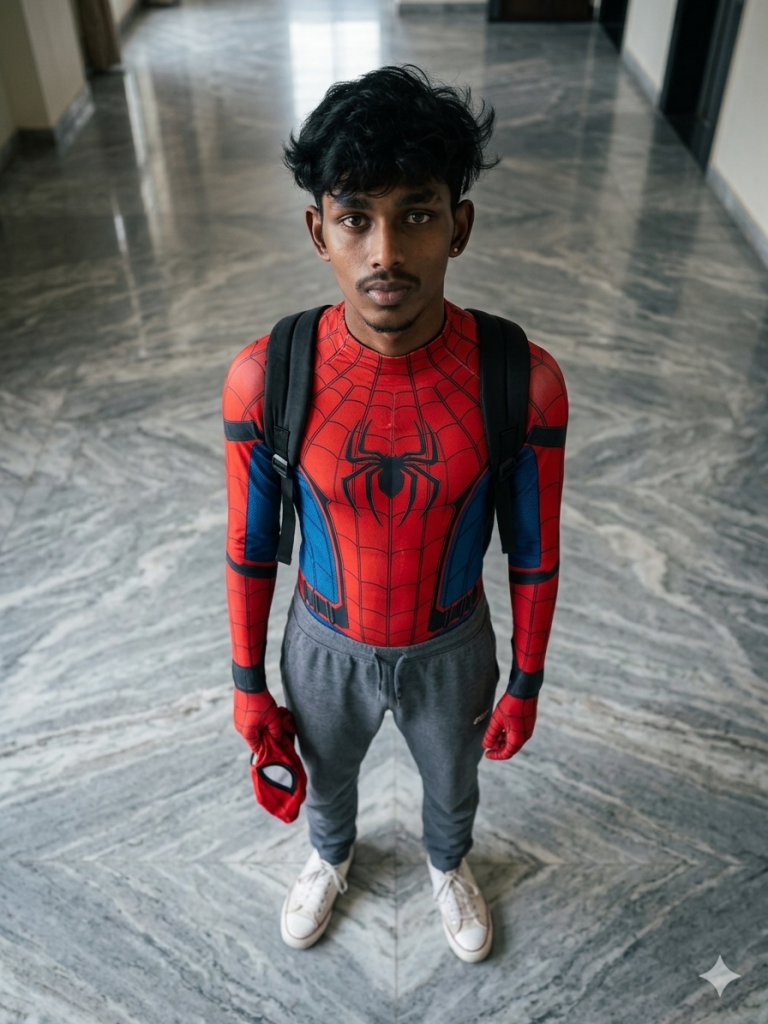
Soft natural indoor lighting creates gentle shadows and realistic skin tones, emphasizing a grounded “Peter Parker after school” atmosphere — candid, youthful, and cinematic. The composition feels authentic and slightly moody, with realistic proportions, high-detail textures, shallow depth of field, and modern film-style color grading. Ultra-realistic photography style, subtle ambient reflections on the marble floor, natural pose, detailed facial features, and believable fabric physics.
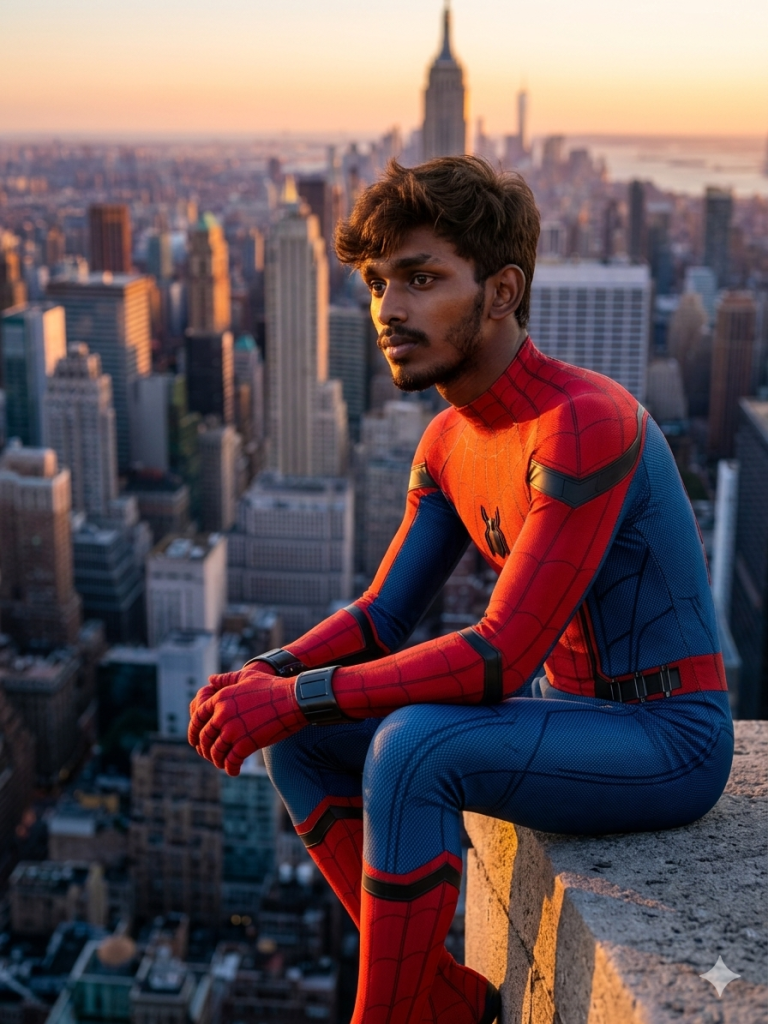
Variation 5: The Lonely Hero
How to Use These Prompts
1. Below each image, you will see a prompt box with two buttons: Copy and Share to AI.
2. You can tap Copy to copy the full prompt manually. Or simply tap Share to AI; this will automatically copy the prompt for you.
3. After tapping Share to AI, a list of popular AI tools like ChatGPT, Gemini, Copilot, and others will appear on your screen.
4. Click on any AI tool you prefer. It will directly open the selected AI platform.
5. Once the AI page opens, paste the prompt into the prompt box (it is already copied if you used Share to AI).
6. Upload your reference image if required.
7. Click generate, and your image will be created.
8. If needed, you can slightly adjust the prompt for lighting, angle, or mood and generate again.
9. Once you are satisfied with the result, download the image and save it for your use.
Additional Tips to Make the Prompts Better!
1. Improve Face Accuracy
Maintain exact facial structure, jawline, nose shape, lips, eyes, hairstyle, and skin tone from the reference image. Keep natural human proportions and realistic expressions.
2. Add Realistic Skin Details
Use hyper-realistic skin texture with visible pores, subtle sweat, cinematic shadows, natural eye reflections, and slight imperfections for Hollywood realism.
3. Enhance the Spider-Man Suit
Describe the suit as textured nano-fabric with visible stitching, stretch tension, reflective highlights, realistic wrinkles, and subtle battle damage.
4. Increase Cinematic Action
Capture the exact peak of motion with dramatic body twist, flying debris, sparks, smoke trails, and dynamic momentum to make the leap feel intense.
5. Improve Lighting Quality
Use cinematic volumetric lighting with sunlight rays cutting through smoke, teal-and-orange blockbuster color grading, and strong rim lighting around the character.
6. Add More Environmental Detail
Include shattered rooftop concrete, drifting ash particles, glowing embers, smoke clouds, and distant NYC traffic lights to increase scene realism.
7. Strengthen Motion Blur
Use selective cinematic motion blur on debris and background while keeping the face and upper body extremely sharp.
8. Improve Camera Composition
Use a low-angle wide shot with a 24mm cinematic IMAX lens to create scale, depth, and vertigo from the skyscraper height.
9. Add Professional Film Keywords
Include terms like:
- Ultra photorealistic
- AAA VFX quality
- Hollywood blockbuster frame
- IMAX cinematic
- HDR lighting
- Global illumination
- Ray-traced reflections
- Film still quality
- 8K ultra detailed
10. Create Better Depth and Scale
Describe extreme perspective distortion with NYC streets far below, atmospheric haze, and shallow depth of field for realistic cinematic depth.
11. Improve Emotional Expression
Mention a facial expression showing determination, exhaustion, adrenaline, and intense focus during the jump.
12. Avoid Common AI Art Problems
Add phrases like:
- No plastic skin
- No distorted anatomy
- Natural human proportions
- Realistic fingers and hands
- Sharp facial focus
13. Add a Strong Final Quality Line
End the prompt with:
“Hollywood blockbuster action scene captured at the climax moment, photorealistic cinematic masterpiece, ultra detailed IMAX frame.”