

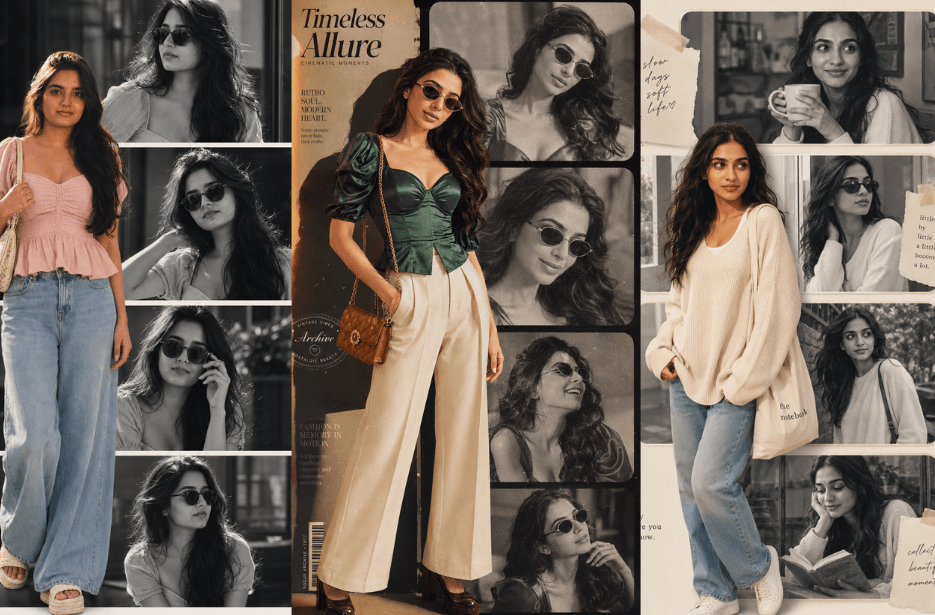
Ever wondered how those dreamy Pinterest-style portrait collages are created? From soft monochrome photo panels to cinematic fashion-inspired compositions, aesthetic AI portrait collages are becoming one of the most viral digital art styles on social media. These stylish edits blend realistic portraits, cozy colors, editorial layouts, and storytelling vibes to create artwork that feels modern, emotional, and visually stunning. In this article, you will discover creative AI prompts for making beautiful portrait collages.
Version 1: Urban Grace
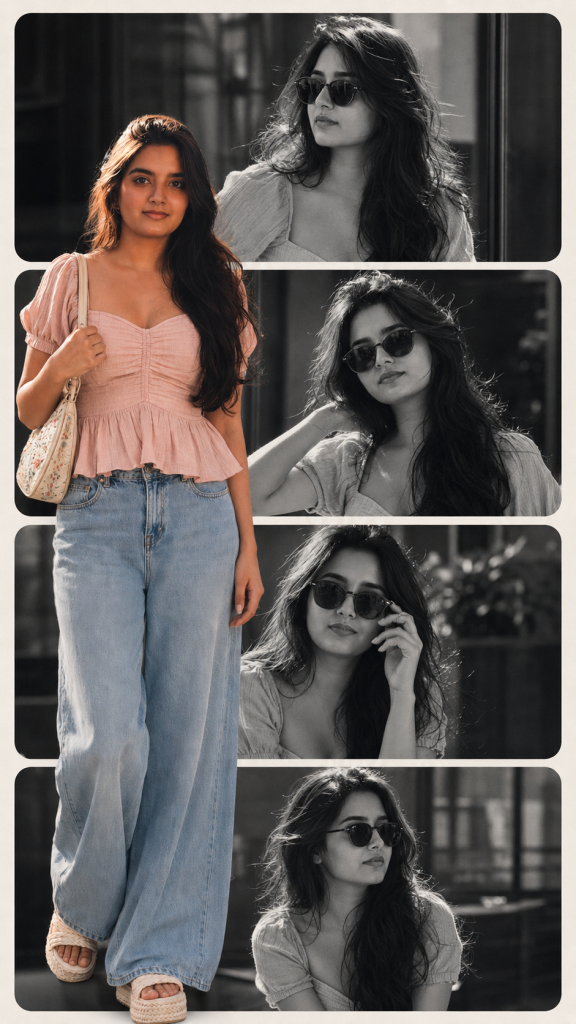
Version 2: Retro Muse
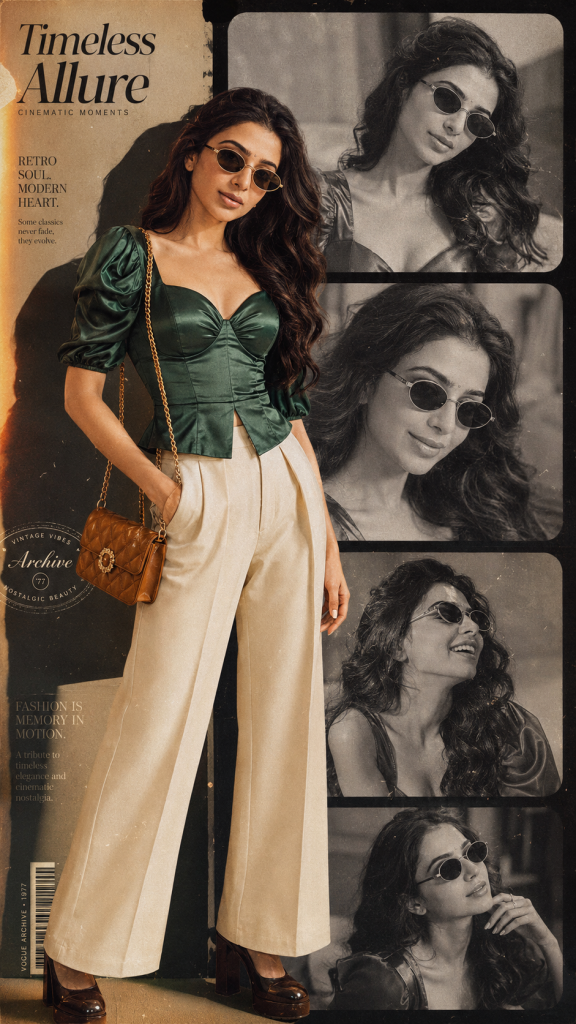
Foreground features a large full-color editorial cutout overlapping the left-center with magazine-style layering and depth.
Outfit: rich emerald-green satin corset blouse with structured waist, draped puff sleeves, and subtle vintage folds; high-waisted cream wide-leg tailored trousers with retro 70s silhouette; glossy dark brown platform heels; and a small quilted caramel leather shoulder bag with gold detailing. No earrings, necklace, bangles, watch, rings, or bindi.
Add cinematic vintage film grain, warm golden glow, faded monochrome textures, soft dust particles, analog photography imperfections, subtle light leaks, glossy magazine shadows, layered paper-cut collage depth, and luxury editorial styling.
Color palette should combine emerald green, cream, caramel brown, warm beige, and soft sepia tones. Mood should feel nostalgic yet modern — like a premium retro Vogue campaign mixed with analog fashion photography. High detail, realistic skin texture, soft natural lighting, elegant composition, premium fashion aesthetic.
Version 3: Cozy Girl
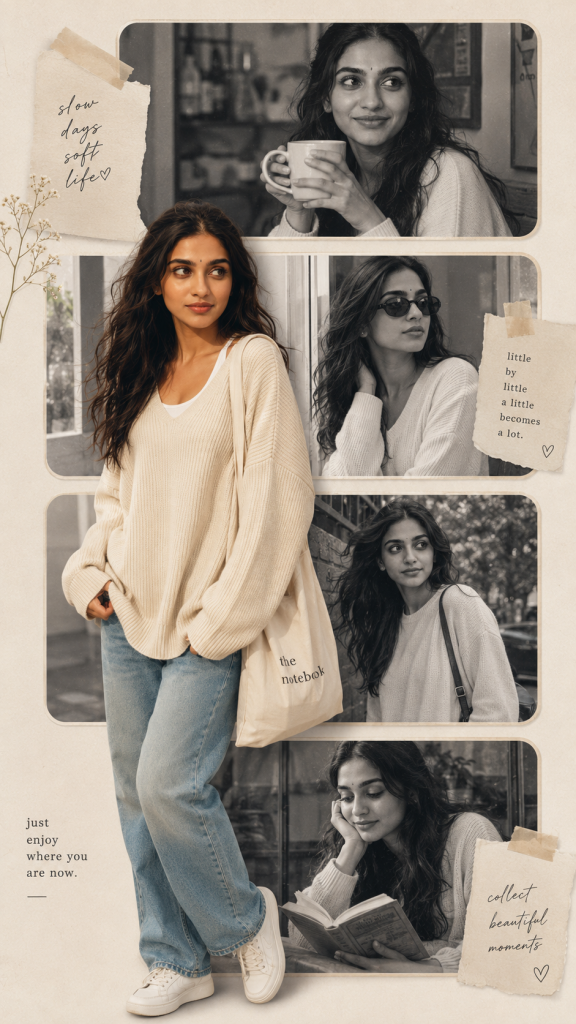
Foreground features a full-color ultra-realistic cutout of the same woman placed slightly left-center overlapping all collage panels. Outfit includes an oversized cream knit sweater layered over a simple white inner top, relaxed light-blue straight-fit jeans, white sneakers, and a soft canvas tote bag. Hair is naturally loose and flowing with minimal styling for an effortless everyday look.
No glamour styling, no heavy makeup, no jewelry, no bindi, and no accessories except simple sunglasses in monochrome shots. Use soft daylight lighting, creamy neutral tones, subtle film grain, cozy café-inspired mood, natural skin texture, minimal editorial styling, and gentle Pinterest scrapbook aesthetics. Add tiny paper textures, handwritten notes, soft tape details, and airy composition to create a youthful, calm, classy, and effortlessly aesthetic collage with a candid lifestyle-photography feel.
Version 4: Street Aura
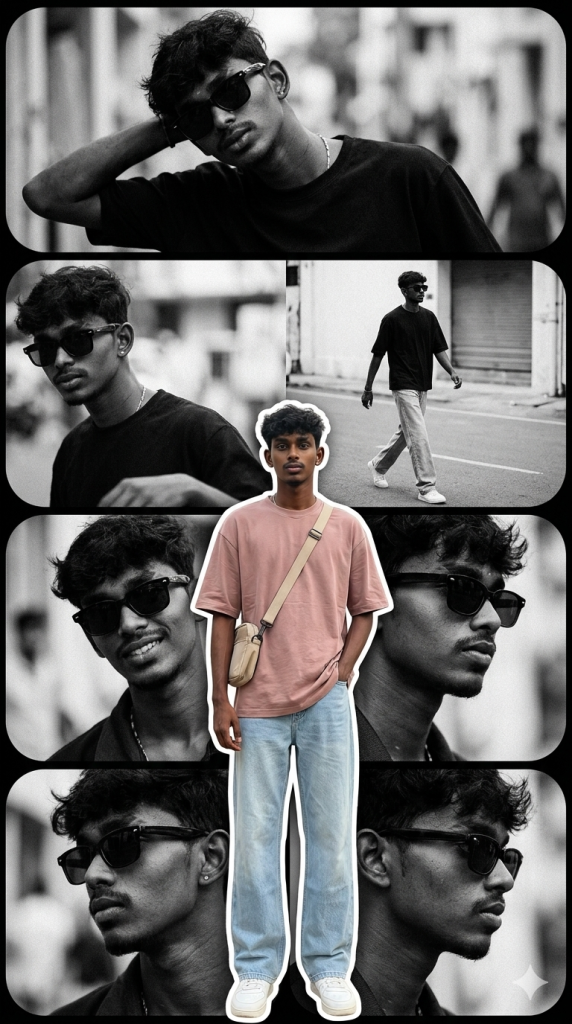
In the foreground, overlapping the left-center portion of the collage, place a full-body ultra-realistic color cutout of the same man. He wears a soft neutral-toned oversized fitted t-shirt or relaxed Cuban-collar shirt in dusty blush, beige, or muted pastel tones layered with relaxed streetwear styling. Pair it with light-wash wide-leg denim jeans featuring premium fabric texture and natural folds. Add clean white sneakers or chunky street-style shoes for a modern luxury aesthetic. Include a minimal crossbody sling bag or small messenger bag in an off-white or beige tone for elevated urban styling.
Important styling details: no chains, no earrings, no heavy accessories, no hats. Hair should remain natural, slightly windswept, textured, and stylish. Keep skin texture realistic and premium-fashion-photography quality. The overall design should blend cinematic street-style energy with luxury editorial aesthetics — strong contrast between monochrome background imagery and vibrant foreground styling. Use layered depth, soft shadows, elegant spacing, subtle grain, clean magazine-inspired composition, and high-end fashion campaign aesthetics.
Version 5: Studio Mix
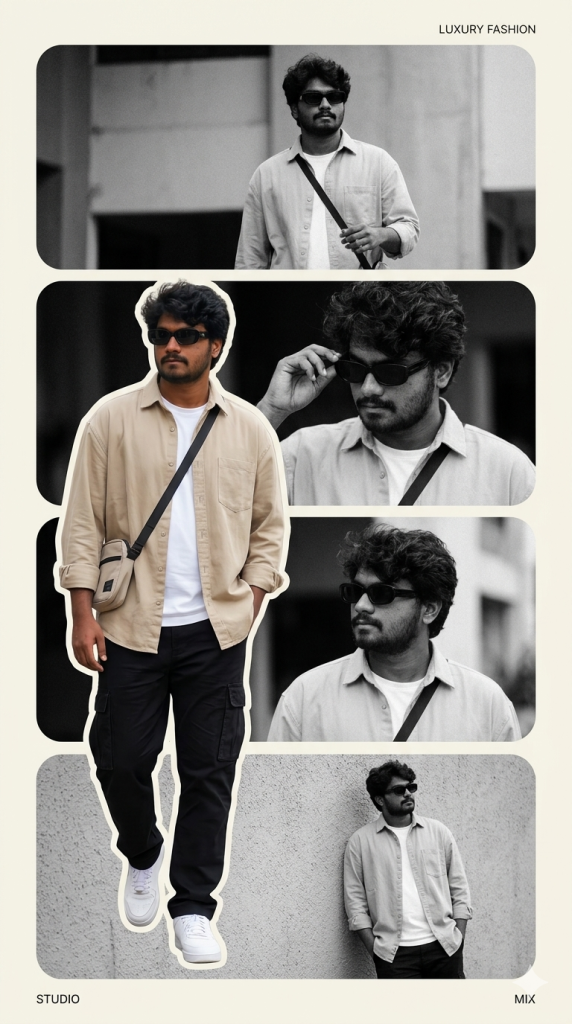
Foreground includes a vivid ultra-realistic full-color cutout of the same young man overlapping the left-center area of the collage for a layered magazine-cover composition. Outfit features an oversized beige streetwear shirt layered over a plain white fitted t-shirt, relaxed black cargo pants, clean white sneakers, and a minimalist crossbody sling bag.
No jewelry, no watches, no traditional accessories. Keep styling clean, minimal, and modern. Use dramatic studio-style lighting mixed with soft natural daylight, bold shadows, crisp textures, cinematic depth, subtle film grain, glossy magazine finish, and premium editorial composition similar to modern GQ or luxury street-fashion campaigns. Add creamy off-white borders, soft paper textures, layered scrapbook elements, minimal typography accents, and aesthetic Pinterest collage styling for a classy, youthful, and effortlessly cool vibe.
How to Use These Prompts
1. Below each image, you will see a prompt box with two buttons: Copy and Share to AI.
2. You can tap Copy to copy the full prompt manually. Or simply tap Share to AI; this will automatically copy the prompt for you.
3. After tapping Share to AI, a list of popular AI tools like ChatGPT, Gemini, Copilot, and others will appear on your screen.
4. Click on any AI tool you prefer. It will directly open the selected AI platform.
5. Once the AI page opens, paste the prompt into the prompt box (it is already copied if you used Share to AI).
6. Upload your reference image if required.
7. Click generate, and your image will be created.
8. If needed, you can slightly adjust the prompt for lighting, angle, or mood and generate again.
9. Once you are satisfied with the result, download the image and save it for your use.
Additional Tips to Make The Prompts Better!
You can easily personalise these prompts to match your style, mood, and platform. Use the tips listed below to get better and more unique results.
1. Face Identity & Accuracy
- Always mention “use the provided image for exact face identity (100% preserved)”
- Add: sharp eyes, natural skin texture, no distortion
- If needed, include: same hairstyle, same expression
2. Outfit & Styling
- Change outfits based on your vibe:
- Casual: hoodie, t-shirt, streetwear
- Formal: blazer, suit, satin shirt
- Traditional: saree, kurta, ethnic wear
- Add accessories like watch, chain, sunglasses, rings for a premium look
3. Lighting Control
Lighting plays a huge role in realism:
- Golden hour → warm, soft, aesthetic
- LED/cool light → moody, cinematic
- Flash lighting → bold, high contrast
- Soft indoor light → clean and natural
4. Camera Angle & Composition
- Try different angles for better results:
- Eye level → natural look
- Low angle → powerful vibe
- Side profile → aesthetic feel
- Mirror reflection focus → cinematic style
- Add: shallow depth of field for background blur
5. Background & Environment
- Keep it minimal and clean for a professional look
- Or customise based on theme:
- Hotel room → luxury feel
- Car mirror → lifestyle aesthetic
- Black background → dramatic portrait
- Home setup → cosy vibe
6. Mood & Expression
You can control the emotion of the image:
- Confident & bold
- Calm & introspective
- Soft & smiling
- Serious & moody
7. Colour Grading & Style
- Add finishing styles like:
- Cinematic tone
- Warm vintage look
- Black & white editorial
- High contrast luxury style
- Use: subtle film grain for realism
8. Quality & Output Settings
- Always include:
- 4K or 8K resolution
- Aspect ratio: 4:5 or 3:4 (best for social media)
- Add: ultra-realistic, sharp focus, great detail.
Start with any prompt from this list, then tweak outfit + lighting + mood + background to create endless variations. Small changes can give completely new results.