

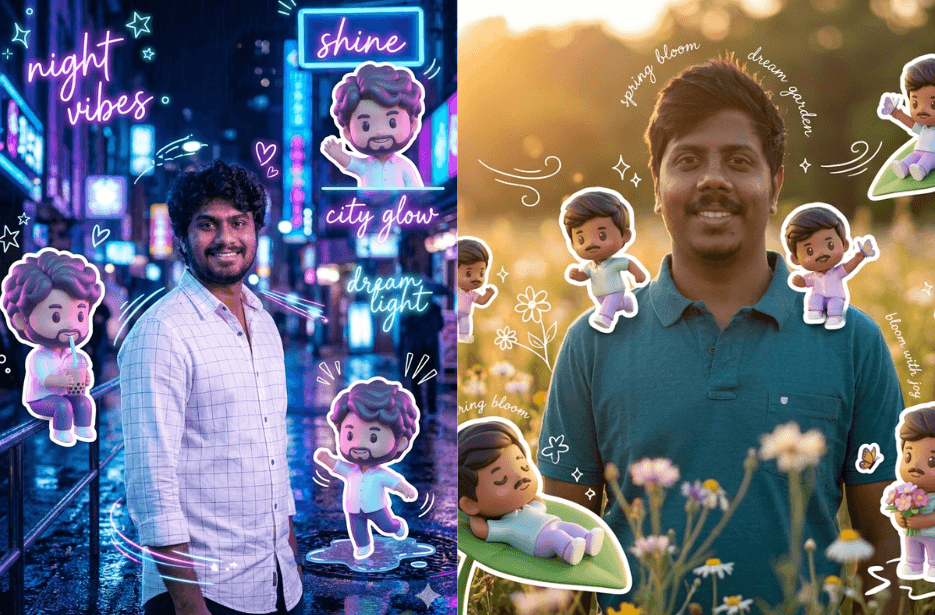
Do you want to create adorable chibi-style 3D versions of yourself without any advanced design skills? Thanks to AI, you can now turn your ideas into cute, high-quality characters quick and easy. With the right prompts, you can generate fun, expressive chibi avatars that capture personality, style, and creativity in a whole new way. In this article, you will discover some of the best AI prompts to add Chibi 3D version to your photos.
Variation 1: Outdoor Swag
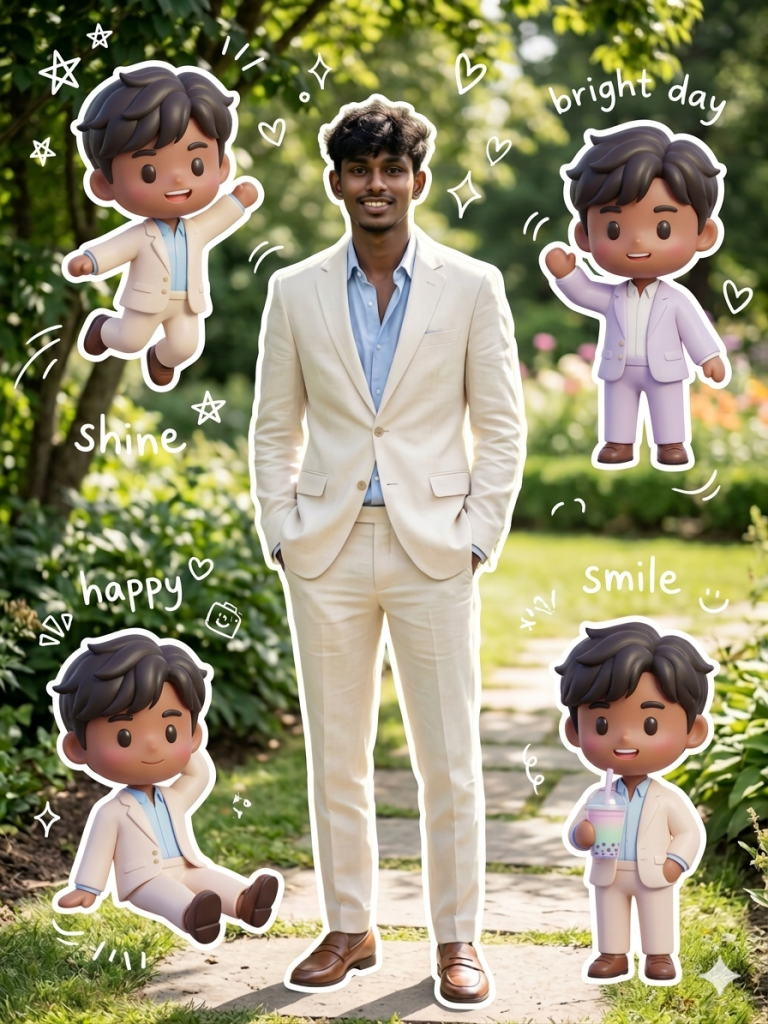
Keep the same background as the reference photo, enhanced with warm, soft, and clean lighting, subtle shadows, and a gentle aesthetic mood.
The main subject should appear in a clean, glossy semi-3D aesthetic style with a soft Korean-inspired Instagram look.
Surround the main character with several mini 3D chibi versions of the same person, each with cute and playful expressions and poses:
jumping happily
waving cheerfully
sitting relaxed
holding a drink
expressive, cute variations
All chibi versions should have:
rounded super-deformed proportions
glossy toy-like 3D finish
soft pastel color tones
consistent facial identity with the main character
Add decorative white hand-drawn doodles around the composition:
stars, hearts, sparkles, motion lines
small cute icon elements
white sticker-style outline around main subject and chibis
Include subtle handwritten doodle text such as:
“shine”, “bright day”, “happy”, “smile” in a casual sketch font style.
Overall style should be:
clean, aesthetic, pastel-toned, high-detail 3D chibi, glossy finish, cute and trendy Korean Instagram aesthetic with balanced composition.
Variation 2: Summer at the Beach
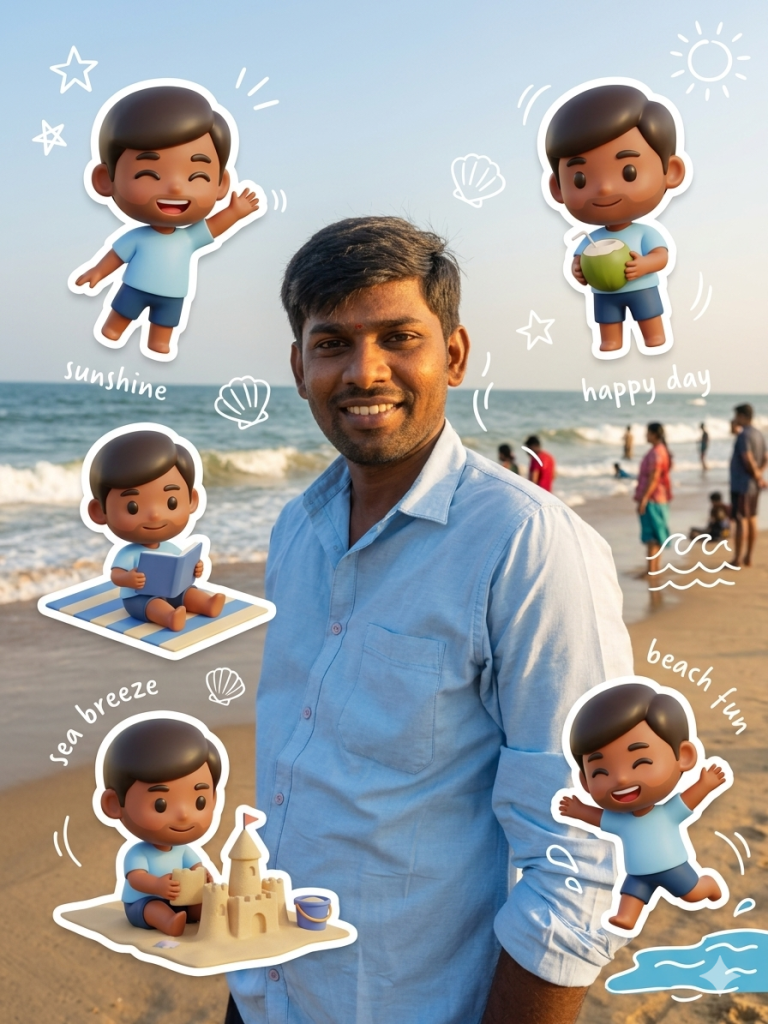
Around the main subject, add several mini 3D chibi versions of the same person designed as cute glossy toy-like characters. These chibis should match the main subject’s facial identity but appear stylized in a soft pastel, super-deformed style. Position them playfully in the beach scene as if enjoying a summer day—jumping near the shoreline, waving happily, sitting on a beach towel, holding a coconut drink, or playing with sand and shells. Each chibi should feel energetic, cheerful, and integrated naturally into the environment.
Enhance the scene with light beach-themed doodle elements such as white hand-drawn stars, sparkles, seashells, waves, and sun icons subtly floating around the chibis. Add gentle motion lines to emphasize playful movement without overpowering the realism of the main subject. Chibis can have soft sticker-style white outlines to make them feel like cute layered cutouts in a summer scrapbook collage.
Include small handwritten-style text in a relaxed summer doodle font, such as “sunshine”, “happy day”, “sea breeze”, and “smile in the sun”, placed lightly in the composition like vacation notes. The overall style should blend a realistic cinematic beach portrait with a vibrant, cute summer aesthetic, combining natural photography, pastel chibi characters, and soft playful doodle decorations for a warm, Instagram-ready holiday vibe.
Variation 3: Night Walk at the Neon-Lit City
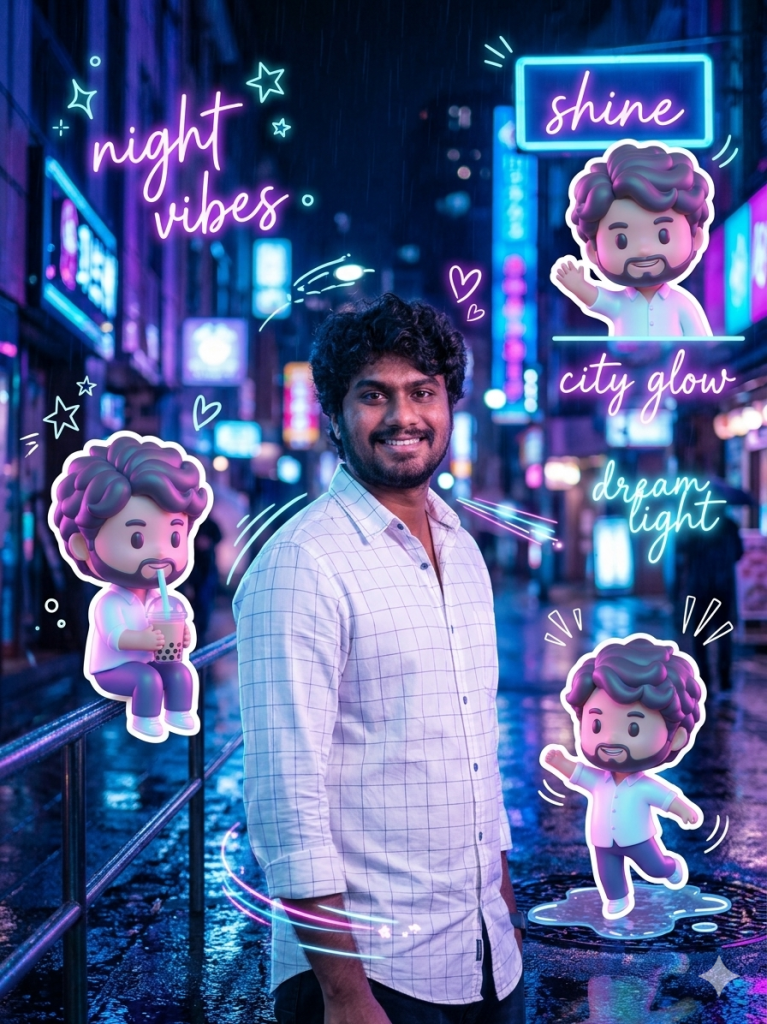
Around the main subject, add multiple mini 3D chibi versions of the same person designed as cute glossy toy-like characters. These chibis should retain facial resemblance but appear stylized in soft pastel neon tones with a shiny plastic finish. Position them dynamically within the city scene as if interacting with the nightlife—jumping between light reflections, waving under neon signs, sitting on railings, holding glowing bubble tea or street snacks, or playfully dancing in puddles. Each chibi should feel energetic and integrated into the urban environment.
Enhance the composition with subtle futuristic doodle elements inspired by neon signage and cyber street aesthetics, including glowing stars, hearts, sparkles, and light trail effects. Add motion lines to emphasize movement and energy, while keeping the design clean and not overcrowded. Use soft white or neon-outline sticker effects around the chibi characters to make them stand out against the dark city background while preserving harmony with the realistic main subject.
Include small handwritten-style glowing text elements in a neon doodle font such as “night vibes”, “shine”, “city glow”, and “dream light”, subtly floating in the environment like light projections. The overall style should balance a realistic cinematic night street portrait with a vibrant neon cyber aesthetic, combining real-world photography, glossy 3D chibi characters, and glowing decorative overlays for a trendy, atmospheric, Instagram-style night city scene.
Variation 4: My Gardern
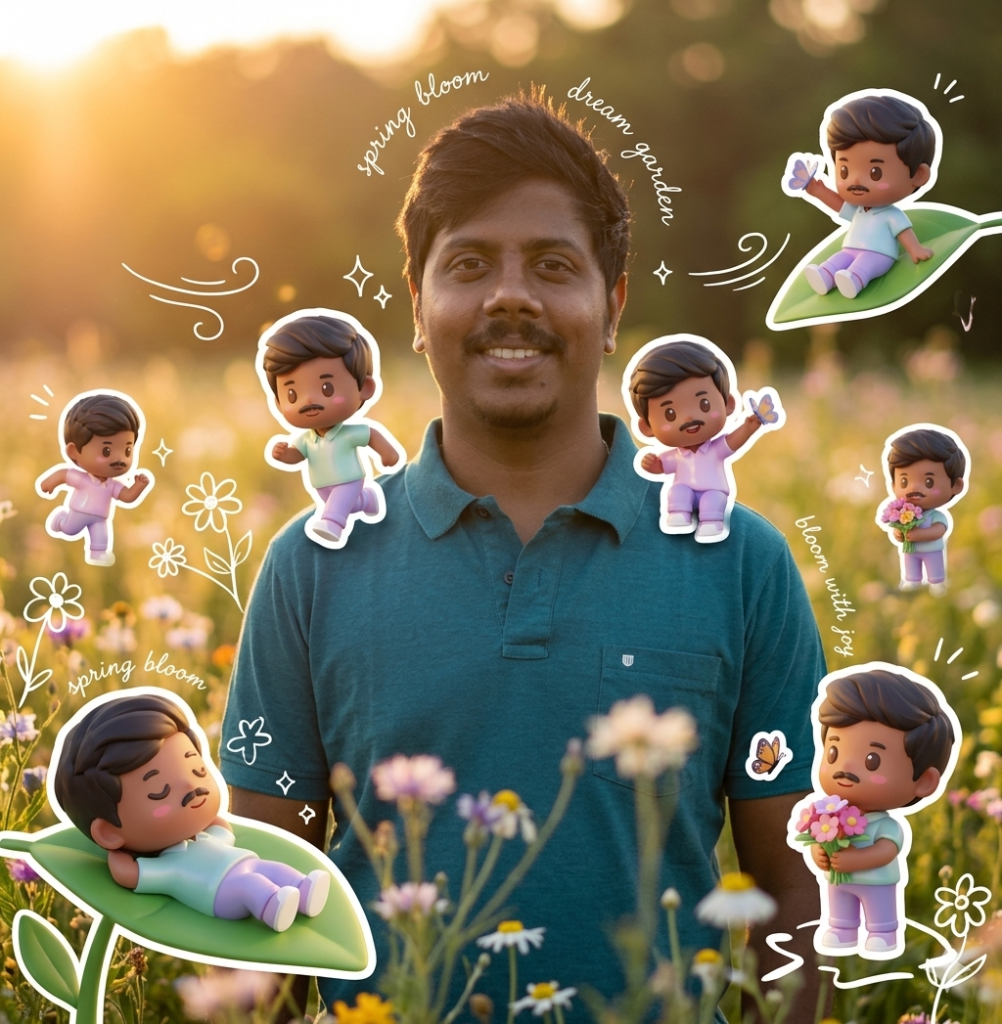
Around the main subject, add multiple mini 3D chibi versions of the same person designed as cute glossy toy-like characters with soft pastel tones. These chibis should clearly resemble the main subject but appear stylized and playful. Place them naturally within the flower field environment as if they are enjoying a peaceful spring day—some running through flowers, some sitting on petals or leaves, some holding tiny flower bouquets, and others playfully interacting with butterflies or resting under sunlight. Their expressions should be joyful, soft, and whimsical.
Enhance the scene with light floral doodle elements such as white hand-drawn flowers, petals, butterflies, sparkles, and gentle wind motion lines. Add subtle sticker-style white outlines around the chibi characters to give them a cute cutout appearance while keeping the main subject fully realistic and untouched. The decorations should feel airy and minimal, blending naturally with the soft garden atmosphere.
Include delicate handwritten-style text in a soft aesthetic font, such as “spring bloom,” “soft sunshine,” “dream garden,” and “bloom with joy,” placed lightly like handwritten notes in a journal. The overall style should combine a realistic cinematic portrait with a serene spring garden theme, mixing natural photography, cute 3D chibi companions, pastel floral aesthetics, and a calm dreamy mood suitable for an Instagram-worthy visual story.
How to Use These Prompts
1. Below each image, you will see a prompt box with two buttons: Copy and Share to AI.
2. You can tap Copy to copy the full prompt manually. Or simply tap Share to AI; this will automatically copy the prompt for you.
3. After tapping Share to AI, a list of popular AI tools like ChatGPT, Gemini, Copilot, and others will appear on your screen.
4. Click on any AI tool you prefer. It will directly open the selected AI platform.
5. Once the AI page opens, paste the prompt into the prompt box (it is already copied if you used Share to AI).
6. Upload your reference image if required.
7. Click generate, and your image will be created.
8. If needed, you can slightly adjust the prompt for lighting, angle, or mood and generate again.
9. Once you are satisfied with the result, download the image and save it for your use.
Tips to Make The Prompts Better!
You can easily personalise these prompts to match your style, mood, and platform. Use the tips listed below to get better and more unique results.
1. Face Identity & Accuracy
- Always mention “use the provided image for exact face identity (100% preserved)”
- Add: sharp eyes, natural skin texture, no distortion
- If needed, include: same hairstyle, same expression
2. Outfit & Styling
- Change outfits based on your vibe:
- Casual: hoodie, t-shirt, streetwear
- Formal: blazer, suit, satin shirt
- Traditional: saree, kurta, ethnic wear
- Add accessories like watch, chain, sunglasses, rings for a premium look
3. Lighting Control
Lighting plays a huge role in realism:
- Golden hour → warm, soft, aesthetic
- LED/cool light → moody, cinematic
- Flash lighting → bold, high contrast
- Soft indoor light → clean and natural
4. Camera Angle & Composition
- Try different angles for better results:
- Eye level → natural look
- Low angle → powerful vibe
- Side profile → aesthetic feel
- Mirror reflection focus → cinematic style
- Add: shallow depth of field for background blur
5. Background & Environment
- Keep it minimal and clean for a professional look
- Or customise based on theme:
- Hotel room → luxury feel
- Car mirror → lifestyle aesthetic
- Black background → dramatic portrait
- Home setup → cosy vibe
6. Mood & Expression
You can control the emotion of the image:
- Confident & bold
- Calm & introspective
- Soft & smiling
- Serious & moody
7. Colour Grading & Style
- Add finishing styles like:
- Cinematic tone
- Warm vintage look
- Black & white editorial
- High contrast luxury style
- Use: subtle film grain for realism
8. Quality & Output Settings
- Always include:
- 4K or 8K resolution
- Aspect ratio: 4:5 or 3:4 (best for social media)
- Add: ultra-realistic, sharp focus, great detail
Start with any prompt from this list, then tweak outfit + lighting + mood + background to create endless variations. Small changes can give completely new results.