

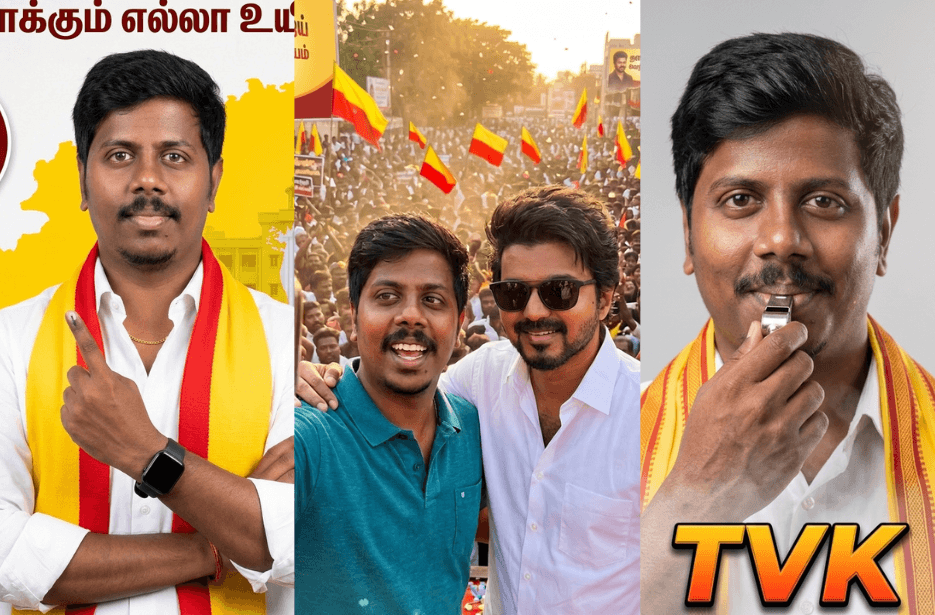
As Tamil Nadu gears up for the 2026 elections, political conversations are gaining momentum across digital platforms. Supporters are increasingly using AI tools to create engaging content and express their views online. In this article, you will find simple and effective TVK AI prompts to generate images that help you showcase your support for the party in a creative way.
Version 1: “I Voted”
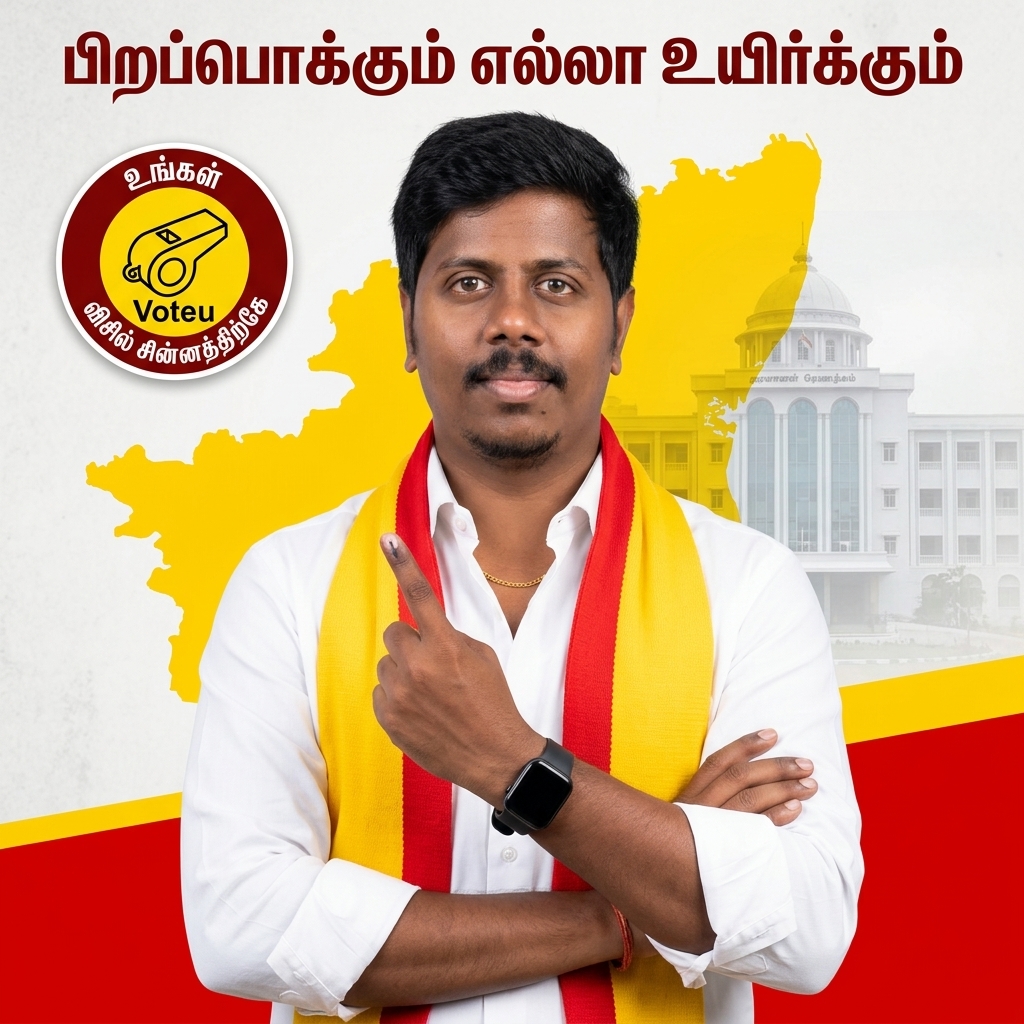
The subject is dressed in a crisp, well-ironed white formal shirt with sleeves slightly rolled up to the forearms, giving a modern and active appearance. A red-and-yellow scarf, inspired by Tamil political party aesthetics (TVK-style color theme), is draped naturally around the neck. A subtle gold chain is visible at the collar, adding a refined touch. On one wrist, the subject wears a sleek modern black smartwatch, while the other wrist features a minimal, understated bracelet.
The pose is confident and natural, with arms partially crossed in a relaxed yet authoritative stance. One hand is raised slightly forward toward the camera, clearly displaying an ink-marked index finger to symbolize voting participation. The gesture should feel organic, engaging, and symbolic, without appearing forced or exaggerated.
Lighting is bright, soft, and evenly distributed, mimicking professional studio conditions. Shadows are minimal, highlights are clean, and the face remains sharply defined with high clarity. Skin tones should appear natural and well-balanced, supported by refined color grading. The final output should be in ultra-HD 4K resolution, with high dynamic range and crisp detailing throughout.
The background features a bold, graphic political campaign poster design dominated by a strong red backdrop with vibrant yellow accents, inspired by TVK flag colors. A large yellow silhouette of Tamil Nadu is centered behind the subject, serving as a focal design element. Behind this, a subtle, semi-transparent classical government building with columns is layered in, softly faded and blended to create depth without distracting from the subject.
At the top of the composition, include the Tamil slogan “பிறப்பொக்கும் எல்லா உயிர்க்கும்” in a bold, clean, modern white font. In the upper-left corner, place a circular campaign badge or logo containing a small stylized portrait illustration. The badge should include the Tamil text “உங்கள் Voteu விசில் சின்னத்திற்கே” along with a whistle symbol, resembling a party-style emblem. The design should be clean, vector-based, high contrast, and clearly visible.
The overall composition should feature a centered subject with clean cutout separation from the background, maintaining a symmetrical and balanced layout. The design should follow a poster-style framing with strong visual hierarchy. Colors should be highly saturated with vibrant contrast, achieving a modern political campaign aesthetic with cinematic polish. The final image should have sharp edges, no blur or distortion, and a highly professional, eye-catching finish.
Rendering style: ultra-realistic, hyper-detailed, 4K, sharp focus, studio lighting, political poster design, cinematic color grading, vibrant tones, clean composition, high contrast, professional retouching.
Version 2: Selfie with Jananayagan
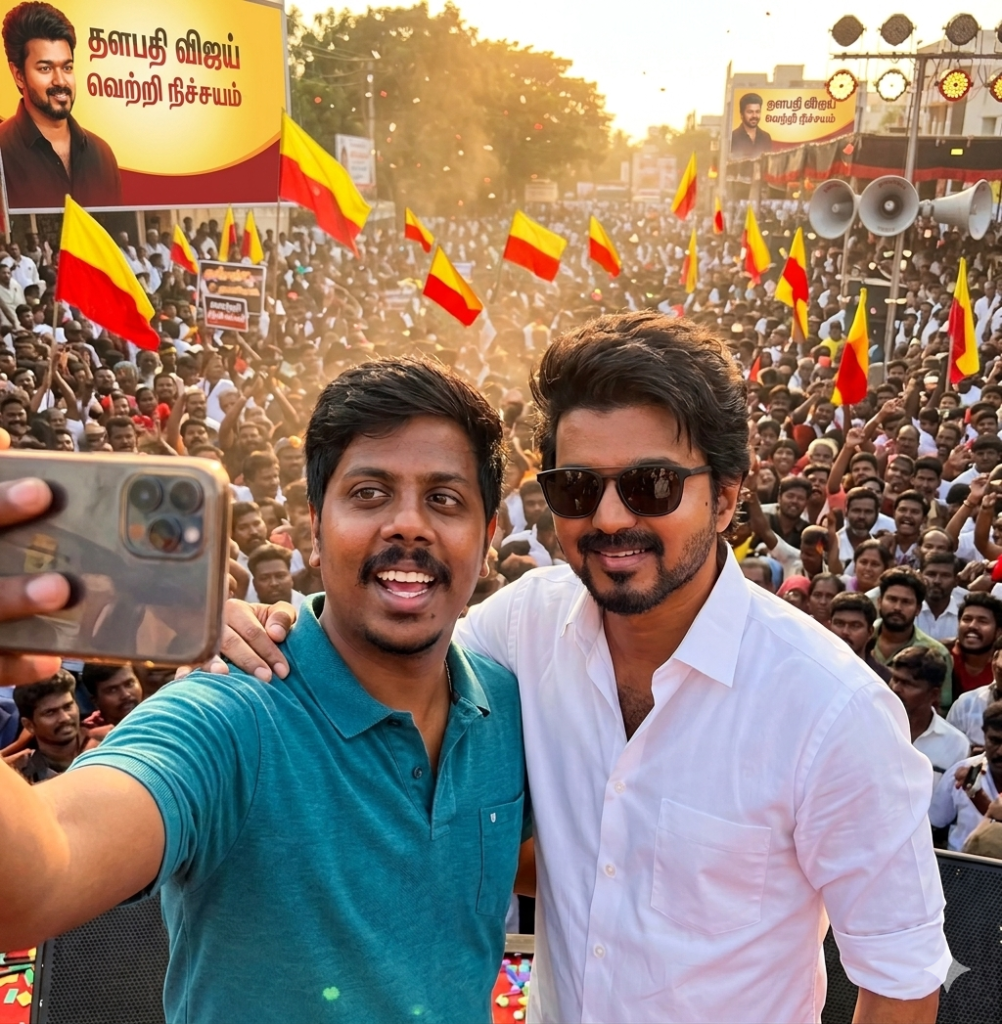
In the background: a huge energetic crowd waving flags and banners, vibrant political rally atmosphere, people cheering, confetti in the air, stage lights and loudspeakers visible, warm sunlight casting dynamic highlights and shadows, dust particles subtly visible in the air for realism
Camera perspective: handheld smartphone selfie angle, slightly tilted framing, shallow depth of field with background blur, sharp focus on faces, natural skin texture, realistic lighting with soft highlights, HDR effect
Style & quality: ultra-detailed, hyper-realistic, cinematic color grading, high dynamic range, 8K resolution, DSLR-quality sharpness, natural tones, lifelike shadows, authentic South Indian outdoor environment, documentary-style realism
Additional details: sweat and slight shine on skin due to heat, wind gently moving hair and clothes, authentic crowd density, realistic proportions, no distortion, natural facial expressions, premium photo quality.
Version 3: Vote for TVK
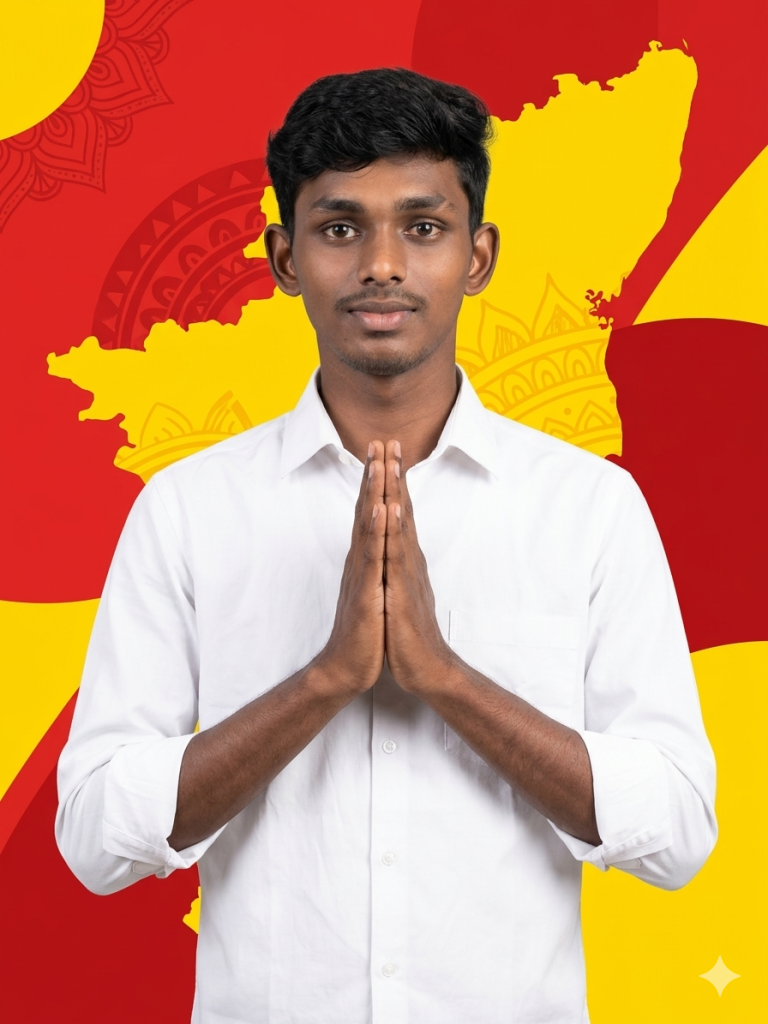
Background is inspired by the map and identity of Tamil Nadu, featuring a stylized silhouette of the state blended into a bold, graphic backdrop. Use a warm color palette with red and yellow color, indicating the TVK party. Incorporate subtle cultural texture elements or faint patterns that evoke regional heritage while keeping the design minimal and modern. The map outline should be softly integrated (slightly faded or embossed effect) so it enhances depth without overpowering the subject.
Lighting is soft, diffused studio lighting with even illumination across the subject, minimal harsh shadows, and gentle highlights to maintain a clean, natural look. Focus is sharp with high clarity and crisp details.
Color grading should create strong contrast between the white clothing and the warm-toned background, maintaining a professional and polished appearance. Composition is symmetrical, subject placed centrally, cropped from mid-torso upward.
Shot in ultra-high resolution, 4K quality, with a clean commercial portrait style. Minimal distractions, smooth blending in the background, and a refined, modern aesthetic.
Version 4: “Puratchi Thalaivar” Wishes “Ilayathalapathy”
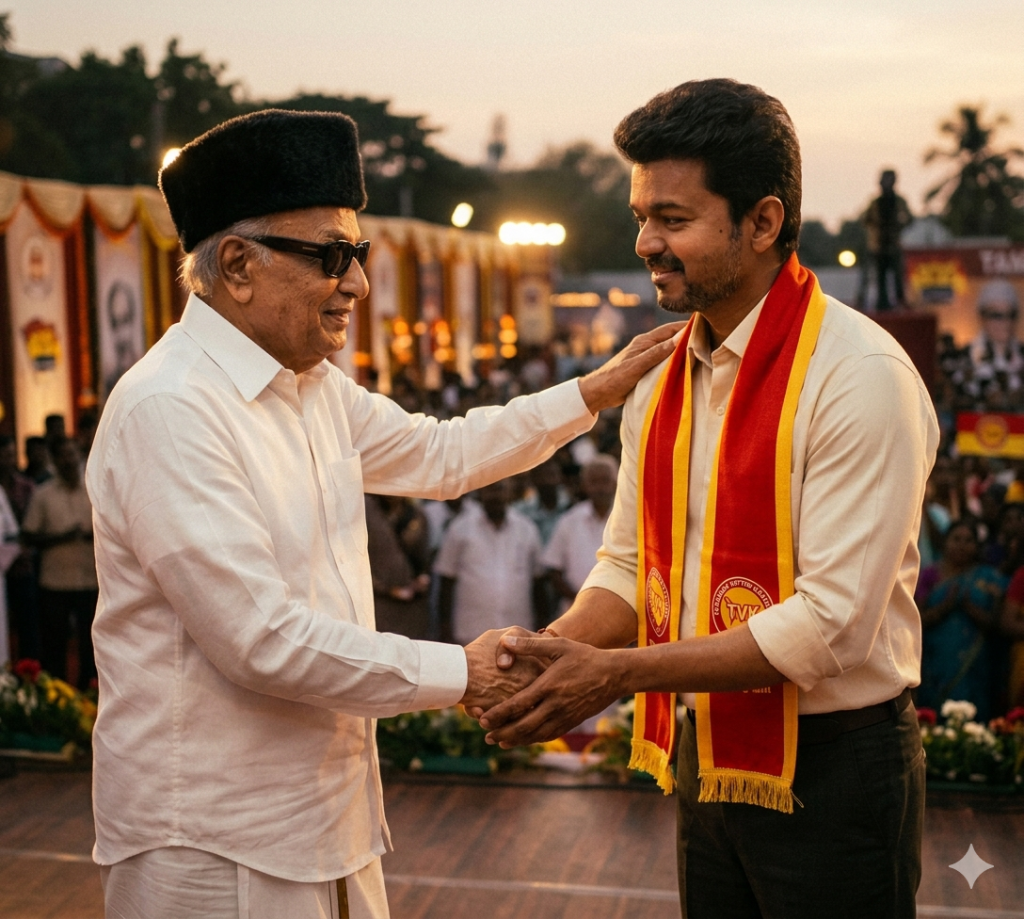
In front of him stands an elderly M.G. Ramachandran (MGR), portrayed with dignified old-age features: slightly wrinkled face, wise eyes, gentle smile, and his signature white attire including a white shirt, veshti, dark glasses, and fur cap. MGR is warmly congratulating Vijay, either placing a hand on his shoulder or shaking his hand, conveying pride and blessing.
The setting is softly lit with a nostalgic, golden-hour glow, blending past and present. The background can be a subtle mix of a political stage and classic Tamil cinema aesthetics—faint crowd silhouettes, banners, and soft-focus lighting. The mood is respectful, inspirational, and symbolic, representing legacy, mentorship, and political-cultural continuity.
Style: hyper-realistic, cinematic lighting, 4K resolution, rich color contrast (especially emphasizing the red and yellow scarf), soft depth of field, emotional storytelling composition.
Version 5: “Whistle Podu Maamae”
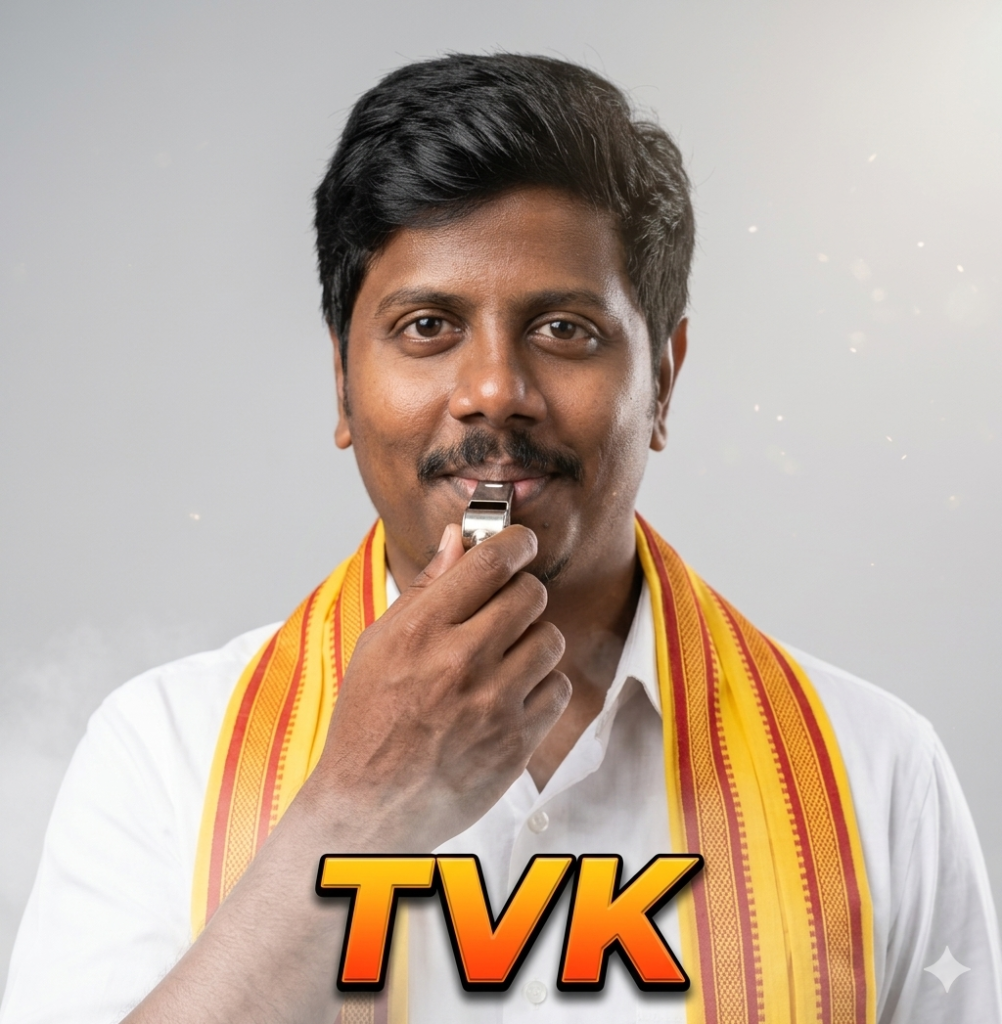
He is holding a whistle in his hand close to his lips, about to blow it, with a subtle, charming expression that suggests confidence and ease.
He is dressed in a crisp white shirt, paired with a bright yellow and red scarf draped around his shoulders, giving a vibrant and culturally rich appearance.
Lighting should be soft and studio-like, evenly illuminating the face with gentle shadows to enhance depth and facial features. The background must be plain light grey or off-white, minimal and distraction-free.
Add subtle cinematic effects: soft glowing particles or light flares around the subject, and a faint smoky or mist-like effect near the chest area for added visual drama.
At the bottom center, include bold, large, stylized text reading “TVK” in a thick sans-serif font, featuring a bright orange-to-yellow gradient fill, a strong black outline, and a slight 3D/shadow effect to make it stand out prominently.
Ensure ultra-realistic skin texture, sharp focus, high resolution, shallow depth of field, professional portrait photography style, with an 85mm lens look and HDR quality.
How to Use These Prompts
1. Below each image, you will see a prompt box with two buttons: Copy and Share to AI.
2. You can tap Copy to copy the full prompt manually. Or simply tap Share to AI; this will automatically copy the prompt for you.
3. After tapping Share to AI, a list of popular AI tools like ChatGPT, Gemini, Copilot, and others will appear on your screen.
4. Click on any AI tool you prefer. It will directly open the selected AI platform.
5. Once the AI page opens, paste the prompt into the prompt box (it is already copied if you used Share to AI).
6. Upload your reference image if required.
7. Click generate, and your image will be created.
8. If needed, you can slightly adjust the prompt for lighting, angle, or mood and generate again.
9. Once you are satisfied with the result, download the image and save it for your use.
Tips to Make The Prompts Better!
You can easily personalise these prompts to match your style, mood, and platform. Use the tips listed below to get better and more unique results.
1. Face Identity & Accuracy
- Always mention “use the provided image for exact face identity (100% preserved)”
- Add: sharp eyes, natural skin texture, no distortion
- If needed, include: same hairstyle, same expression
2. Outfit & Styling
- Change outfits based on your vibe:
- Casual: hoodie, t-shirt, streetwear
- Formal: blazer, suit, satin shirt
- Traditional: saree, kurta, ethnic wear
- Add accessories like watch, chain, sunglasses, rings for a premium look
3. Lighting Control
Lighting plays a huge role in realism:
- Golden hour → warm, soft, aesthetic
- LED/cool light → moody, cinematic
- Flash lighting → bold, high contrast
- Soft indoor light → clean and natural
4. Camera Angle & Composition
- Try different angles for better results:
- Eye level → natural look
- Low angle → powerful vibe
- Side profile → aesthetic feel
- Mirror reflection focus → cinematic style
- Add: shallow depth of field for background blur
5. Background & Environment
- Keep it minimal and clean for a professional look
- Or customise based on theme:
- Hotel room → luxury feel
- Car mirror → lifestyle aesthetic
- Black background → dramatic portrait
- Home setup → cosy vibe
6. Mood & Expression
You can control the emotion of the image:
- Confident & bold
- Calm & introspective
- Soft & smiling
- Serious & moody
7. Colour Grading & Style
- Add finishing styles like:
- Cinematic tone
- Warm vintage look
- Black & white editorial
- High contrast luxury style
- Use: subtle film grain for realism
8. Quality & Output Settings
- Always include:
- 4K or 8K resolution
- Aspect ratio: 4:5 or 3:4 (best for social media)
- Add: ultra-realistic, sharp focus, great detail.
Start with any prompt from this list, then tweak outfit + lighting + mood + background to create endless variations. Small changes can give completely new results.