

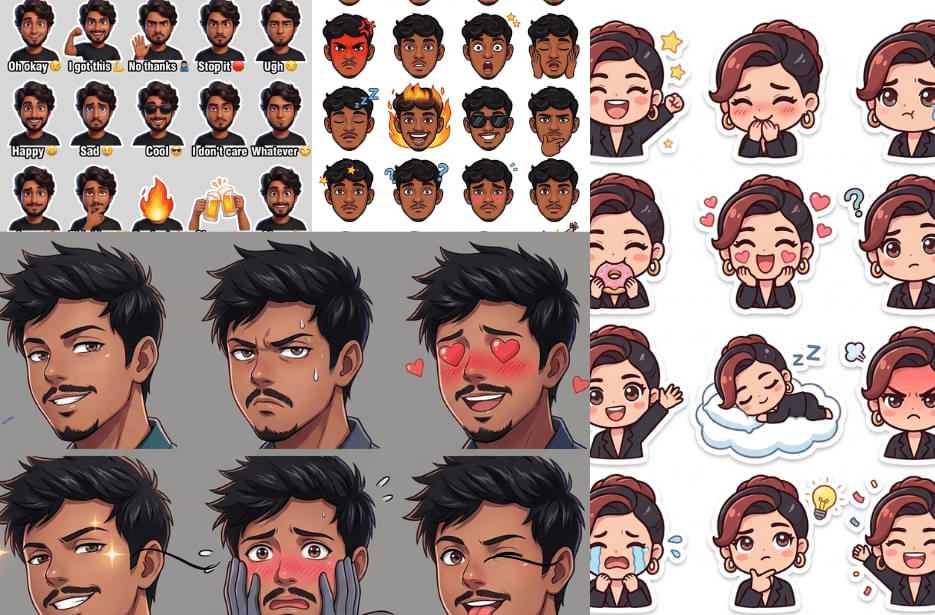
Ever wished you could turn your own photos into fun, expressive stickers? With AI, it is now easier than ever. Instead of relying on generic sticker packs, you can create personalized ones that actually look like you, capturing your moods, reactions, and everyday moments in a unique way. Whether you want stickers for chatting with friends or building your own creative collection, the possibilities are endless. In this guide, you will discover personalised sticker AI prompts and simple guidelines to help you get the best results from your photos.
Version 1: Mood Pack
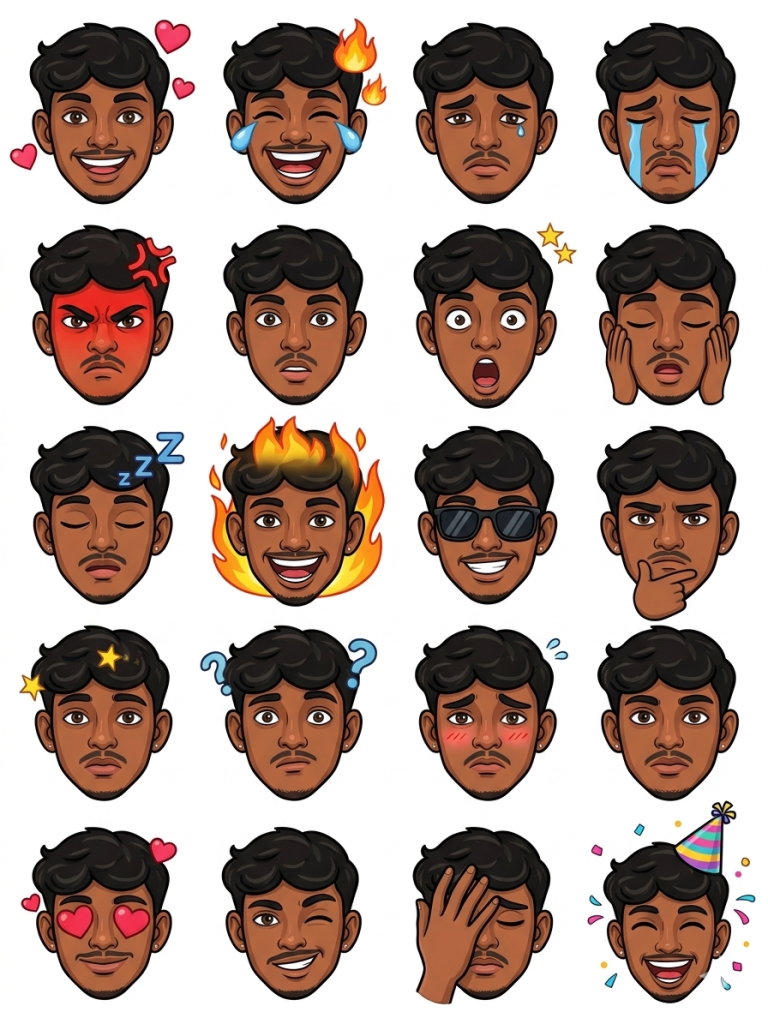
Generate multiple stickers with different moods, emotions, and expressions, including but not limited to: happy, laughing, sad, crying, angry, surprised, shocked, sleepy, excited, cool, thinking, confused, shy, love (hearts), wink, facepalm, and celebratory (party mood).
Each sticker should have clear, exaggerated expressions suitable for messaging apps, with a fun and slightly cartoon-stylized aesthetic while still resembling me. Add relevant visual elements like emojis, text captions, or props (e.g., hearts, fire, tears, stars, sunglasses, party hat) to match each mood.
Use a clean or transparent background for each sticker. Ensure bold outlines and vibrant colors so the stickers stand out clearly on any chat background.
Keep consistency across all stickers in style, proportions, and lighting. The final output should look like a cohesive sticker pack designed for apps like WhatsApp or Telegram.
Version 2: Pixar-Style Stickers
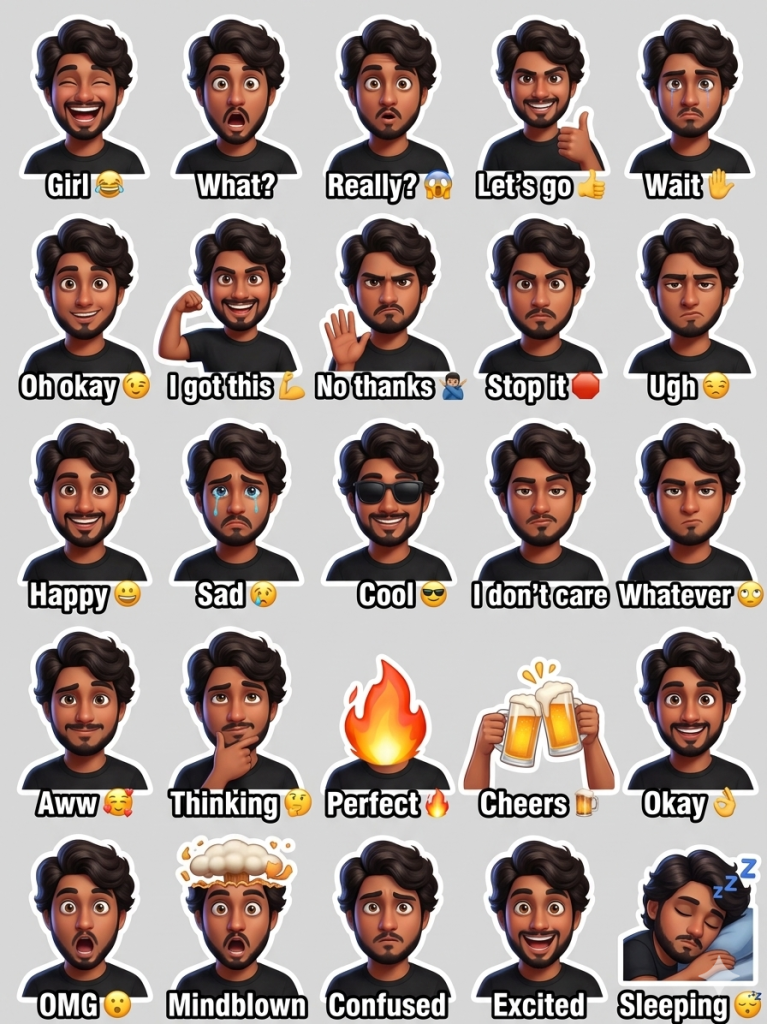
Each sticker shows a different reaction or mood, such as: laughing, shocked, confused, thinking, smirking, excited, giving thumbs up, signaling stop, praying, covering mouth while laughing, making an OK hand sign, flexing arm confidently, annoyed, surprised, indifferent, and wearing sunglasses looking cool.
Each character has a bold white sticker outline, like messaging app stickers. Add short English captions under each avatar in bold white text with a black outline, such as:
“Girl 😂”, “What?”, “Oh okay 😉”, “Let’s go 👍”, “Wait ✋”, “What’s that? 🤨”, “Oh my God 😂”, “Perfect 🔥”, “Cheers 🍻”, “I’ll pass 🙅♂️”, “You got this 💪”, “That’s crazy 😂”, “Really? 😱”, “Whatever 😏”, “I don’t care 😎”, “Ugh 😒”, “I’ll be back 😤”, “I lost 😭”, “Let’s go 😎”.
Arrange all stickers in a clean grid layout on a light gray background. Bright colors, high detail, playful emoji-style expressions, modern messaging sticker pack aesthetic.
Version 3: Anime Style
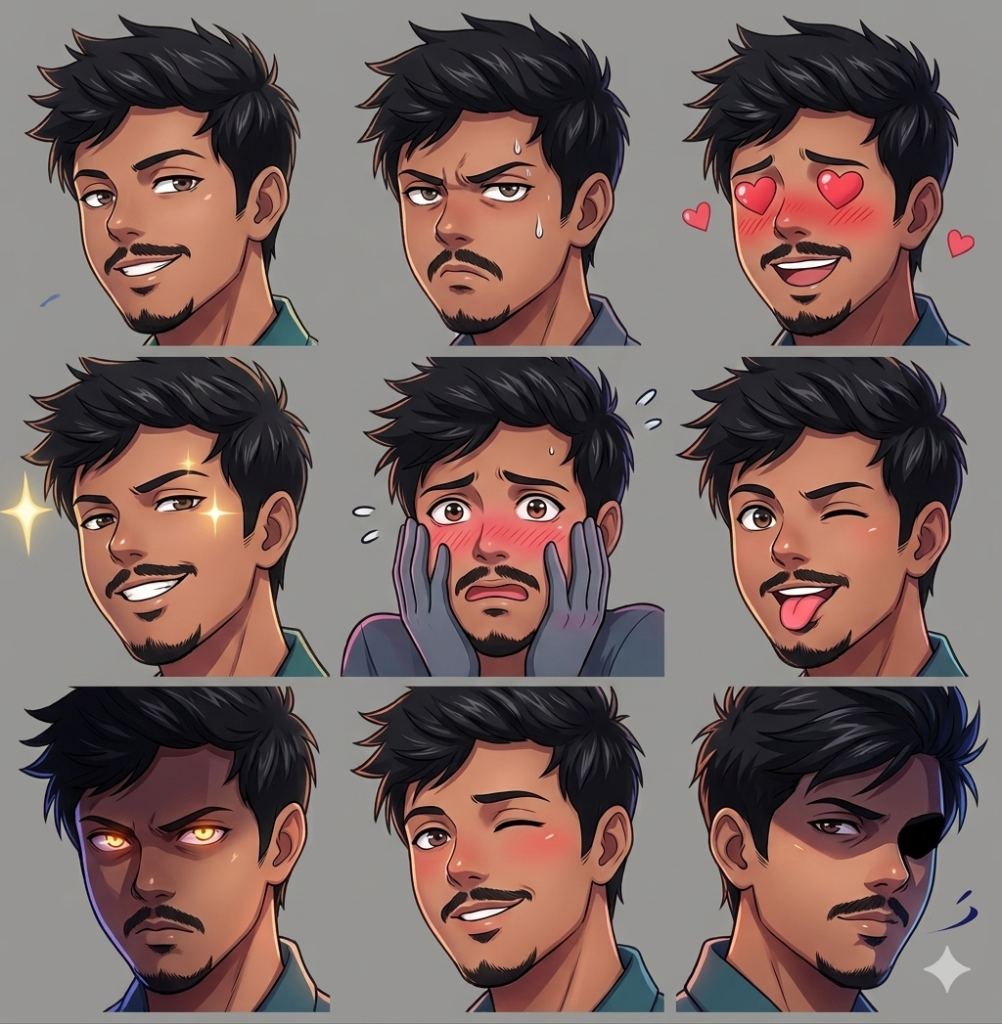
Create a set of half-view (3/4 angle) anime-style face stickers, where the face is slightly turned to the side (not front-facing), with dynamic perspective and depth. Focus on expressive anime-style eyes, soft shading, and clean linework.
Generate multiple stickers showing different emotions such as smirking, annoyed, blushing, confident, embarrassed, playful, serious, flirty, and mysterious. Each expression should be subtle yet emotionally rich, using anime-style cues like blush lines, sweat drops, glowing eyes, shadow overlays, or light flares.
Keep the composition tight—mainly head and partial shoulders—with a slight tilt or angle for a cinematic anime look. Use soft gradient or minimal abstract backgrounds (or transparent), avoiding clutter.
Apply a polished anime rendering style: smooth skin tones, sharp highlights in the eyes, detailed hair strands, and dramatic lighting (rim light, side light, or glow effects).
Maintain consistency in character design across all stickers so they feel like one cohesive anime persona. The final result should resemble high-quality anime reaction stickers suitable for chat apps, with a stylish, modern anime aesthetic.
Version 4: Chibi Style
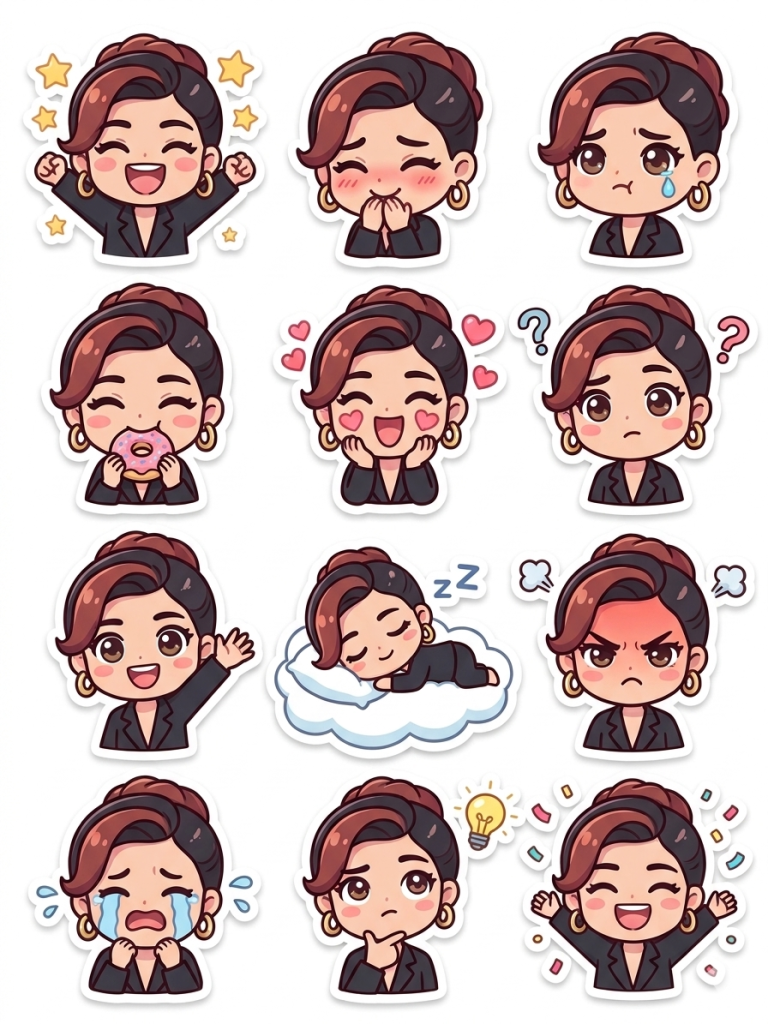
Design the character with soft, pastel color tones and a playful, wholesome aesthetic. Use simplified details, smooth shading, and clean outlines to enhance the chibi look.
Generate multiple stickers with different emotions and everyday moods, such as cheerful, giggling, pouty, sleepy, excited, shy, embarrassed, angry (cute style), crying (teary but adorable), eating, waving, and celebrating.
Add fun chibi-style elements like sparkles, hearts, tiny stars, snacks, speech bubbles, or cute props (like plushies, coffee cups, or bows) that match each emotion. Expressions should be exaggerated but in a soft and lovable way.
Keep each sticker centered with a clean or transparent background, ensuring they are optimized for messaging apps. Maintain consistent character design, outfit style, and color palette across all stickers so they feel like a cohesive set.
The final result should look like a high-quality kawaii chibi sticker pack—bright, charming, and full of personality.
Version 5: Caricature Style
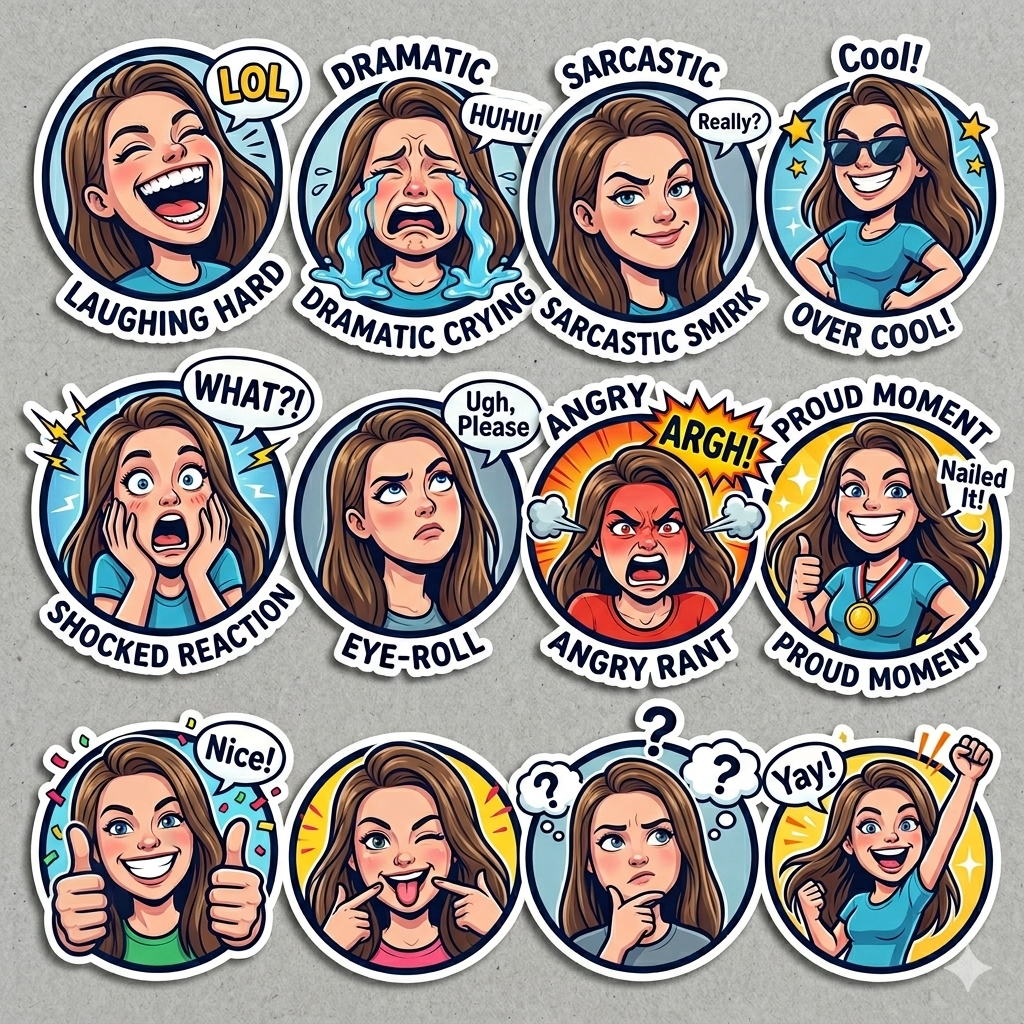
Create a series of bold, expressive caricature stickers with a semi-cartoon style—big expressions, dynamic poses, and slightly exaggerated proportions (larger head, compact body). Focus on capturing personality through facial exaggeration and gesture.
Generate multiple moods and reactions such as laughing hard, dramatic crying, sarcastic smirk, overconfident pose, shocked reaction, eye-roll, angry rant, proud moment, thumbs-up, and playful teasing. Push expressions to be energetic and slightly over-the-top for comedic effect.
Incorporate fun visual elements like motion lines, comic bursts, speech bubbles, exaggerated tears, fire effects, or stylized icons to enhance the humor and emotion. Optional short captions (like “Seriously?”, “LOL”, “What?!”, “Nice!”) can be added in a comic-style font.
Use vibrant colors, strong outlines, and high contrast so each sticker stands out clearly. Keep backgrounds minimal or transparent, with occasional comic-style backdrops for emphasis.
Maintain a consistent caricature style across all stickers so they feel like a unified, professional sticker pack with a fun, exaggerated personality.
Version 6: RealFace Stickers
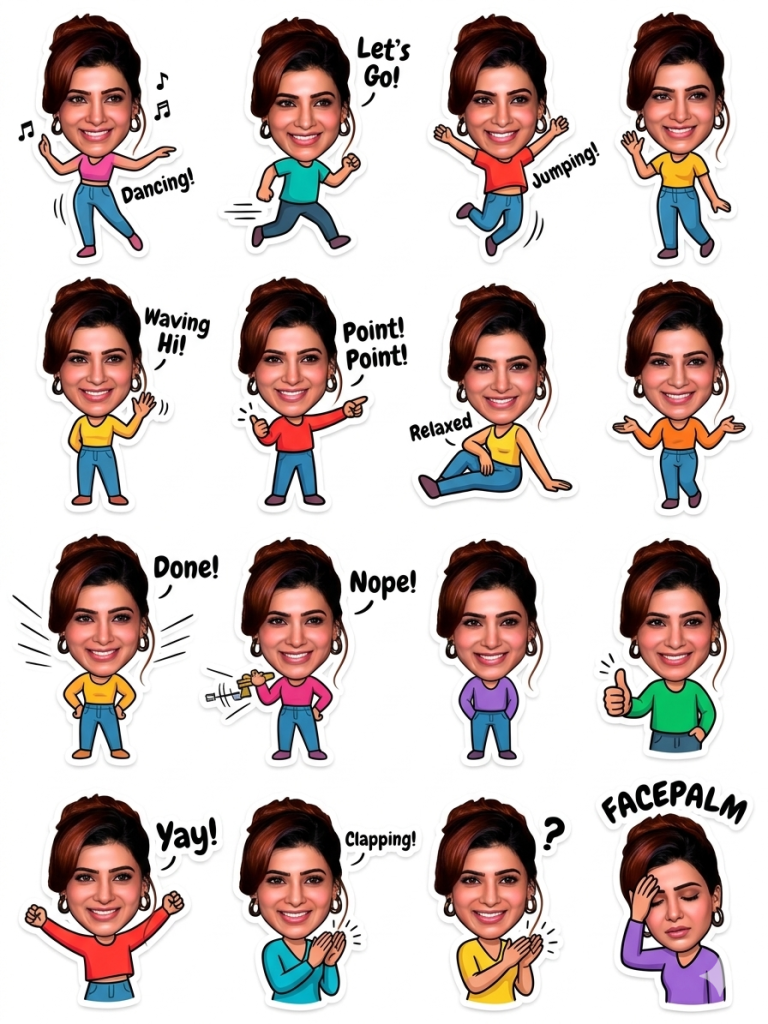
Attach this realistic face onto a simplified, stylized sticker-style body. The body should be cartoon-like with smooth shapes, bold outlines, and slightly exaggerated proportions (small body, expressive gestures), creating a fun contrast between real face and illustrated body.
Create full-body stickers showing different actions and poses such as dancing, running, jumping, waving, pointing, sitting relaxed, working on a laptop, eating, celebrating, clapping, facepalming, and giving thumbs up. Each pose should feel dynamic and lively.
Ensure the face blends naturally with the illustrated body—match lighting direction, skin tone transitions, and neck connection so it doesn’t look cut-and-paste.
Add expressive elements like motion lines, shadows, props (phone, coffee, laptop, gifts), and minimal text where suitable (e.g., “OK!”, “Nope!”, “Let’s go!”, “Done!”).
Use bright, clean colors and maintain a consistent body design across all stickers. Keep backgrounds transparent or minimal so they work well in chat applications.
The final output should feel like a fun, modern sticker pack where a real human face is humorously combined with a cute animated body performing everyday actions.
How to Use These Prompts
1. Below each image, you will see a prompt box with two buttons: Copy and Share to AI.
2. You can tap Copy to copy the full prompt manually. Or simply tap Share to AI; this will automatically copy the prompt for you.
3. After tapping Share to AI, a list of popular AI tools like ChatGPT, Gemini, Copilot, and others will appear on your screen.
4. Click on any AI tool you prefer. It will directly open the selected AI platform.
5. Once the AI page opens, paste the prompt into the prompt box (it is already copied if you used Share to AI).
6. Upload your reference image if required.
7. Click generate, and your image will be created.
8. If needed, you can slightly adjust the prompt for lighting, angle, or mood and generate again.
9. Once you are satisfied with the result, download the image and save it for your use.
Customisation Tips for Better Results
- Use a high-quality face image – Upload a clear, front-facing photo with good lighting to get accurate facial details.
- Match lighting direction – Choose a face image with similar lighting to the reference for a seamless blend.
- Enable face enhancement tools – Use features like face swap, identity preservation, or image guidance for better accuracy.
- Avoid background distractions – Use a clean face image so the AI focuses only on your facial features.
- Include clear emotion keywords or emojis – Specify a variety of expressions in your prompt to guide the AI, such as happy, smiling, laughing, excited, playful, in love, heart eyes, blowing kiss, sad, crying, disappointed, angry, annoyed, sarcastic, surprised, shocked, confused, thinking, confident, cool, sleepy, tired, shy, embarrassed, as well as action-based expressions like dancing, jumping, clapping, celebrating, waving, pointing, running, facepalming, and thumbs up.